

 Chats
Chats Calendar
 Meetings
 Contacts
 Mail
Mail Docs
Docs Drive
Drive AI Table
 AI Minutes
 Attendance
 Approval
 YiDA
YiDA Admin Console
1. Overview
DingTalk offers powerful attendance and shift management features. Organizations can flexibly configure shift rules based on actual needs. Setting up shifts properly enables more efficient attendance management.2. Use cases
Suitable for organizations where different users work on different shifts.3. Procedure
Mobile
Admins with the required permissions can go to DingTalk mobile app > Workbench > Attendance > Settings > More settings > Shift management > Add/Edit/Delete shift.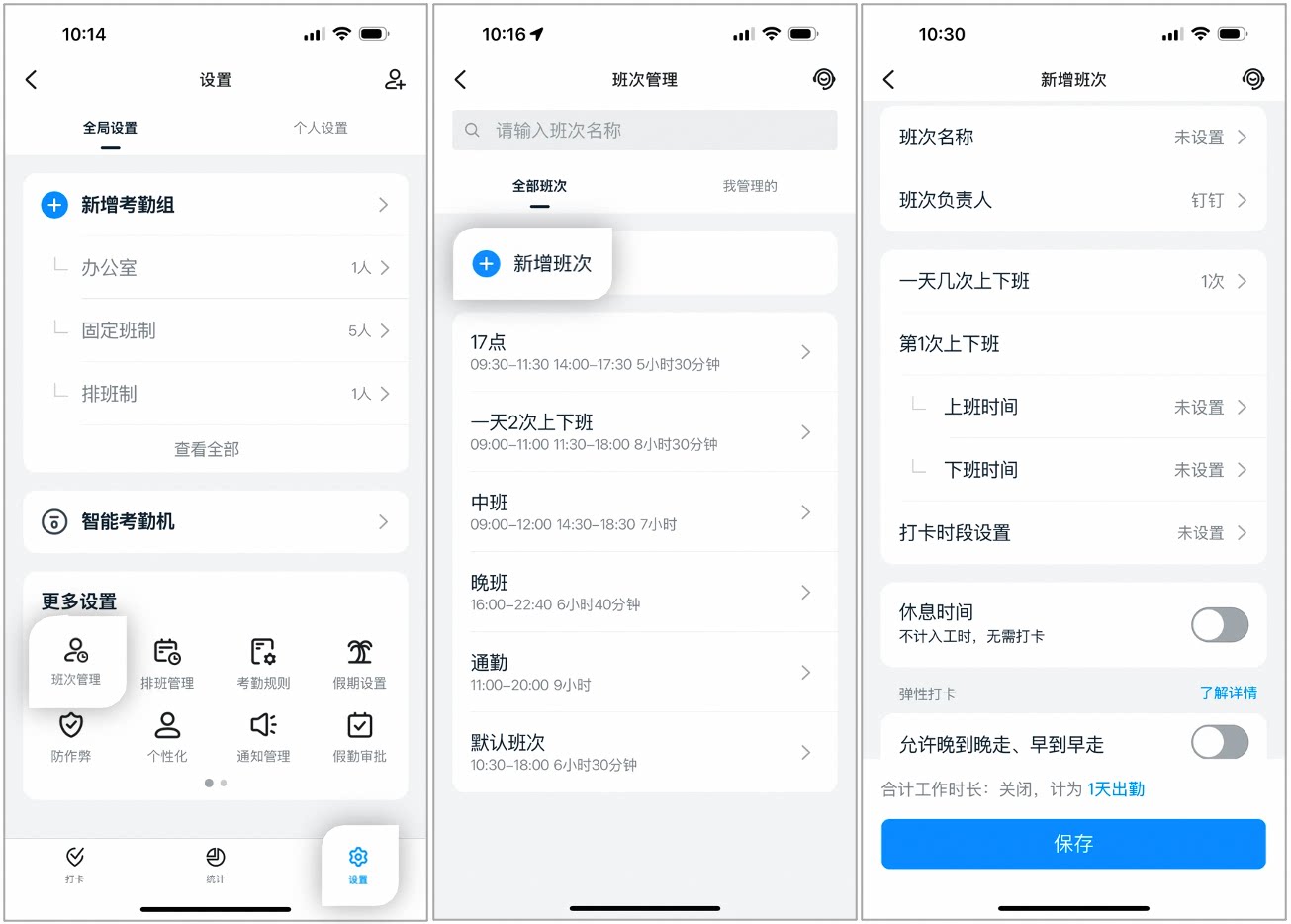
Example of shift settings on the mobile app
Desktop
Admins with the required permissions can go to DingTalk desktop app > Workbench > Attendance > Shift management > Add/Edit/Delete shift.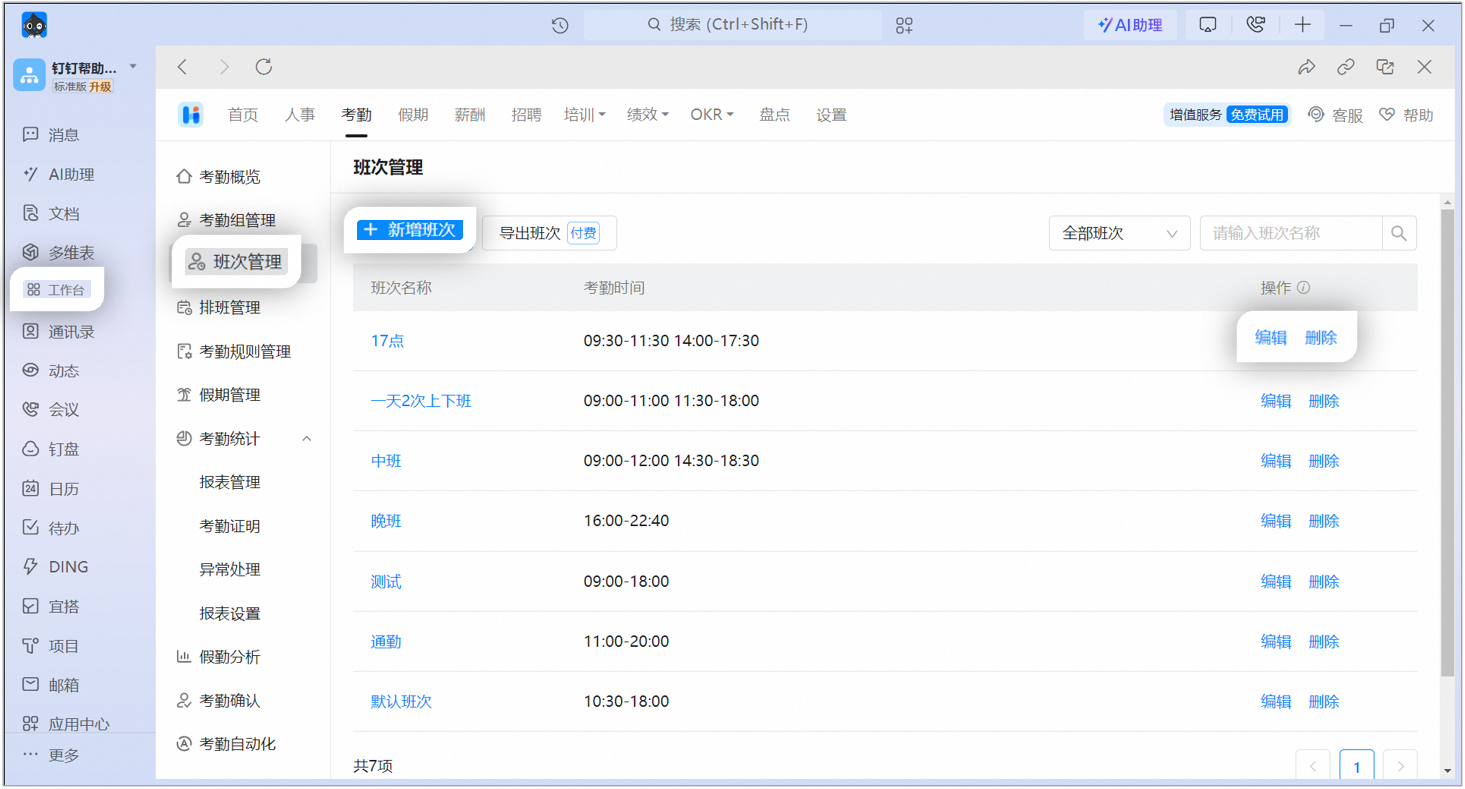
Example of shift settings on the desktop app
4. Shift settings
5. FAQs
Is there a limit on the number of shifts I can create?
Is there a limit on the number of shifts I can create?
You can create up to 8,000 shifts.
Can shift names be duplicated?
Can shift names be duplicated?
No. Shift names must be unique.
Can I add or delete shifts in bulk?
Can I add or delete shifts in bulk?
No. Shifts cannot be added or deleted in bulk.
Can shifts be sorted in shift management?
Can shifts be sorted in shift management?
Custom sorting is not supported. Shifts are listed in the following order: numbers, letters, and Chinese characters.
Why can't I edit a shift?
Why can't I edit a shift?
Only the Super Admin or a Sub Admin with attendance permissions can edit shifts. Contact an Admin with the required permissions to go to Admin Console > Security and permissions > Manage permissions and configure the Super Admin/Sub Admin.