

 Chats
Chats Calendar
 Meetings
 Contacts
 Mail
Mail Docs
Docs Drive
Drive AI Table
 AI Minutes
 Attendance
 Approval
 YiDA
YiDA Admin Console
Turn on the setting
Path: Attendance → Statistics → Anti-cheating → Show the dedicated anti-cheating label
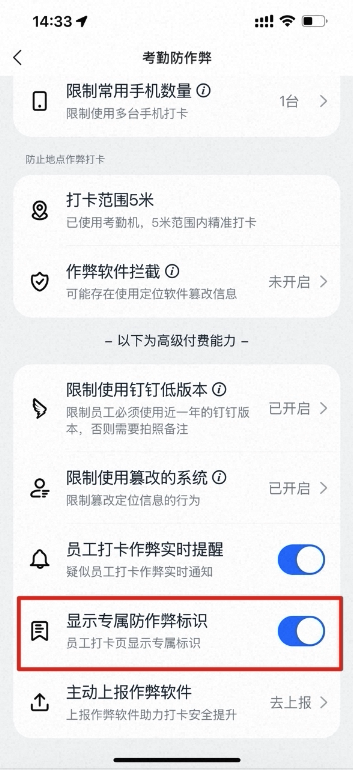
How to turn on the setting
Effect preview
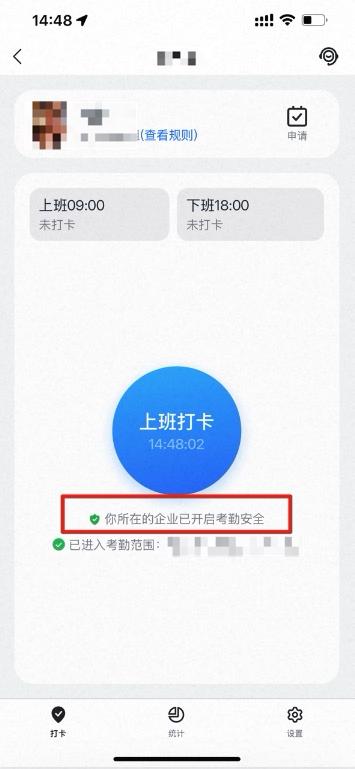
Preview of the label on the employee clock-in Home
A DingTalk Attendance Security Enhanced capability: once enabled, employees see the exclusive anti-cheating badge Attendance Security Enhanced Protection Enabled on the clock-in Home.
How to turn on the setting
Preview of the label on the employee clock-in Home