

 Chats
Chats Calendar
 Meetings
 Contacts
 Mail
Mail Docs
Docs Drive
Drive AI Table
 AI Minutes
 Attendance
 Approval
 YiDA
YiDA Admin Console
Steps
Open the DingTalk desktop app > click Mail in the left sidebar > open the email you want to manage > click … in the upper-right corner > select Download email.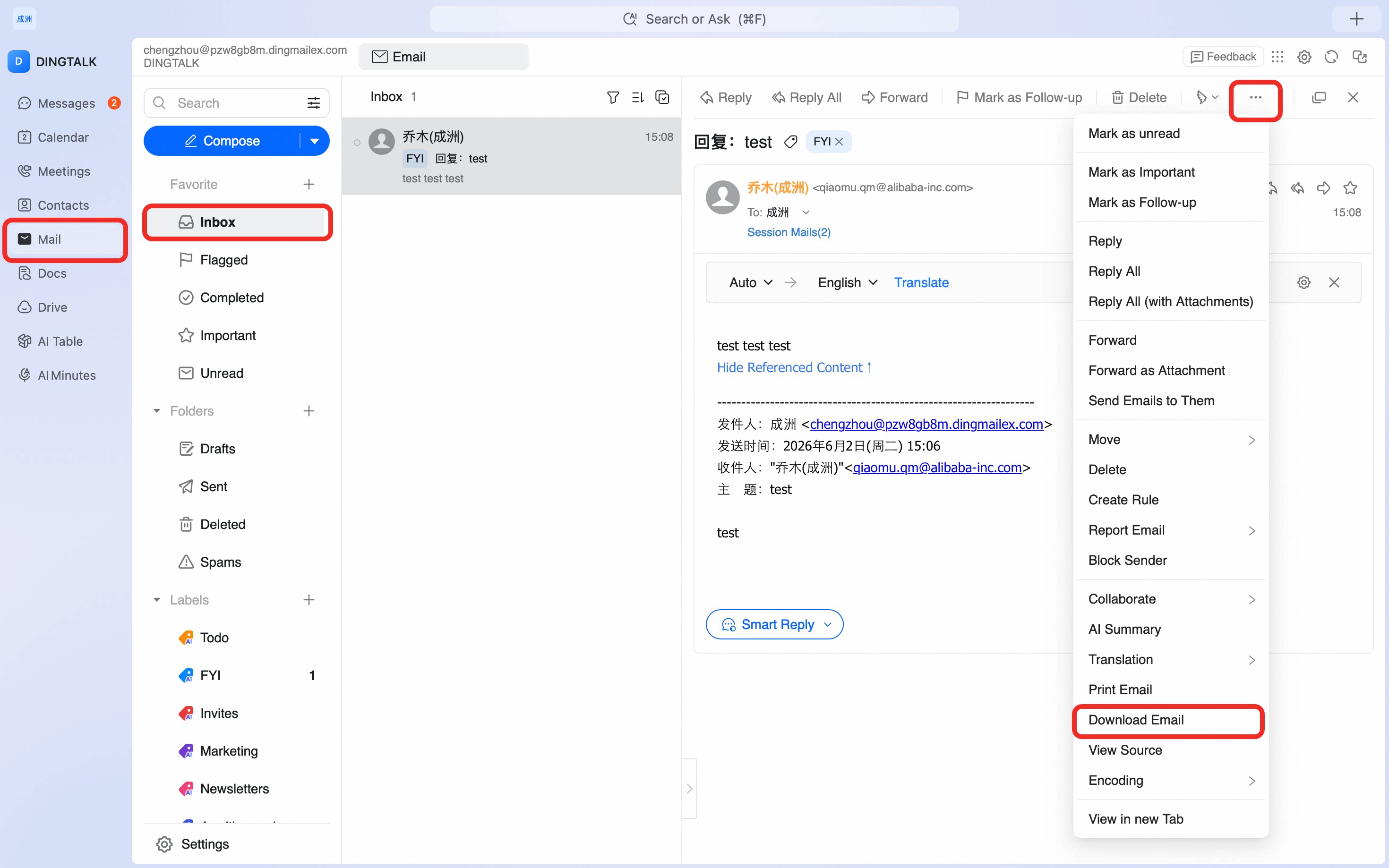
Download an email to your local device from the DingTalk desktop app for offline reading or archival.