
 Chats
 Calendar
 Meetings
 Contacts
 Mail
 Docs
 Drive
 AI Table
 AI Minutes
 Attendance
 Approval
 YiDA
 Admin Console
Procedure
1
Open the member's information editor
Sign in to the DingTalk admin console with a DingTalk Enterprise Mail administrator account. Go to Directory > Members. For the member whose account you want to update, click More > Edit information.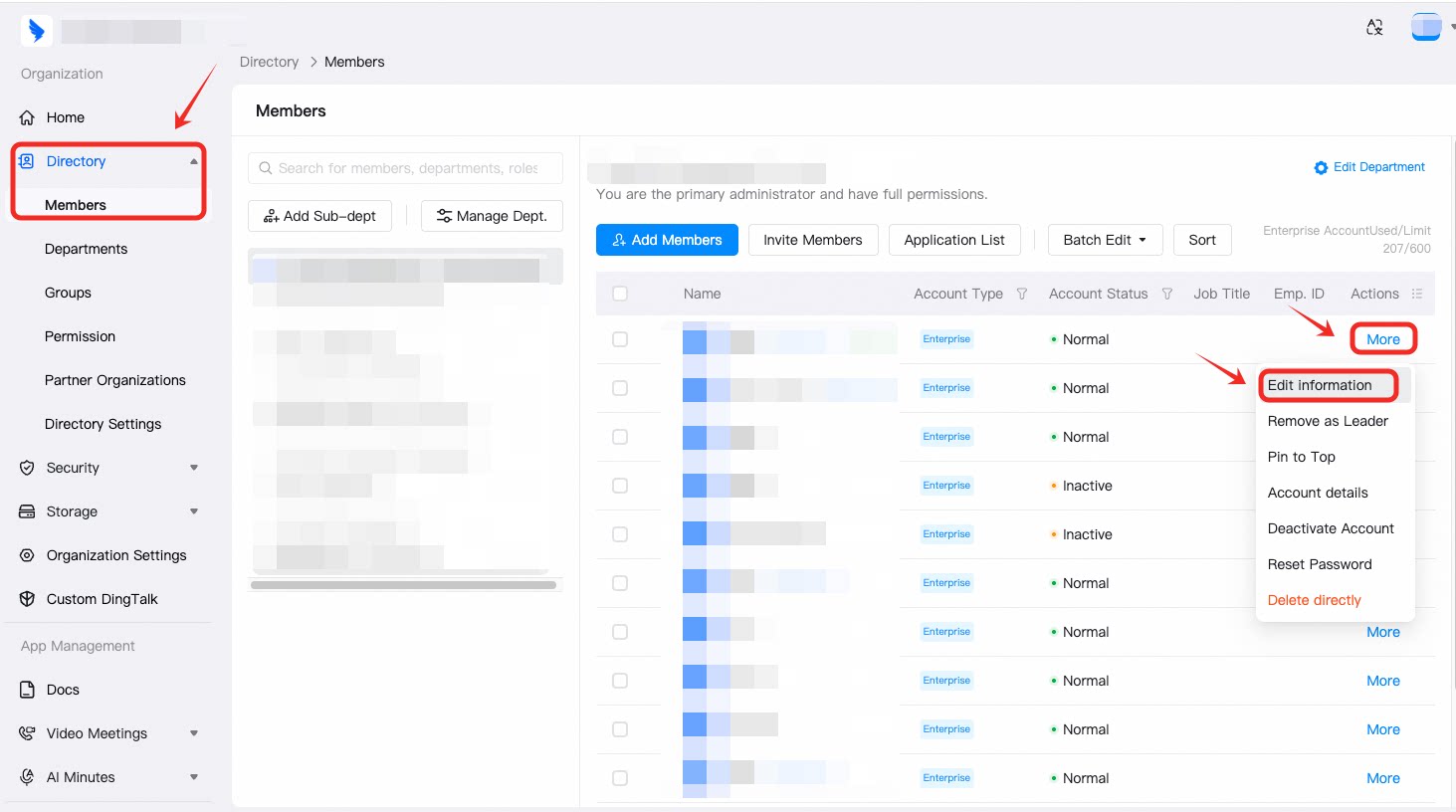
2
Open Advanced Settings
Under Enterprise Email, open Advanced Settings.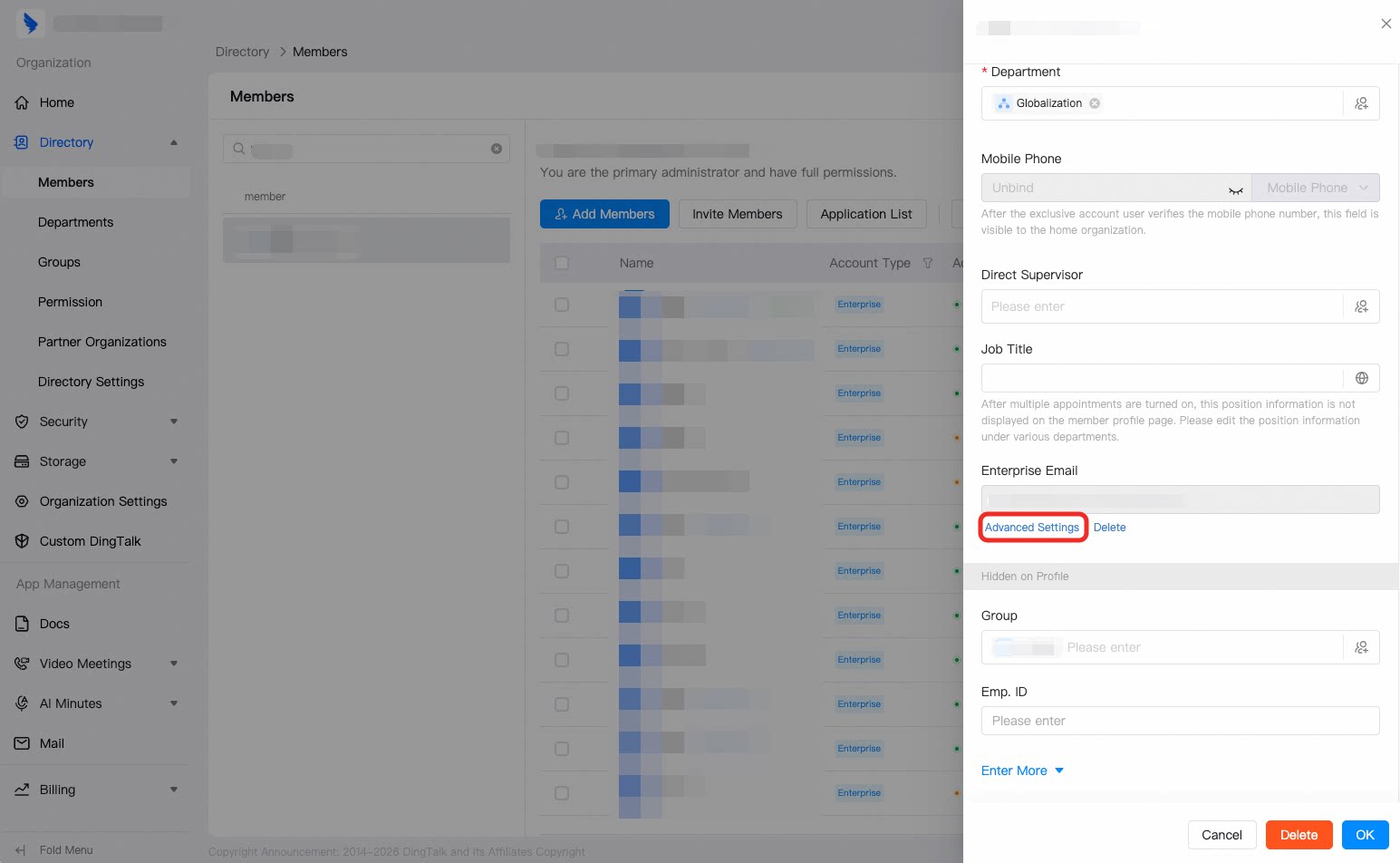
3
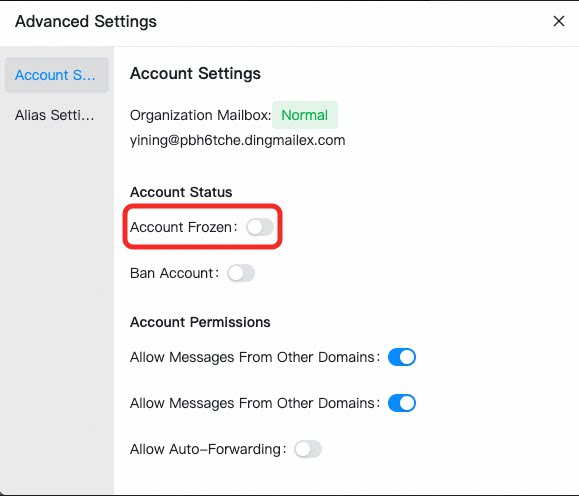
Turn Account Frozen on or off
Turn Account Frozen on to freeze the account, or off to unfreeze it.