Chats
Chats Calendar
 Meetings
 Contacts
 Mail
Mail Docs
Docs Drive
Drive AI Table
 AI Minutes
 Attendance
 Approval
 YiDA
YiDA Admin Console
Value
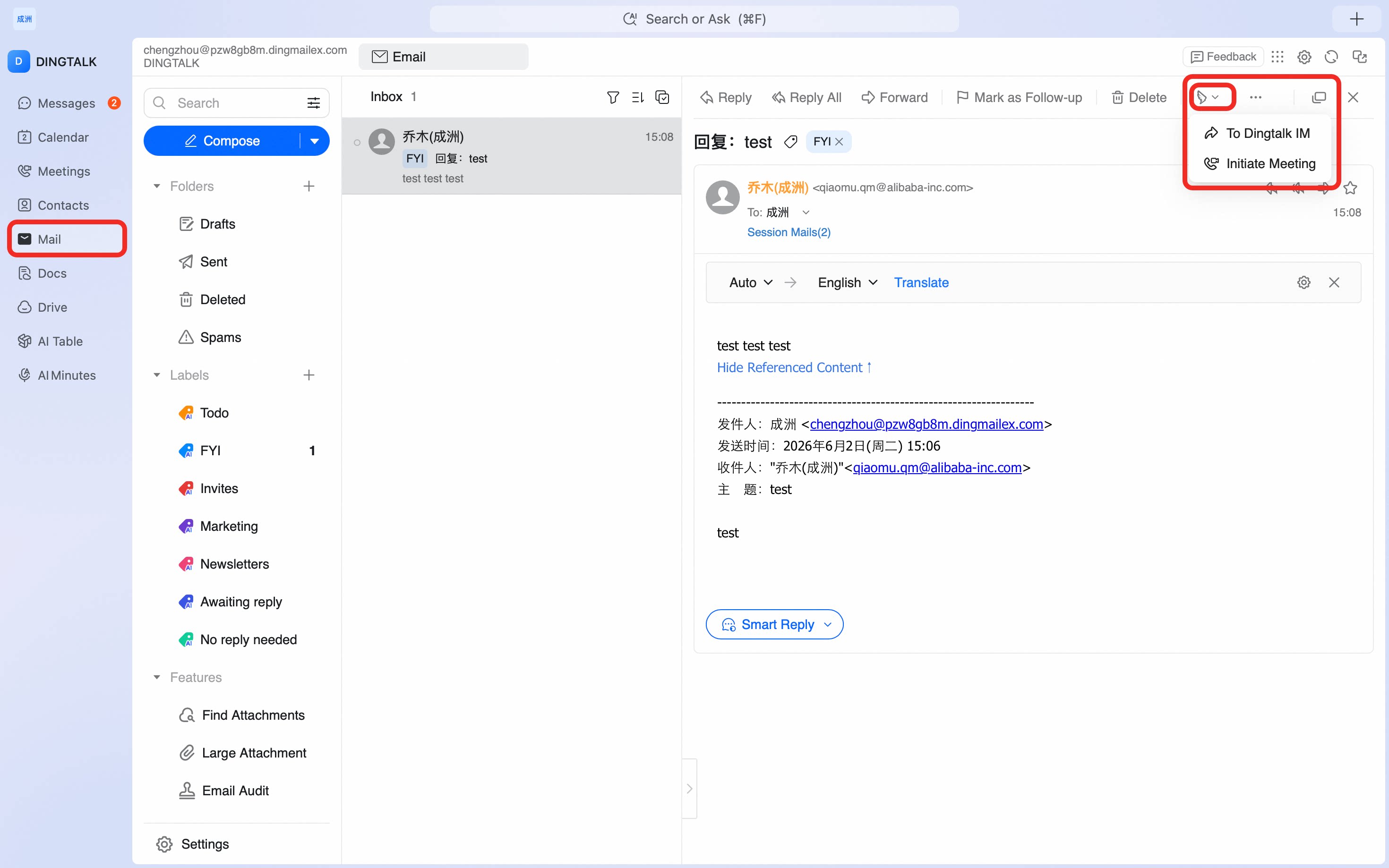
Need to share the full content of an email, but screenshots are too much trouble? Use Forward to chat to send the complete email to a chat window with one click. The content remains clear and complete, making communication more convenient.Use Case
Ding Sanduo is a marketing manager in the new energy vehicle industry. He often needs to forward email information to his manager and colleagues in other departments to sync work updates. With this feature, he can forward the full email content to a DingTalk chat or work group with one click. There is no need to take repeated screenshots, so information is more complete and collaboration is easier.Steps
Open the DingTalk desktop app > click Mail in the left sidebar > select the email you want to manage > click the collaboration icon in the upper-right corner > Share to chat.