

 Chats
Chats Calendar
 Meetings
 Contacts
 Mail
Mail Docs
Docs Drive
Drive AI Table
 AI Minutes
 Attendance
 Approval
 YiDA
YiDA Admin Console
Steps
Open the DingTalk desktop app > click Mail in the left sidebar > click Settings in the lower-left corner > Mail settings > Blocklist/Allowlist.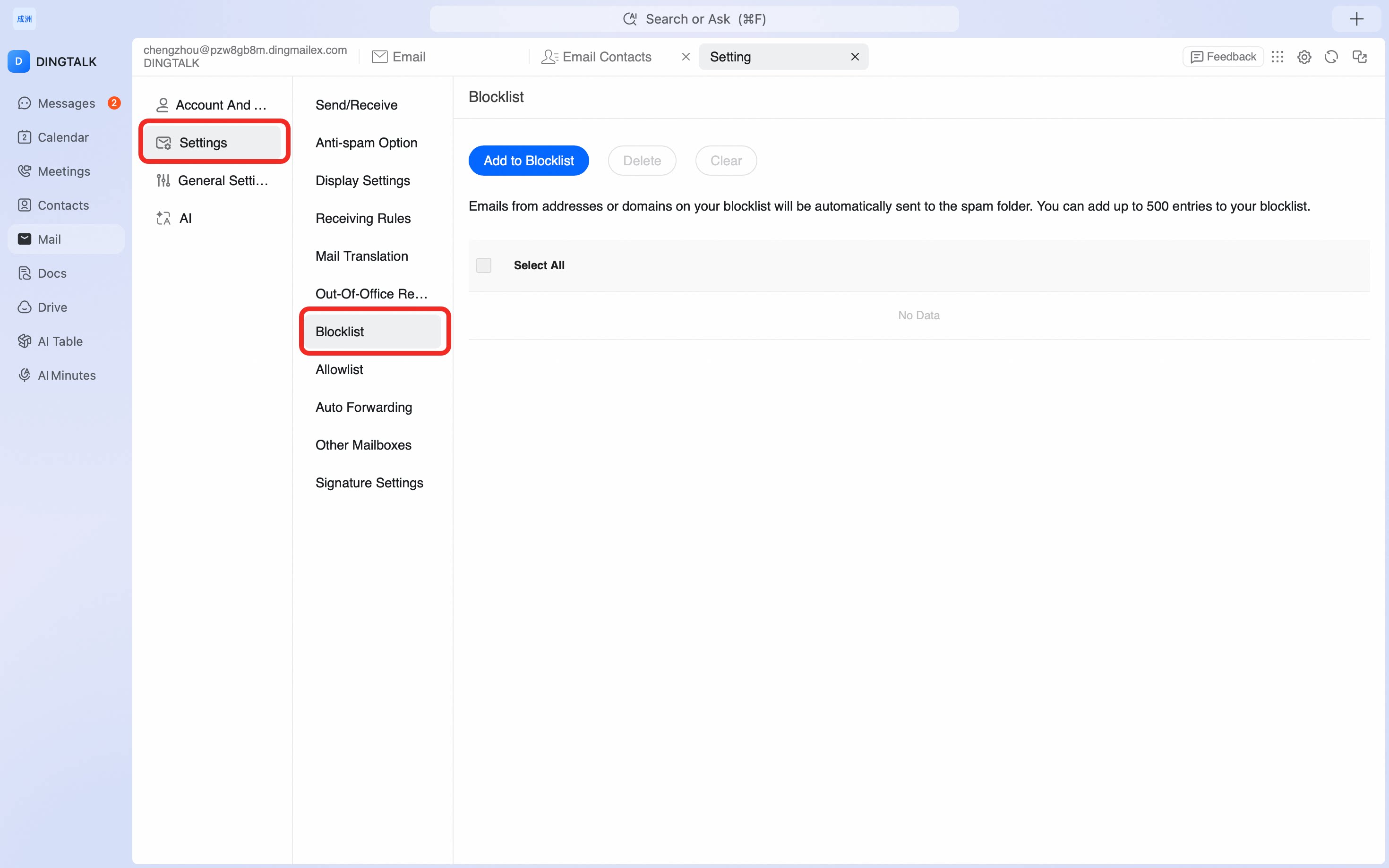 Emails sent from addresses or domains on the allowlist will not go to the spam folder. You can add up to 500 allowlist entries.
Emails sent from addresses or domains on the blocklist will go to the spam folder or be deleted directly. You can add up to 500 blocklist entries.
Emails sent from addresses or domains on the allowlist will not go to the spam folder. You can add up to 500 allowlist entries.
Emails sent from addresses or domains on the blocklist will go to the spam folder or be deleted directly. You can add up to 500 blocklist entries.