

 Chats
 Calendar
 Meetings
 Contacts
 Mail
 Docs
 Drive
 AI Table
 AI Minutes
 Attendance
 Approval
 YiDA
 Admin Console
What Are Third-Party Clients?
Third-party clients are software applications developed by third parties for managing and using email. They typically offer a range of email management features and customization options to meet different user needs. Common third-party email clients include Outlook, Foxmail, Apple Mail, and the built-in email apps on mobile phones. These clients typically connect to different email service providers using SMTP, IMAP, or POP, allowing users to manage emails from multiple accounts in one place.To help protect DingTalk Enterprise Mail accounts, Allow Third-Party Clients is turned off by default. This means that signing in through third-party clients is not allowed by default. You can turn this setting on or off to meet your business needs.
Procedure
Follow the steps below to enable and configure Allow Third-Party Clients.1
Open Third-party Client Management
Sign in to the DingTalk admin console as an administrator. Go to App Management > Mail > Security Policy > Third-party Client Management.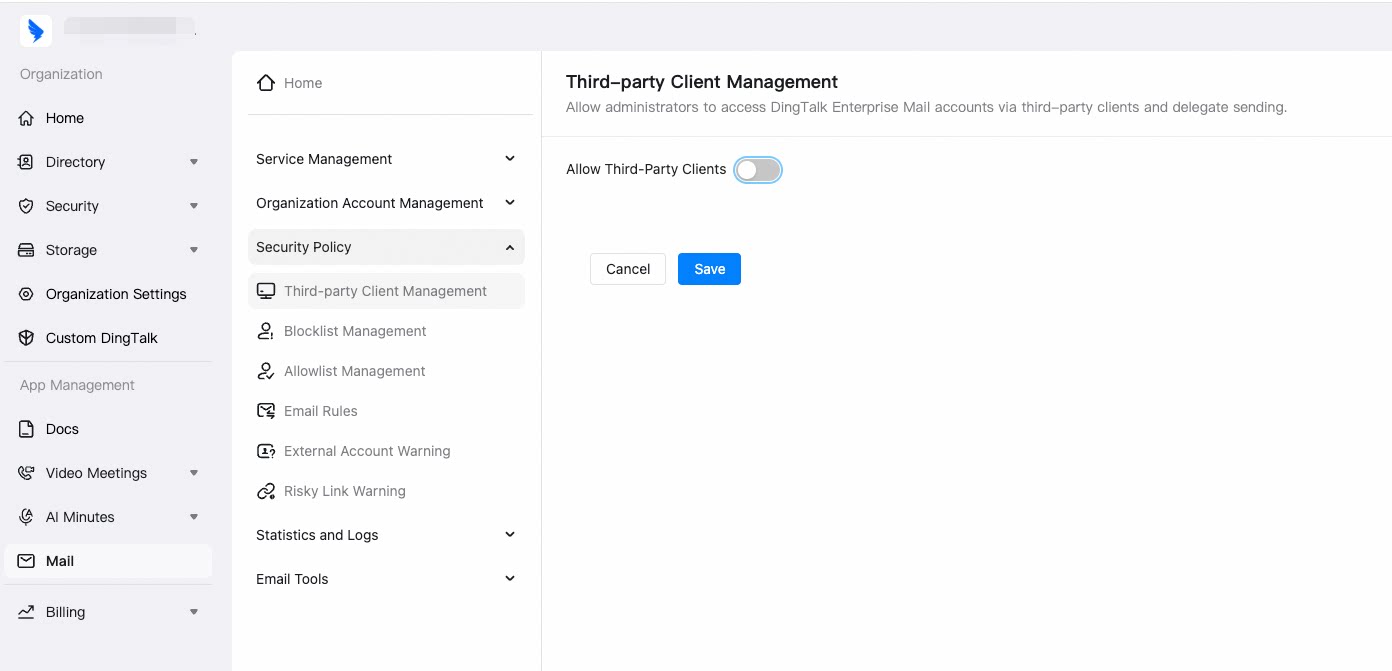
2
Turn on Allow Third-Party Clients
Turn on Allow Third-Party Clients.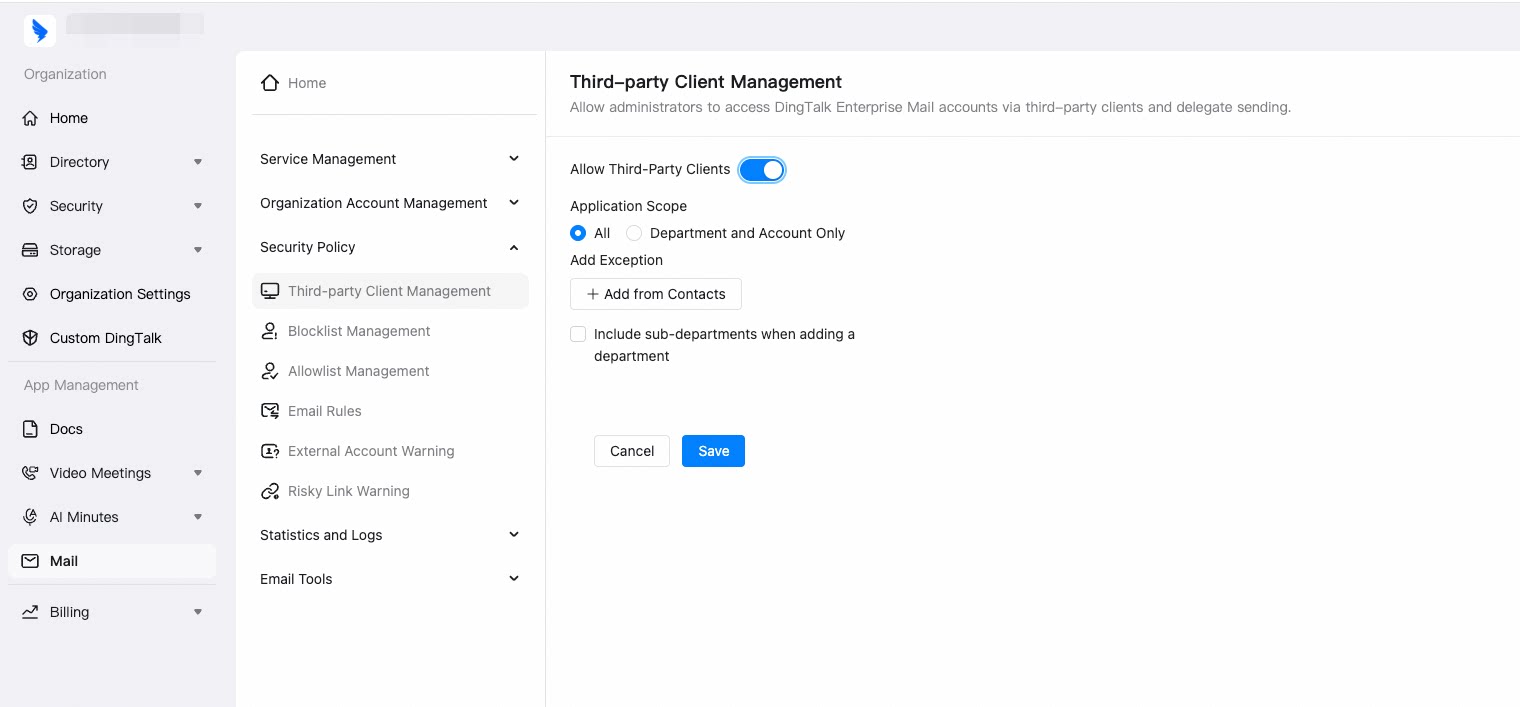
3
Select the application scope
Under Application Scope, select the option that meets your needs.
- All
- Department and Account Only
You can add exceptions in the Add Exception section. Click Add from Contacts and select the accounts to exclude from the organizational structure or email contacts. These accounts will not be able to sign in to DingTalk Enterprise Mail through third-party clients.
4
Save the settings
Choose whether to select Include sub-departments when adding a department, then click Save.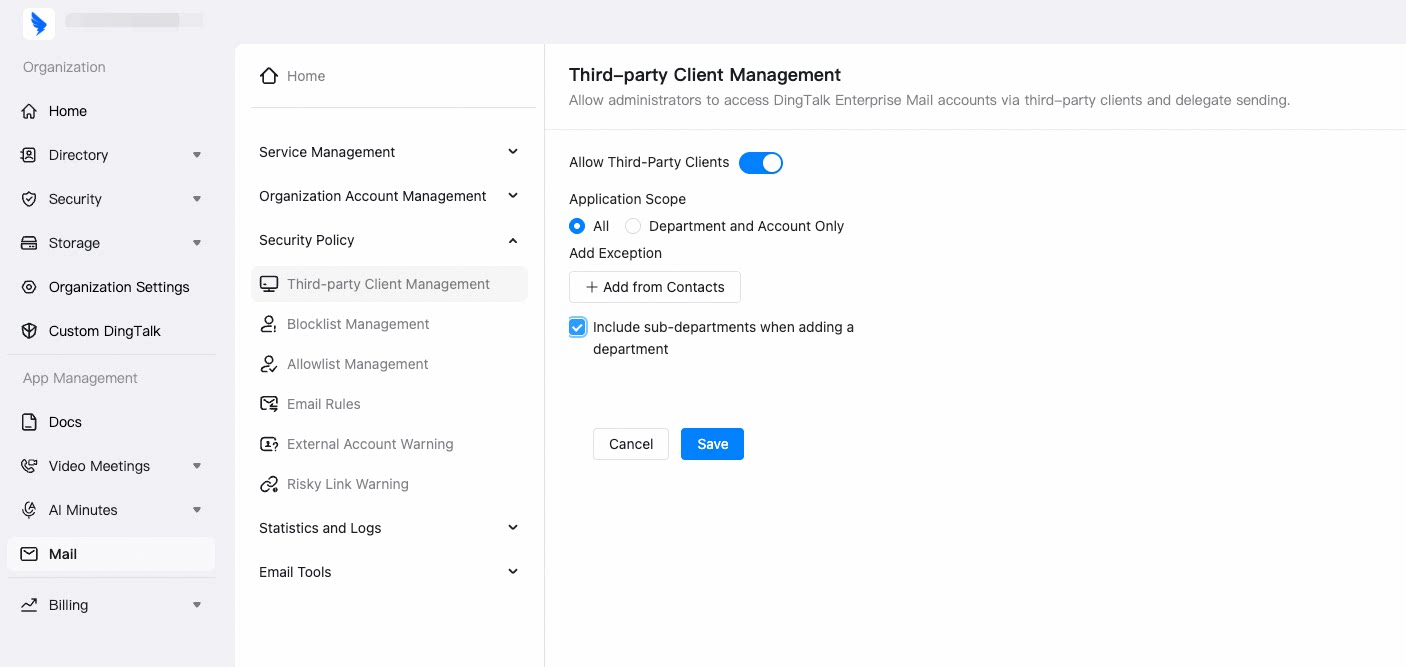
Create and Use a Third-Party Client Security Password
Learn how members generate a separate security password for signing in through third-party clients.