

 Chats
Chats Calendar
 Meetings
 Contacts
 Mail
Mail Docs
Docs Drive
Drive AI Table
 AI Minutes
 Attendance
 Approval
 YiDA
YiDA Admin Console
Steps
Open the DingTalk desktop app > click Mail in the left sidebar > click Settings in the lower-left corner > Vacation reply settings.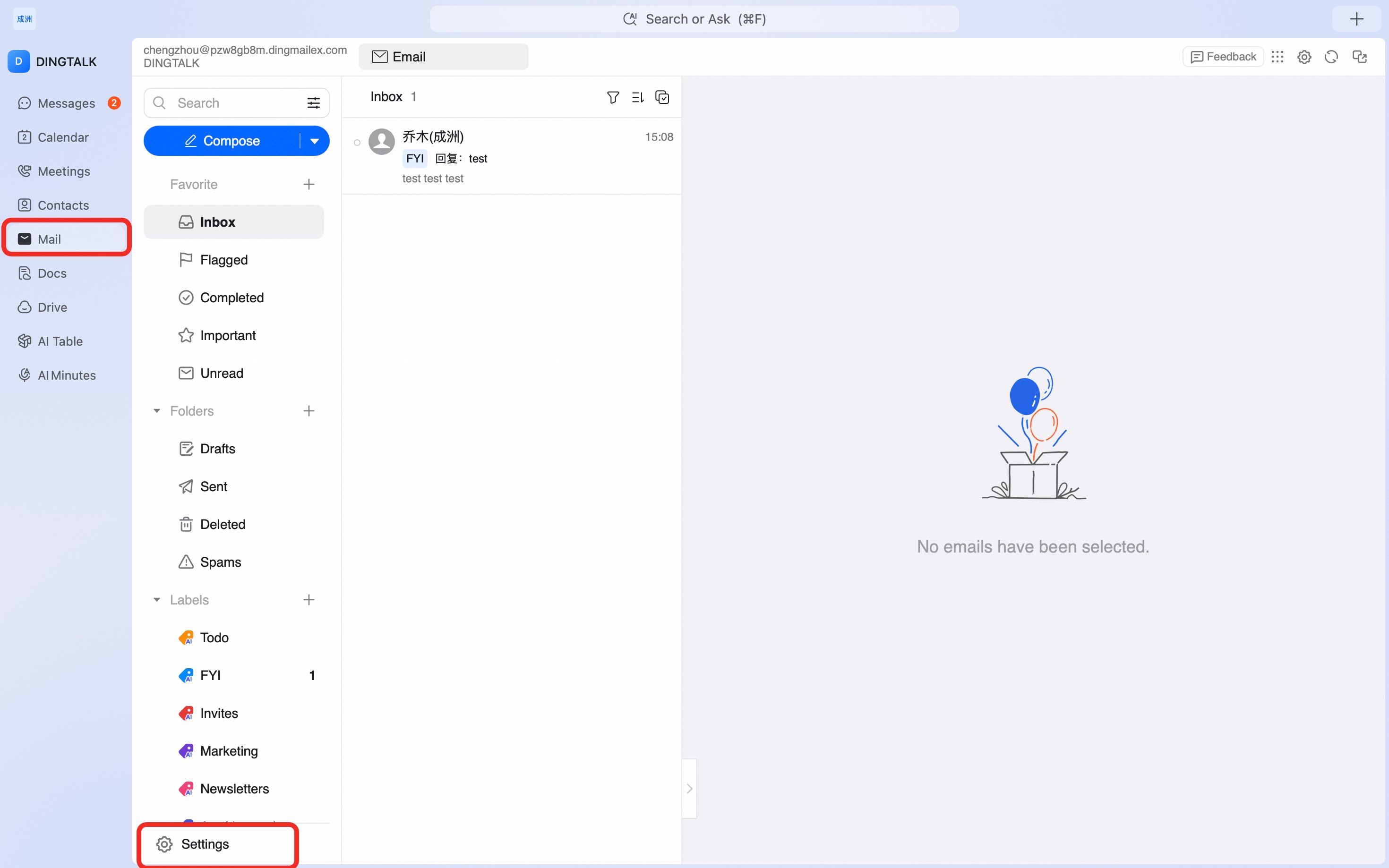
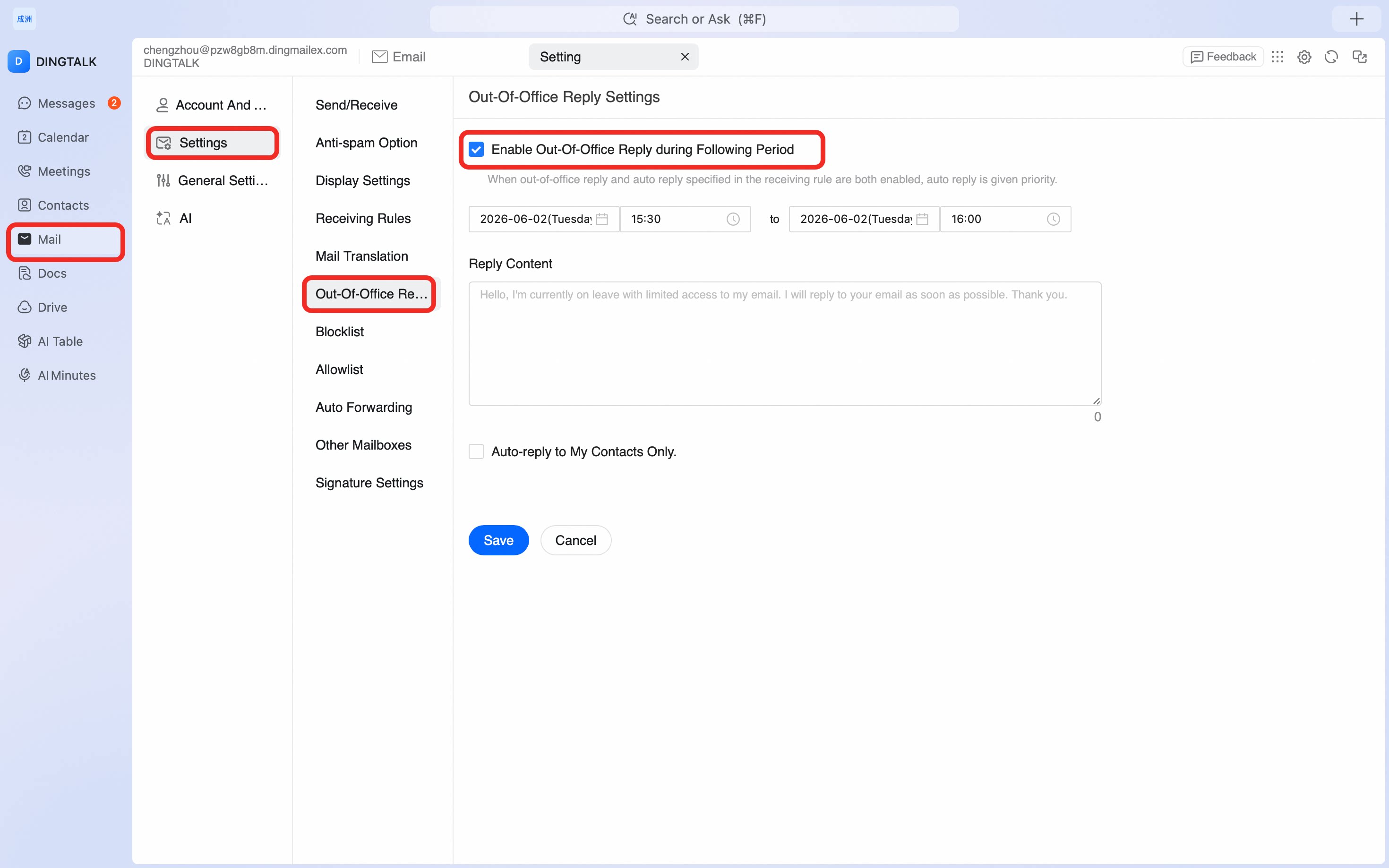
Configure a vacation auto-reply on the DingTalk desktop app so DingTalk Mail responds automatically while you are away, with custom content and active dates.