

 Chats
Chats Calendar
 Meetings
 Contacts
 Mail
Mail Docs
Docs Drive
Drive AI Table
 AI Minutes
 Attendance
 Approval
 YiDA
YiDA Admin Console
1. Feature overview
In modern organizations, planning and using leave properly is essential to a healthy work-life balance. As an integrated digital workplace platform, DingTalk offers convenient leave management features. Among them, employee leave balance viewing is a core feature that helps employees track remaining days across leave types in real time and plan time off effectively.2. Use cases
- Before planning time off: Employees check their leave balance before submitting a leave request to confirm that enough balance is available.
- Year-end review: At year-end, employees review leave usage across categories to prepare for the coming year.
- HR discussions: If employees have questions about their leave balance, they can use the system data to verify details with HR.
- Onboarding for new hires: New employees can quickly understand company benefits by viewing their leave balance.
3. Steps
View via Smart HR
Open DingTalk Mobile > Workbench > Smart HR > Profile > Leave to view your balance.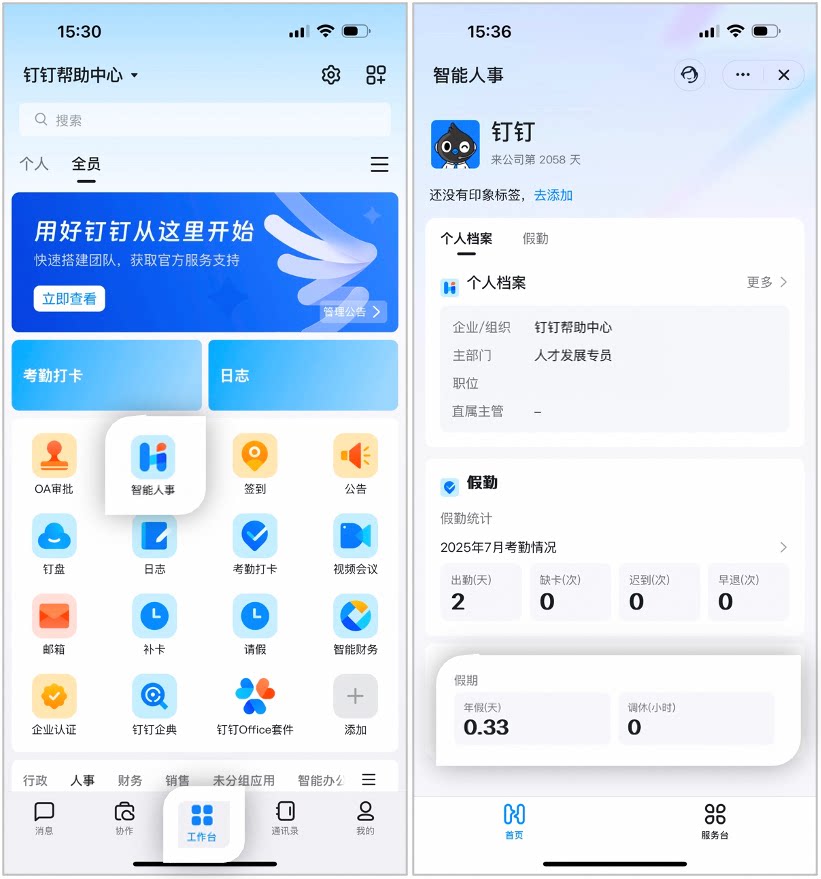
Example of viewing leave balance in Smart HR
View via OA Approval
Open DingTalk Mobile > Workbench > OA Approval > tap to open the leave request approval template, and the leave balance for each leave type is displayed. Tap Balance Details > to select a leave type and view its validity period.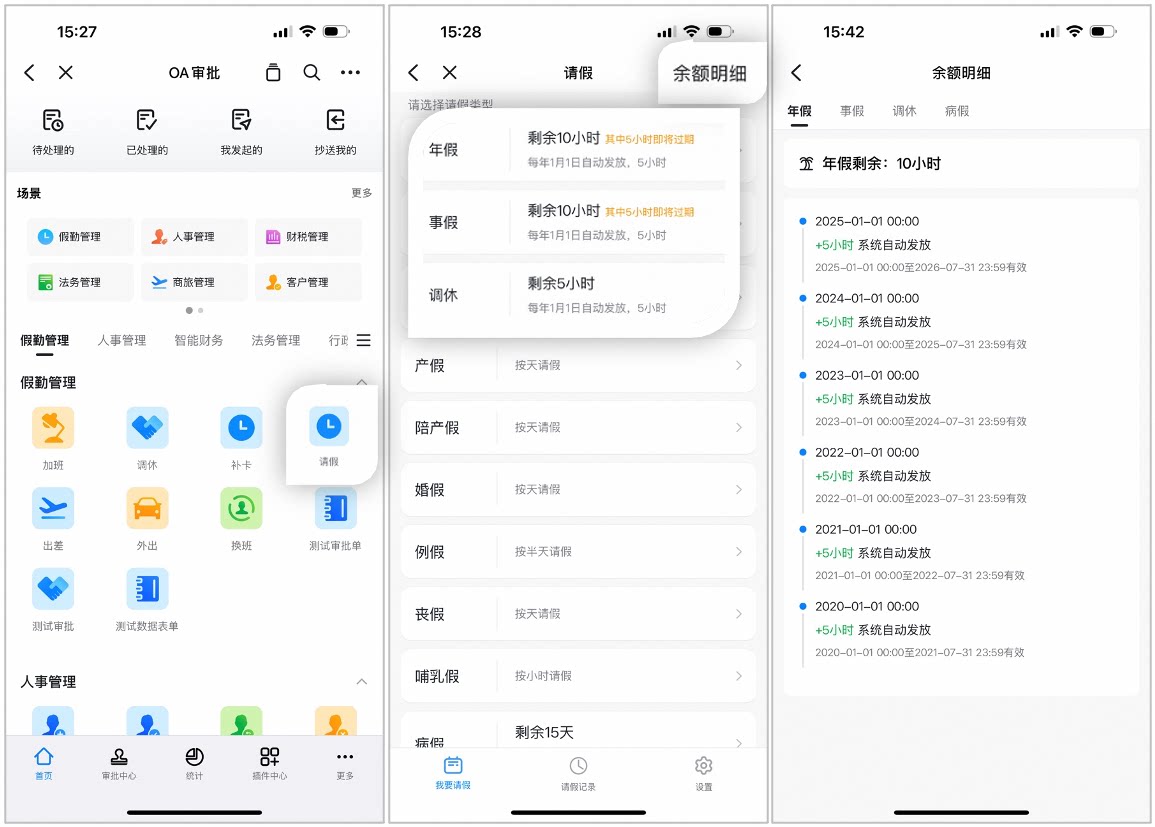
Example of viewing leave balance via OA Approval
4. FAQs
Why can't I view my leave balance?
Why can't I view my leave balance?
The Organization Admin must select Limit under Set Employee Leave Balance so that employees can view their leave balance and balance details. If this option is off, employee leave requests are not limited by balance. To enable it, the Admin can open DingTalk Desktop > Workbench > Attendance > Leave Management > Add/Edit Leave Rules > Set Employee Leave Balance > and select Limit.