

 Chats
Chats Calendar
 Meetings
 Contacts
 Mail
Mail Docs
Docs Drive
Drive AI Table
 AI Minutes
 Attendance
 Approval
 YiDA
YiDA Admin Console
Desktop
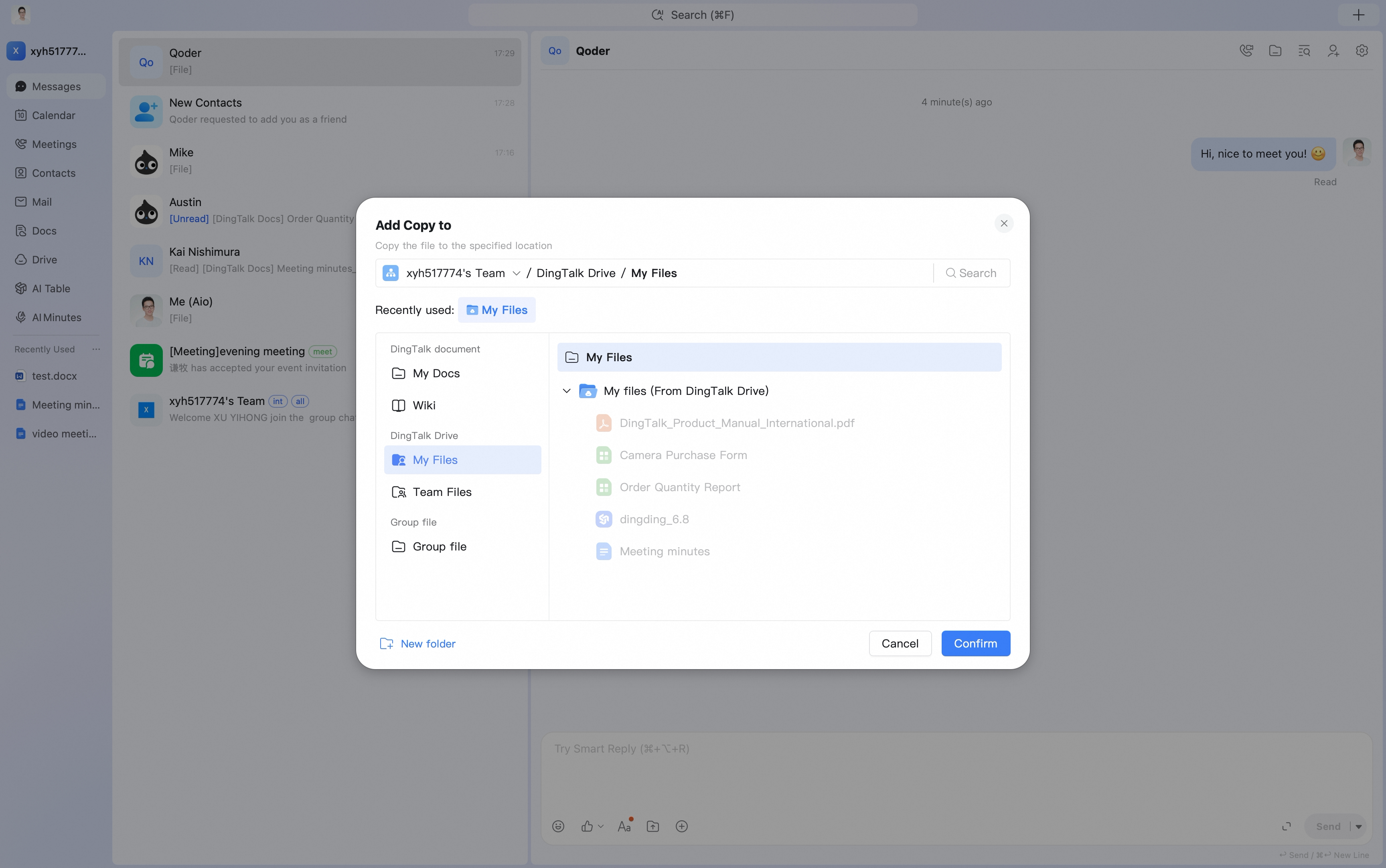
Click Add to in the lower-right corner of the target file, choose the save directory, and then select the corresponding folder.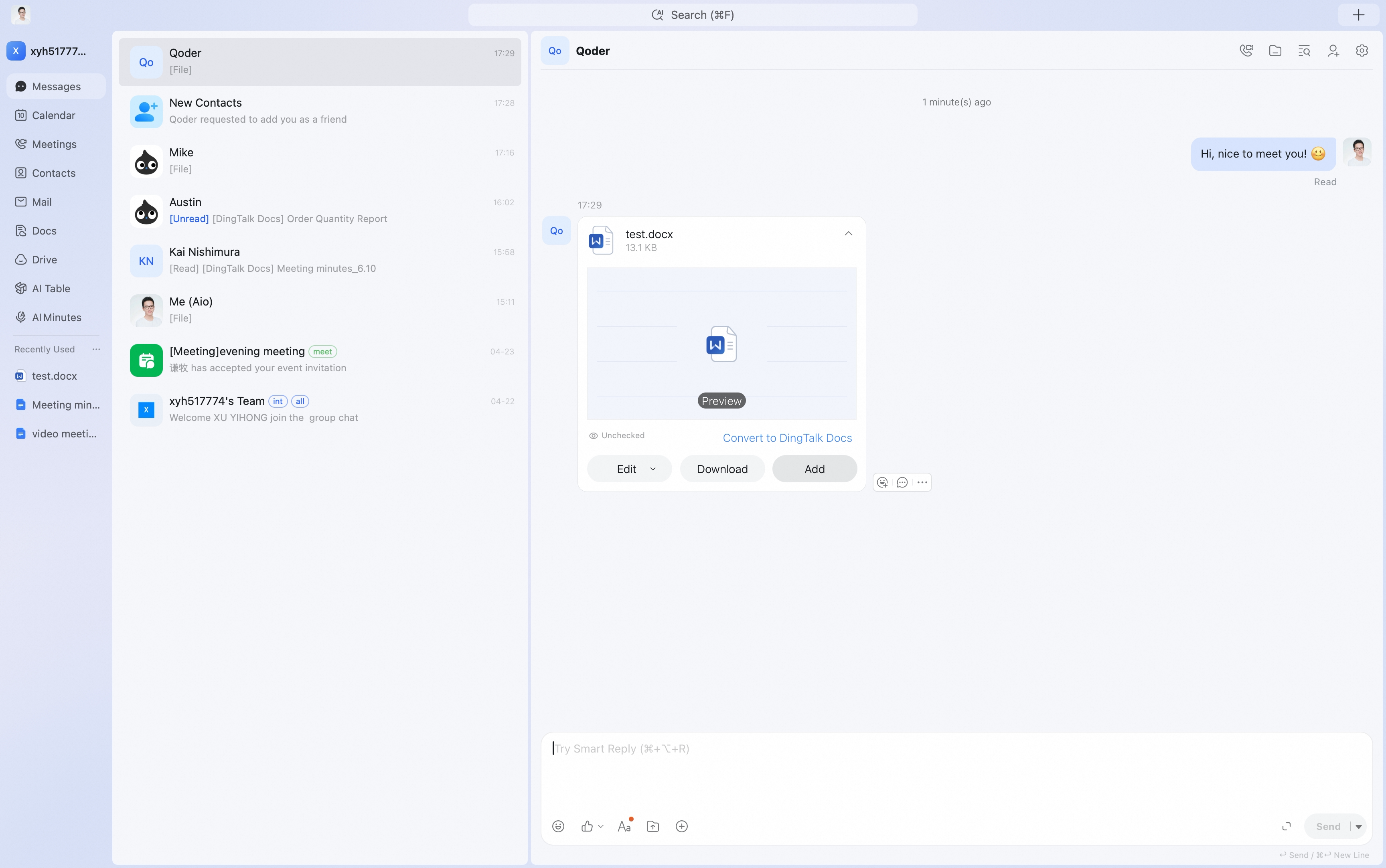
Mobile
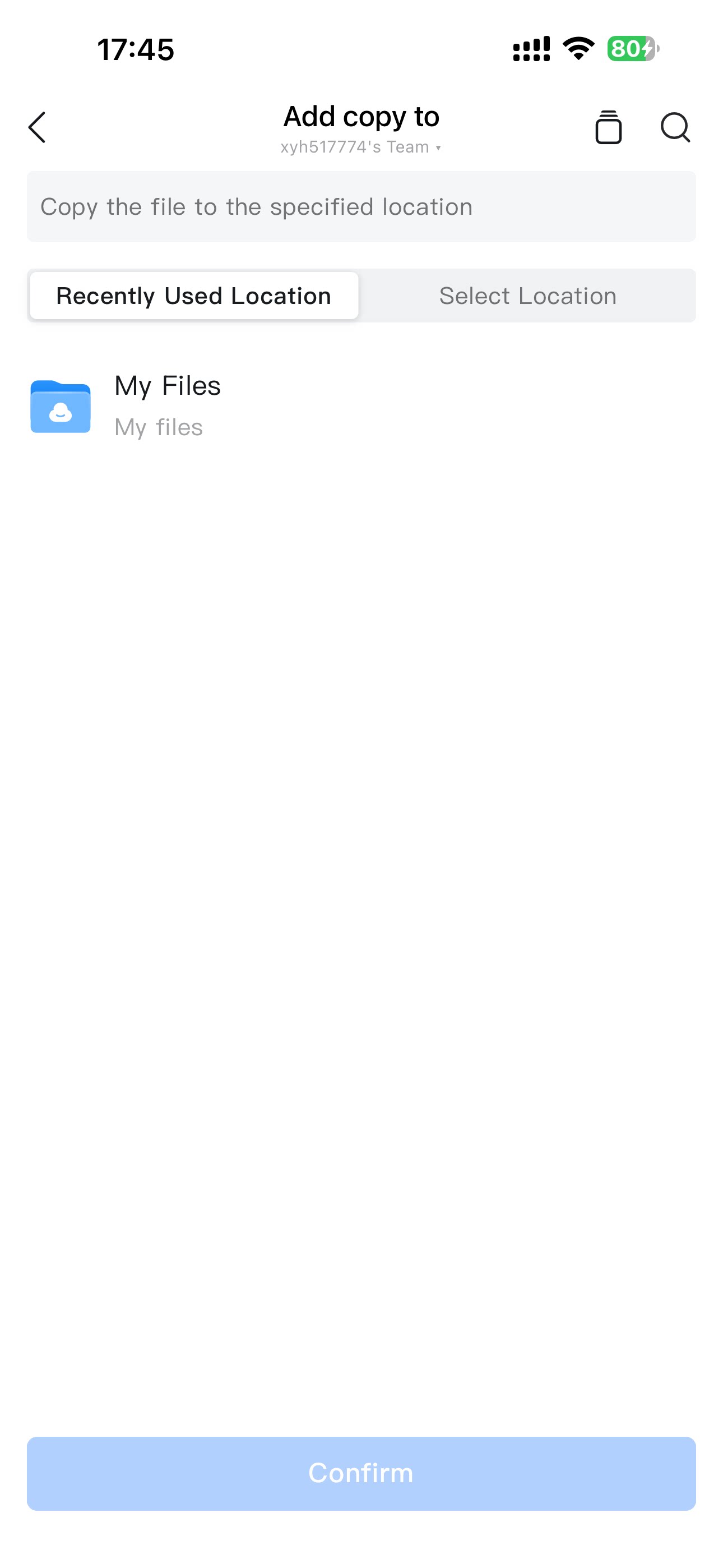
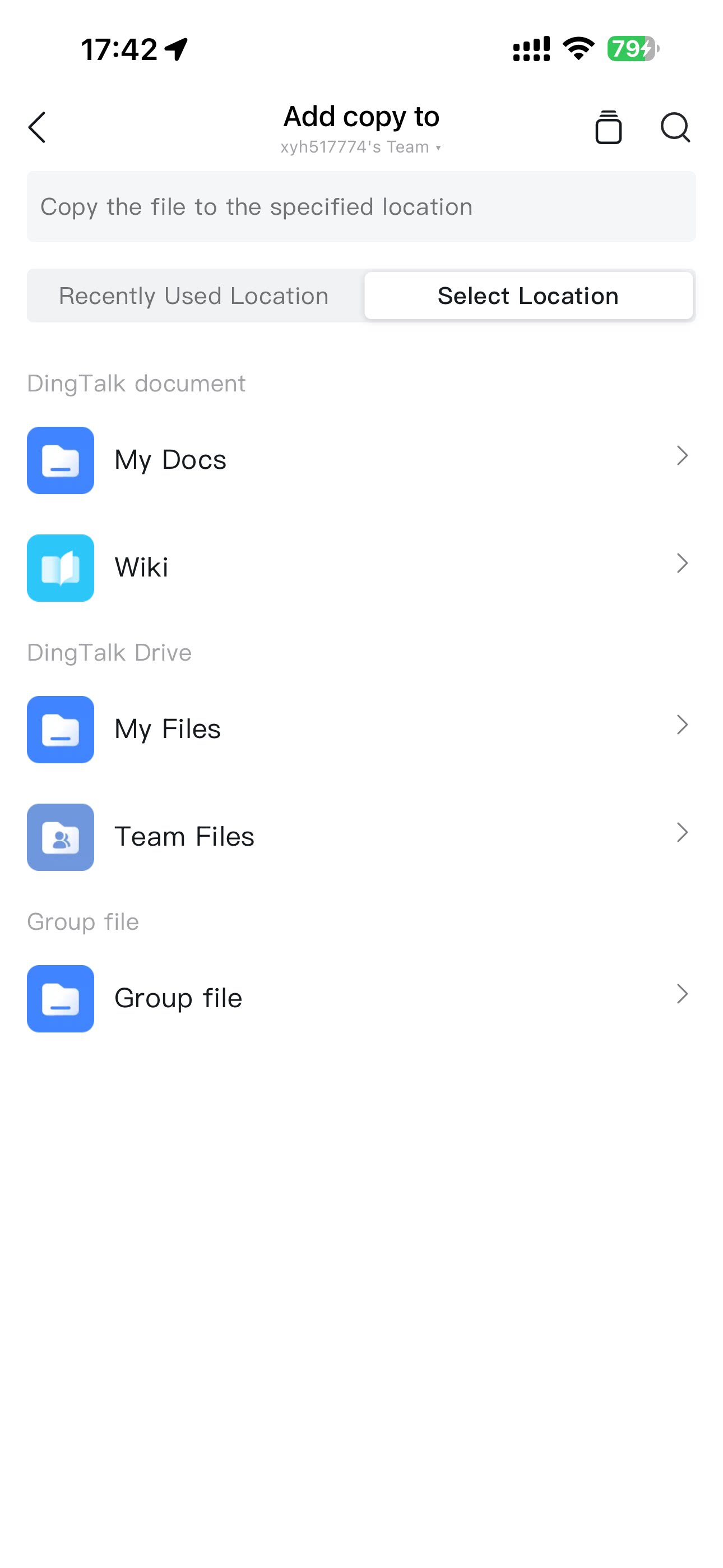
Tap the target file, select Add to, choose the corresponding folder, and then tap Confirm.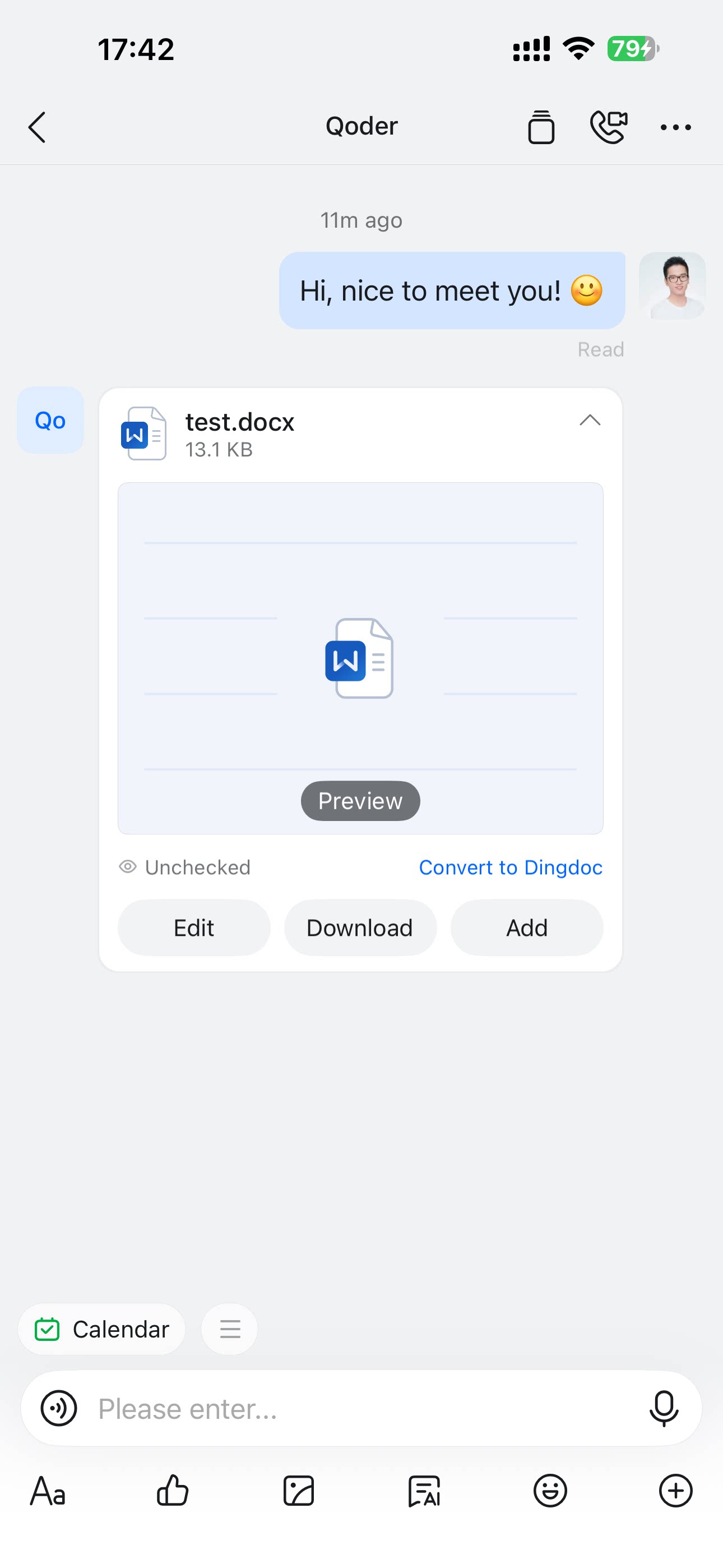
Get started with DingTalk Drive as an employee — use Private Drive’s 2 GB personal space across desktop and mobile, with real-time sync and encryption for safer file storage and access.