

 Chats
Chats Calendar
 Meetings
 Contacts
 Mail
Mail Docs
Docs Drive
Drive AI Table
 AI Minutes
 Attendance
 Approval
 YiDA
YiDA Admin Console
Desktop
Open the DingTalk Drive home page, Team Files on the Docs home page, or My Files (from DingTalk Drive) under My Docs. Find the target folder, click …, select Permission Management, and remove members who currently have access.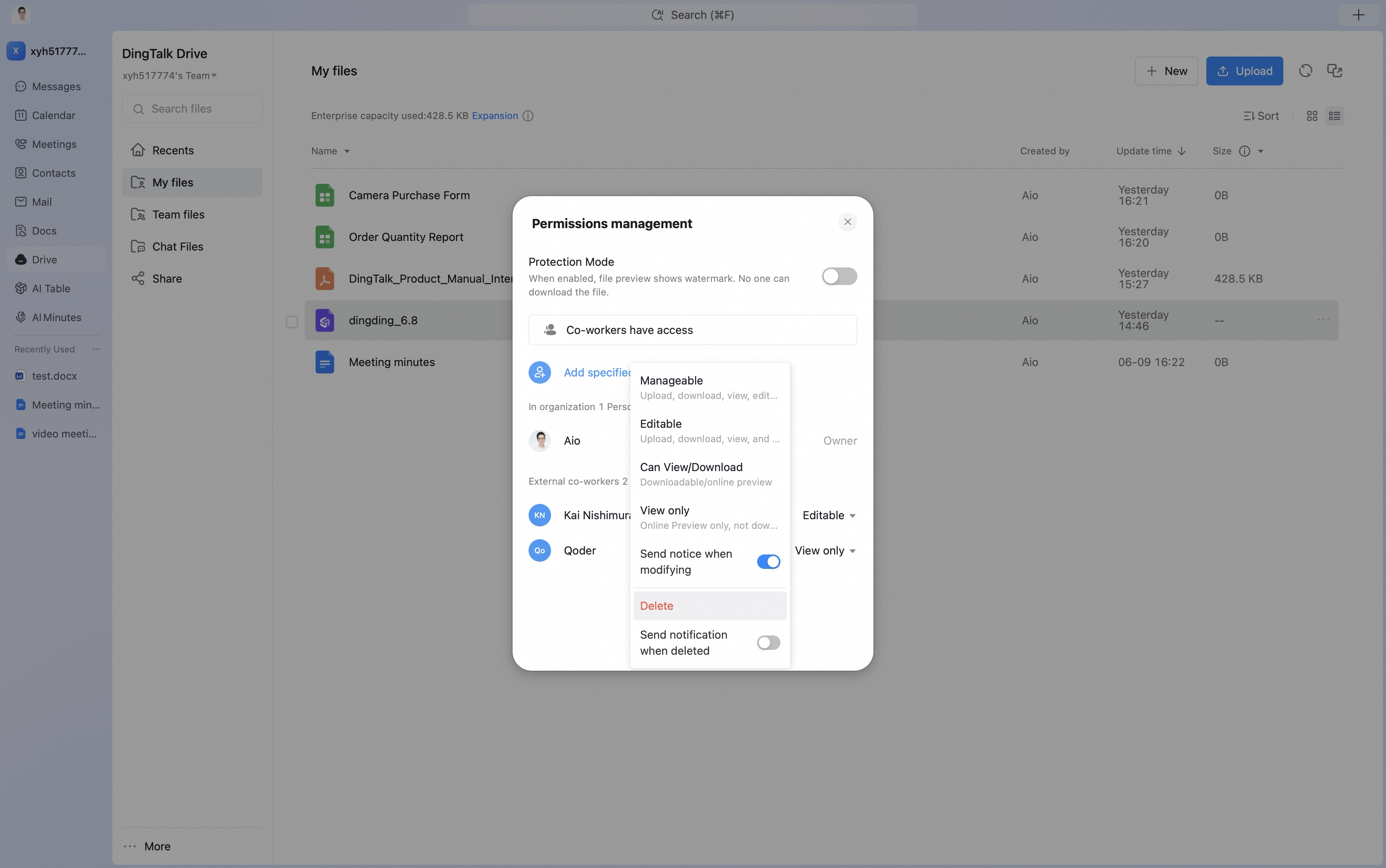

Mobile
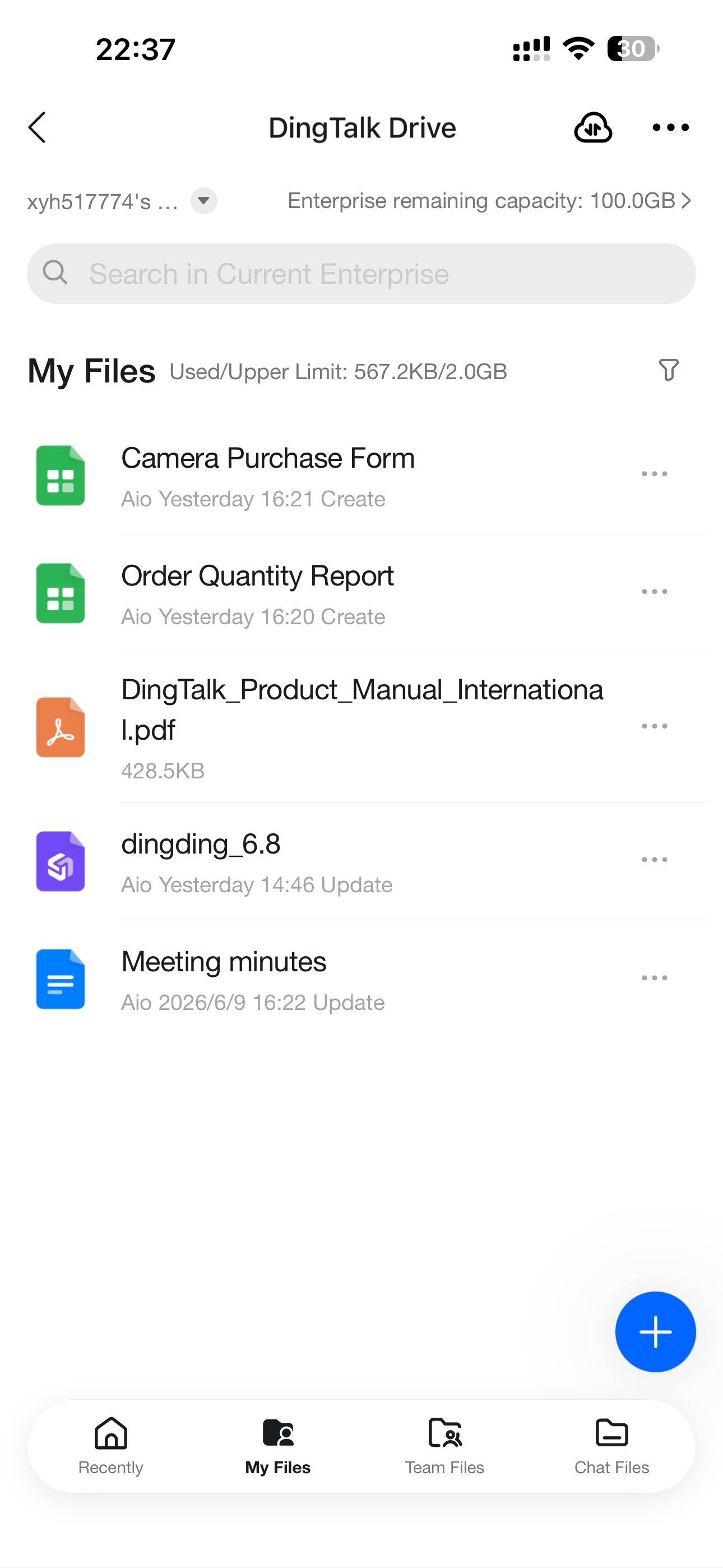
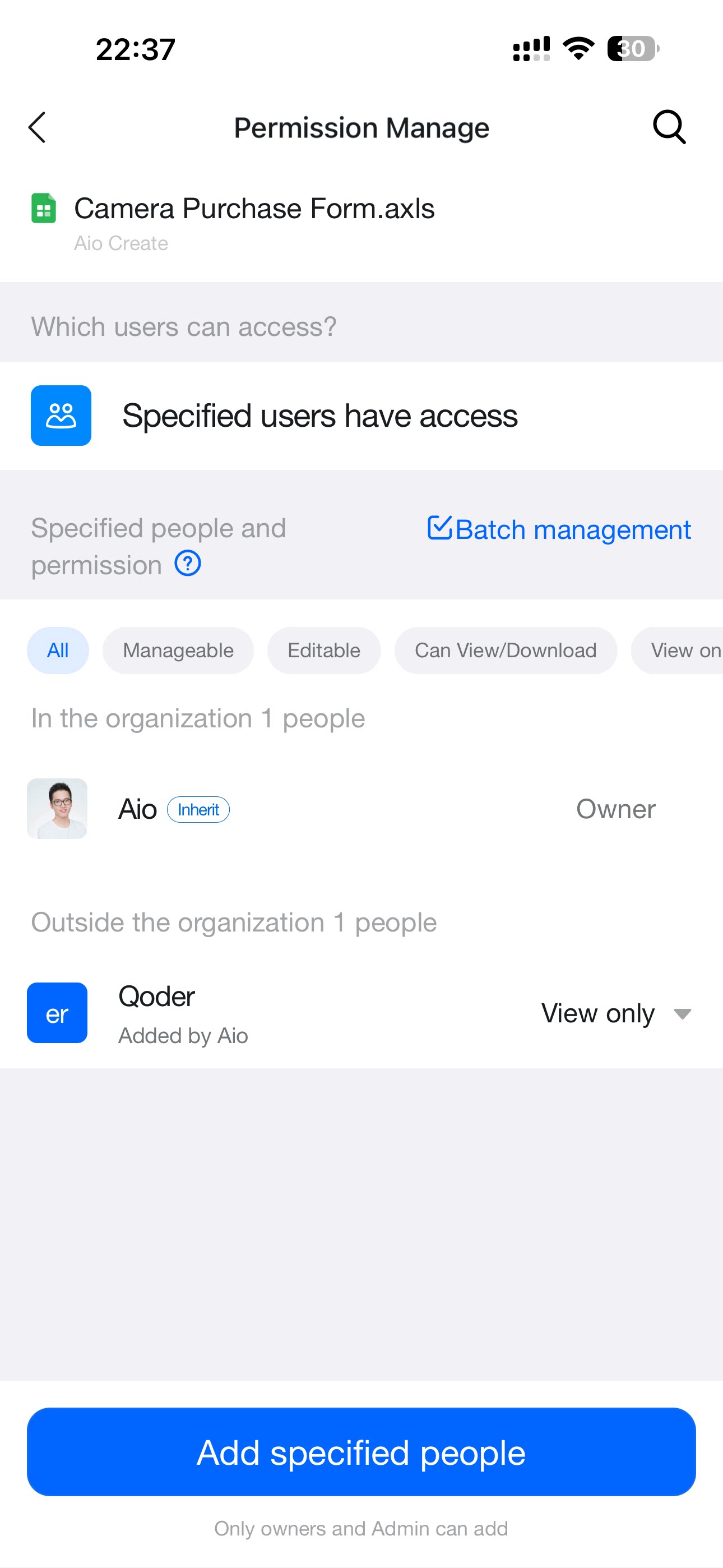
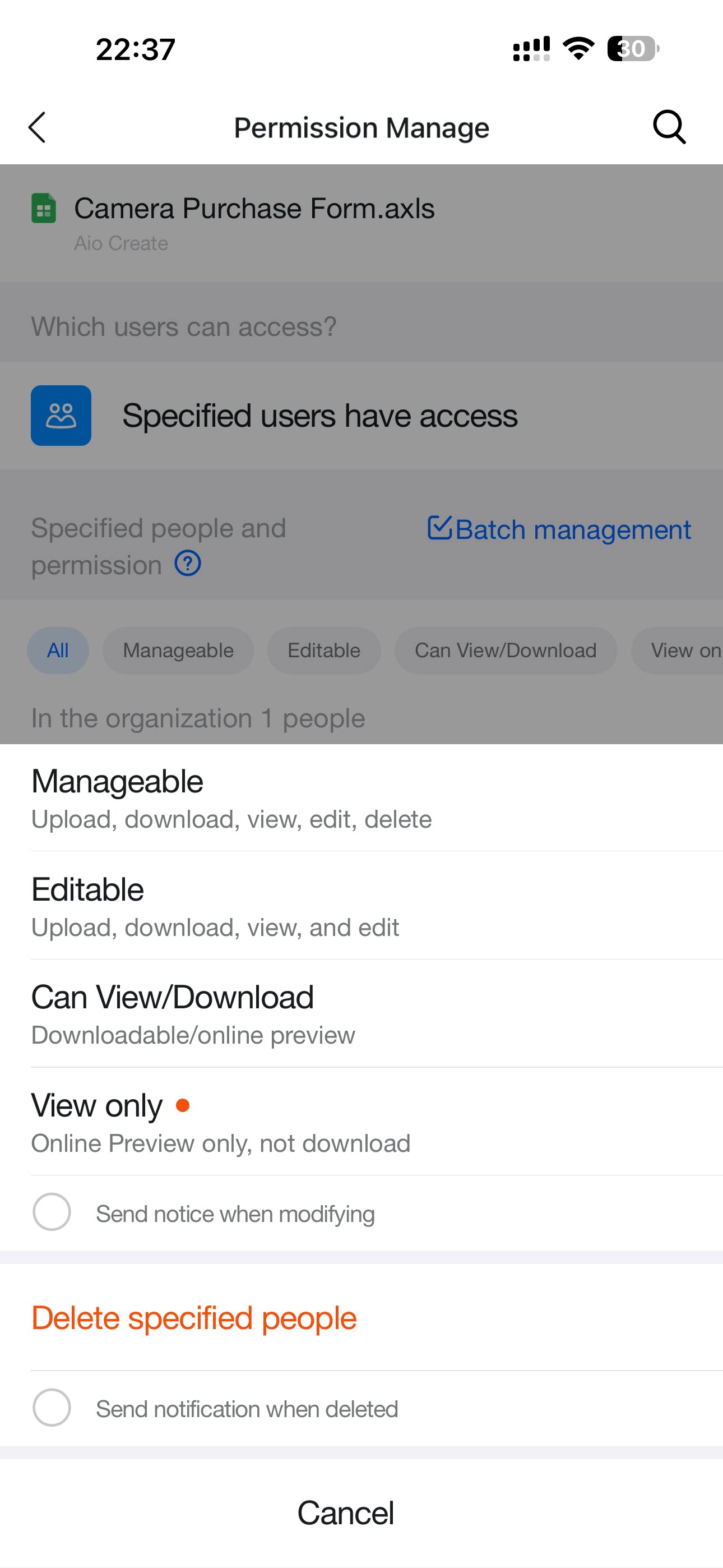
As a folder creator, cancel sharing on desktop or mobile so the folder becomes private again; as a member, leave a shared folder you no longer need so it stops appearing in your DingTalk Drive.