

 Chats
Chats Calendar
 Meetings
 Contacts
 Mail
Mail Docs
Docs Drive
Drive AI Table
 AI Minutes
 Attendance
 Approval
 YiDA
YiDA Admin Console
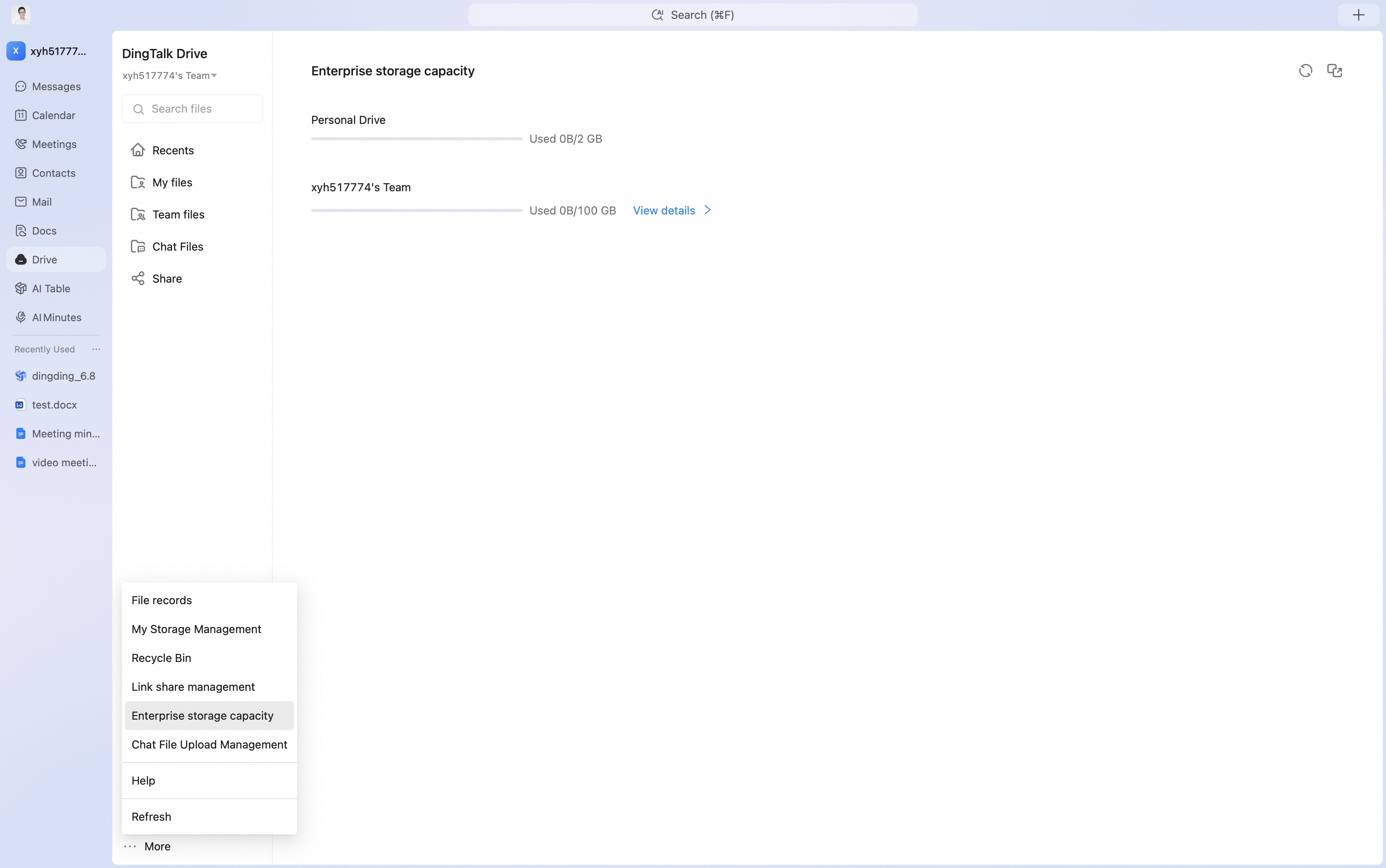 Click View details to see detailed usage by app.
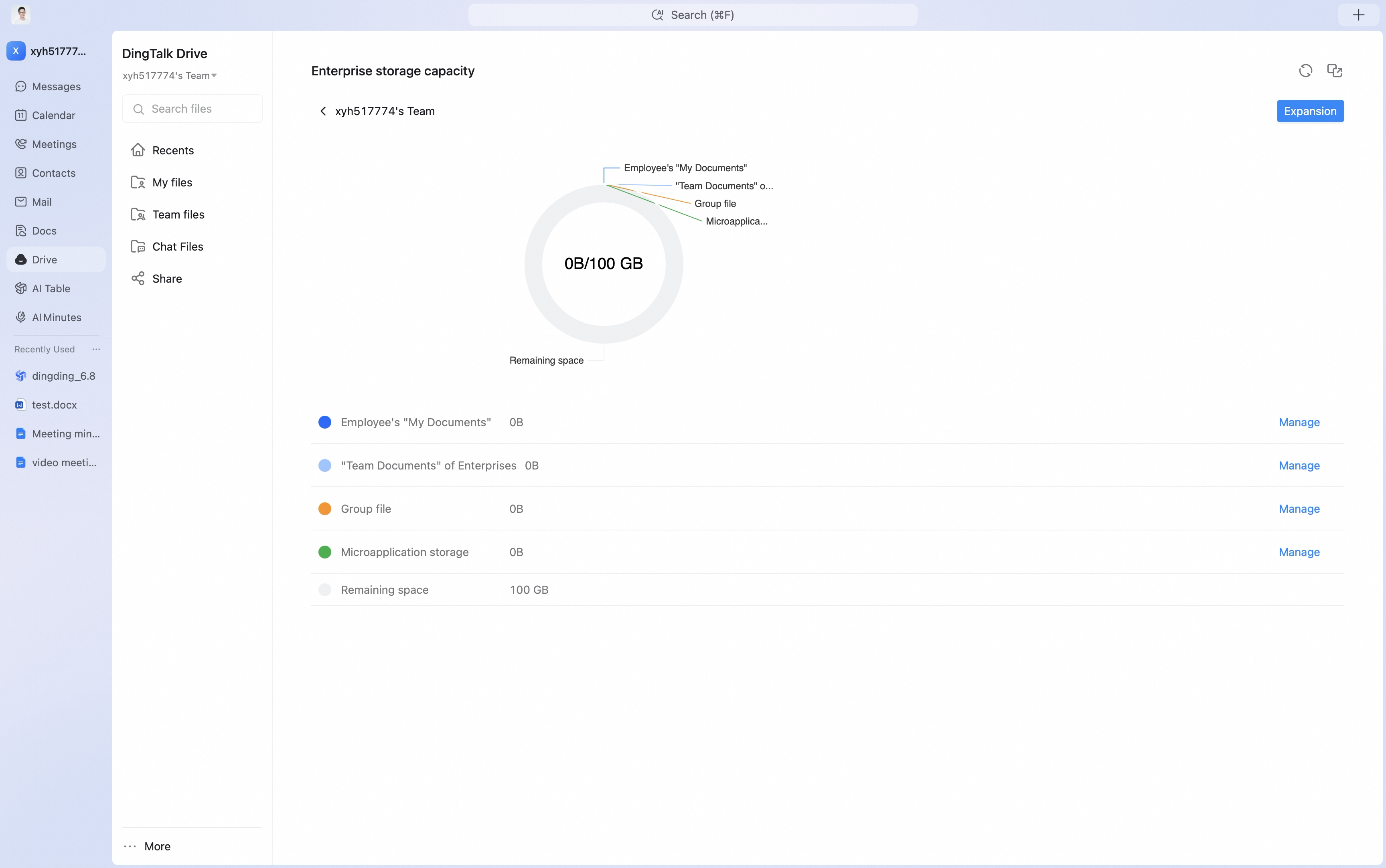 Click Manage to open the enterprise admin console and view detailed storage capacity information.
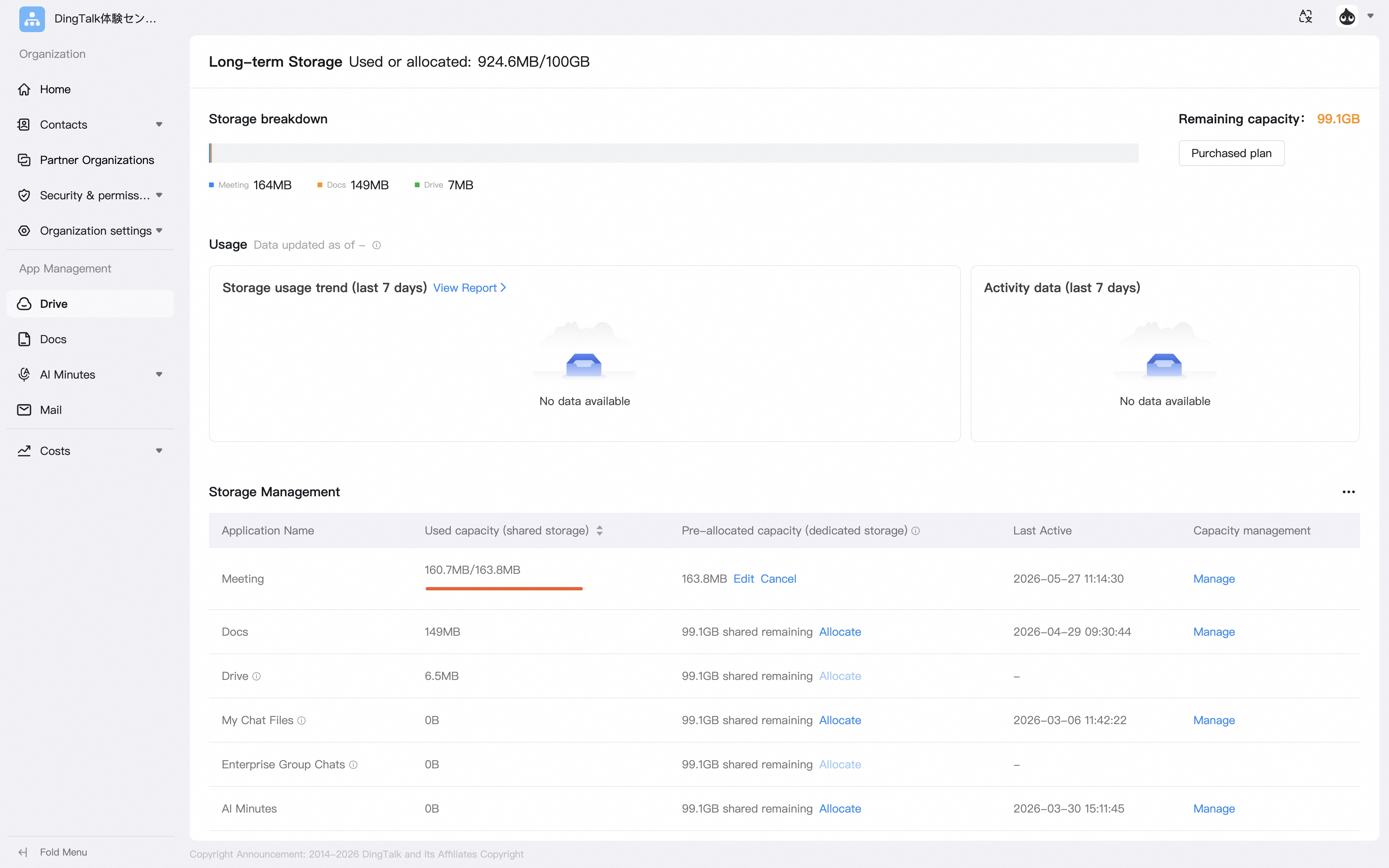
Check Enterprise Drive’s free 100 GB usage in DingTalk Drive — when storage runs out, expand capacity, or clean up old files regularly to resolve capacity issues without additional cost.
Click View details to see detailed usage by app.
Click Manage to open the enterprise admin console and view detailed storage capacity information.