

 Chats
Chats Calendar
 Meetings
 Contacts
 Mail
Mail Docs
Docs Drive
Drive AI Table
 AI Minutes
 Attendance
 Approval
 YiDA
YiDA Admin Console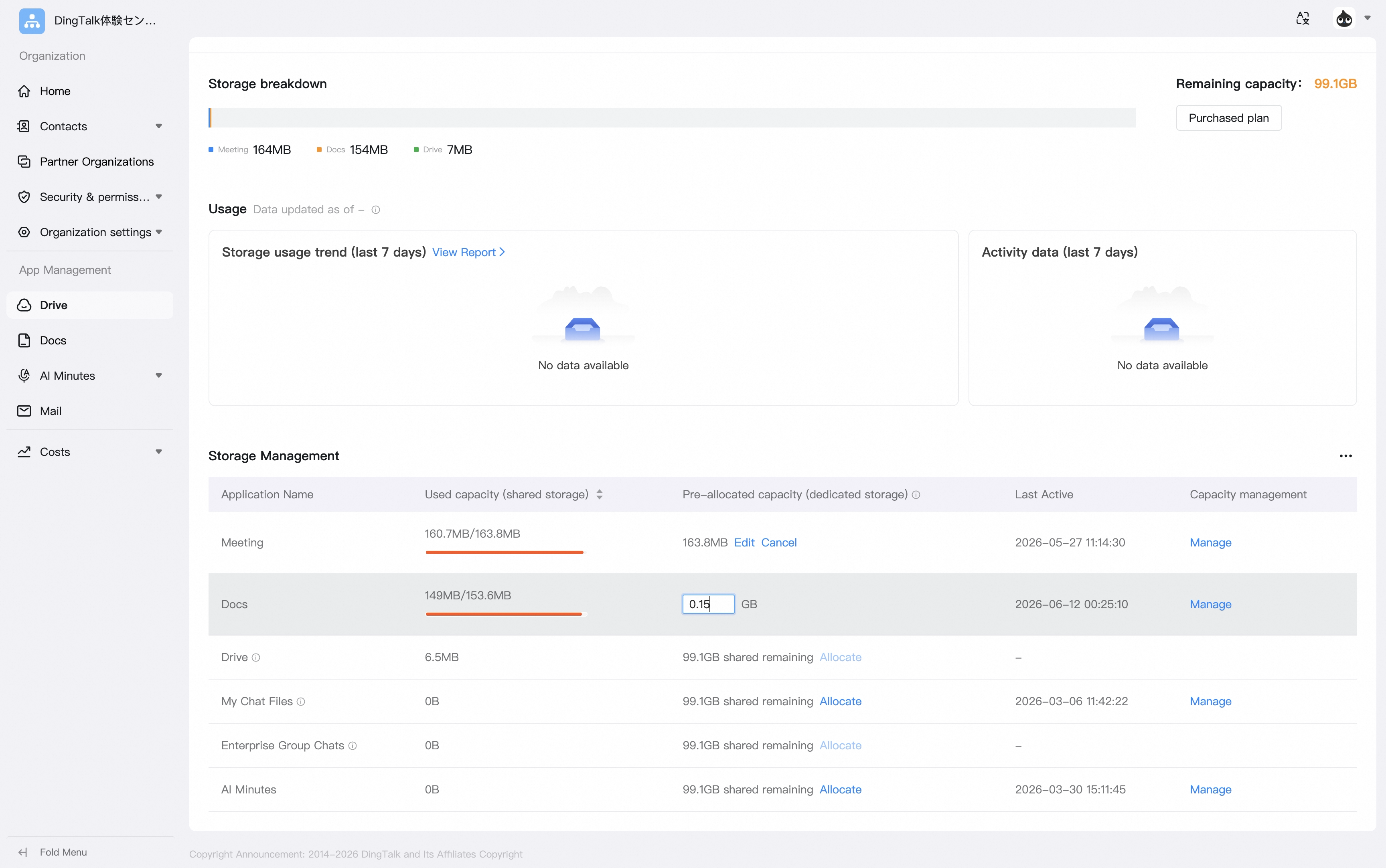
Administrator Guide
How to Allocate Dedicated Capacity to an App
Administrator guide — open the Admin Console, go to Storage Management, click Allocate next to the target app, and assign dedicated DingTalk Drive capacity to keep that app’s data separate.
Open the admin console. In Storage Management, click Allocate next to the app that needs capacity, then select the capacity to allocate and complete the setup.