Answers to common scheduling questions, such as how attendance group owners schedule shifts and where to find the scheduling management entry, to help Admins troubleshoot scheduling permission and access issues.
How can attendance group owners schedule shifts? I've already enabled the scheduling permission for attendance group sub-owners, but it still doesn't work. Why?
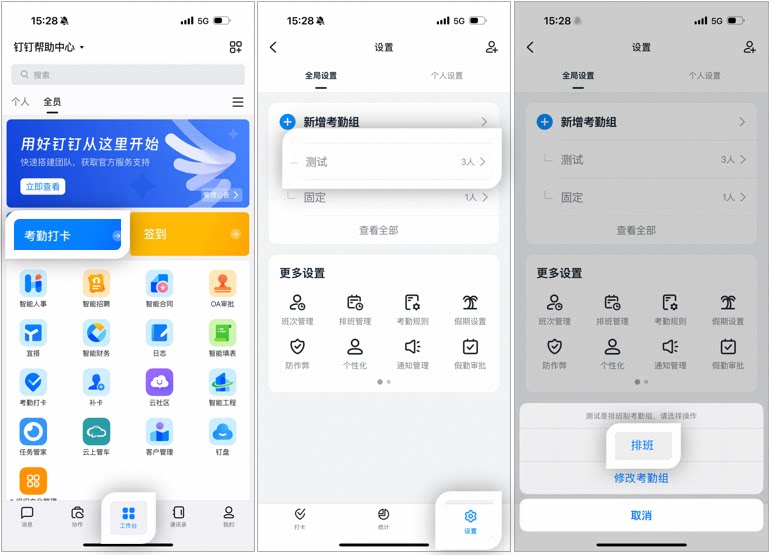
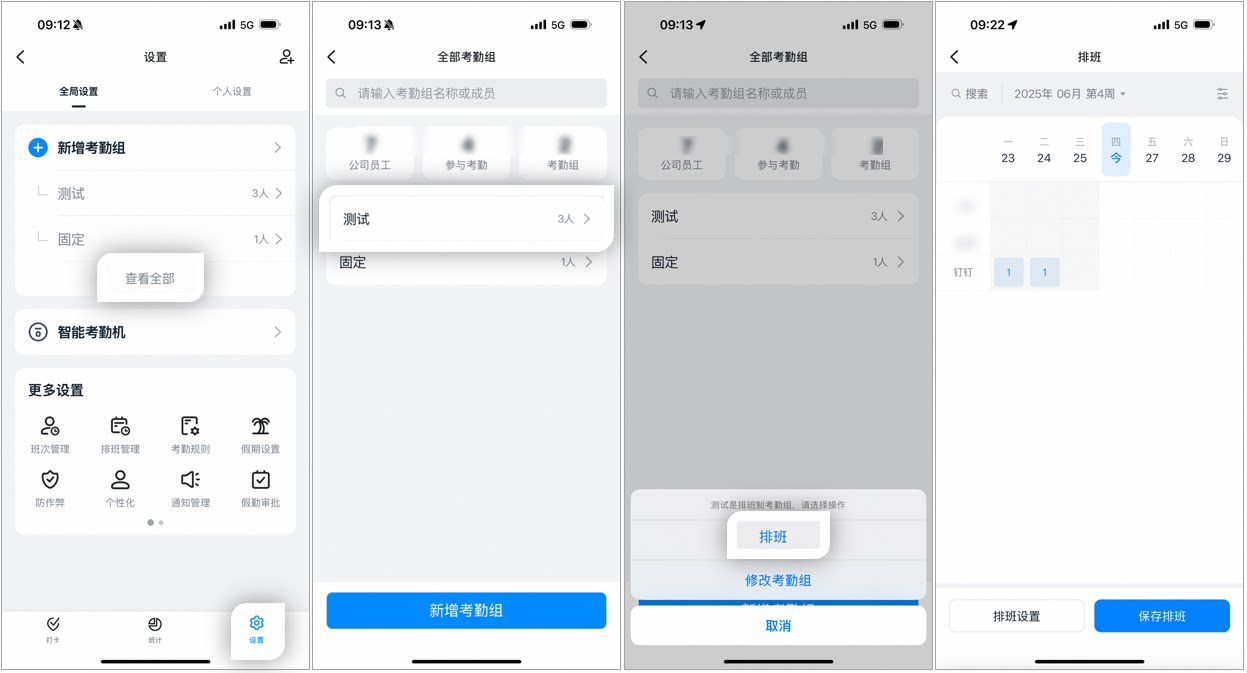
Sub-owners can only perform this action on the mobile app.Open DingTalk mobile app > Workbench > Attendance > Settings > Select the target attendance group > Scheduling.
Example of scheduling steps on the mobile app
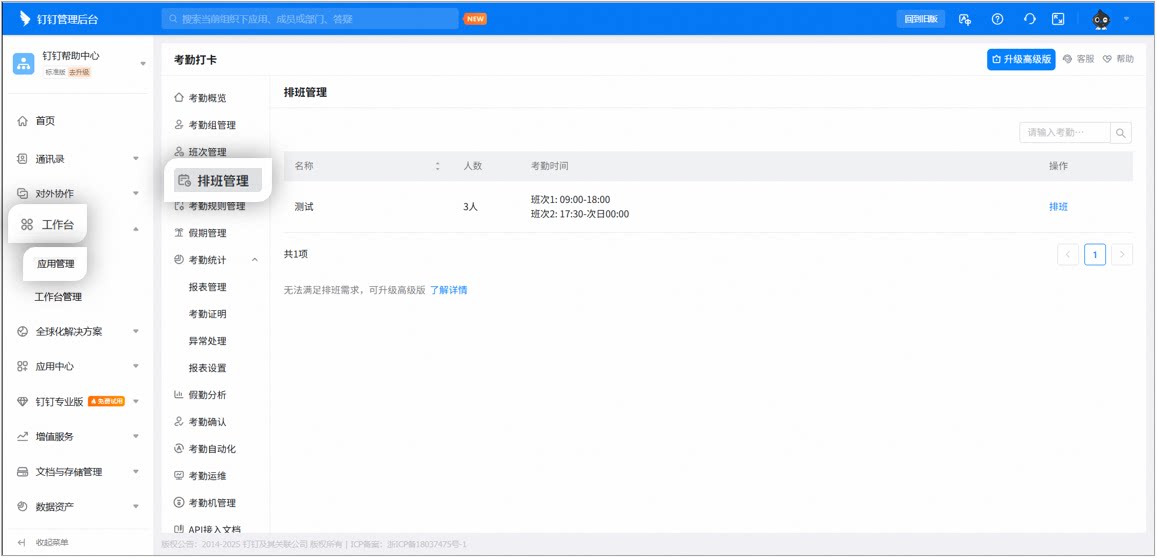
Where is scheduling management? Has the Version been updated? I can no longer find where scheduling is.
After the Update, scheduling management became a standalone section.


 Chats
Chats Calendar
 Meetings
 Contacts
 Mail
Mail Docs
Docs Drive
Drive AI Table
 AI Minutes
 Attendance
 Approval
 YiDA
YiDA Admin Console