

 Chats
Chats Calendar
 Meetings
 Contacts
 Mail
Mail Docs
Docs Drive
Drive AI Table
 AI Minutes
 Attendance
 Approval
 YiDA
YiDA Admin Console
- Employees upload invalid images such as ceilings, floors, black screens, or blank walls.
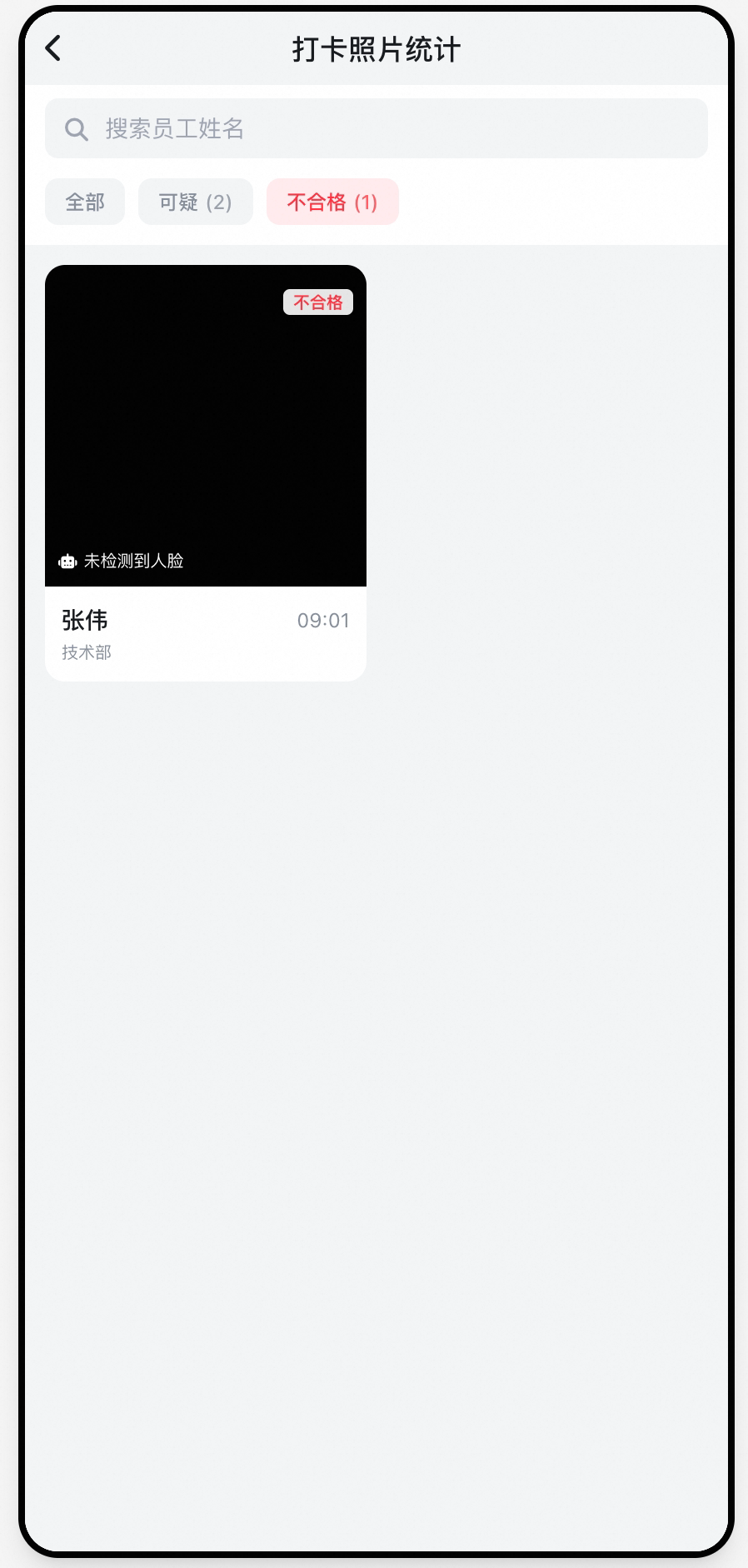
- Photos do not include a face, making it impossible to prove the employee was present.
- Store-visit photos of shelves or displays are blurry or taken from the wrong angle, failing to reflect the actual situation.
- Special role requirements (such as wearing a safety helmet, reflective vest, or compliant makeup) lack effective inspection methods.
- Admins must manually review hundreds or thousands of photos one by one, which is time-consuming and inefficient.
Product solution
To tackle these management challenges, DingTalk offers AI-powered detection for photo clock-in errors. By combining large models with image understanding, it automatically identifies non-compliant clock-in behavior, enabling Organization managers to supervise remotely with efficiency and precision.Key feature highlights
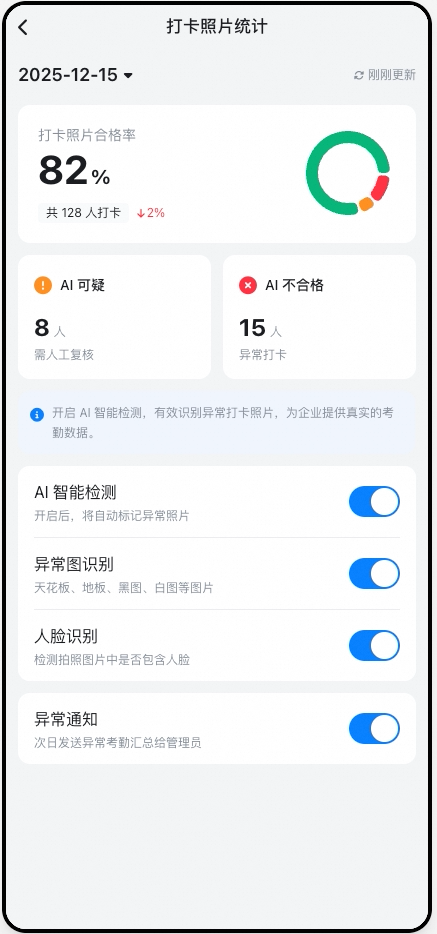
Invalid image detection
Automatically detects abnormal photos such as black screens, blank screens, ceilings, and floors.
Facial recognition check
Determines whether the photo contains a face.
Error notification mechanism
Automatically generates Error reports and pushes them to Admins for handling.
Statistics visualization Kanban
Provides an overview of photo quality Data in the attendance Admin Console.
Feature details and access path
Core value
- HR / Admins: Cut manual review workload by more than 90% and quickly surface violations.
- Business managers: Achieve standardized process control over store visits, field work, and on-site operations.
- Organization-wide: Strengthen policy enforcement, organizational discipline, and safety management Standards.