

 Chats
Chats Calendar
 Meetings
 Contacts
 Mail
Mail Docs
Docs Drive
Drive AI Table
 AI Minutes
 Attendance
 Approval
 YiDA
YiDA Admin Console
1. Feature overview
DingTalk Attendance supports the photo clock-in feature. Once enabled, employees must take a photo for every clock-in to complete it successfully. Each photo automatically carries watermarks showing the clock-in time, location, and employee name, helping organizations verify the surrounding environment at the moment of clock-in.2. Use cases
Capture visit environments during field clock-in, or take verification photos of the workplace after facial recognition.3. Steps
Enable photo clock-in
Mobile
1.1 An Admin with the required permissions can go to DingTalk Mobile > Workbench > Attendance > Settings, then find and open the target attendance group (for shift-based attendance groups, tap Edit attendance group to enter) > More settings.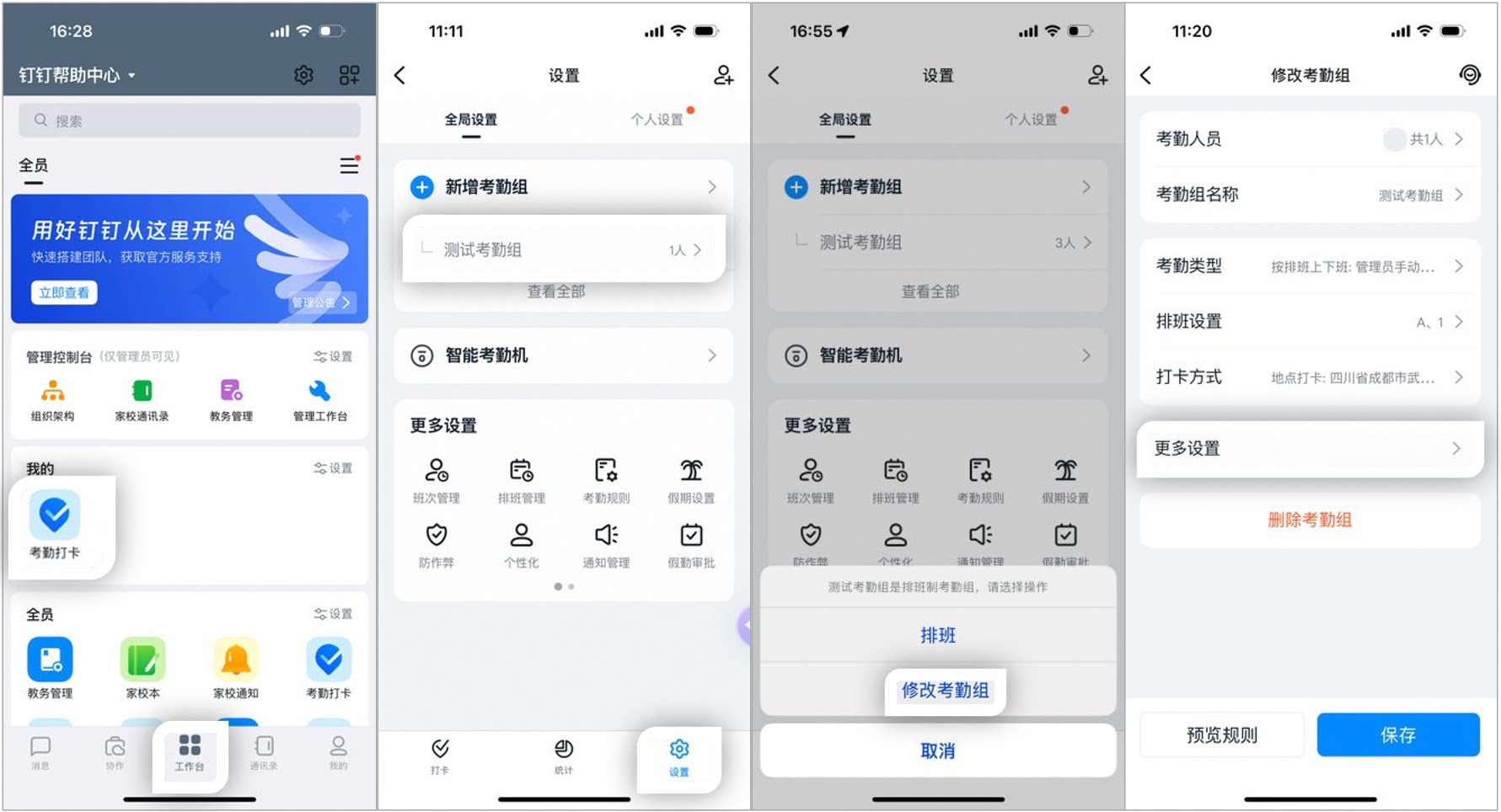
Example of the photo clock-in settings page on mobile
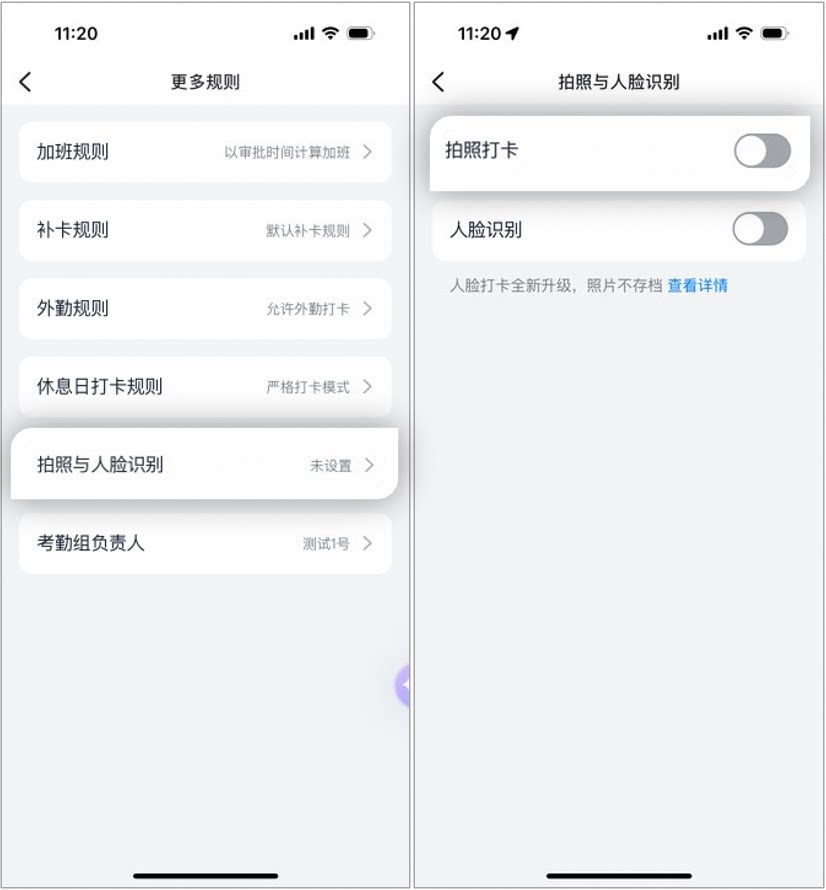
Example of the photo clock-in settings page on mobile
Desktop
An Admin with the required permissions can go to DingTalk Desktop > Workbench > Attendance > Attendance group management, click Edit next to the target attendance group > Photo verification rules, then turn photo clock-in on or off.Notes:
- Photo clock-in: Employees must take a photo when clocking in, and the photo is archived.
- Facial recognition: Employees are verified automatically by facial recognition when clocking in, and the photo is not archived.
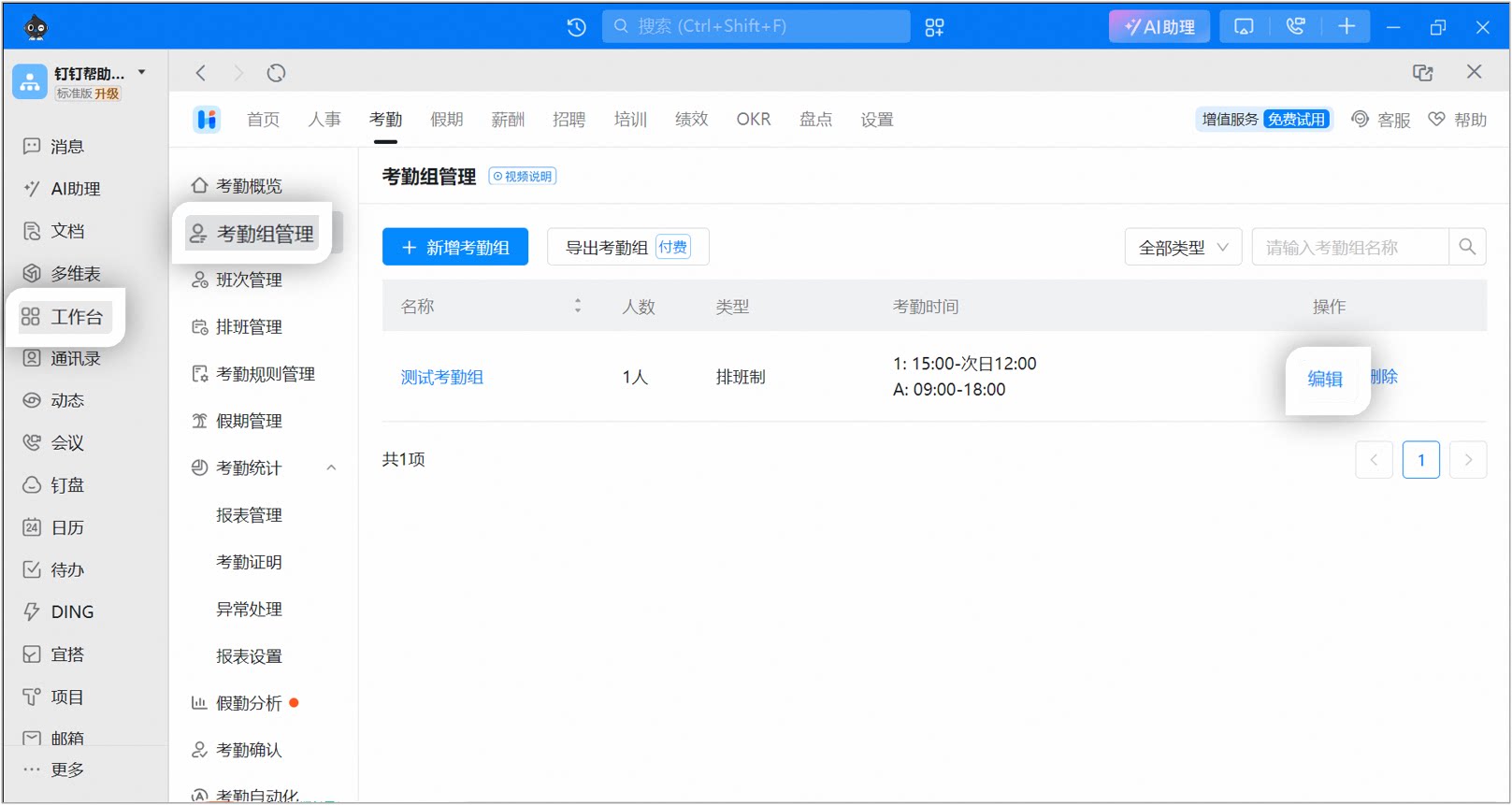
Example of the photo clock-in settings page on desktop
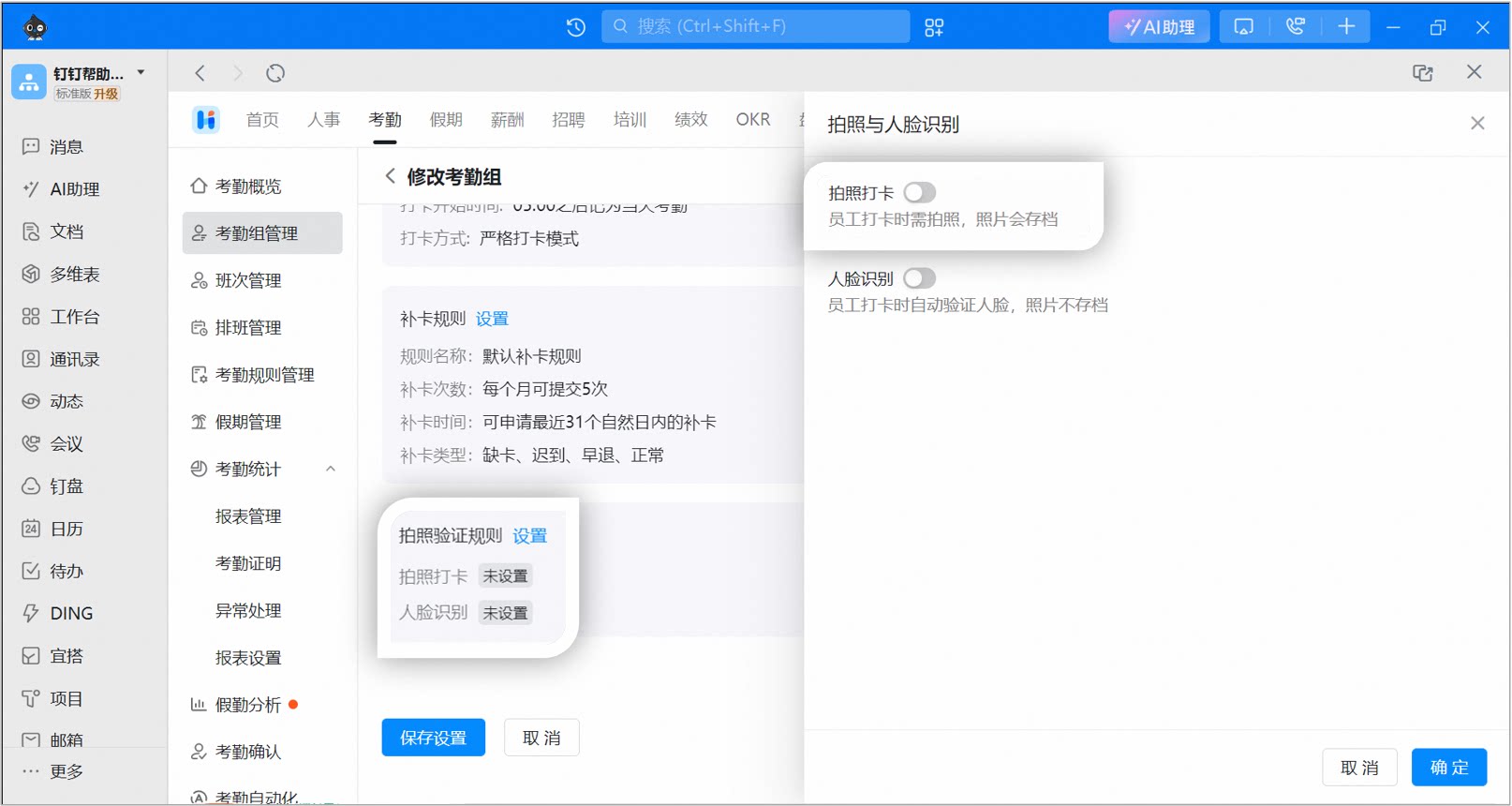
Example of the photo clock-in settings page on desktop
Photo clock-in for employees
After tapping the clock-in button, employees must first take a photo and tap Confirm to use it before the clock-in can be completed. Each photo automatically carries watermarks showing the clock-in time, location, and employee name. After clocking in, employees can view the watermarked photo in their clock-in records, and Admins can view it in the raw records in the Attendance Admin Console.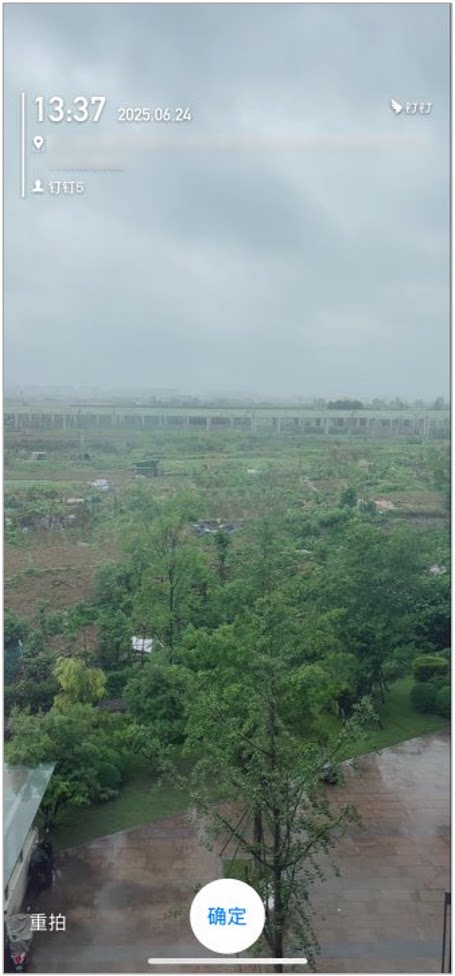
Example of the photo clock-in page for employees
4. FAQ
Can photo clock-in and facial recognition be enabled at the same time?
Can photo clock-in and facial recognition be enabled at the same time?
Yes. If both are enabled, employees must take a photo and pass facial recognition.
Why is there no entry for photo verification rules?
Why is there no entry for photo verification rules?
If the attendance group is set to allow clock-in only via the Time Clock, the [Photo verification rules] entry is unavailable.
Why don't I have permission to configure photo clock-in?
Why don't I have permission to configure photo clock-in?
Only the Super Admin of the organization or a Sub Admin with attendance permissions can perform this action. Contact an Admin with the required permissions to go to Admin Console > Security and permissions > Manage permissions, then assign the Super Admin/Sub Admin role.