Chats
Chats Calendar
 Meetings
 Contacts
 Mail
Mail Docs
Docs Drive
Drive AI Table
 AI Minutes
 Attendance
 Approval
 YiDA
YiDA Admin Console
Set Enhanced Noise Reduction on Desktop
In the desktop video meeting window, click More in the bottom menu bar, click Settings, click Audio on the left, then select Noise Reduction Mode.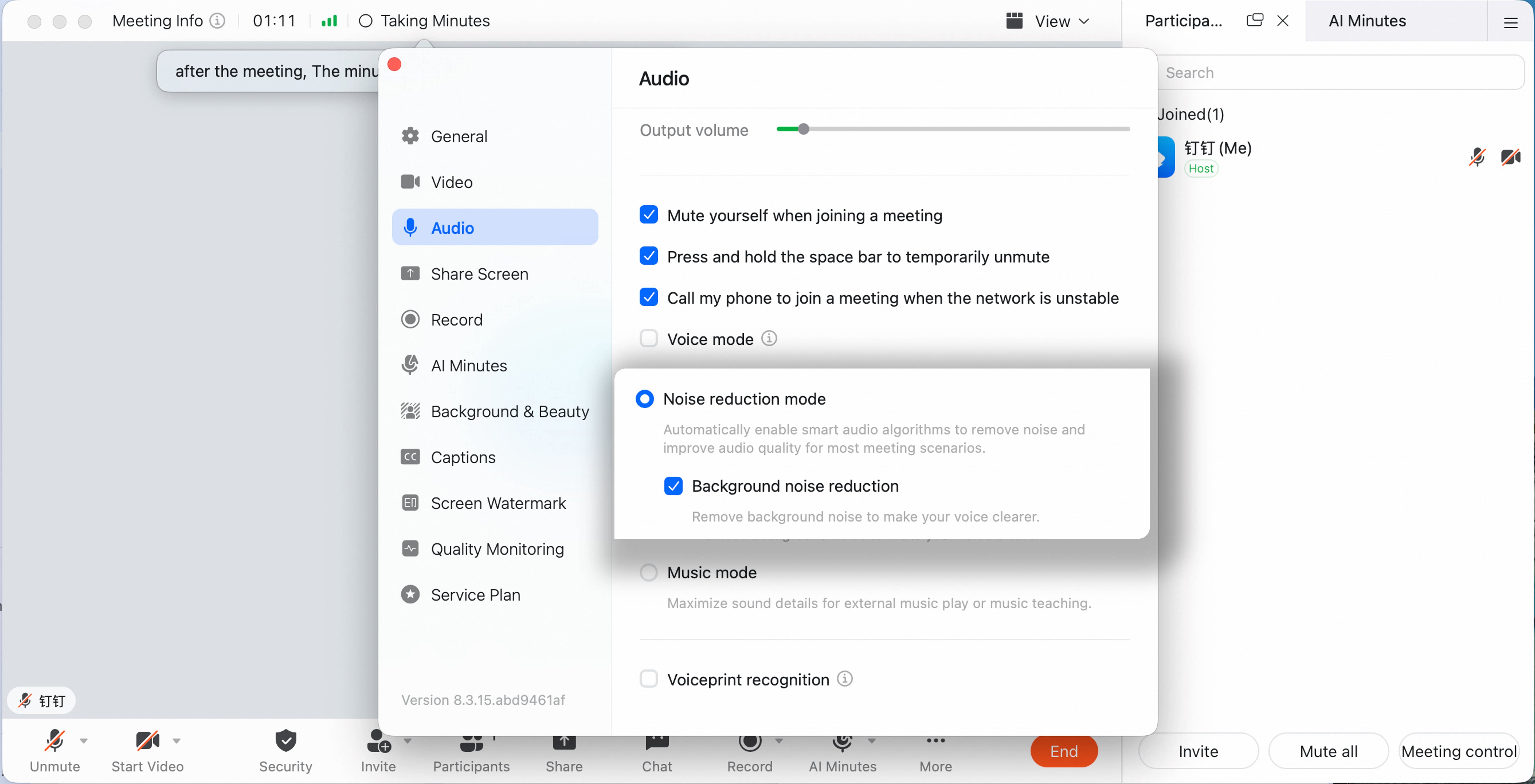
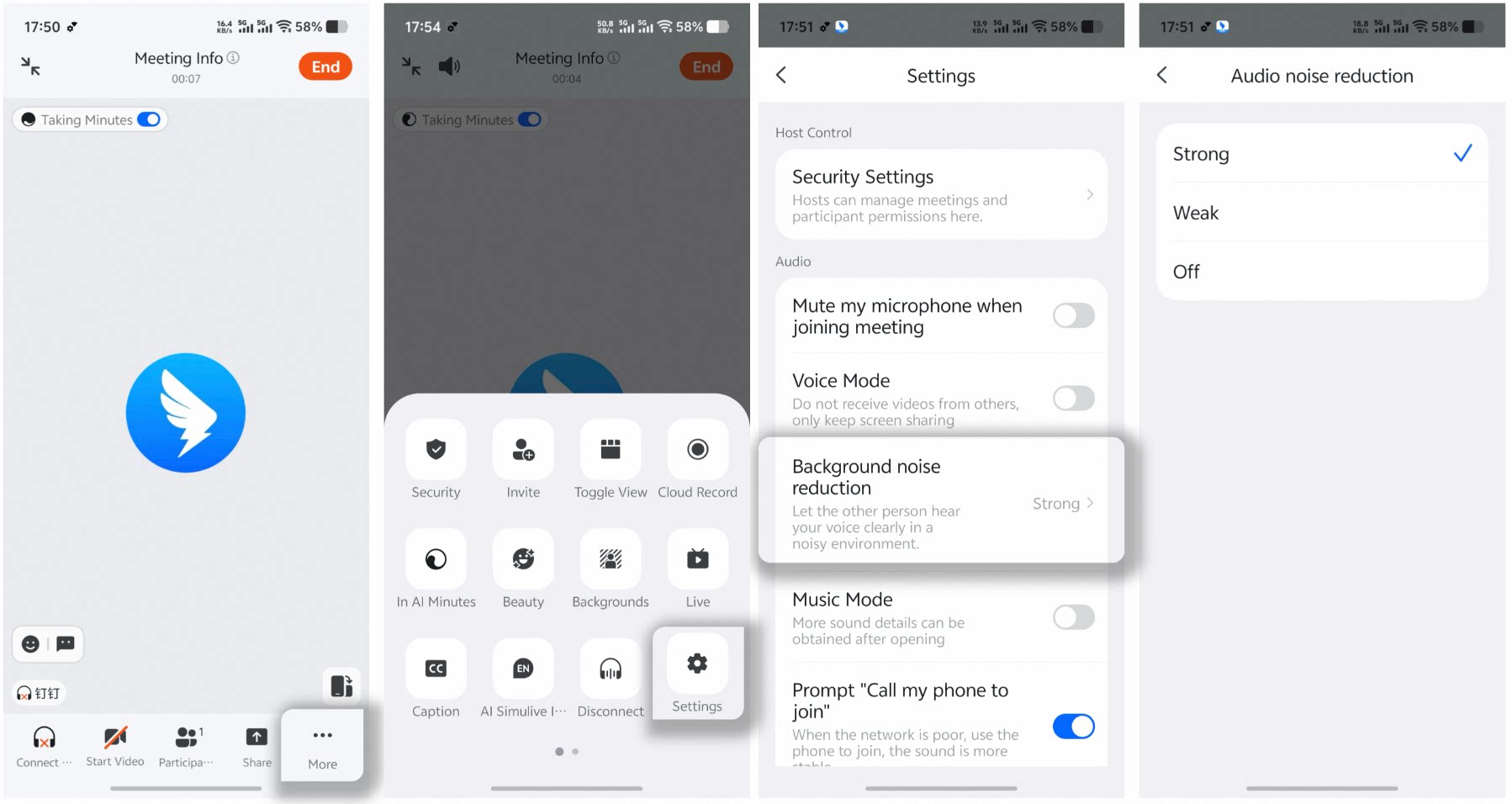
Set Audio Noise Reduction on Mobile
During a meeting, tap More in the lower-right corner, tap Settings, tap Background Noise Reduction, then choose the noise reduction level.