Chats
Chats Calendar
 Meetings
 Contacts
 Mail
Mail Docs
Docs Drive
Drive AI Table
 AI Minutes
 Attendance
 Approval
 YiDA
YiDA Admin Console
Set a Virtual Background on Desktop
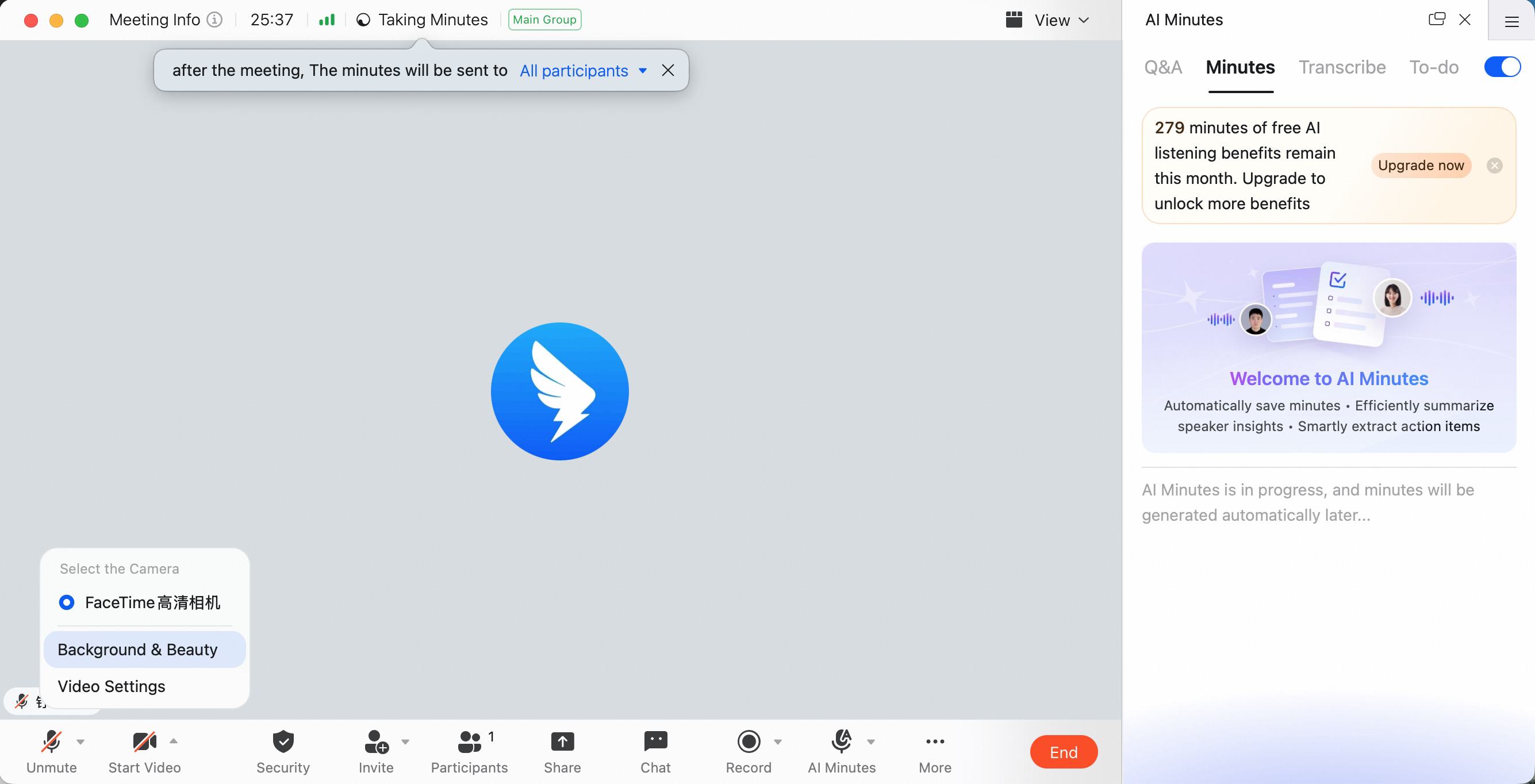
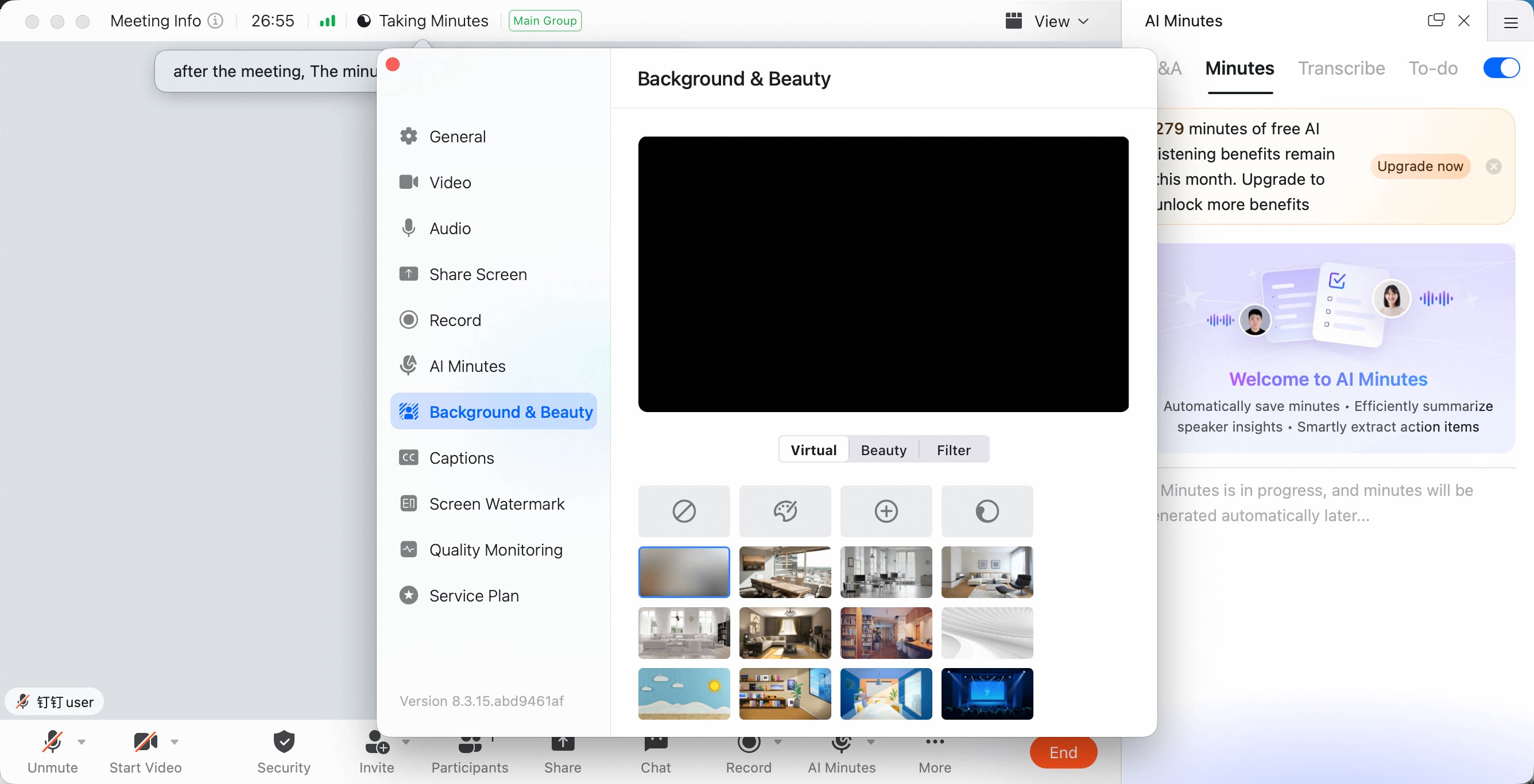
During a meeting, click the arrow next to Camera On/Off in the lower-left corner, select Virtual Background and Beauty, then adjust the virtual background settings.Desktop currently supports background blur, solid-color backgrounds, preset backgrounds, and custom images or videos.
Set a Virtual Background on Mobile
Before the Meeting Starts
On the meeting start screen, tap the icon in the upper-right corner, then switch to the Virtual Background tab at the bottom.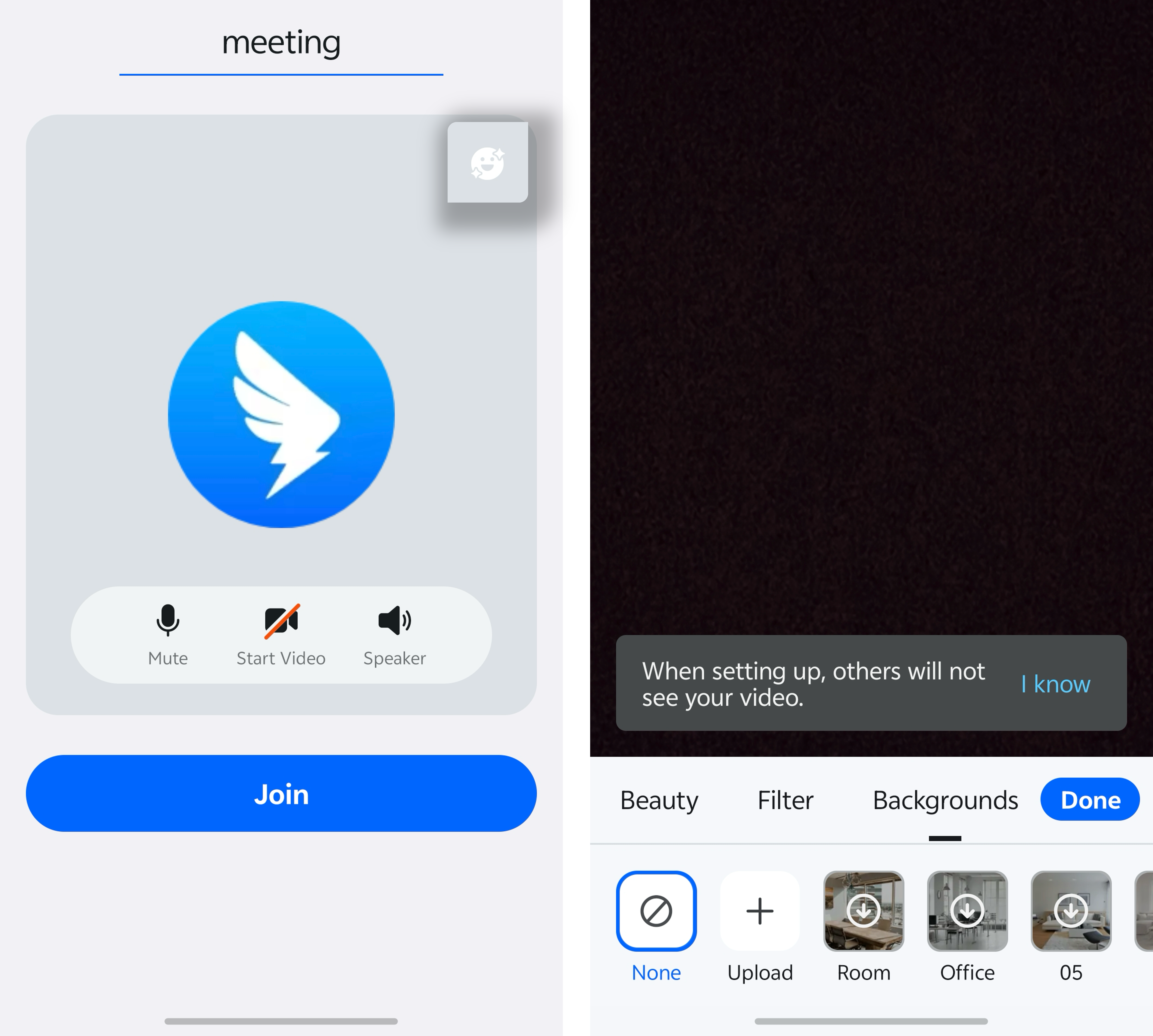
During the Meeting
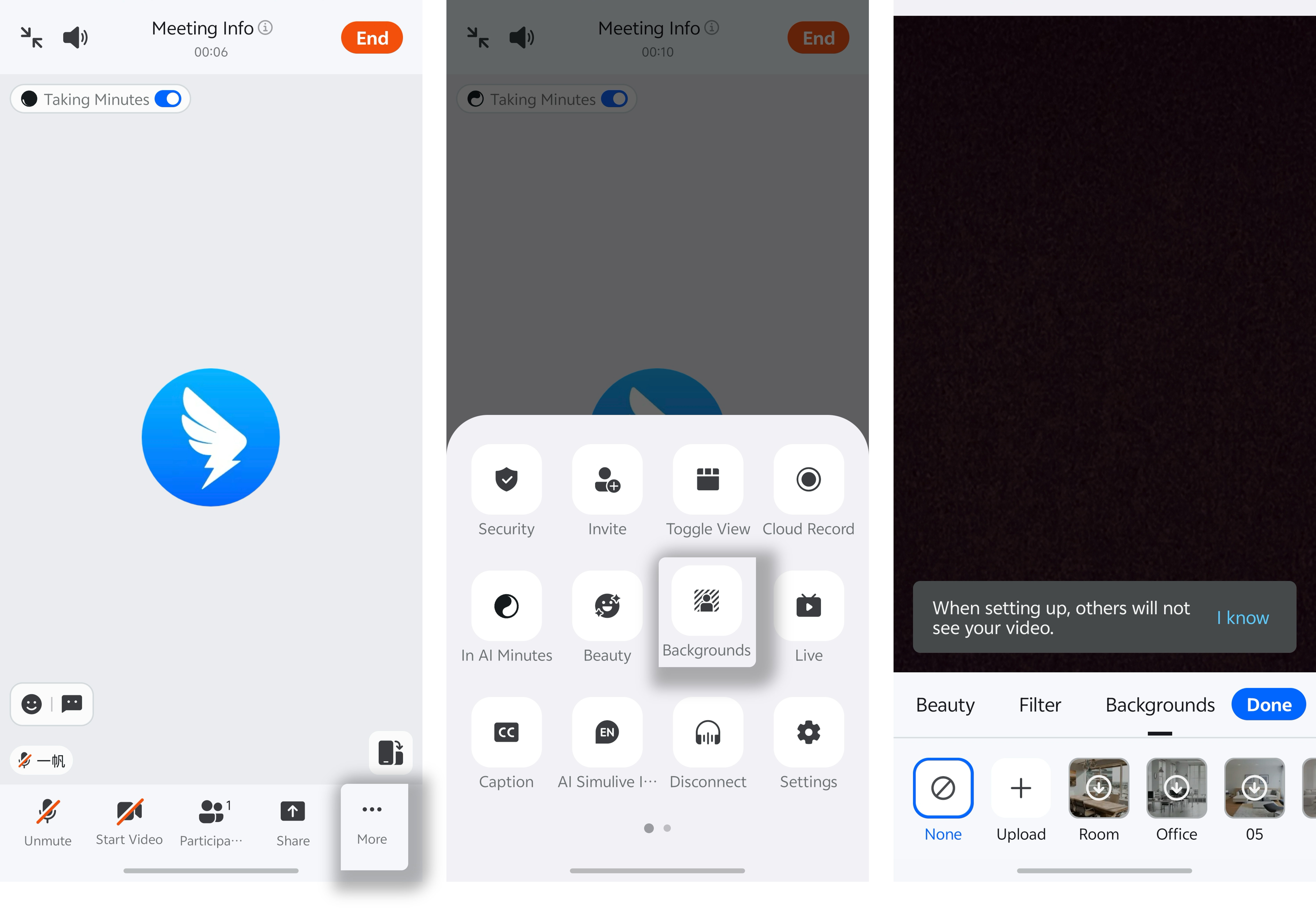
During a meeting, tap More in the lower-right corner, then select Virtual Background.