Chats
Chats Calendar
 Meetings
 Contacts
 Mail
Mail Docs
Docs Drive
Drive AI Table
 AI Minutes
 Attendance
 Approval
 YiDA
YiDA Admin Console
Automatic Naming When Joining
- If a meeting is started directly from a group, your group nickname is automatically used as your participant name.
- If a meeting is started from a scheduled meeting or meeting entry, your name in the primary organization is automatically used as your participant name.
Participant: Rename During a Meeting on Desktop
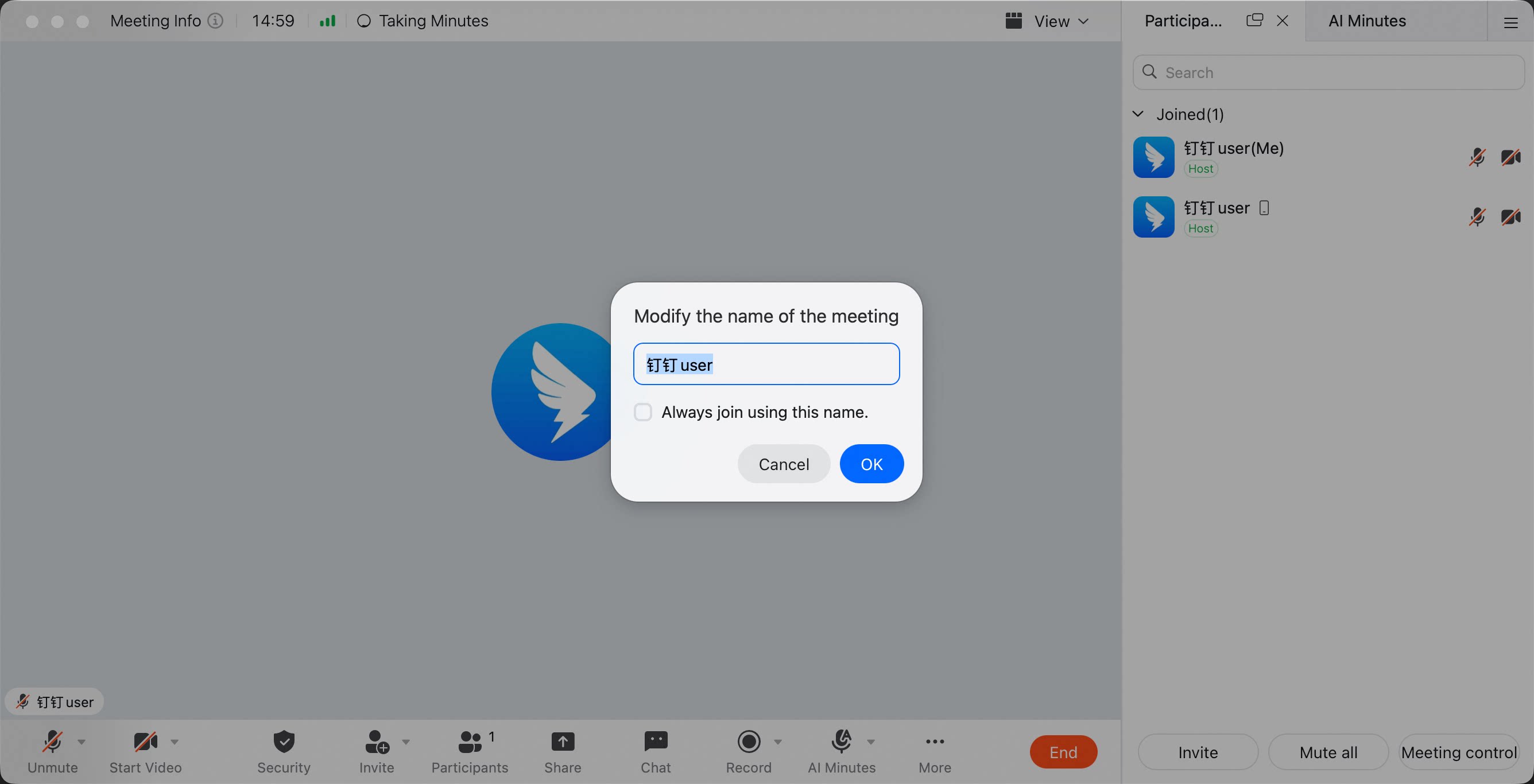
After entering a meeting, the permission for participants to rename themselves is enabled by default. During the meeting, the host or co-host can rename participants, and participants can also rename themselves. During a meeting, click Members at the bottom to open the member management panel. Click the icon on the right side of the member, then select Change In-Meeting Name.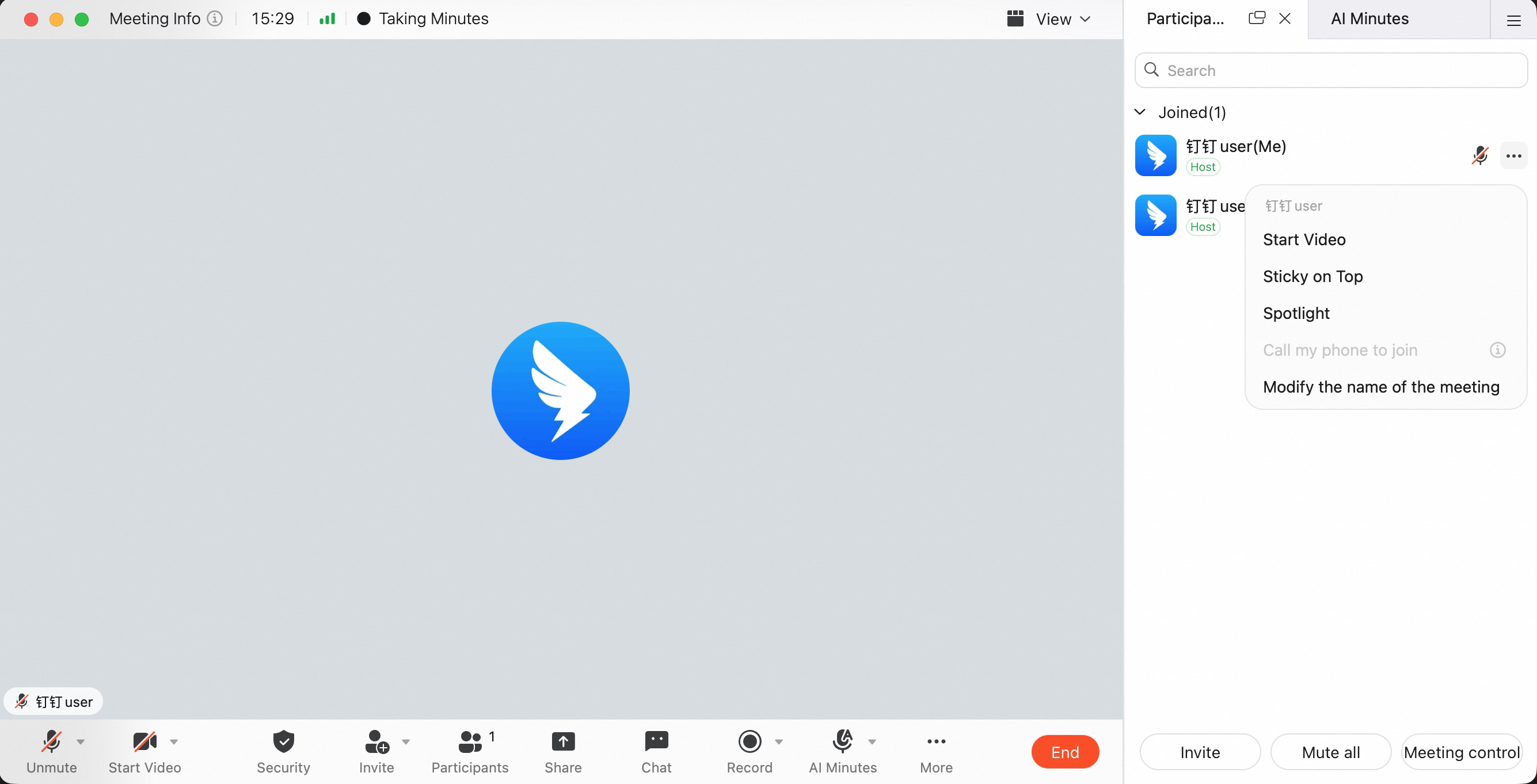
Host: Configure Rename Permission on Desktop
The host can click Security during a meeting, then turn Allow participants to rename themselves on or off. After this is turned off, only the host and co-host can rename themselves or others.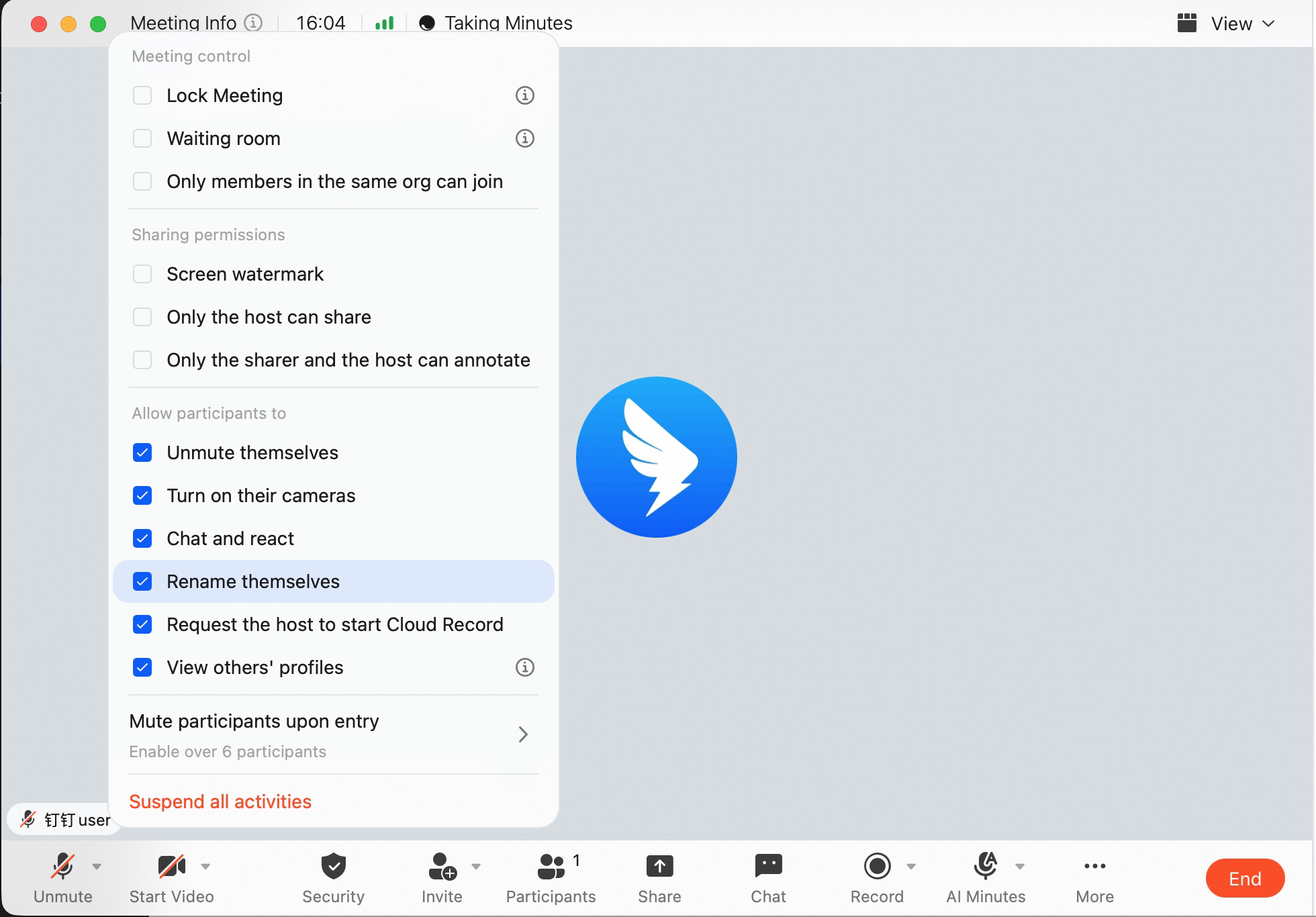
Participant: Rename During a Meeting on Mobile
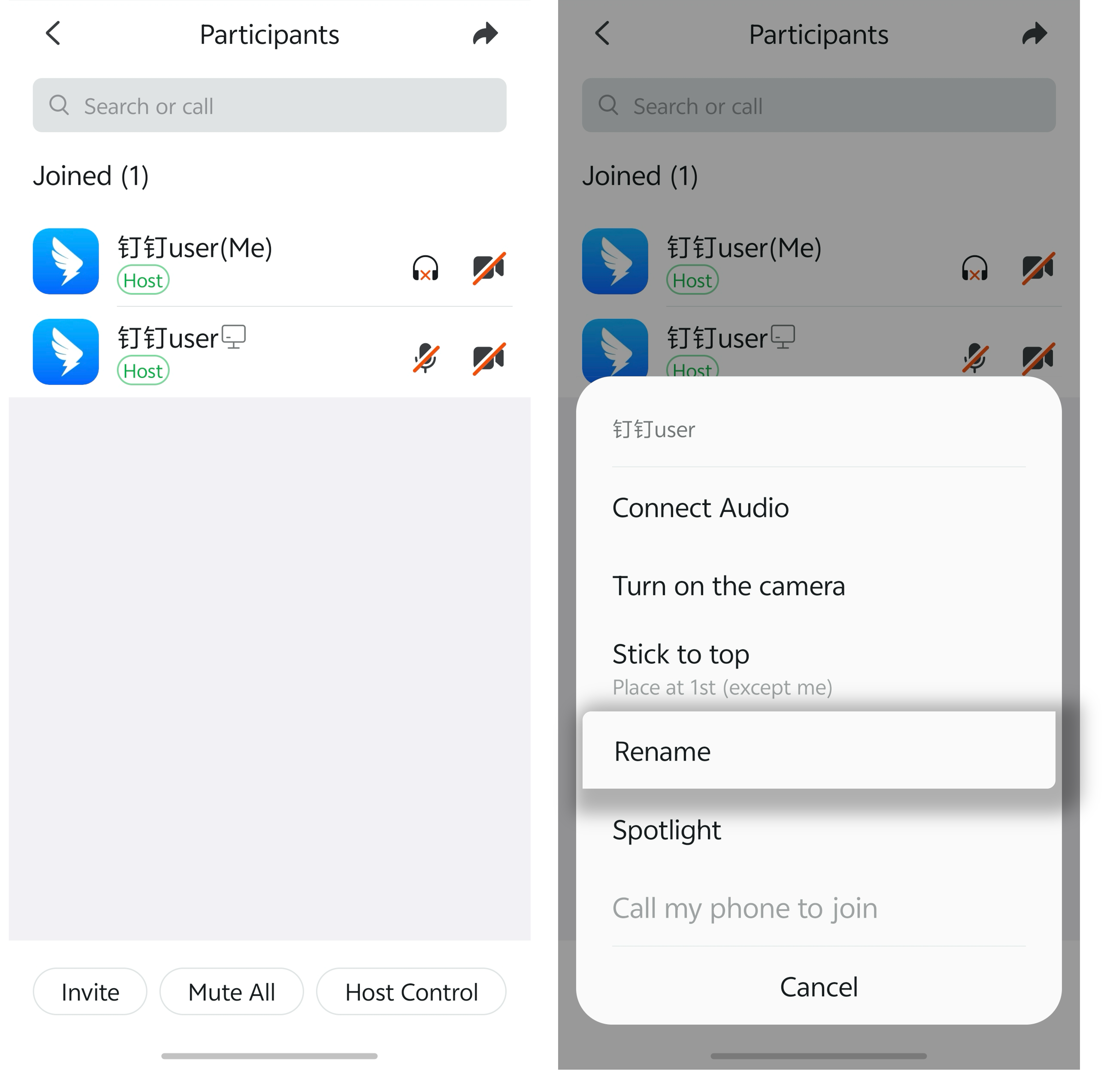
During a meeting, tap Members at the bottom to open member management. Tap the member, then select Change In-Meeting Name.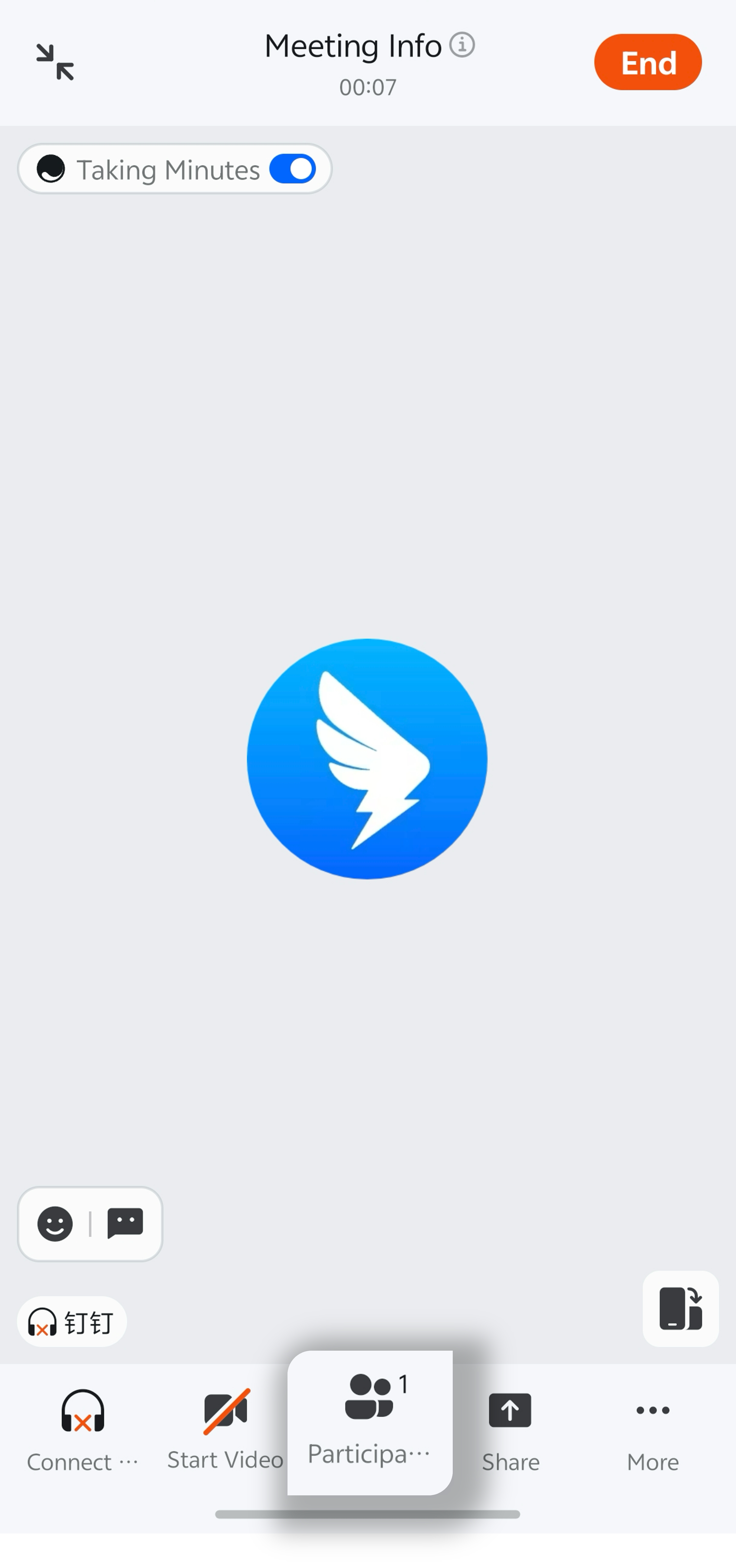
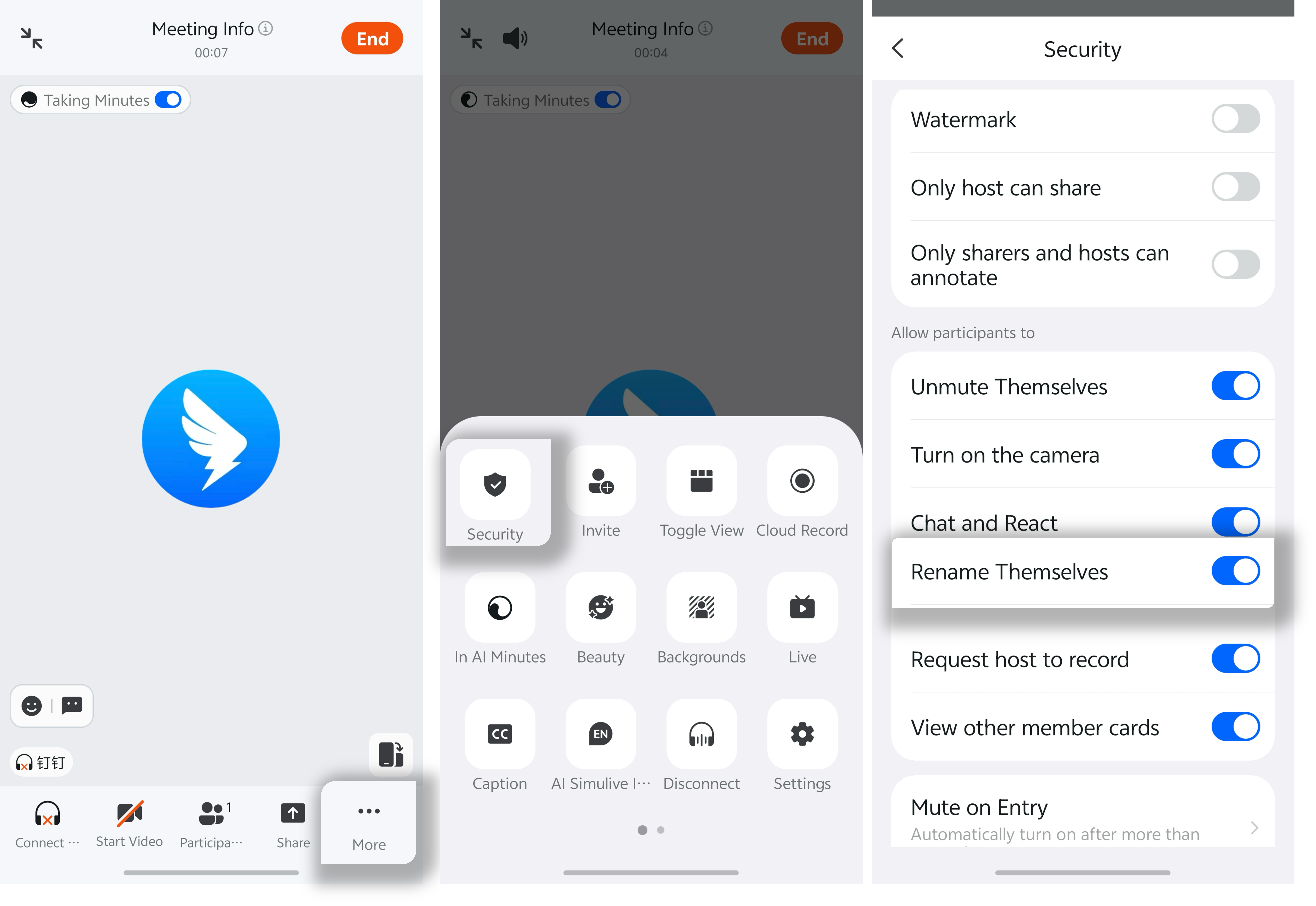
Host: Configure Rename Permission on Mobile
The host can tap Security during a meeting, then turn Allow participants to rename themselves on or off. After this is turned off, only the host and co-host can rename themselves or others.