Chats
Chats Calendar
 Meetings
 Contacts
 Mail
Mail Docs
Docs Drive
Drive AI Table
 AI Minutes
 Attendance
 Approval
 YiDA
YiDA Admin Console
Record a Meeting on Desktop
Start recording: During the meeting, click Record in the bottom toolbar >> select Cloud Recording or Local Recording.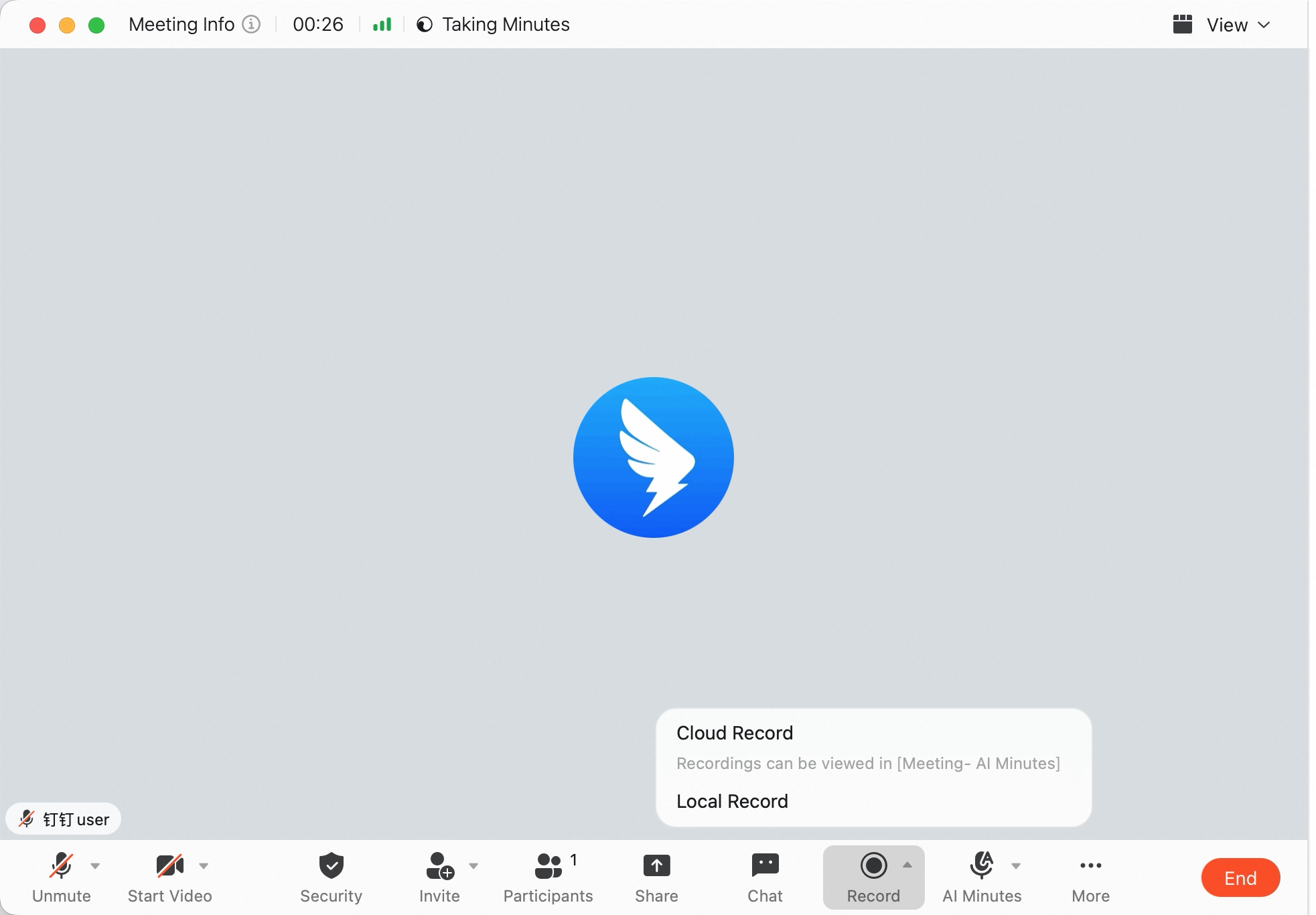 Stop recording: During the meeting, click Stop Recording in the bottom toolbar.
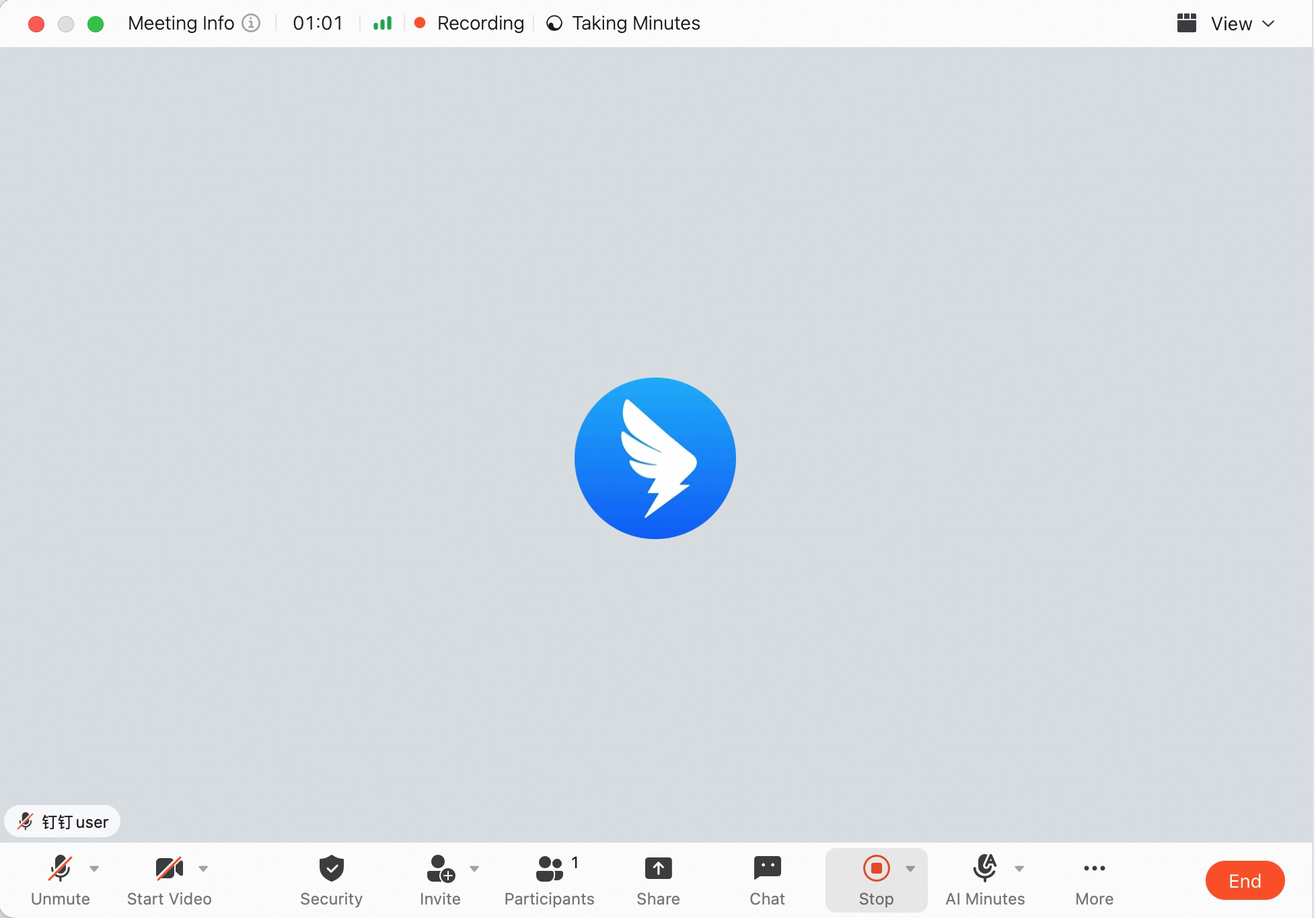
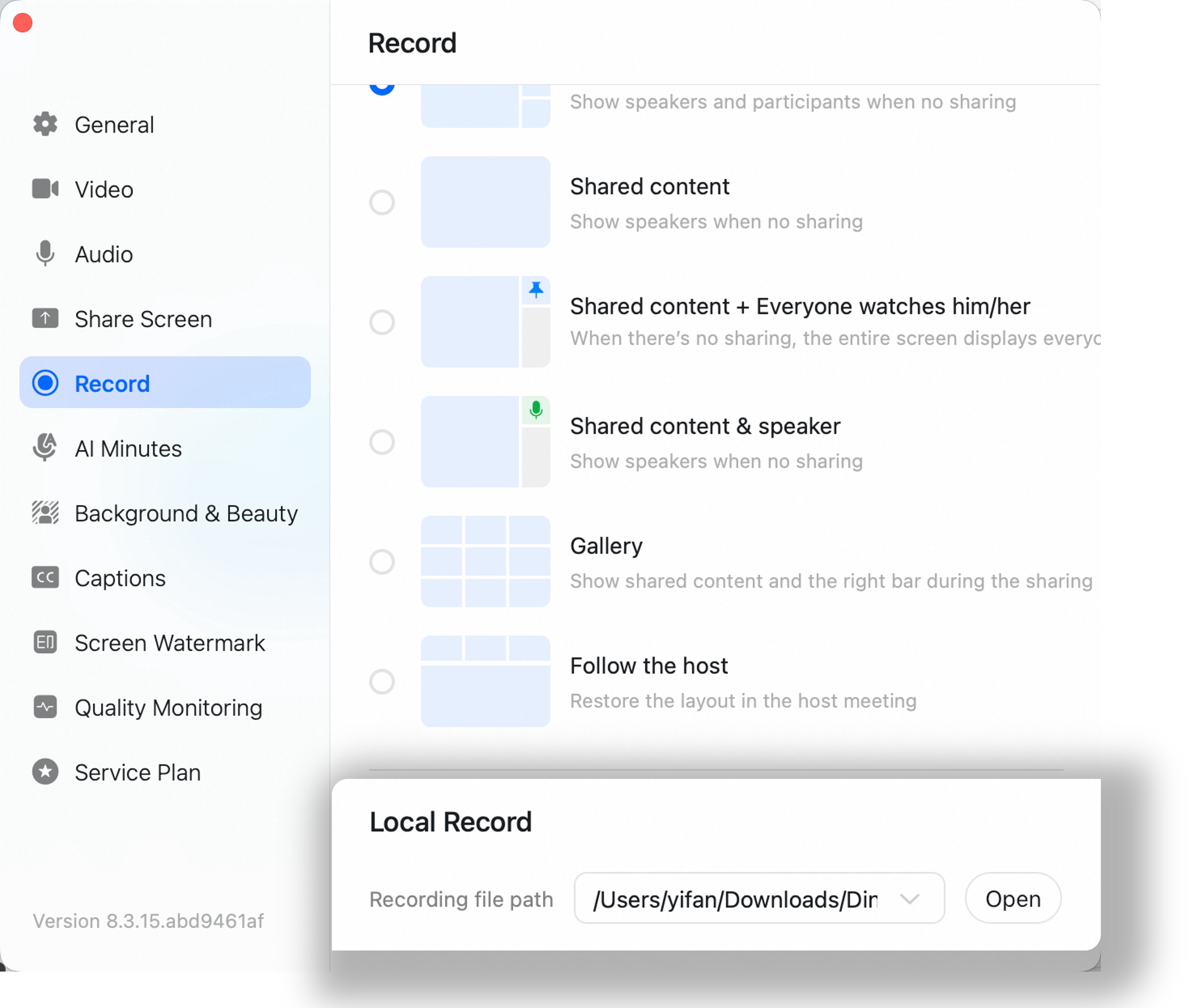
View or Change the Local Recording Save Path
Method 1: For local recordings, after you click Stop Recording, the system automatically shows a notification saying the recording is complete. Click Open Folder to view it.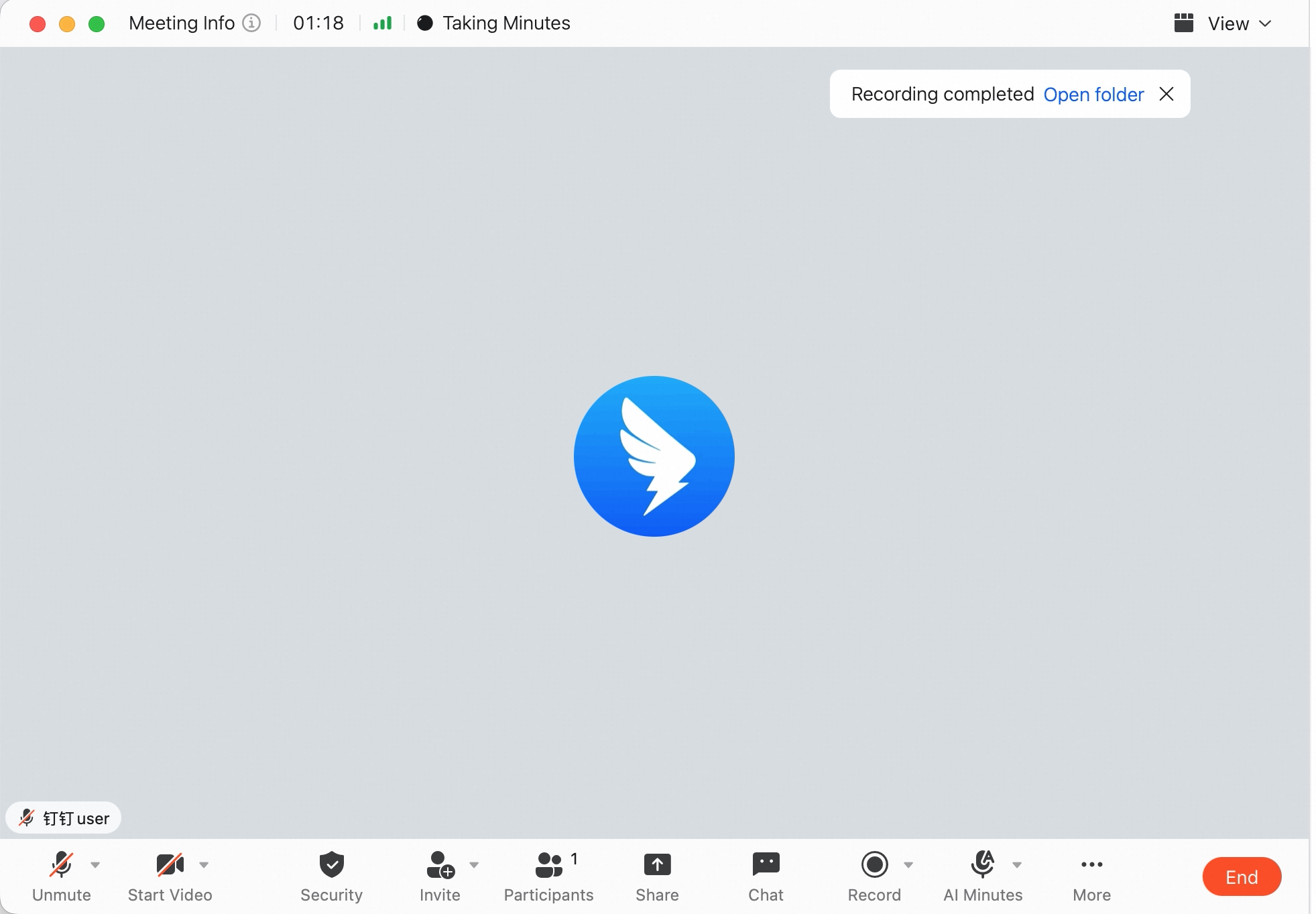 Method 2: During the meeting, click More at the bottom >> Settings >> Recording >> view Recording file path >> click Open on the right to change the save path.
Record a Meeting on Mobile
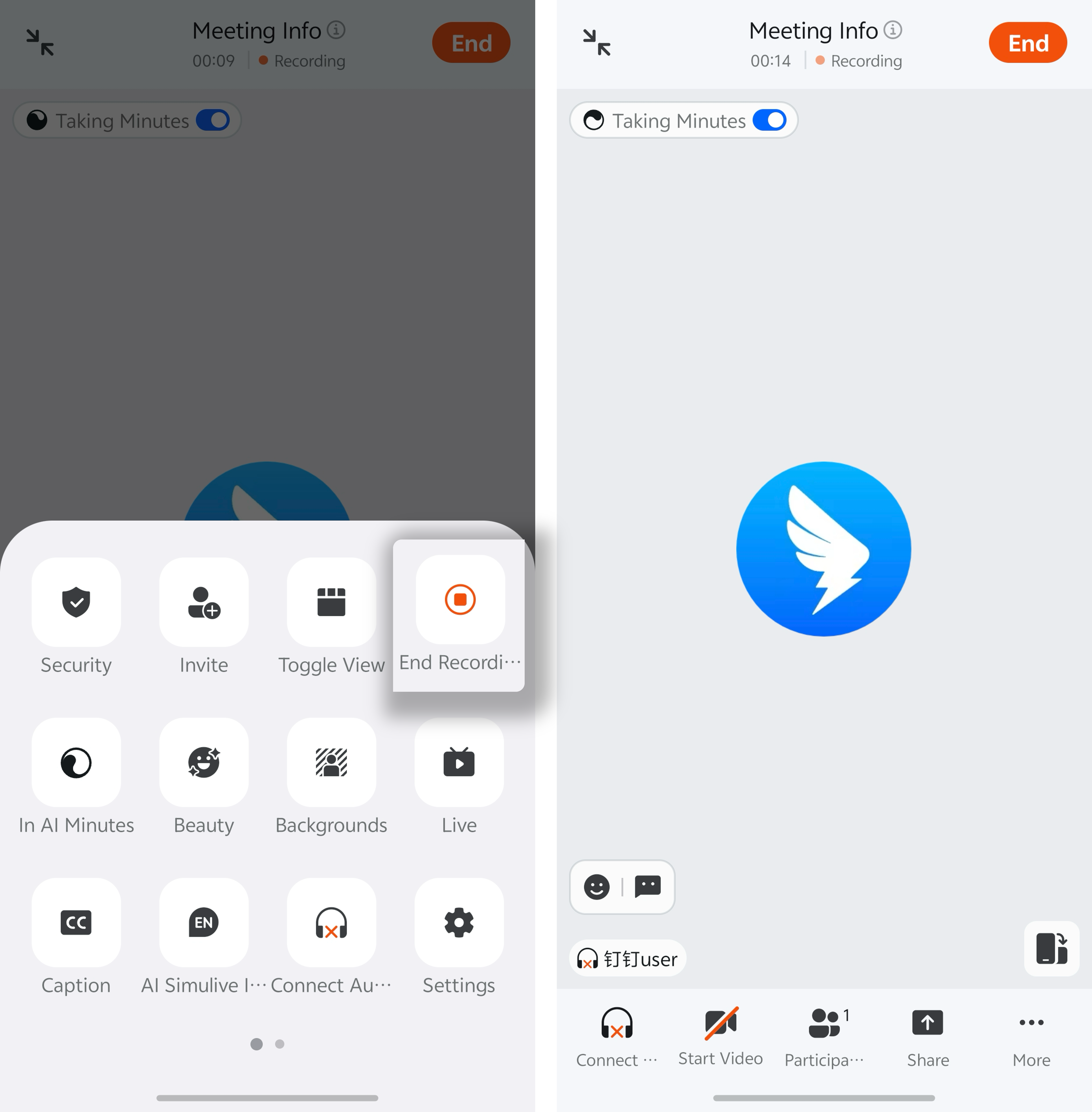
Start recording: During the meeting, tap More >> tap Cloud Recording.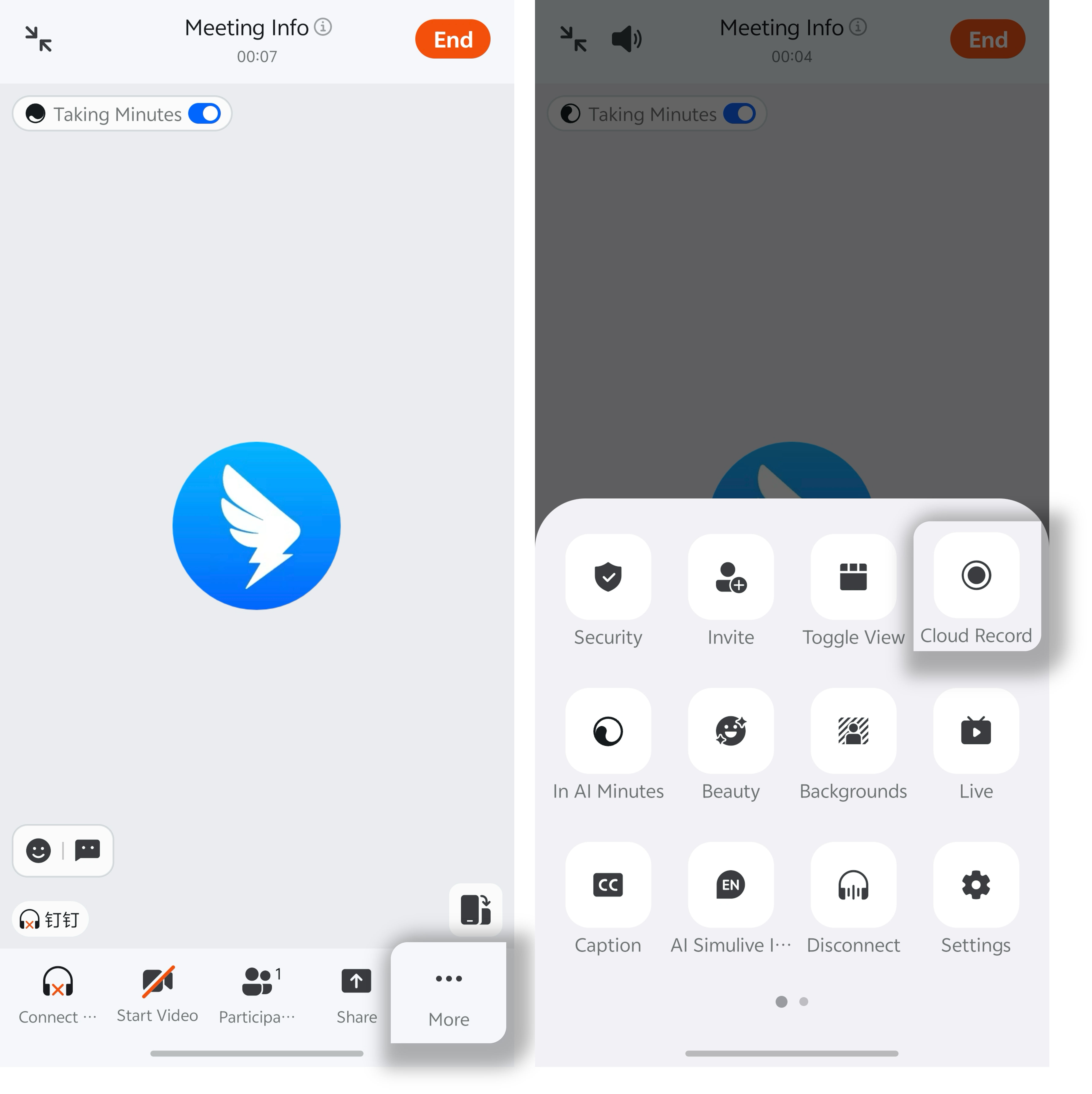 Stop recording: During the meeting, tap More >> tap Stop Recording.