Chats
Chats Calendar
 Meetings
 Contacts
 Mail
Mail Docs
Docs Drive
Drive AI Table
 AI Minutes
 Attendance
 Approval
 YiDA
YiDA Admin Console
- During a meeting, Meeting AI can review meeting content in real time. Participants can view transcribed captions, generate summaries, and ask questions about the meeting content, so they do not miss important remarks.
- After each meeting, DingTalk automatically generates meeting minutes and to-dos, helping teams avoid manual note-taking.
Feature Overview
Real-Time Transcription and Q&A During a Meeting
Meeting AI transcribes meeting content in real time, so participants can quickly review and analyze what was discussed.Smart Minutes After a Meeting
After the meeting, DingTalk saves the meeting audio and transcript, then sends them to the meeting initiator as AI meeting notes. In AI meeting notes, you can view meeting minutes and suggested to-dos. Participants can also request access to the AI meeting notes from the host through the meeting end page, meeting list, and other entry points.How to Use
Manually Turn AI Meeting Notes On or Off
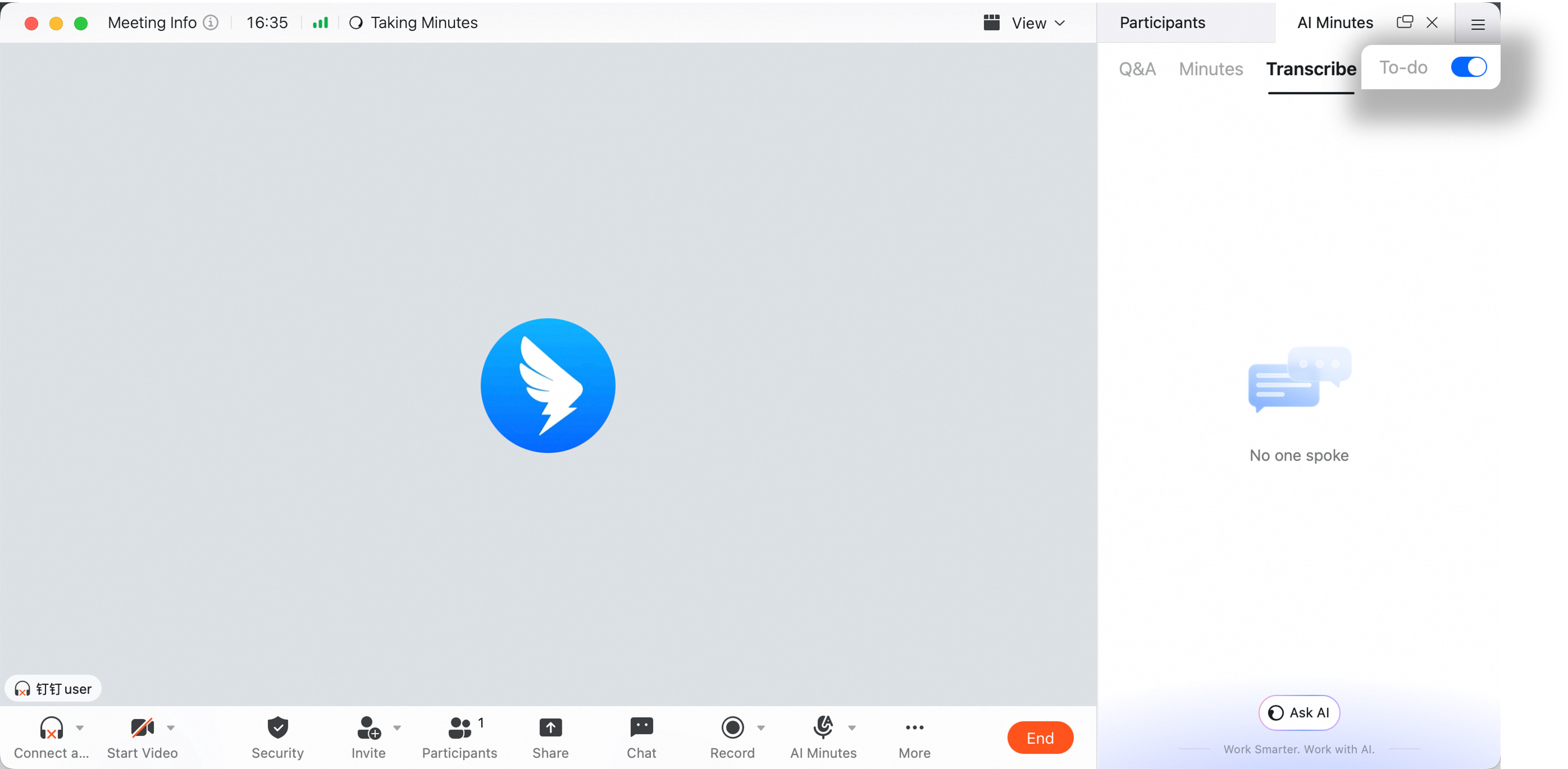
After AI meeting notes are turned on, meeting content is transcribed in real time. All participants will see a clear AI Meeting Notes in Progress notice at the top.- During the meeting, participants can ask open-ended questions based on the transcript.
- After the meeting, the transcript and audio are saved, and smart minutes are generated and sent to the meeting initiator as AI meeting notes.
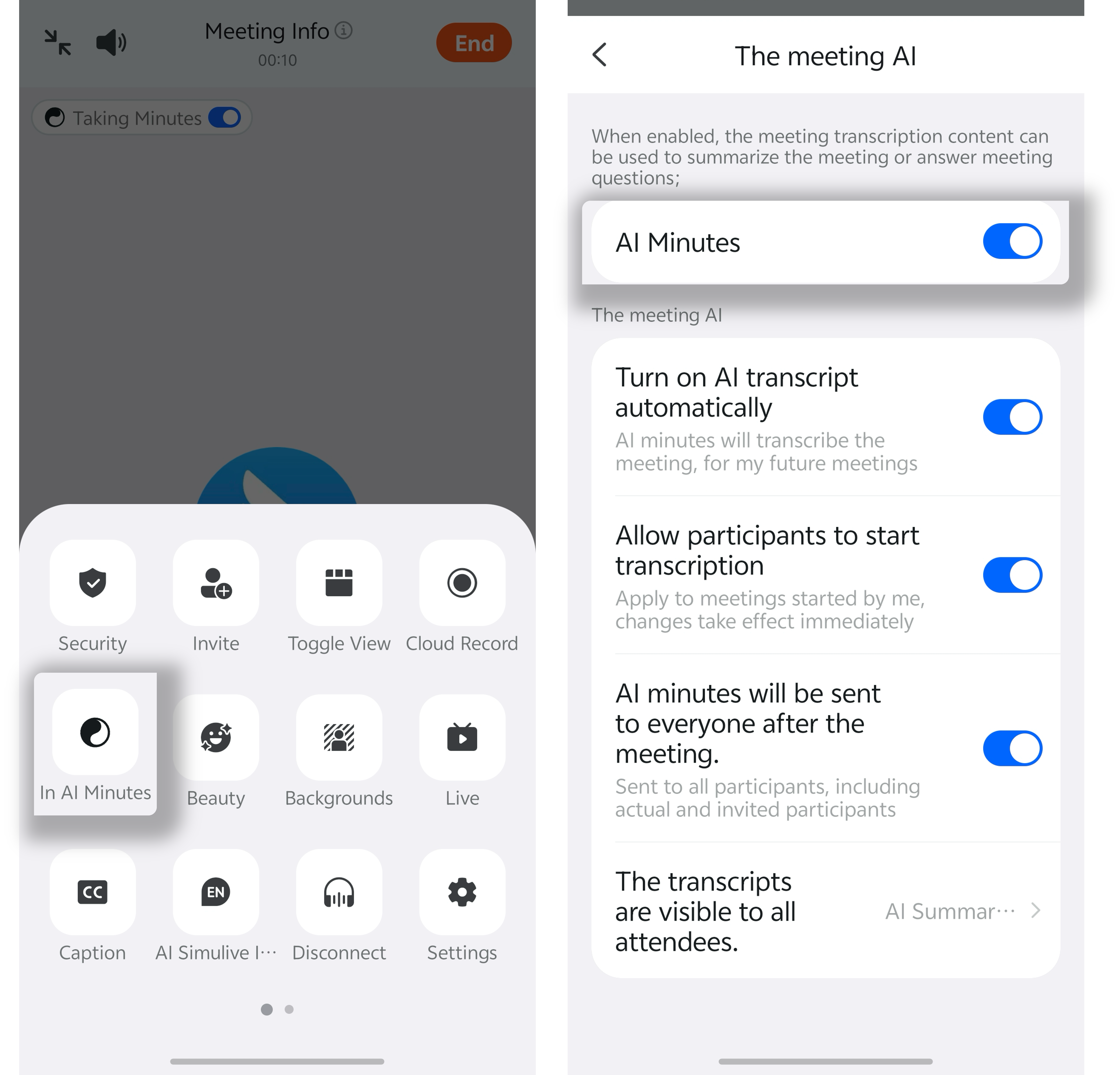
 Mobile: During the meeting >> tap More at the bottom >> tap Meeting AI >> turn AI Meeting Notes on or off.
Automatically Turn On AI Meeting Notes
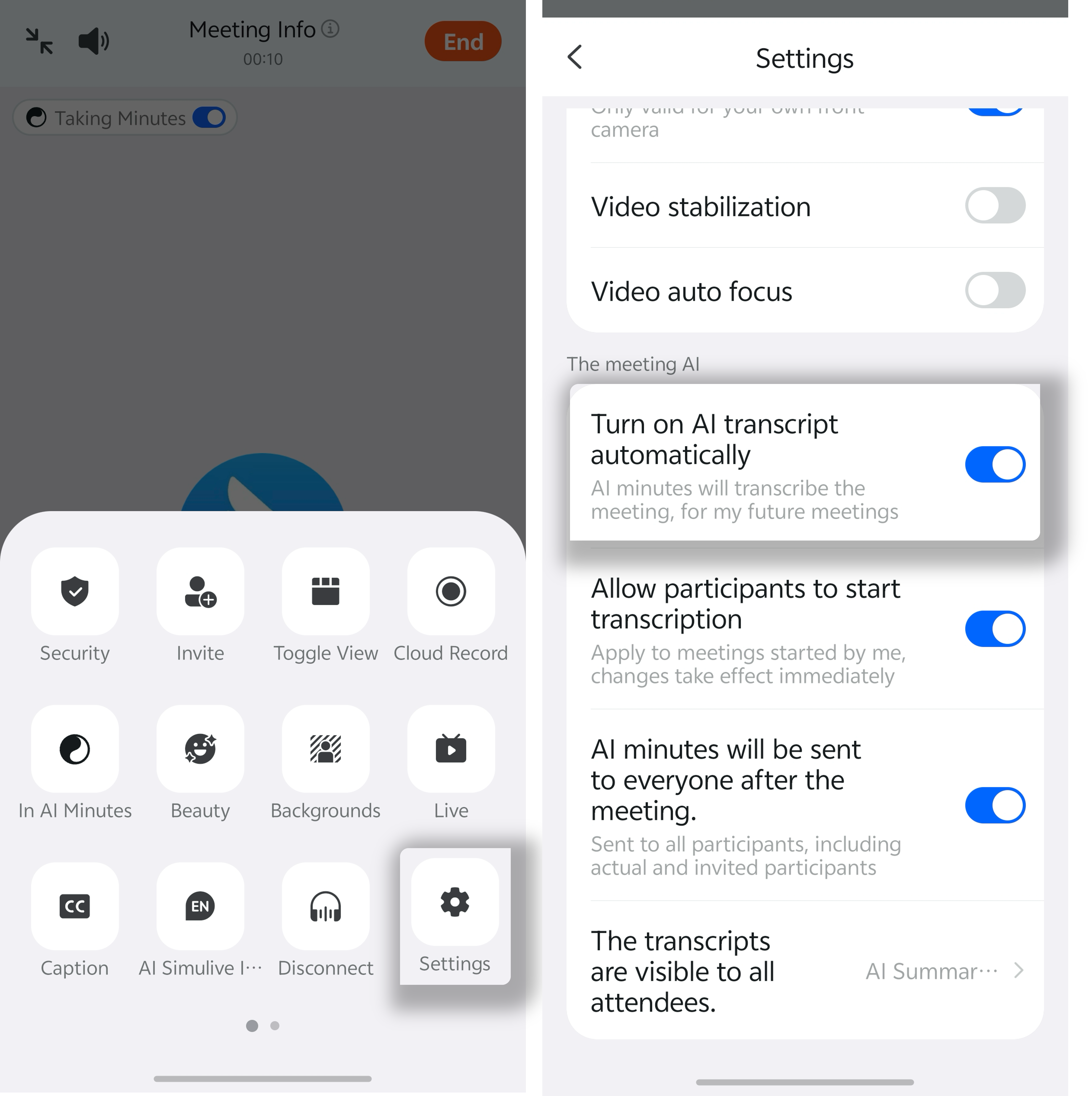
Desktop: During the meeting >> click More in the bottom menu bar >> click Settings >> click Meeting AI >> select or clear Automatically turn on AI Meeting Notes.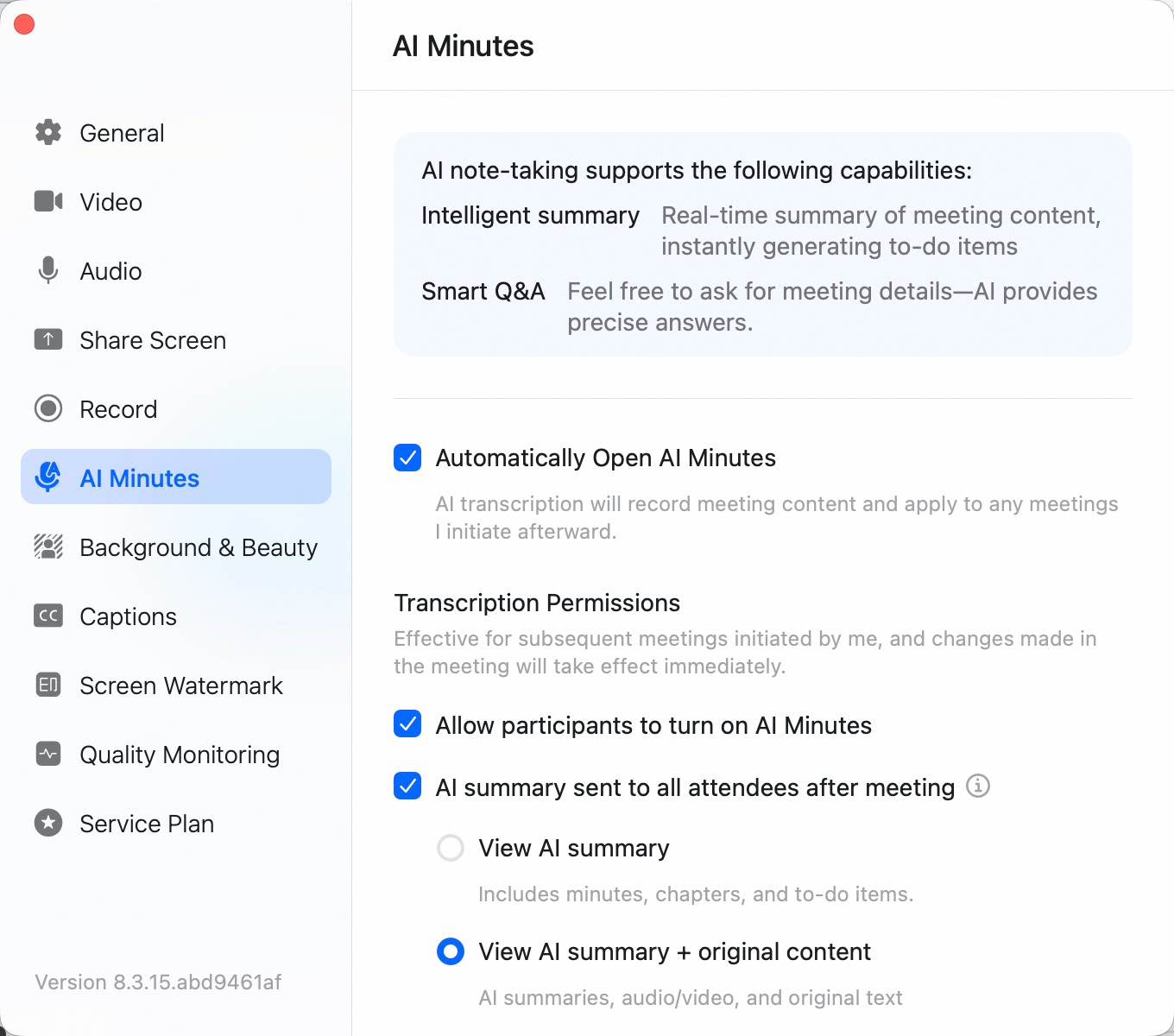 Mobile: During the meeting >> tap More in the lower-right corner >> Settings >> Automatically turn on AI Meeting Notes.