Chats
Chats Calendar
 Meetings
 Contacts
 Mail
Mail Docs
Docs Drive
Drive AI Table
 AI Minutes
 Attendance
 Approval
 YiDA
YiDA Admin Console
Availability
Only the host or co-host can open the security menu and configure security settings.Configure Security Settings on Desktop
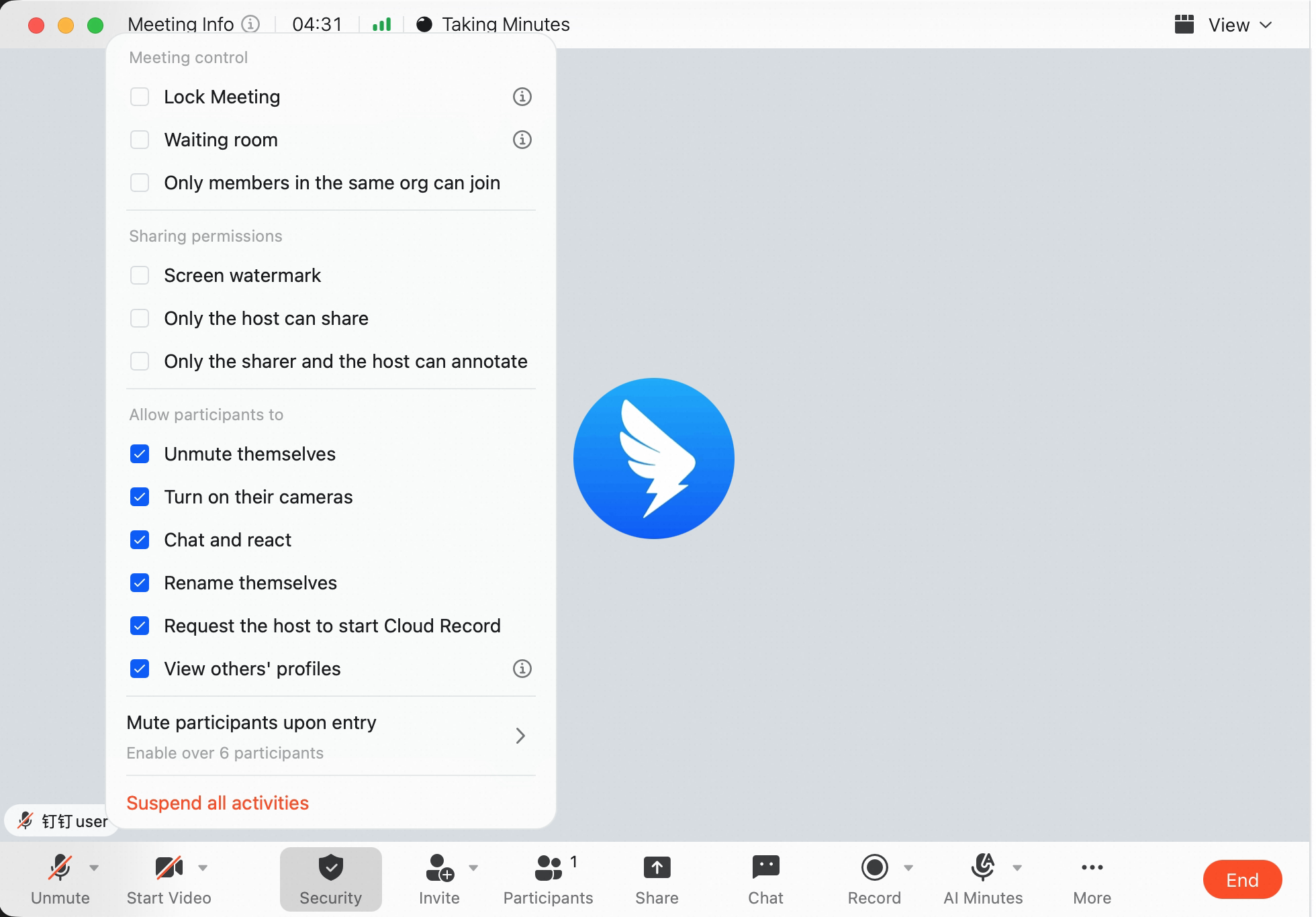
Method 1: During a meeting, click Security at the bottom, then choose Lock Meeting, Waiting Room, or Only members in the organization can join.After the waiting room is enabled, all participants must wait in the waiting room before joining. They can enter only after the host or co-host approves them. Participants in the waiting room can rename themselves or chat privately with the host.
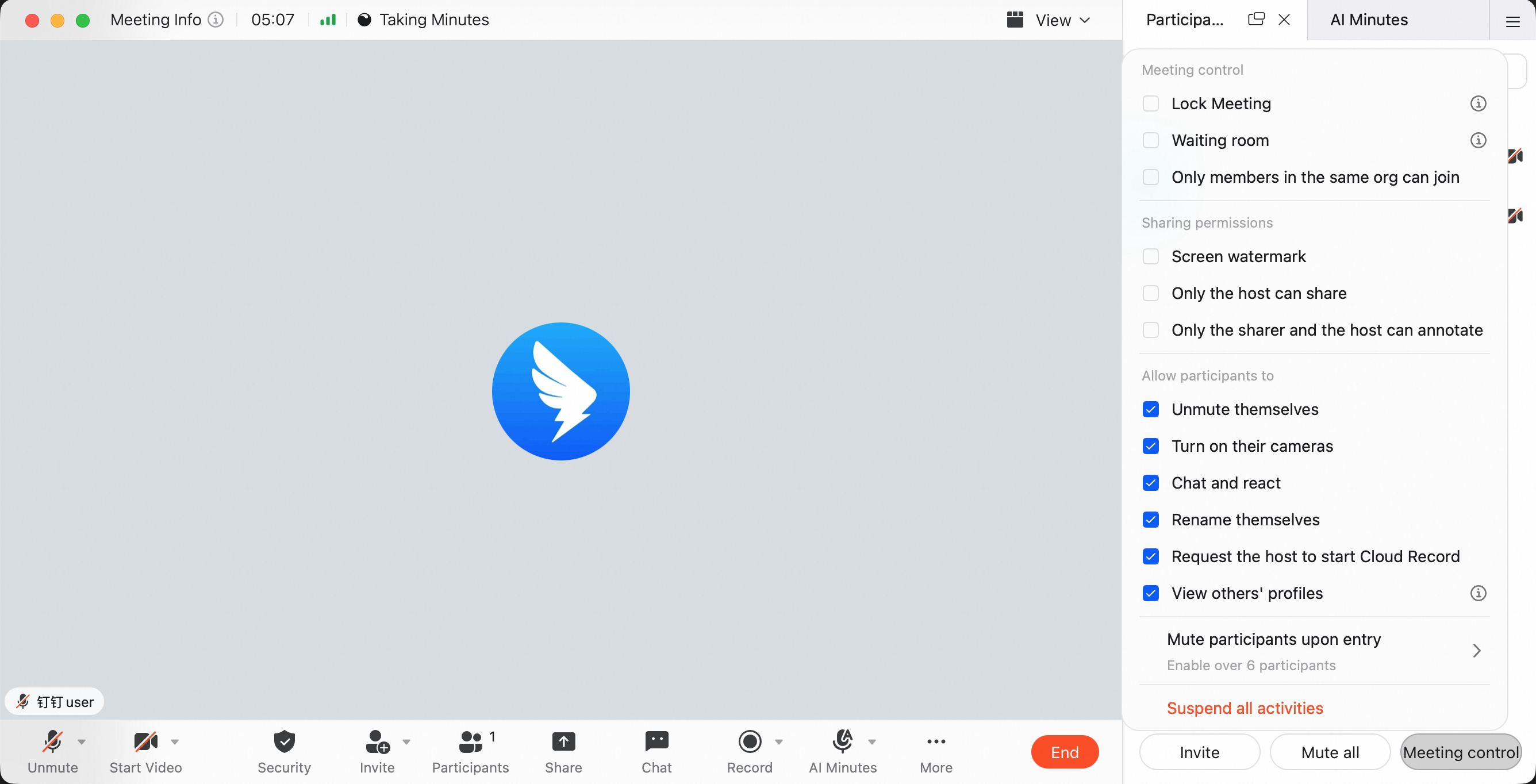
 Method 2: During a meeting, click Members at the bottom to open the member management panel. Click Meeting Control in the lower-right corner of the panel, then choose Lock Meeting, Waiting Room, or Only members in the organization can join.
Configure Security Settings on Mobile
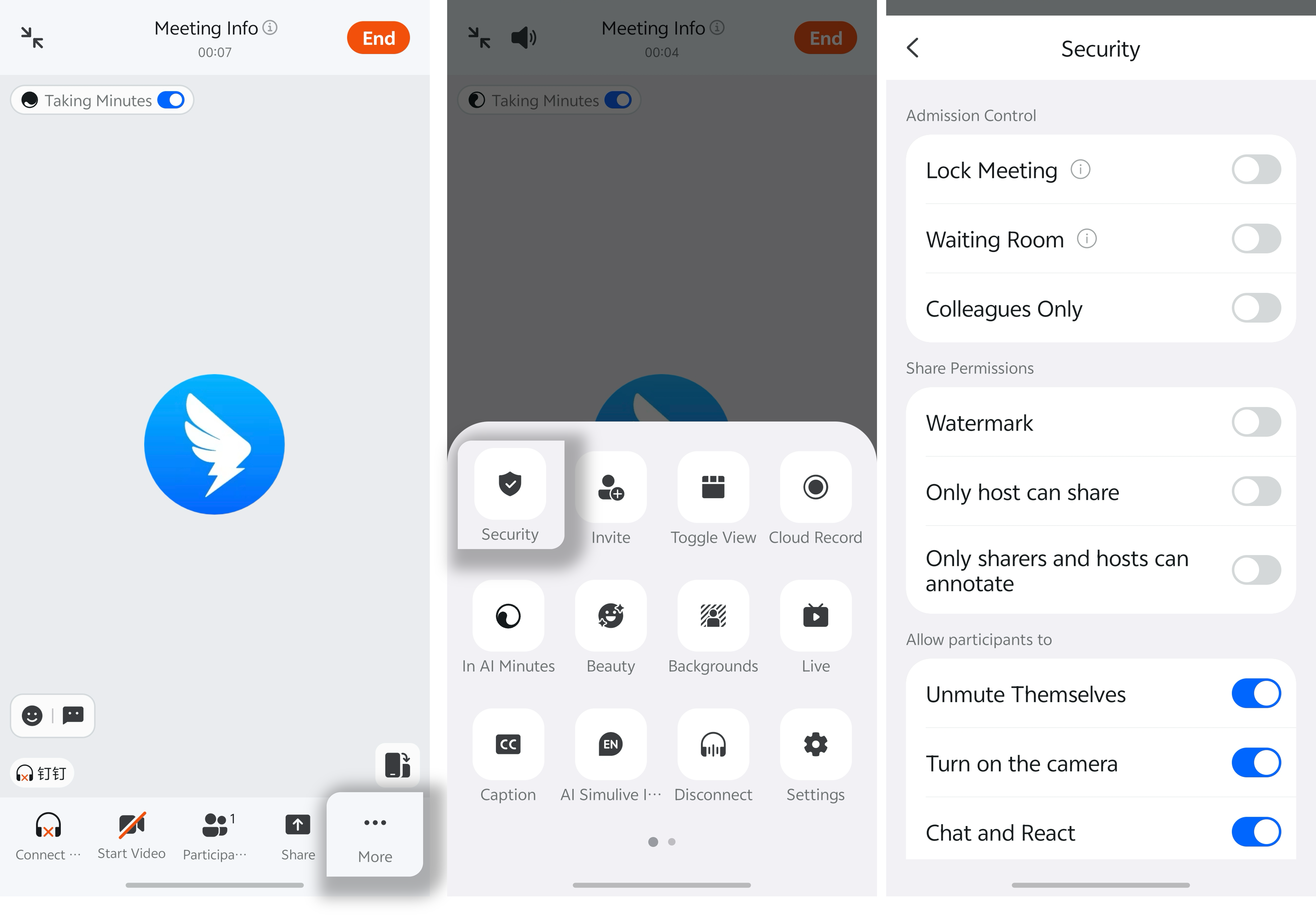
During a meeting, tap More in the lower-right corner, tap Security, then choose Lock Meeting, Waiting Room, or Only members in the organization can join in the security settings.After the waiting room is enabled, all participants must wait in the waiting room before joining. They can enter only after the host or co-host approves them. Participants in the waiting room can rename themselves or chat privately with the host.