

 Chats
Chats Calendar
 Meetings
 Contacts
 Mail
Mail Docs
Docs Drive
Drive AI Table
 AI Minutes
 Attendance
 Approval
 YiDA
YiDA Admin Console
Take a Group Photo on Desktop
During a meeting, click More at the bottom, then click Group Photo.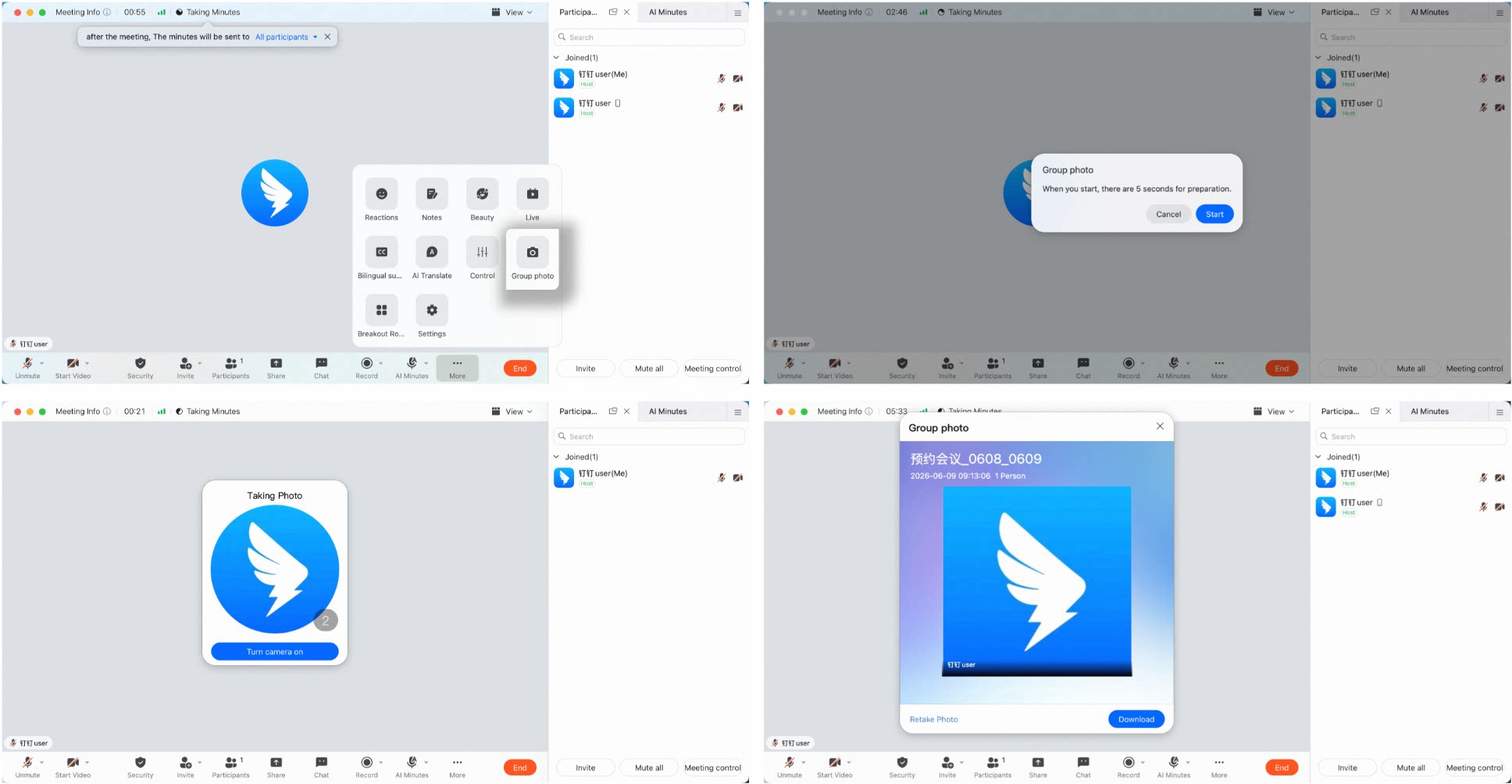
Take a Group Photo on Mobile
During a meeting, tap More in the lower-right corner, then tap Group Photo.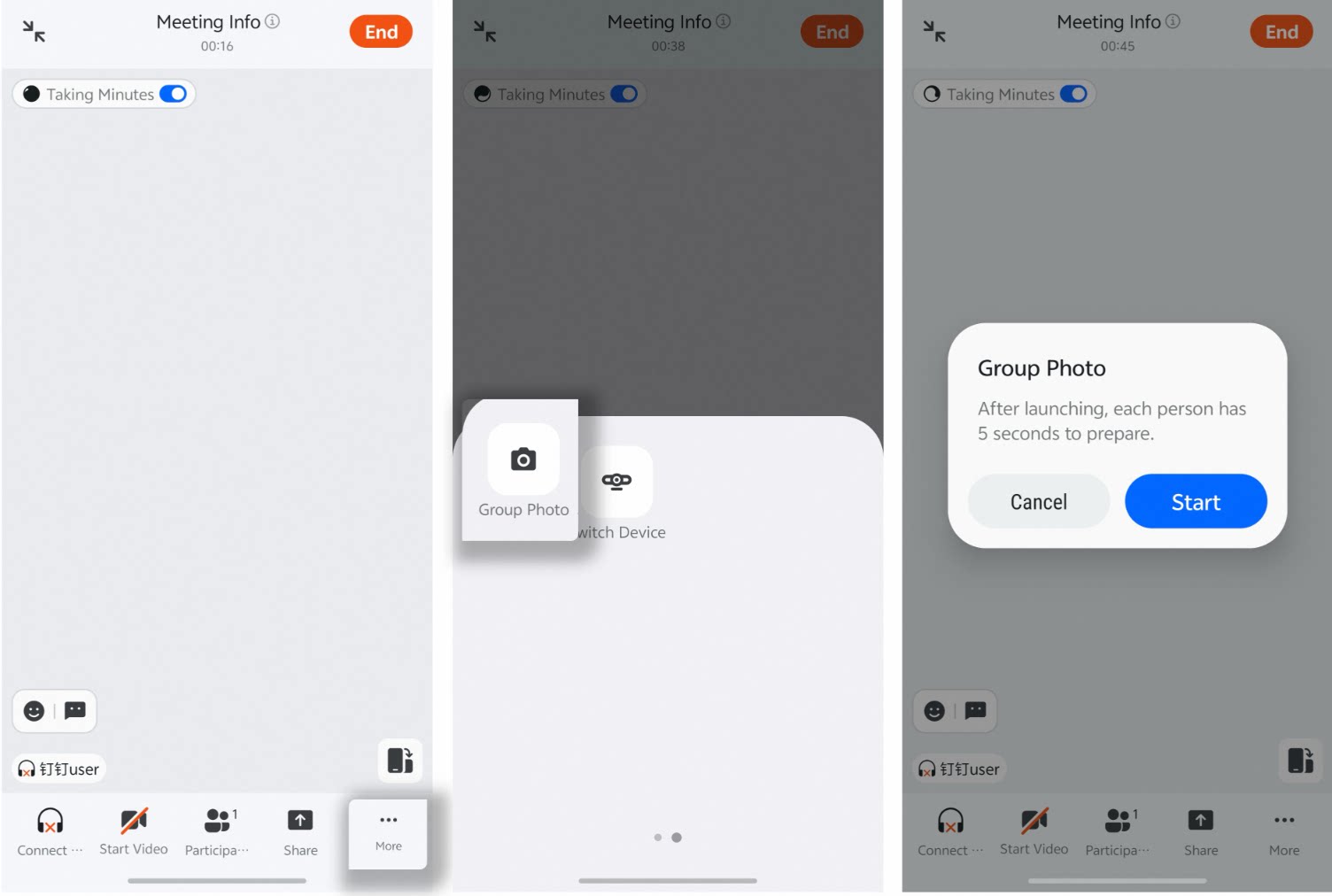
Capture a group photo of all video meeting participants with a single click—includes layout options, host permissions, and where the photo is saved.