Chats
Chats Calendar
 Meetings
 Contacts
 Mail
Mail Docs
Docs Drive
Drive AI Table
 AI Minutes
 Attendance
 Approval
 YiDA
YiDA Admin Console
How to Set or Cancel Spotlight for Everyone?
During a meeting, when the host wants everyone to focus on a specific speaker, the host can set Spotlight for Everyone.Set or Cancel Spotlight for Everyone on Desktop
Set Spotlight for Everyone
During a meeting, click Members at the bottom to open the member management panel. Click the icon on the right side of the member, then select Spotlight for Everyone.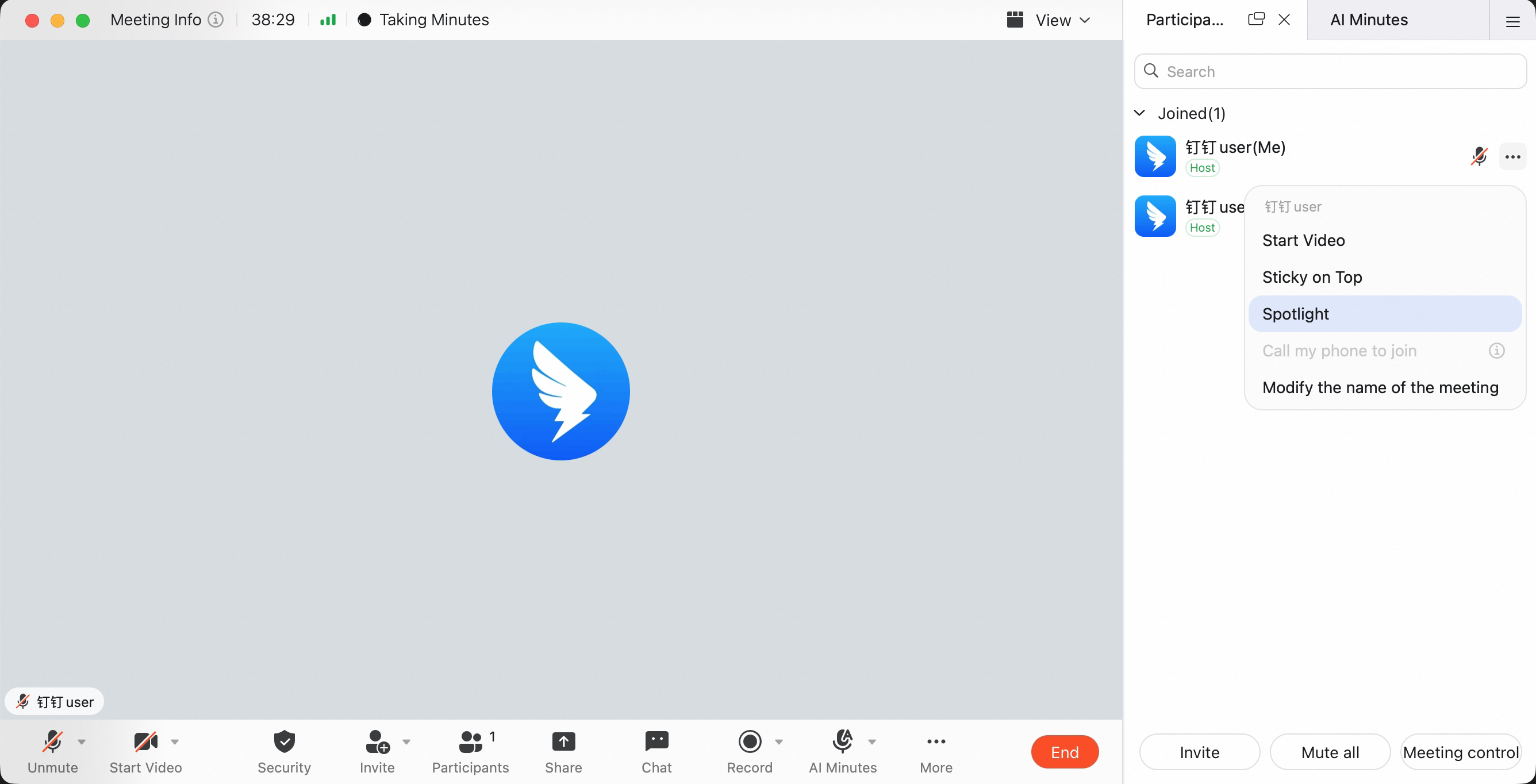
Cancel Spotlight for Everyone
During a meeting, click Members at the bottom to open the member management panel. Click the icon next to the member who has the Spotlight for Everyone label, then select Cancel Spotlight for Everyone.
Set or Cancel Spotlight for Everyone on Mobile
Set Spotlight for Everyone
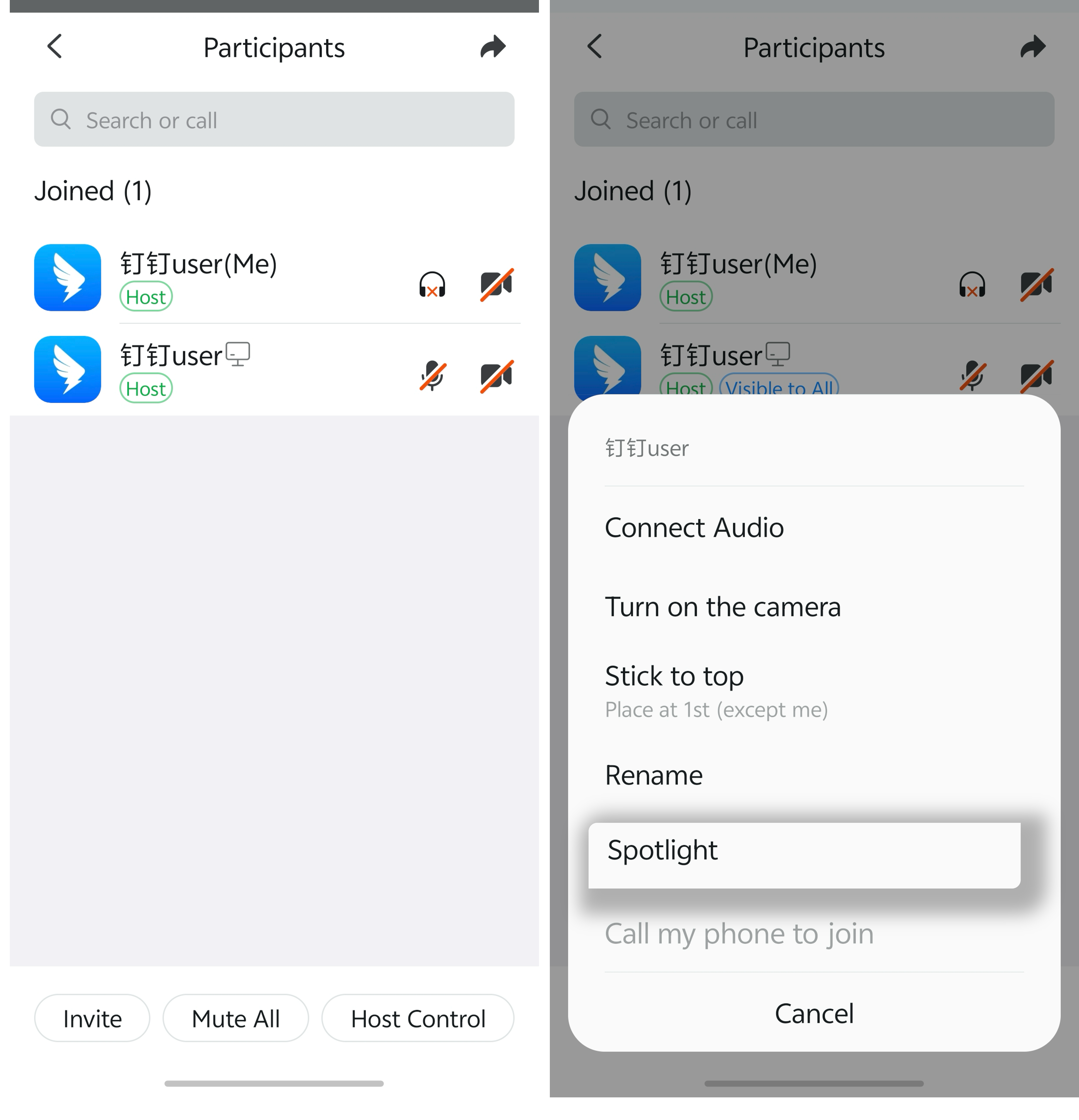
During a meeting, tap Members at the bottom to open member management. Tap the icon on the right side of the member, then select Spotlight for Everyone.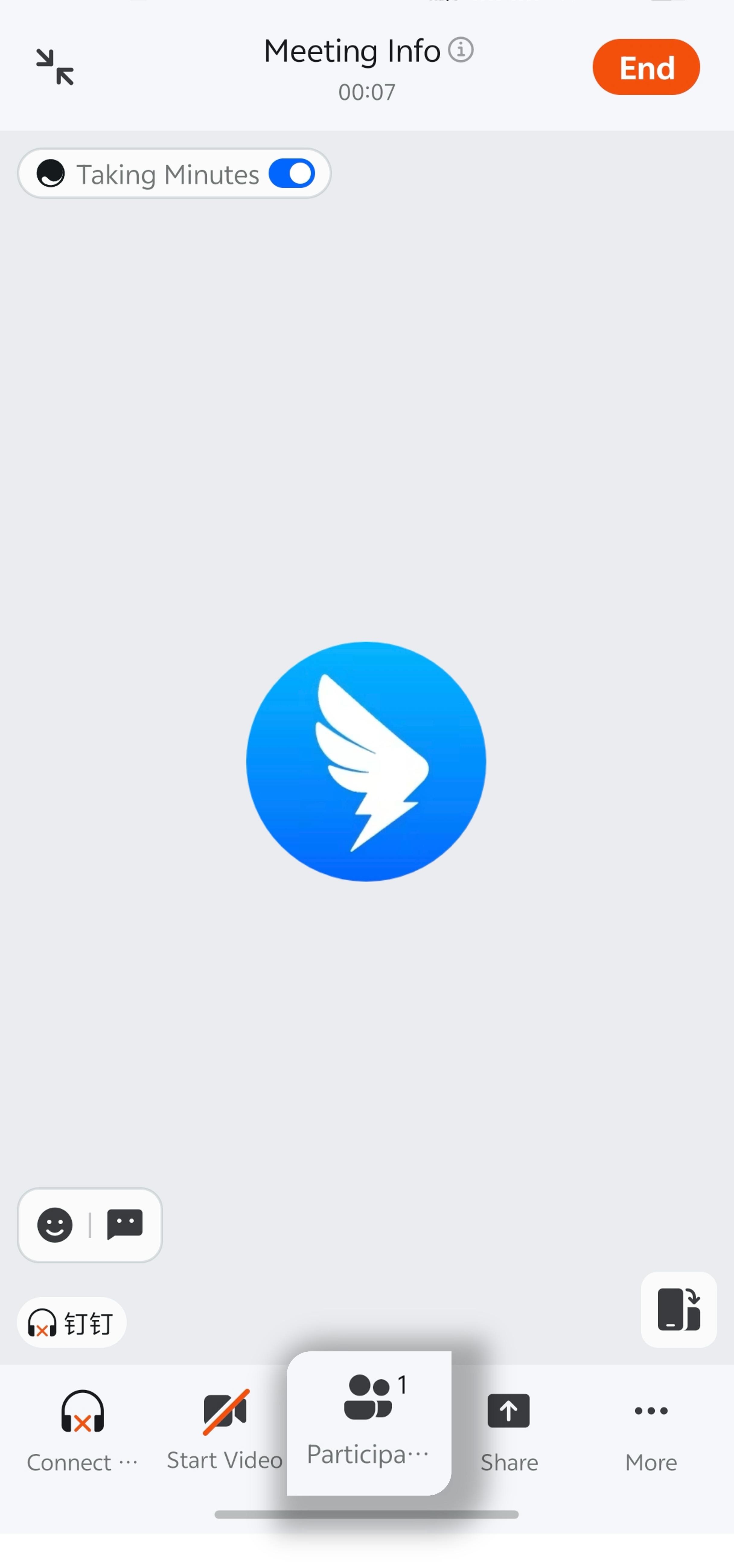
Cancel Spotlight for Everyone
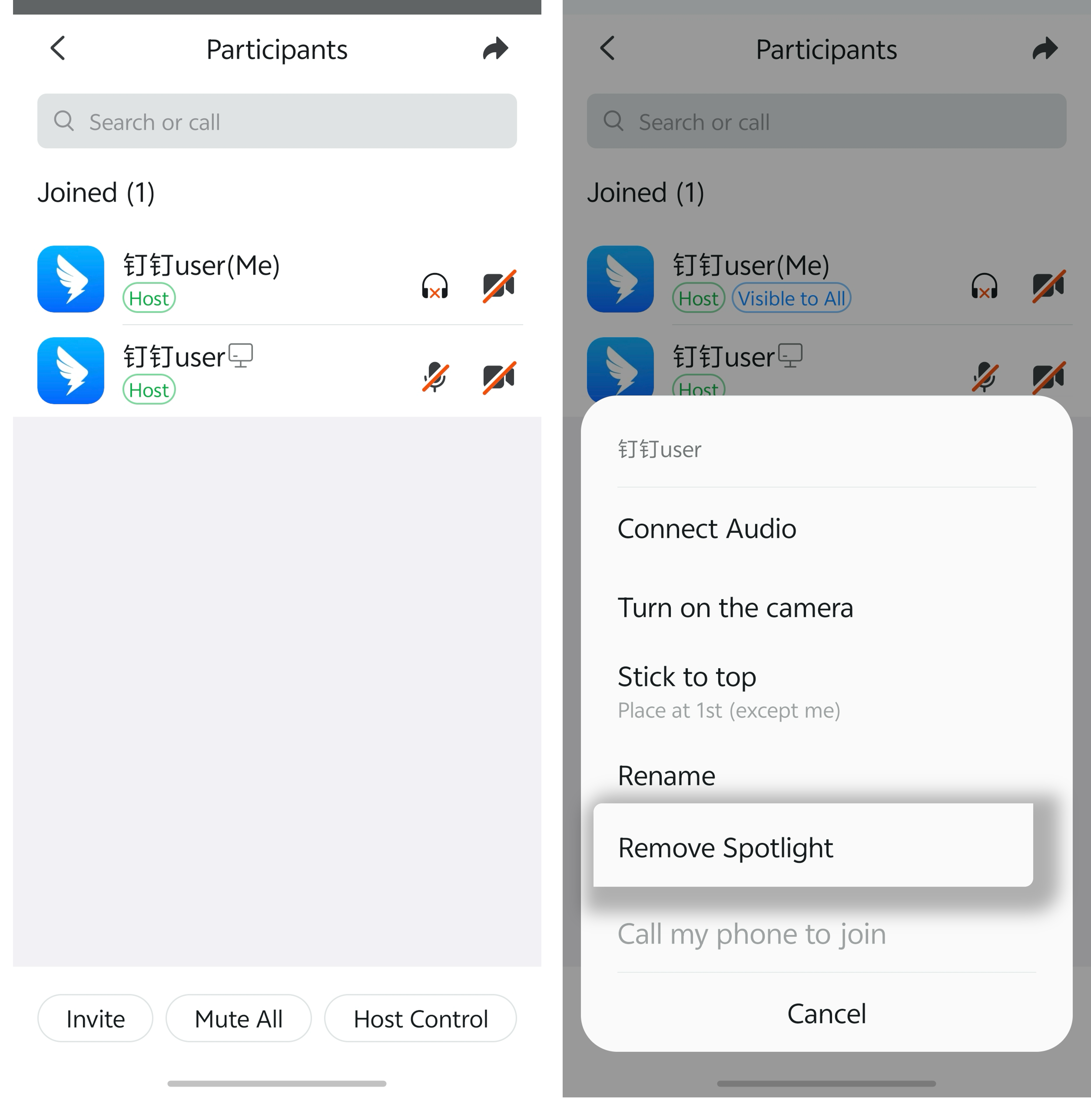
During a meeting, tap Members at the bottom to open member management. Tap the member with the Spotlight for Everyone label, then select Cancel Spotlight for Everyone.