Chats
Chats Calendar
 Meetings
 Contacts
 Mail
Mail Docs
Docs Drive
Drive AI Table
 AI Minutes
 Attendance
 Approval
 YiDA
YiDA Admin Console
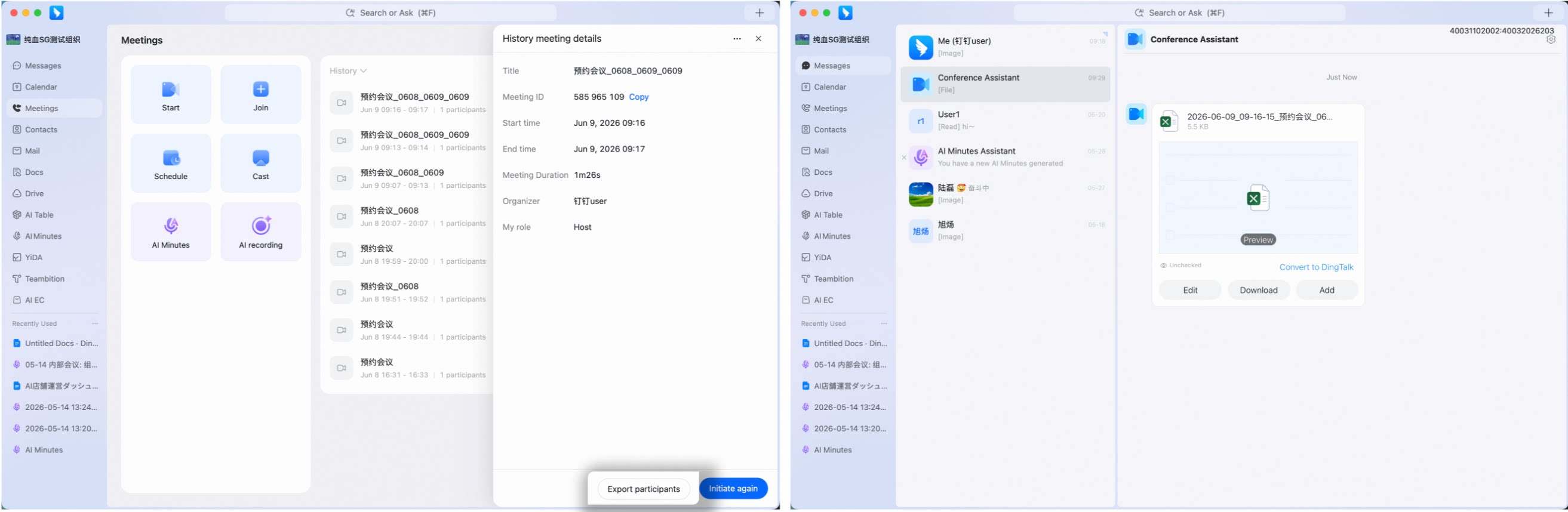
Track Attendance After a Meeting Ends
Open and sign in to the DingTalk desktop app. Click Meetings in the left sidebar to enter the Meetings page, find Meeting History on the right, click a meeting, open Historical Meeting Details, then click Export Participants at the bottom. The attendance statistics Excel file is sent through Meeting Assistant.