Chats
Chats Calendar
 Meetings
 Contacts
 Mail
Mail Docs
Docs Drive
Drive AI Table
 AI Minutes
 Attendance
 Approval
 YiDA
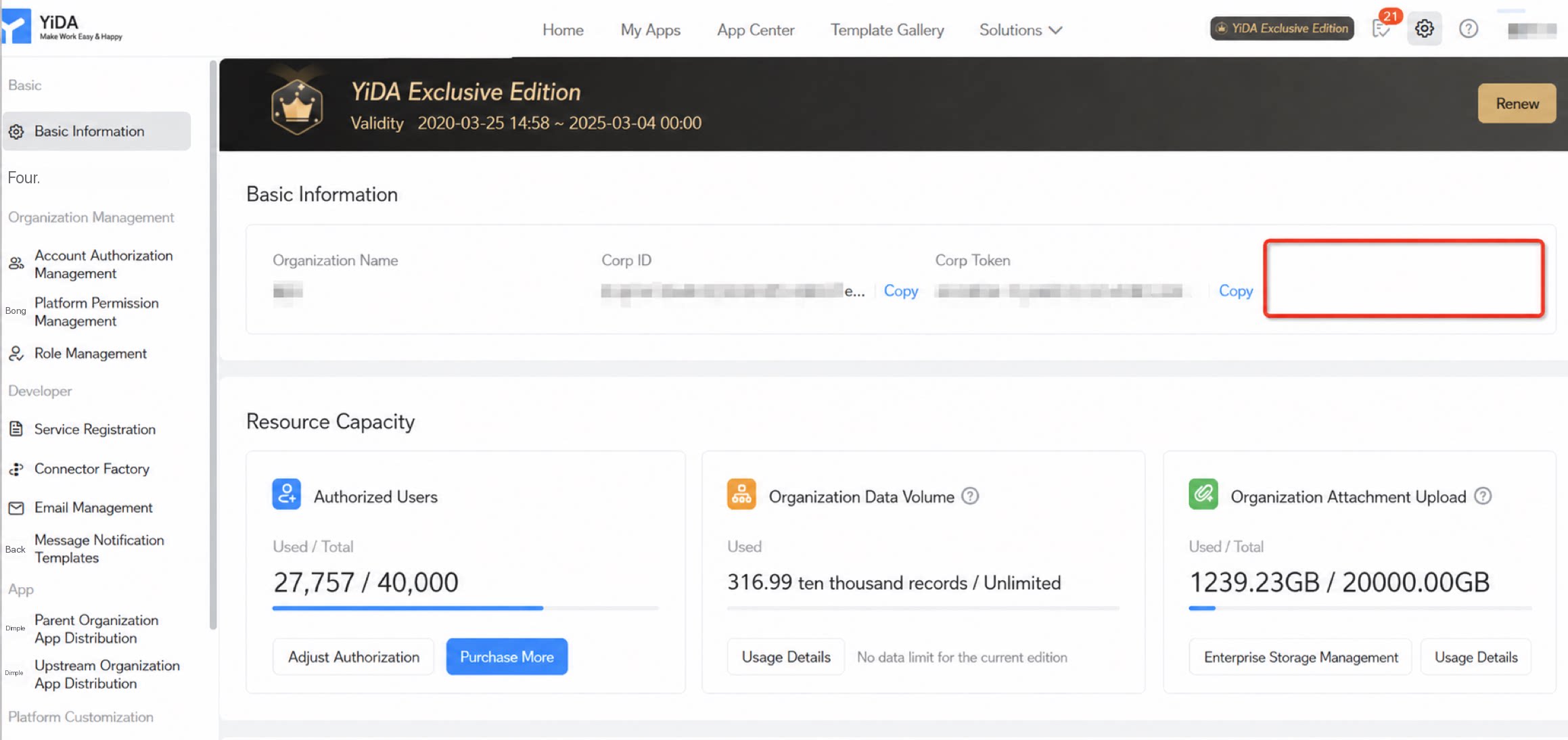
YiDA Admin Console
- Convenient user experience: Users authenticate only once to access multiple systems, eliminating the need to repeatedly enter usernames and passwords. This improves both experience and productivity.
- Improved security: SSO verifies user identity through a centralized authentication service, which avoids storing passwords in every system and reduces the risk of password leaks.
- Simplified management: Users only need to maintain a single set of credentials, which reduces user administration overhead and eases the burden on system administrators.
Supported Protocols
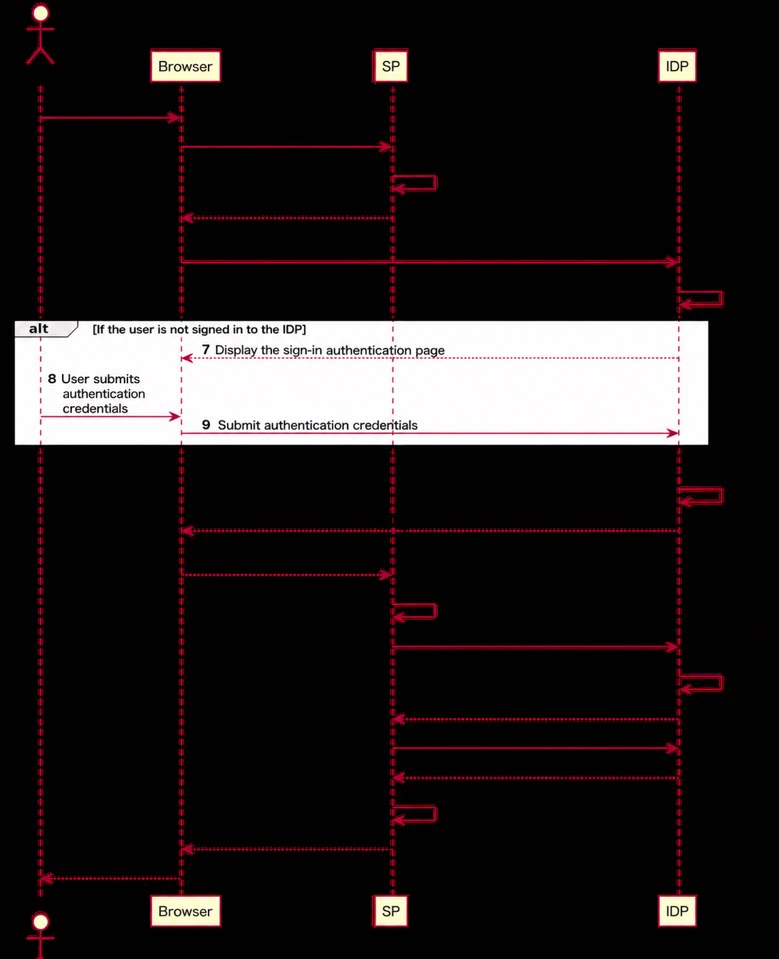
YiDA Dedicated currently supports SSO based on OAuth 2.0, OIDC, and CAS. The following section uses OAuth 2.0 as an example to demonstrate how to integrate with IDaaS SSO. Overview of OAuth 2.0 OAuth 2.0 is an open standard for authorization that lets users grant third-party apps access to resources stored in another app without sharing their credentials. It provides a secure, flexible, and standardized way to handle authorization while protecting user privacy and data security. OAuth 2.0 is widely used in scenarios such as social media sign-in, API access control, and SSO, delivering a better connected experience for users and developers. Main protocol flow:- YiDA Dedicated provides SSO and acts as the Service Provider (SP).
- The organization admin enables SSO. When an unauthenticated employee tries to access YiDA, the system redirects the page request to the Identity Provider (IdP) address configured by the admin.
- If the user is already signed in to the IdP, the IdP reads the user information from the session and returns it to YiDA using the method configured by the admin.
- If the user is not yet signed in to the IdP, they must provide the required information to sign in. Once signed in, their information is returned to YiDA.
- After receiving the user information, YiDA calls the DingTalk Contacts API to verify the user’s identity and then serves the user.
- IdP stands for Identity Provider, the authentication center that holds user information and maintains sessions with users during authentication.
- SP stands for Service Provider. When a user accesses a service provided by the SP and the SP cannot identify the user, it asks the IdP to authenticate the user.
Configuration
Prerequisites: You must provide a public endpoint reachable over the internet, and the user information endpoint must return the DingTalk uid or userId (based on the DingTalk account system). The following example uses Alibaba Cloud IDaaS and the OAuth 2.0 protocol to demonstrate how to sign in to YiDA through an IDaaS authentication service configured with the DingTalk authentication system.Configuration in IDaaS
1
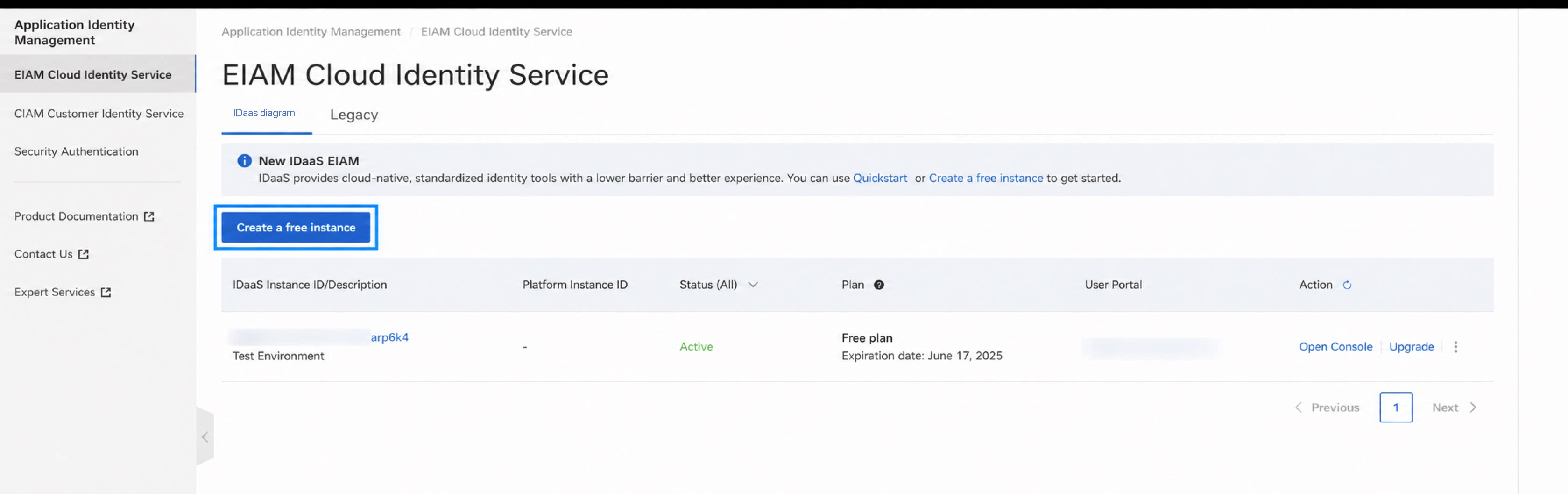
Go to the Alibaba Cloud console and create an instance.
2
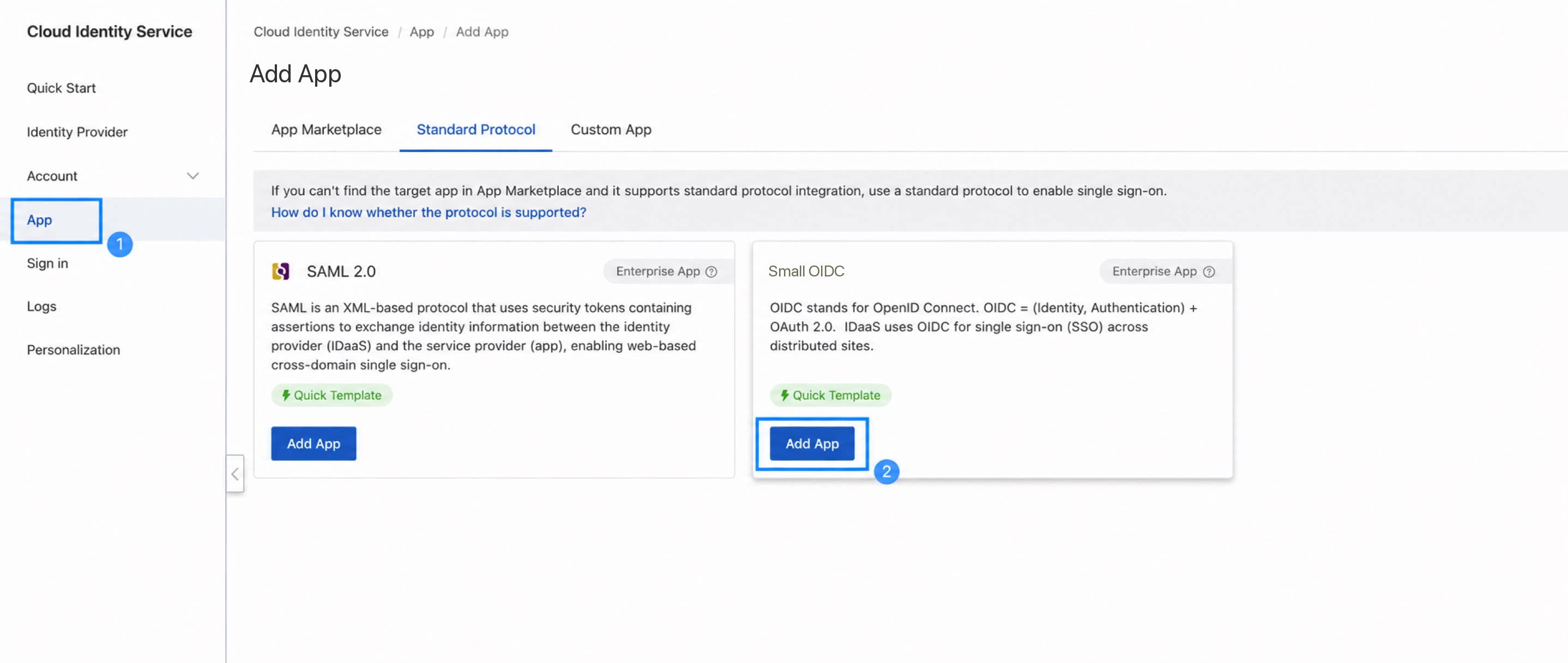
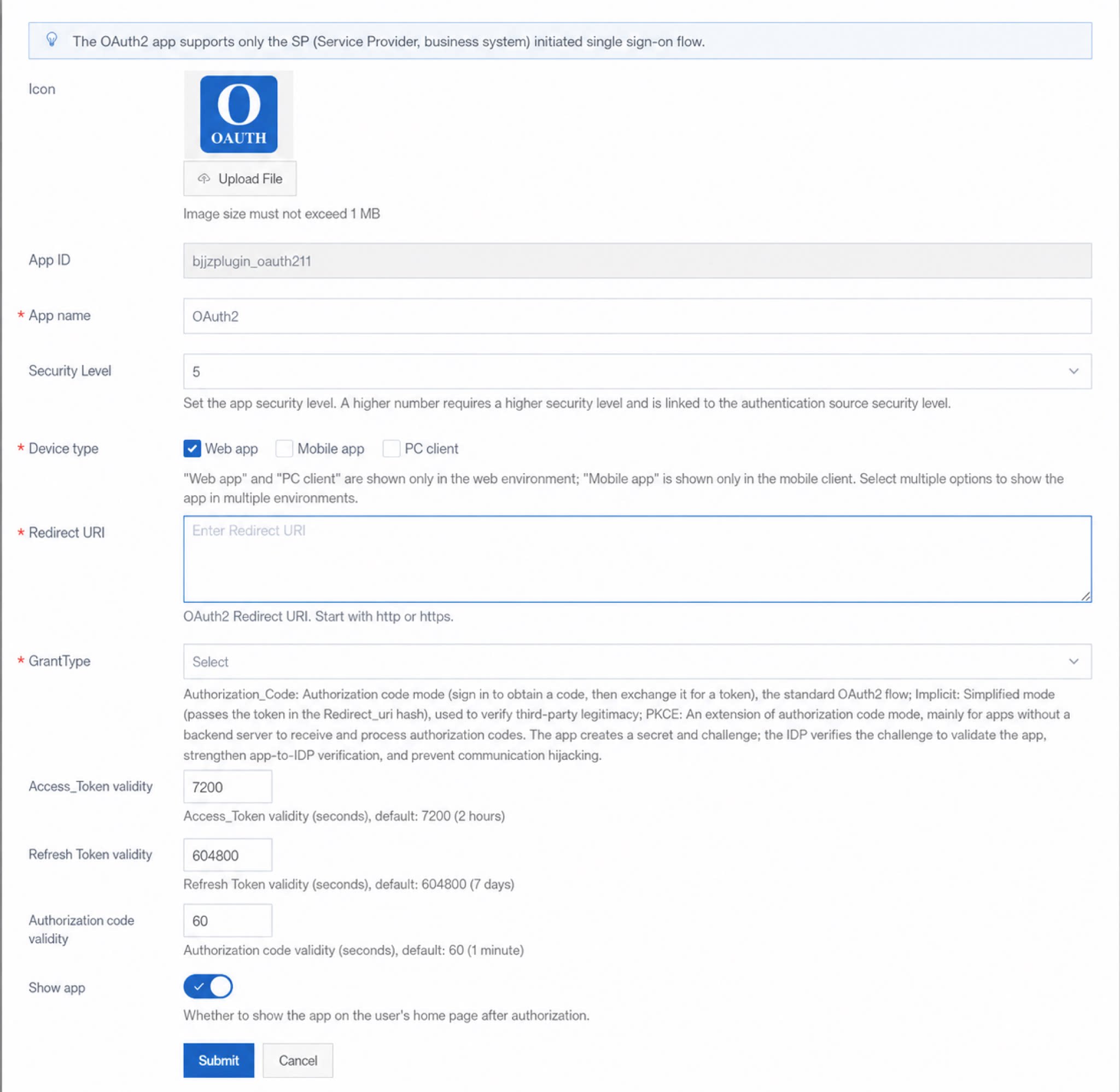
Create an OAuth 2.0 protocol app (OIDC and CAS protocols are similar).
3
Configure app information.
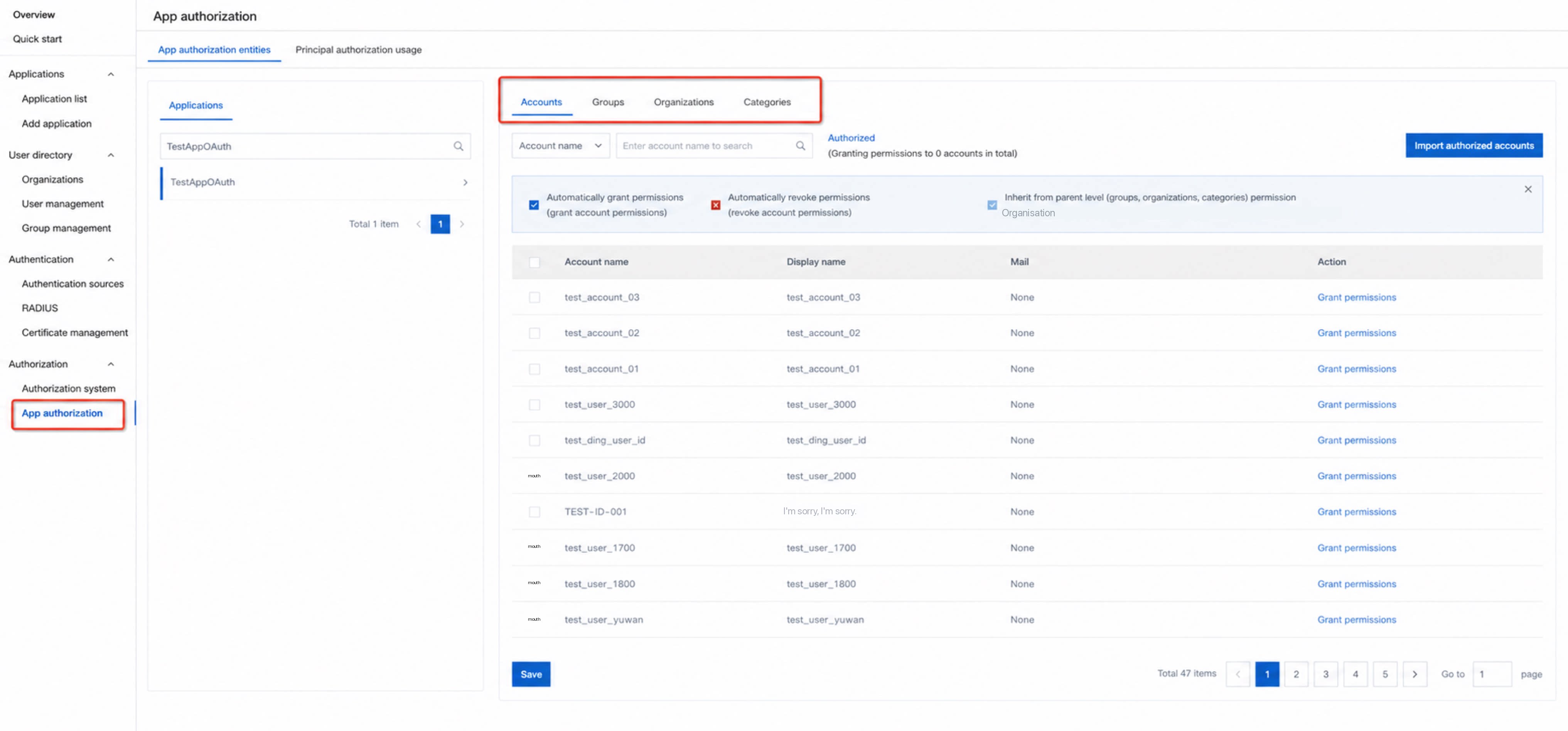
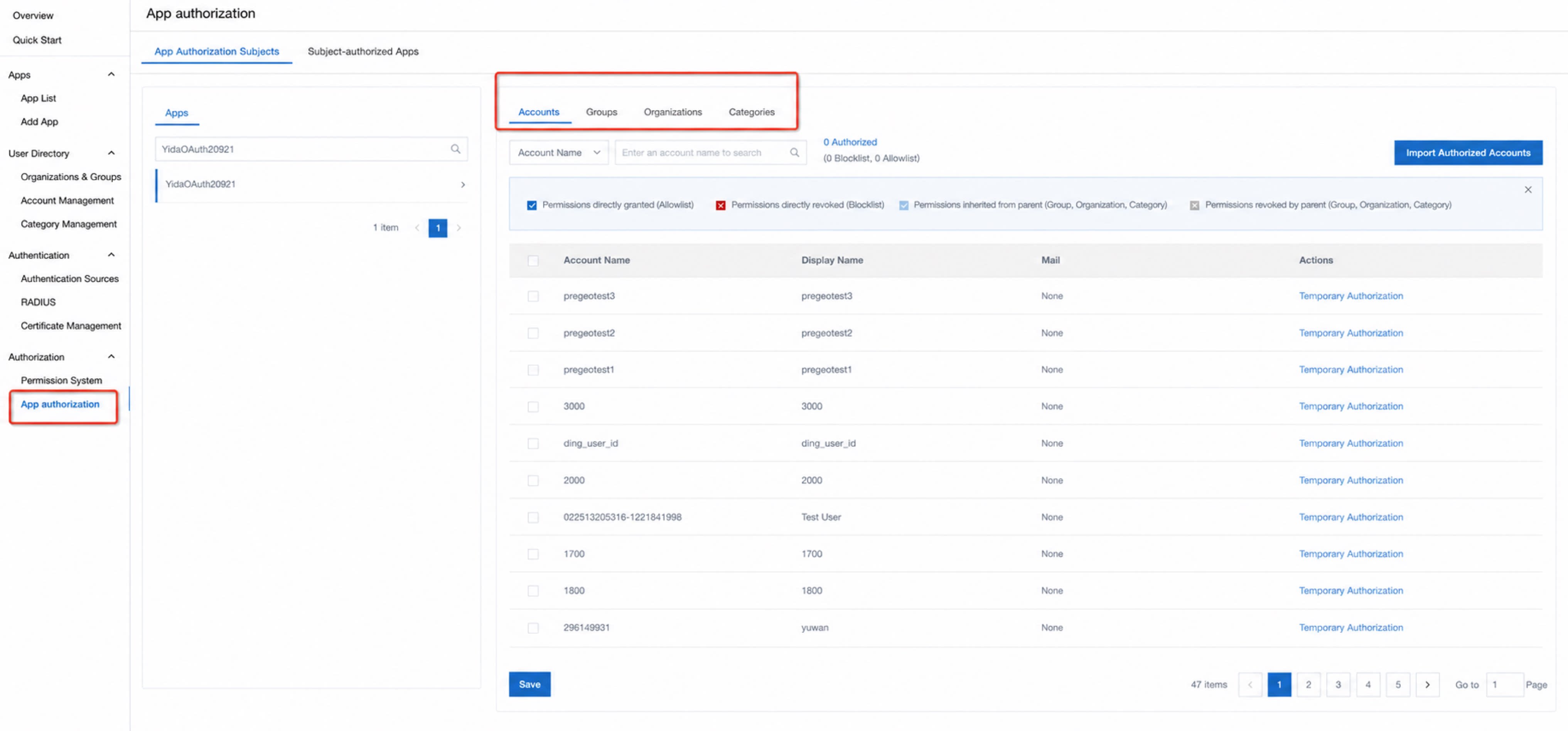
4
Configure app authorization: On the IDaaS side, you can authorize the app across different dimensions. Only users within the authorized scope can be authenticated through the app.
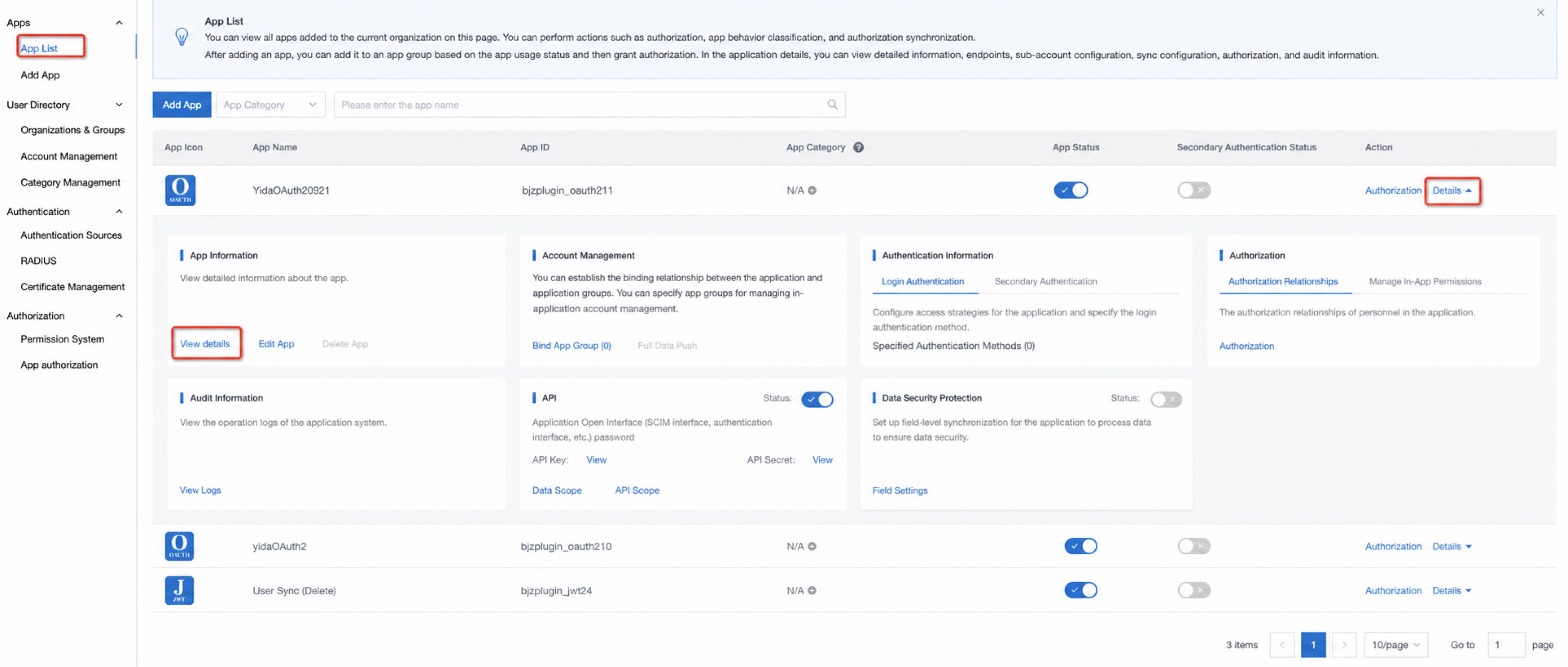
5
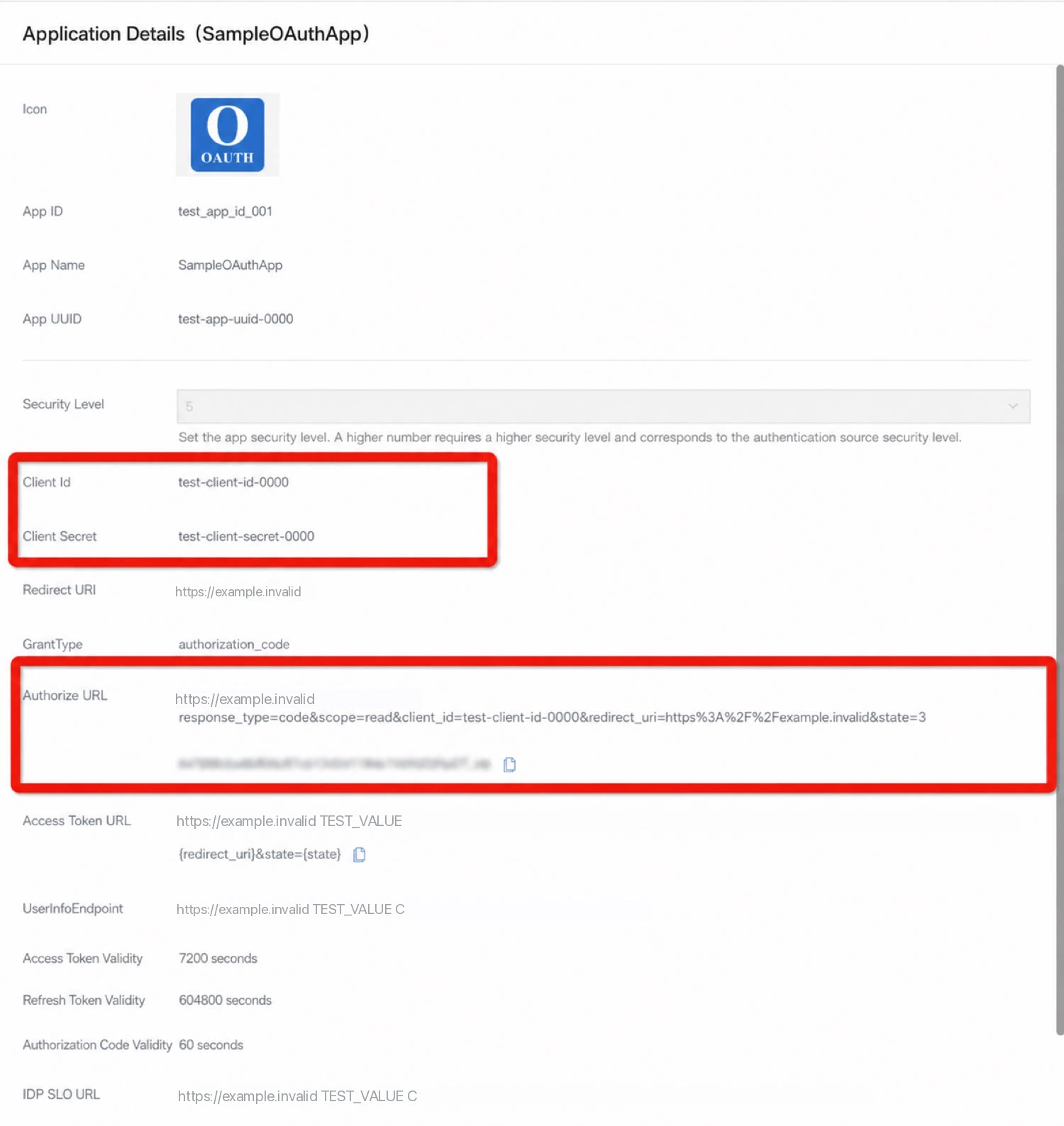
View app information.
Configuration in YiDA
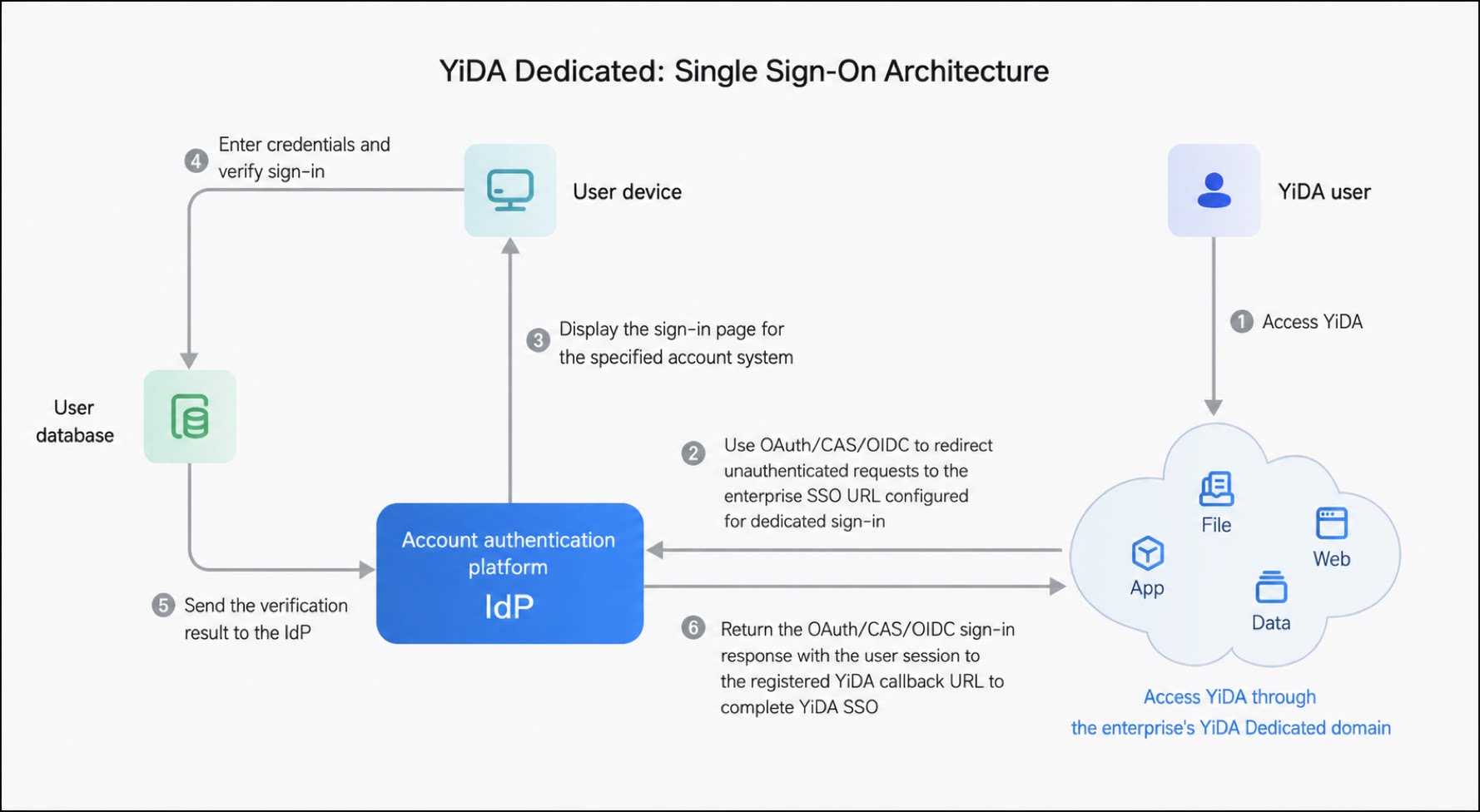
- Turn on the SSO switch.
- Configure the SSO information (choose one sign-in protocol; the following screenshot uses OAuth 2.0 as an example).
- After saving the configuration, sign out and sign in again to verify that you are redirected to the SSO service. The setting takes effect for the entire organization.
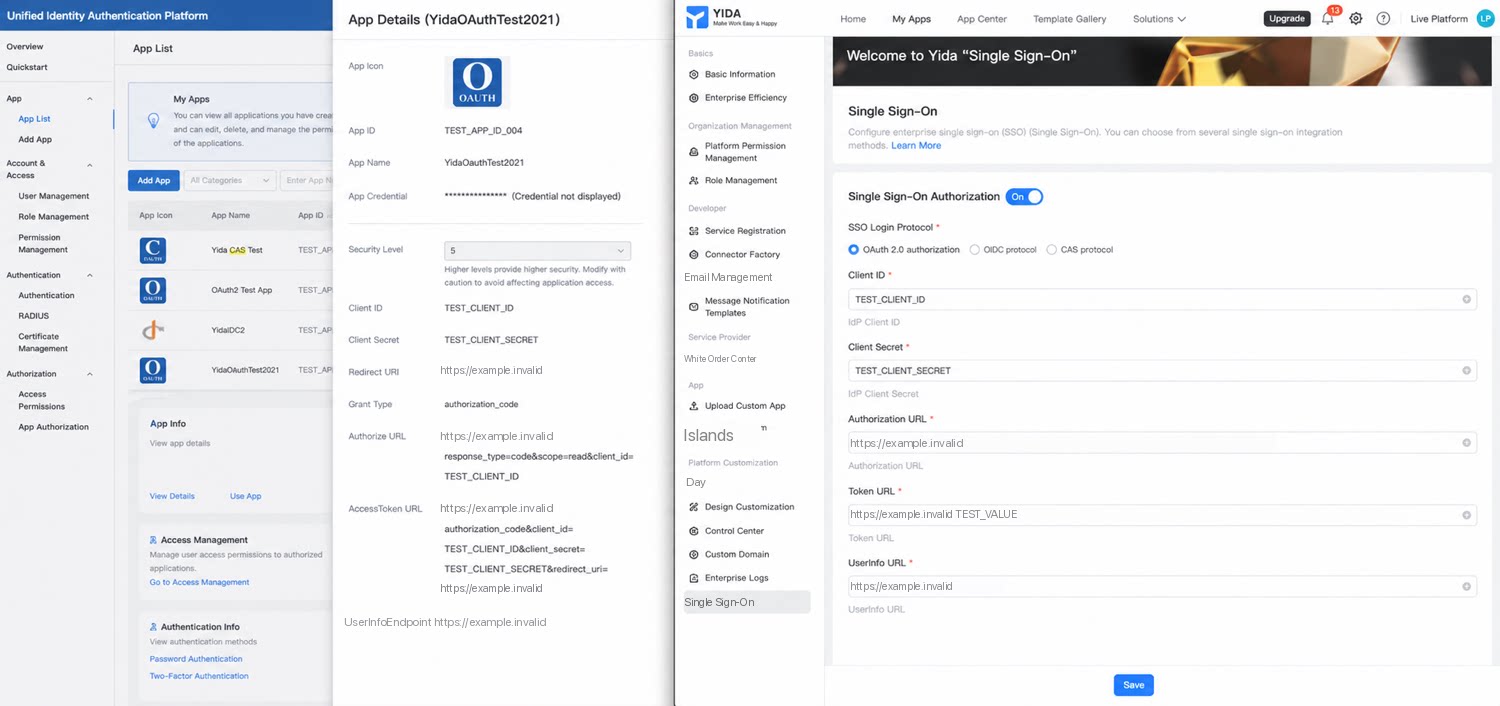
YiDA SSO Protocol Format Examples
The returned identity callback data must follow the format below.OAuth2
OIDC
Parse the returned user information based on the configured public key. The parsed format is shown below. YiDA reads the sub field.CAS
Key Concepts
FAQ
Q: Can YiDA SSO Integrate Other Products into YiDA?
A: YiDA SSO integrates YiDA into other systems or products, enabling silent login to YiDA from those systems or products. Silent login from YiDA into other products is outside the scope of this technical solution and requires you to design your own system.Q: Can a Self-Built Authentication System (Not IDaaS) Integrate with YiDA SSO?
A: Yes. YiDA recommends using IDaaS for a lighter, configuration-driven SSO integration. If you have other IdPs that support OAuth 2.0, OIDC, or CAS, you can also integrate them by correctly completing the settings on the YiDA SSO configuration page and returning the identity callback data in the format required by YiDA. However, some integration cost may apply.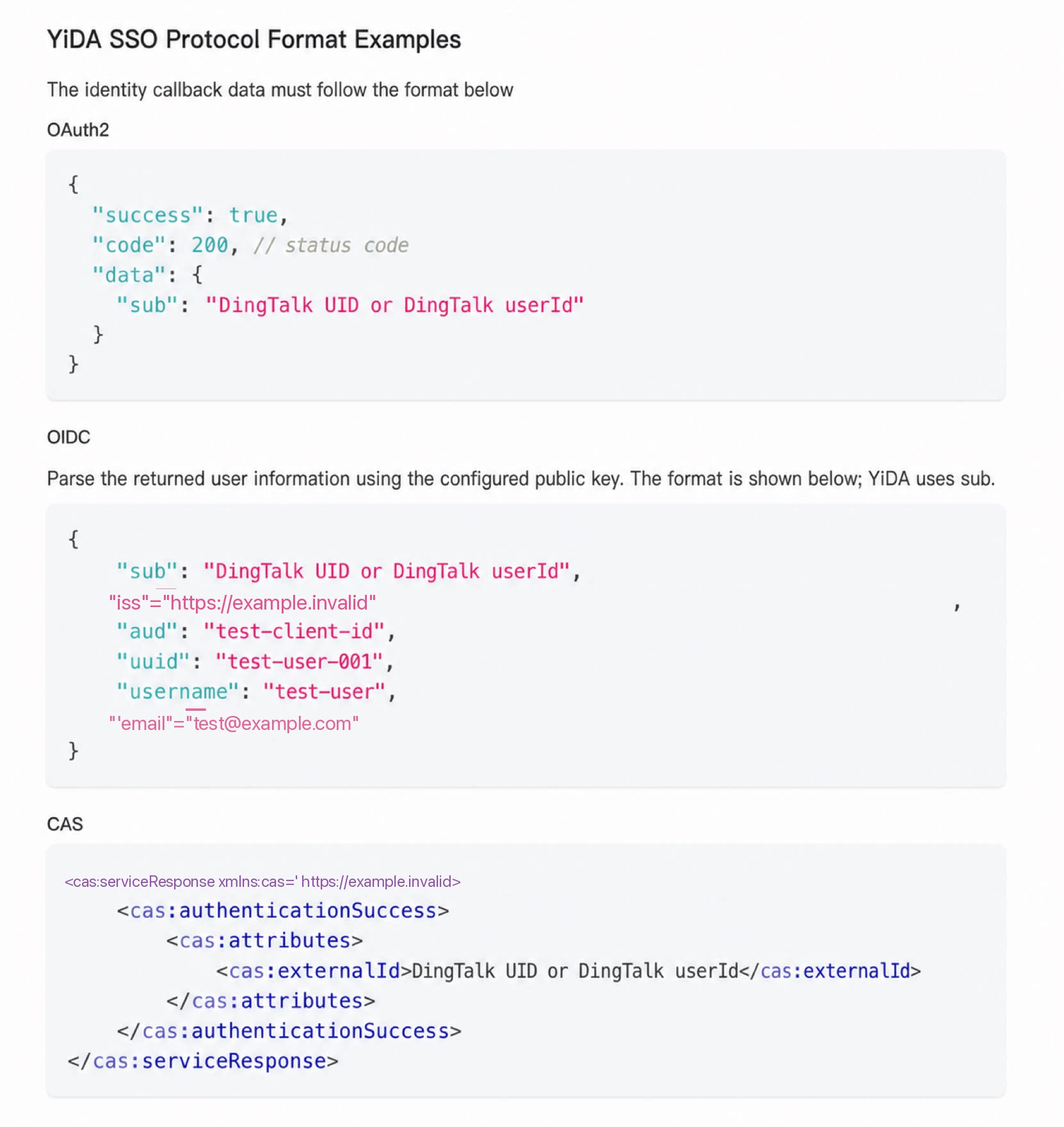
Q: How Can I Verify That SSO Integration Works?
A: Verify by visiting www.your-organization-domain.aliwork.com/xxx. Since each organization’s domain is unique, YiDA uses the organization domain in the URL you visit to determine whether the organization has enabled SSO. If SSO is enabled, sign-in for that organization uses SSO instead of the standard unified sign-in.Q: Is Enabling an Organization Domain a Prerequisite for Using SSO? Where Can I Check the Organization Domain?
A: Yes. Because whether an organization has enabled SSO is determined through its unique organization domain mapping, visiting the public www.yidaapps.com cannot be mapped to a specific organization and therefore cannot use SSO. YiDA platform admins can go to Organization platform management > Basic information > Organization domain to view it.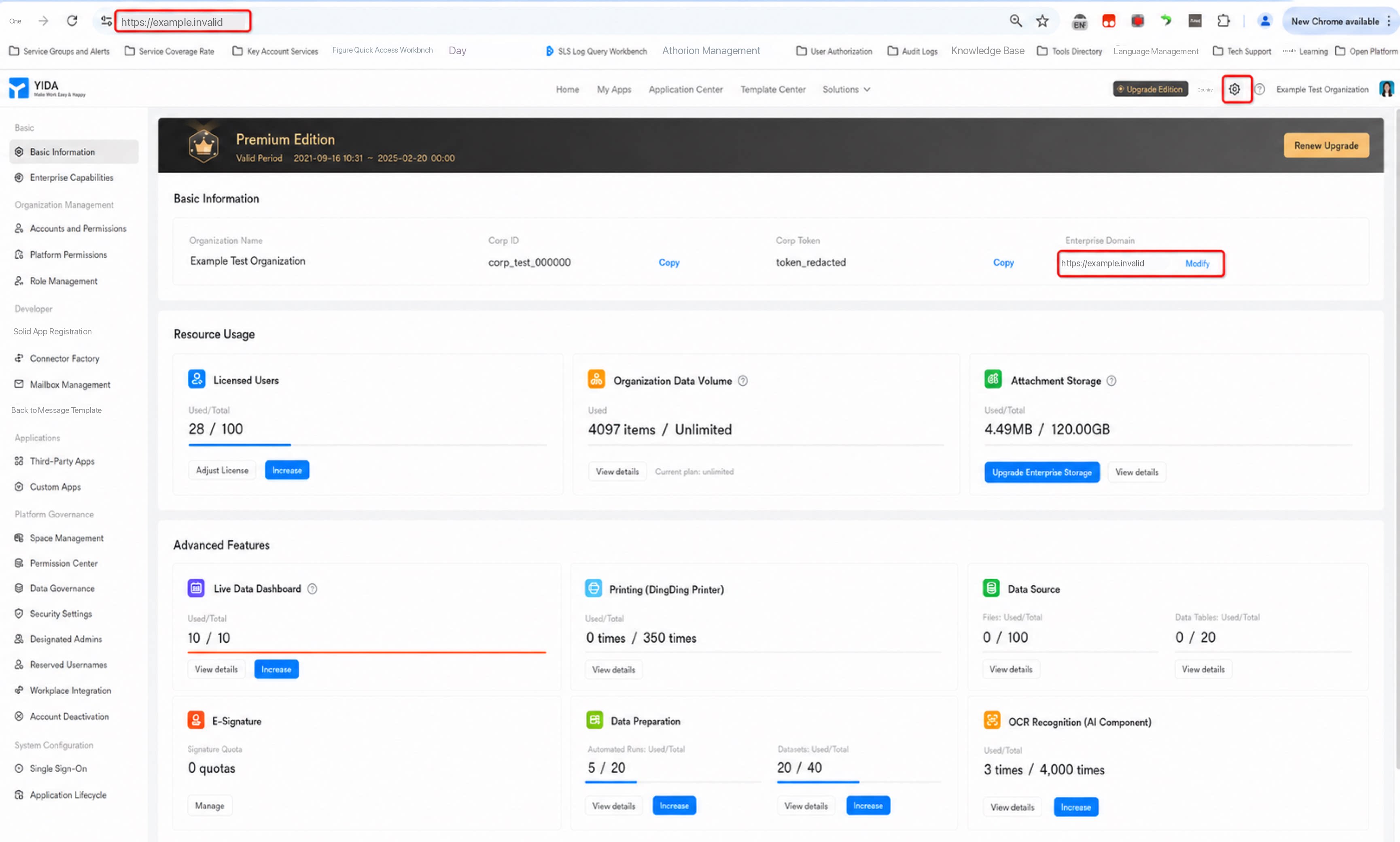
Q: How Do I Map Customer Contacts to DingTalk Contacts?
A: For IDaaS integration, the service is provided by the IDaaS product. For details, contact IDaaS product technical support. For self-built integration, you need to implement the mapping yourself. We recommend calling the DingTalk Open Platform OpenAPI to integrate.Q: Why Is There No Entry to Modify the Organization Domain in the Platform Management Console?
- Only the super admin of the DingTalk organization has permission to customize the organization domain.
- The organization domain is a newer YiDA feature (see “Release notes”). Changing it involves cost and risk. Because some older YiDA organizations already run many workloads on YiDA, some legacy customers from before 2021 may not see the change button. Contact support to enable it.