

 Chats
Chats Calendar
 Meetings
 Contacts
 Mail
Mail Docs
Docs Drive
Drive AI Table
 AI Minutes
 Attendance
 Approval
 YiDA
YiDA Admin Console
Manage Contacts Permissions
1
Step 1
Sign in to the YiDA workbench as an Admin.
2
Step 2
Click the platform management button  in the upper-right corner to open the platform management page.
in the upper-right corner to open the platform management page.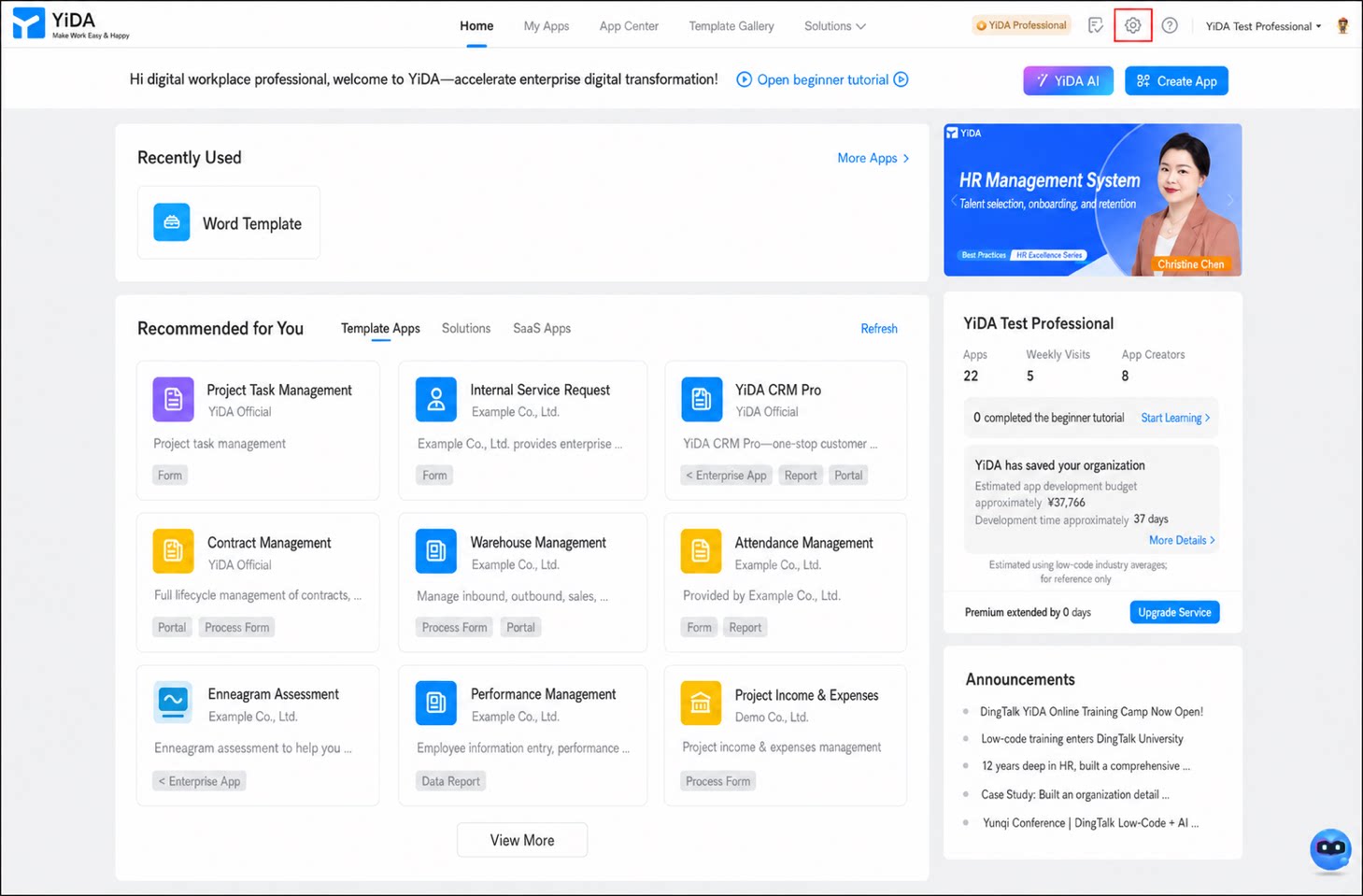
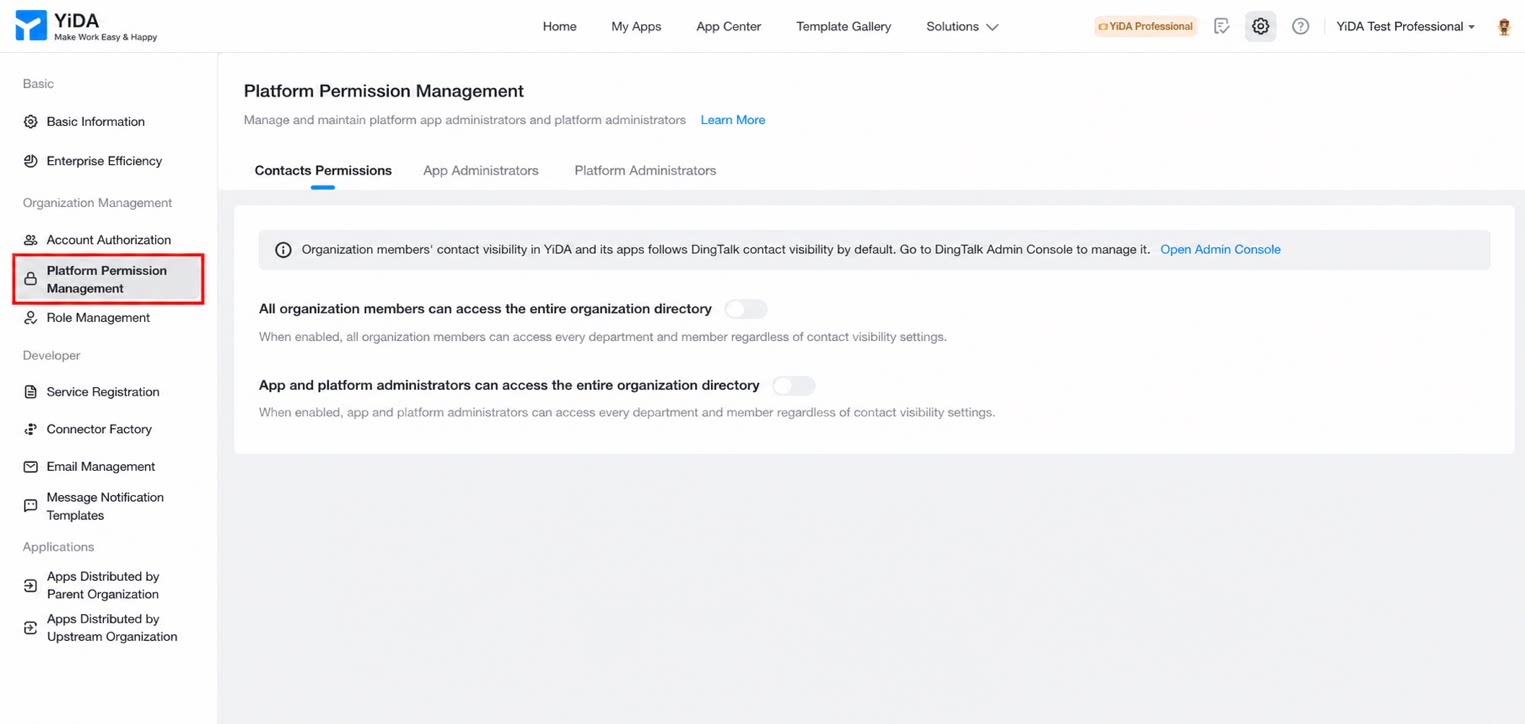
- In the left-hand menu, click Platform Permissions Management, then decide whether to enable the following two permissions.
The contact visibility scope for organization users on the YiDA platform is synced by default from the DingTalk Contacts visibility scope. To adjust the visibility scope, sign in to the DingTalk admin console and make the changes there. For details, see How to configure Contacts management permissions.
Manage App Admins
Follow the steps below to manage App Admins.1
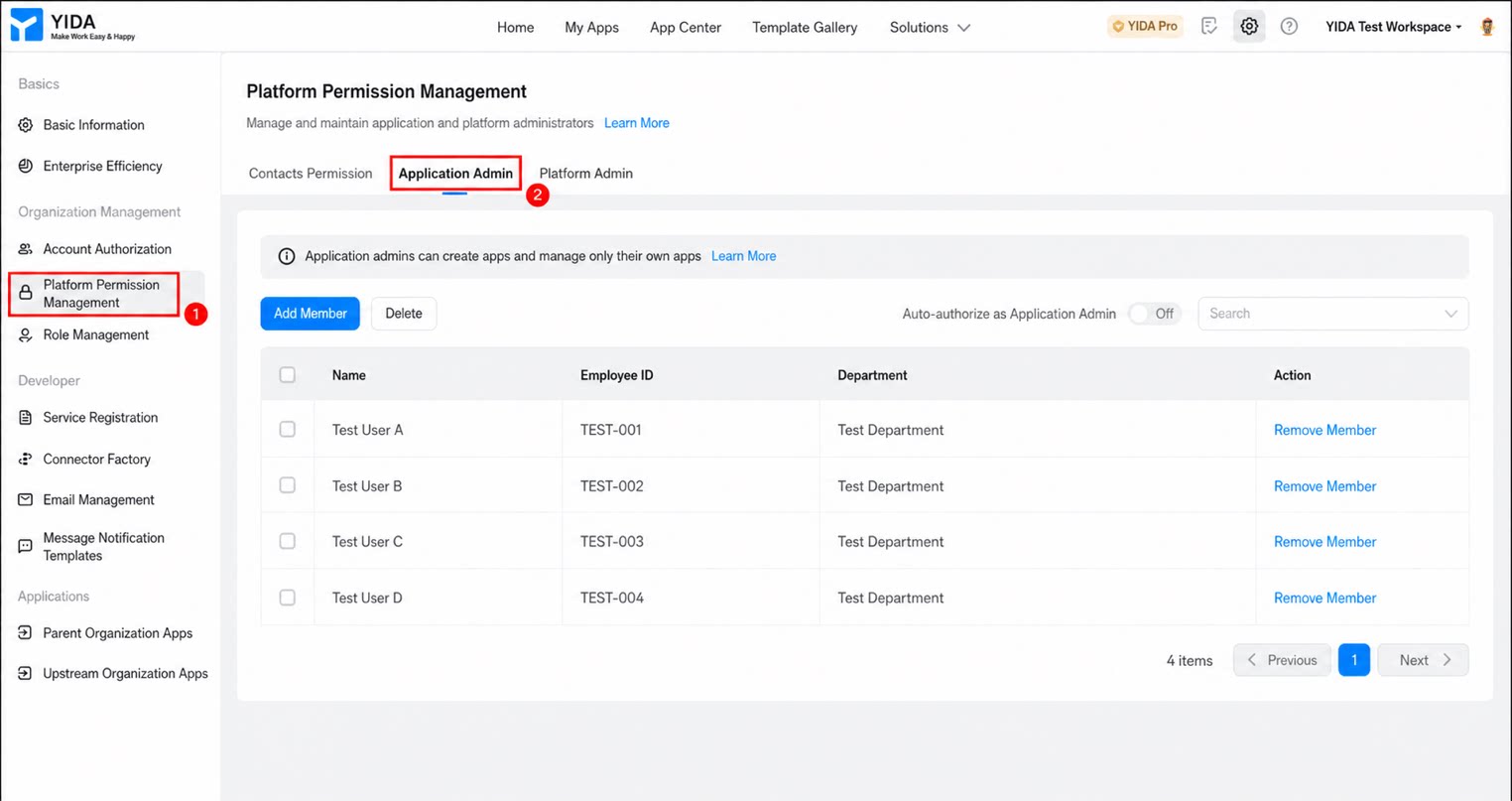
Go to the Platform Permissions Management page and click App Admins
2
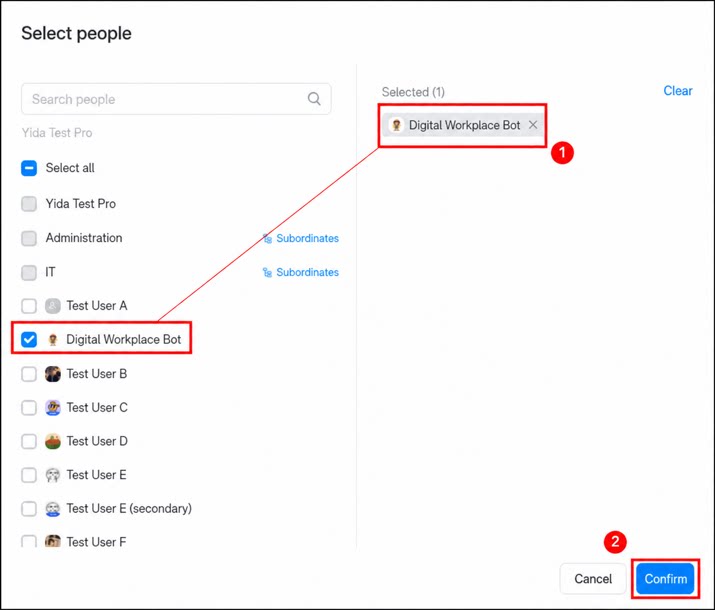
Click Add User, select the corresponding user in your organization, then click Confirm to add an App Admin
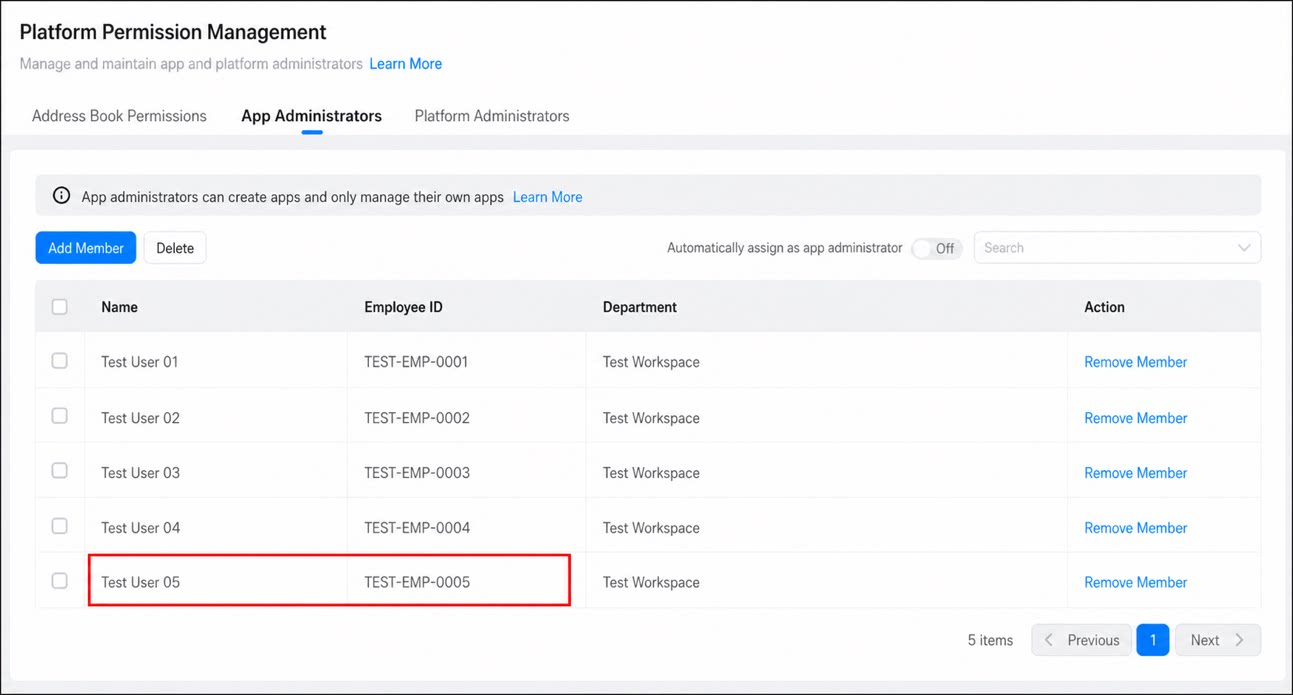
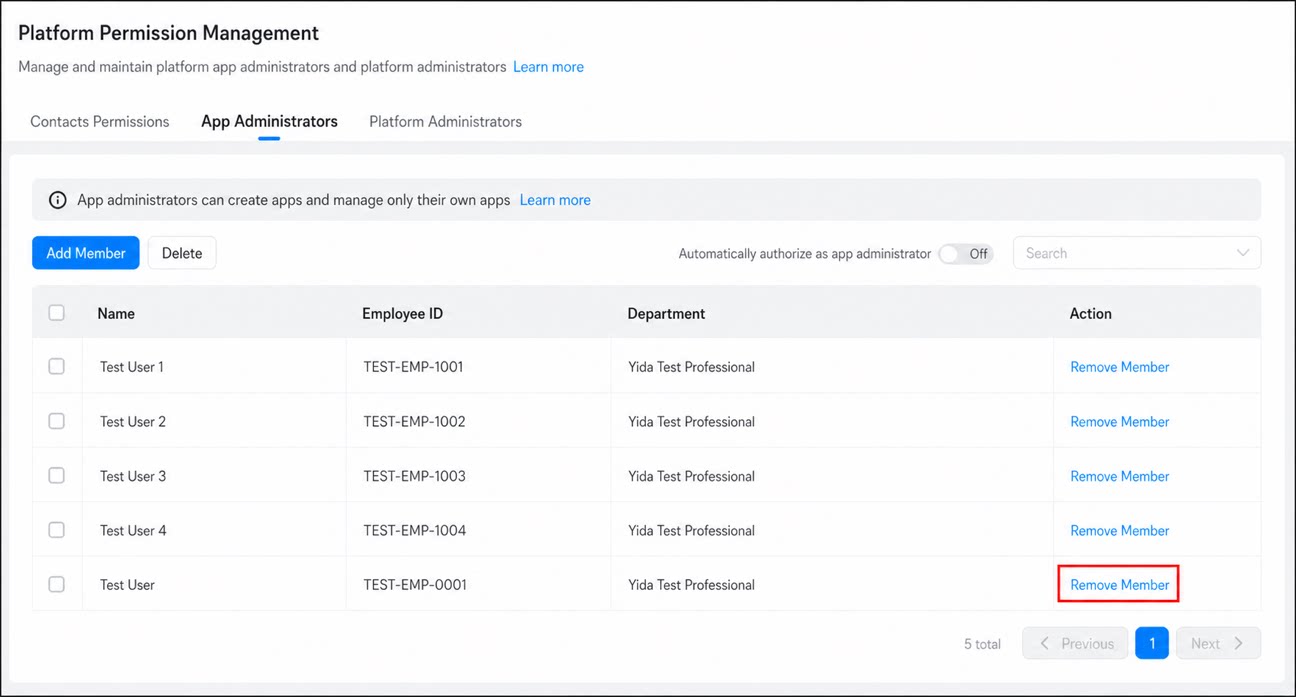
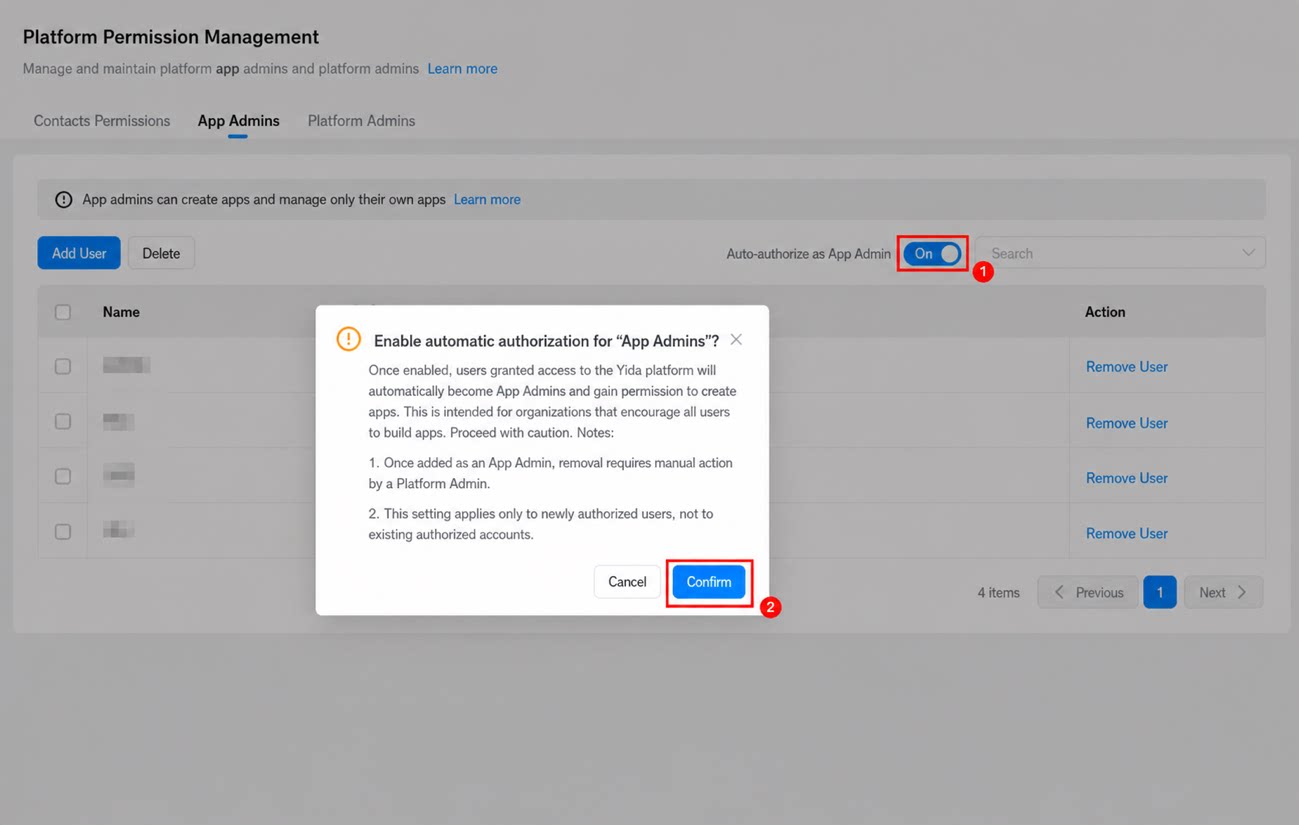
To grant App Admin permissions to users in the organization who already have YiDA access—encouraging full participation in YiDA app development—you can also enable auto authorization on the page. Once auto authorization is On, every organization user with YiDA access is granted App Admin permissions.
Manage Platform Admins
Follow the steps below to manage platform Admins.- Go to the Platform Permissions Management page and click Platform Admins.
- Click Add User, select the corresponding user, then click Confirm to complete the platform Admin setup.
DingTalk organization admins are automatically synced as YiDA platform Admins and can manage the YiDA platform. To change this configuration, go to the DingTalk admin console and undo their YiDA-related permissions.
FAQ
Q: Why do new users see only one Admin when applying for YiDA permissions, even though the permissions center shows that the organization has multiple Admins? A: To avoid disturbing organization executives, platform Admins are shown first when selecting an Admin. Organization admins appear only when no platform Admin exists. Q: Why don’t I have YiDA permissions even though I’m the Super Admin or Sub Admin of the DingTalk Contacts? A: Check whether YiDA platform Admins have been set within the YiDA app.- If YiDA platform Admins have been set, YiDA platform Admin permissions take precedence.
- If no YiDA platform Admin has been set, YiDA automatically inherits the Super Admin and Sub Admins from the DingTalk organization Contacts.