

 Chats
Chats Calendar
 Meetings
 Contacts
 Mail
Mail Docs
Docs Drive
Drive AI Table
 AI Minutes
 Attendance
 Approval
 YiDA
YiDA Admin Console
1. Introduction
1.1 Feature Overview
Forms are the foundational tool in YiDA. All data collection and reporting rely on forms, which serve as the primary source of data. Regular form: collects all data generated during business operations. You can also share the collected data through permission-based collaboration by publishing data permissions to users who need to manage the data, or to external users for external data collection.2. Entry Point
Entry point: Edit App > Page Management > ➕ > Create regular form.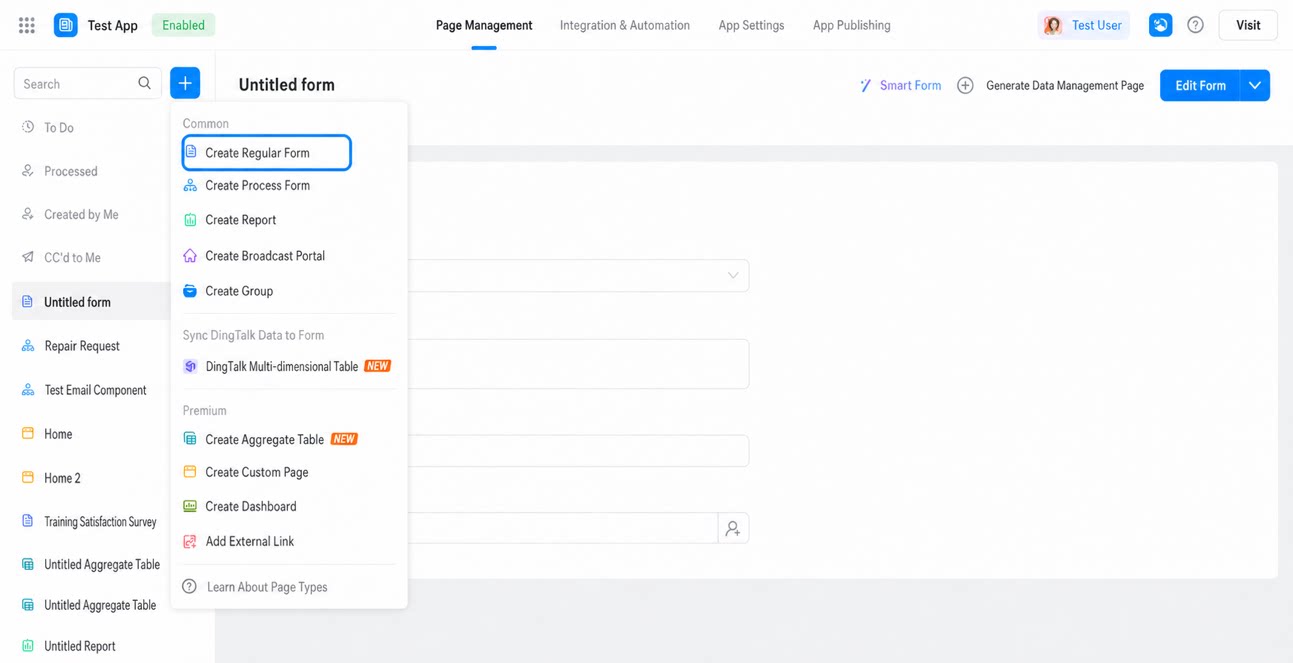
3. Create a Regular Form
3.1 Create a Smart Form
Click Create smart form, then enter a prompt in AI Assistant, such as “Create a Feedback Form with fields for satisfaction, rating, and feedback comments.” Once the prompt is submitted, AI automatically generates the corresponding form.3.2 Create a Blank Page
- Click Create blank page to open the blank page form designer.
3.3 Import an Excel File to Create a Page
- Click Import Excel to create page.
- Select an Excel file from your local device, preview the data, configure the form (select the data type), and then import the data.
- After the import succeeds, you are redirected to the new form page.
3.4 Sync from DingTalk Base or DingTalk OA Approval Form to a YiDA Regular Form
The following example uses DingTalk Base:- Click Sync from DingTalk Base to form and configure the sync settings.
- A dialog box displays the sync steps. First, select a dataset, and then configure the target form and fields.
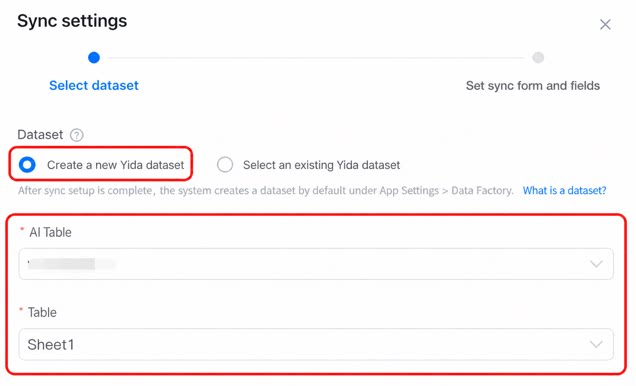
- To create a new YiDA dataset, configure the base and the specific table within it.
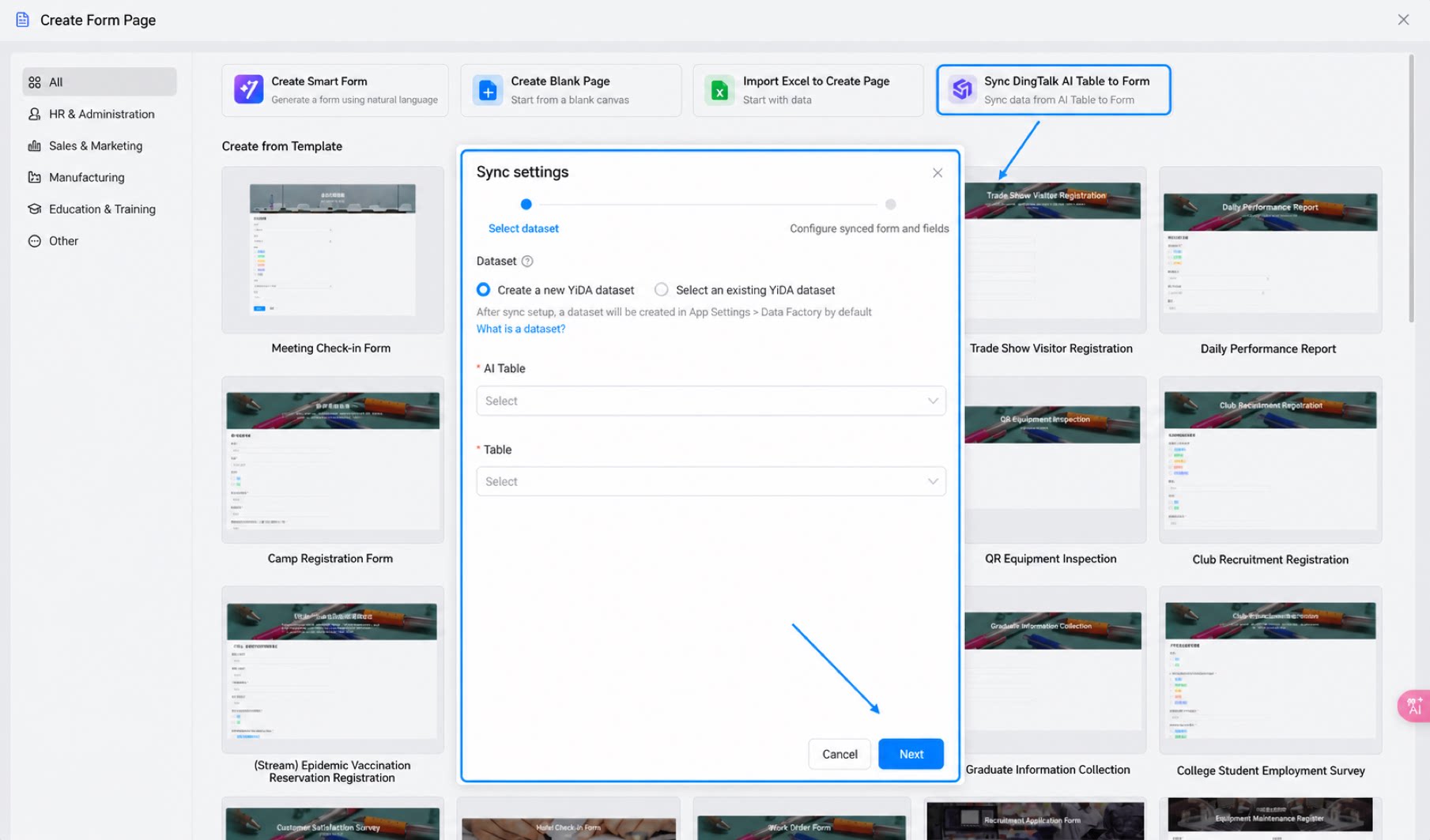
Available bases:
-
- Bases in the Organization Knowledge Base for which the current user has management permissions.
-
- Bases created by the current user in My Docs.
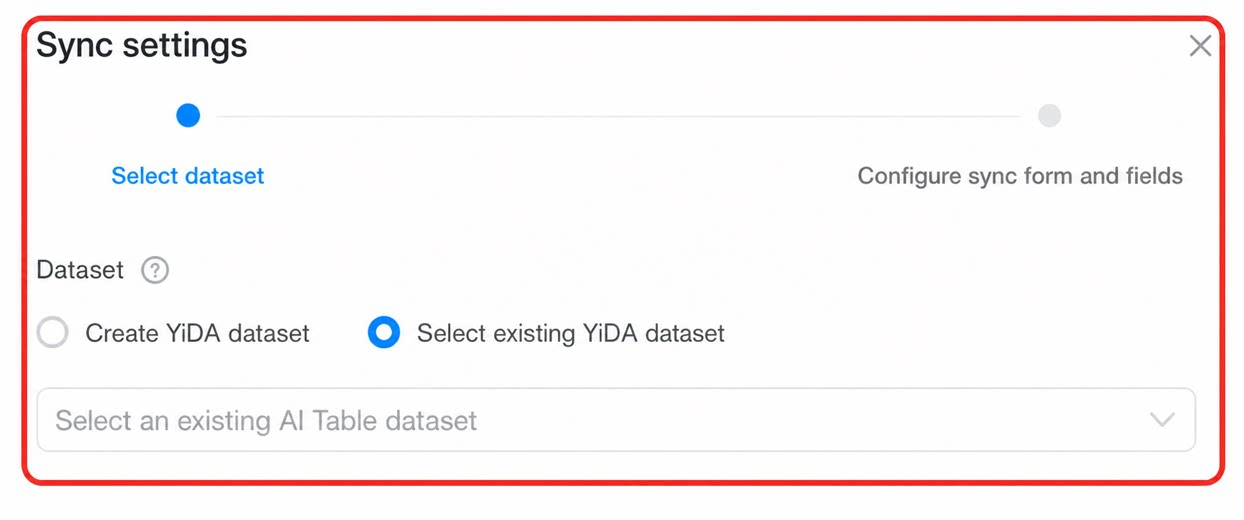
- To use an existing YiDA dataset, see Create a dataset from the DingTalk Data Asset Platform for detailed steps.
3.5 Create from a Template
- In the template list, select a template and click Use.