

 Chats
Chats Calendar
 Meetings
 Contacts
 Mail
Mail Docs
Docs Drive
Drive AI Table
 AI Minutes
 Attendance
 Approval
 YiDA
YiDA Admin Console
Home (Start Page)
The YiDA Home is the default page you land on after signing in to the YiDA console. Refer to the following content to learn about each area on the YiDA console Home.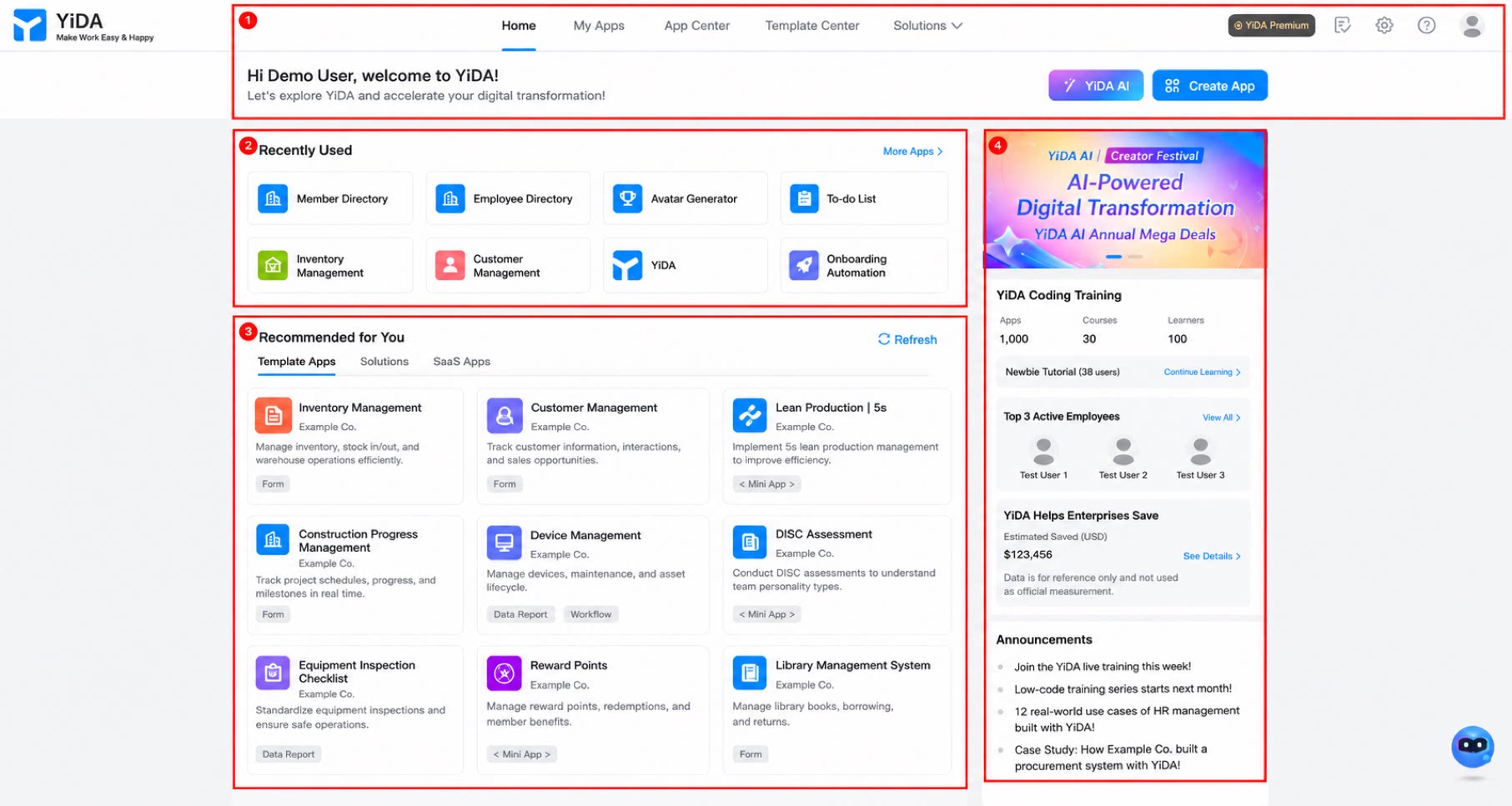
My Apps
On the My Apps page, you can view the apps that the currently signed-in user has created or has edit permission for within the current organization. Platform Admins can view and manage all apps within the organization, with support for sorting, filtering, and other actions.Template Gallery
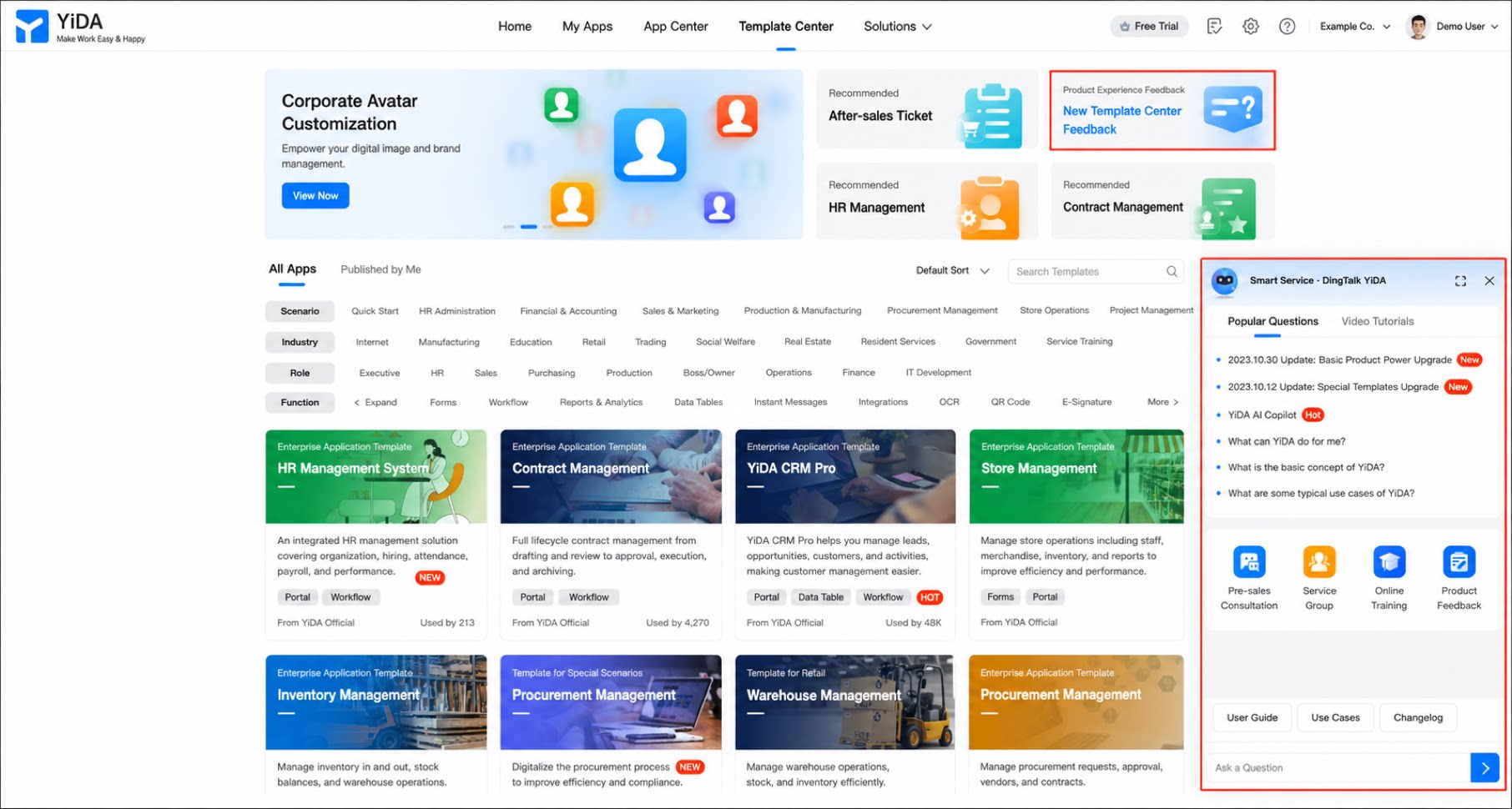
The Template Gallery provides app templates from YiDA officials, service providers, and low-code competitions, covering almost every everyday business need. With these templates, you can quickly build apps that fit your organization’s actual situation. Templates in the Template Gallery serve a variety of purposes, such as HR and administration, financial reimbursement, manufacturing, and project management, and are suitable for organizations of all sizes. Select the template that fits your needs. Using templates from the Template Gallery saves you the time and effort of building pages from scratch and helps you meet business needs more efficiently. To learn how to create an app from a template, see Create an app.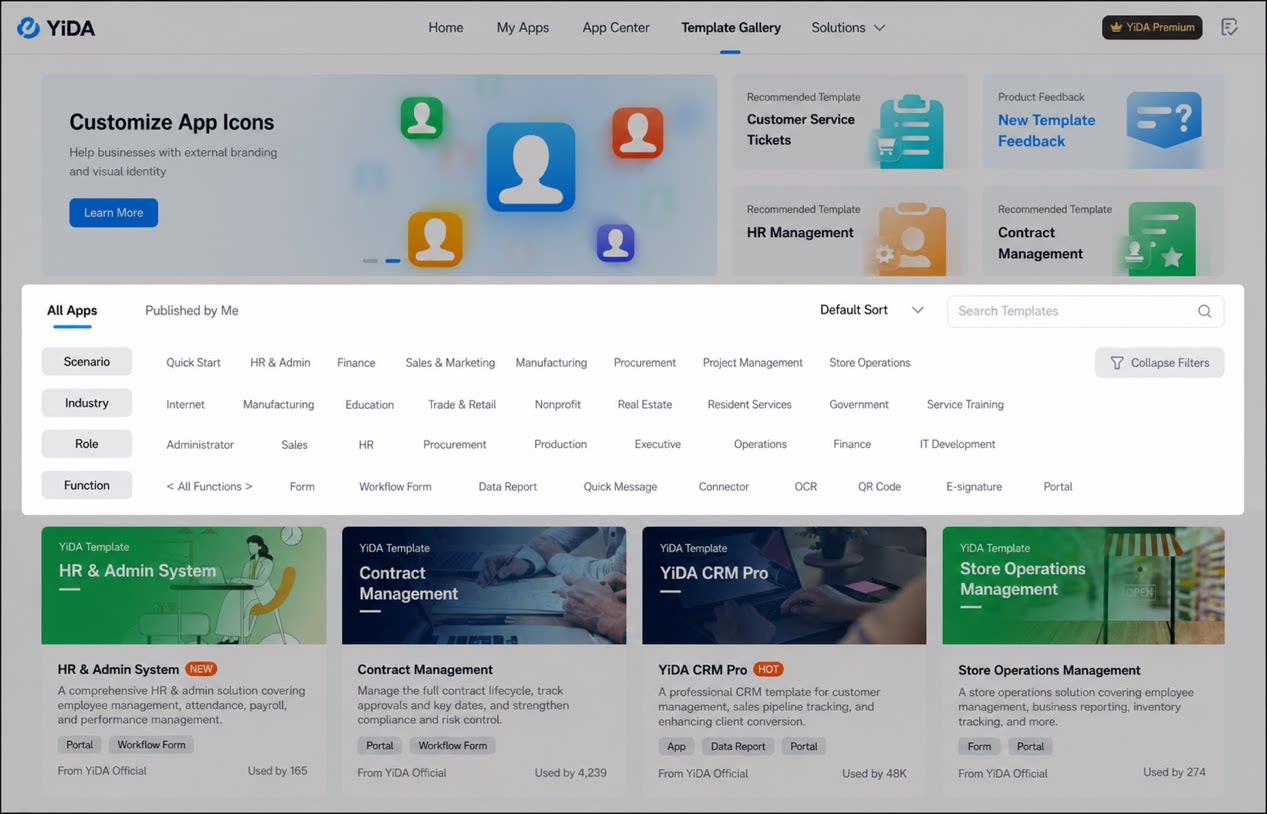
FAQs
Q: How do I modify a template? A: Before modifying a template, make sure you understand the business relationships between the forms in the template app, such as whether business association rules or data linkage have been configured between forms. Modification steps:- Sign in to the web version of the YiDA workbench and click to open the My Apps page.
- Select the app you want to modify and open its details page. Then locate the form you want to modify and click the Edit button in the upper-right corner.
- On the form editing page, modify the corresponding form or components.