Chats
Chats Calendar
 Meetings
 Contacts
 Mail
Mail Docs
Docs Drive
Drive AI Table
 AI Minutes
 Attendance
 Approval
 YiDA
YiDA Admin Console
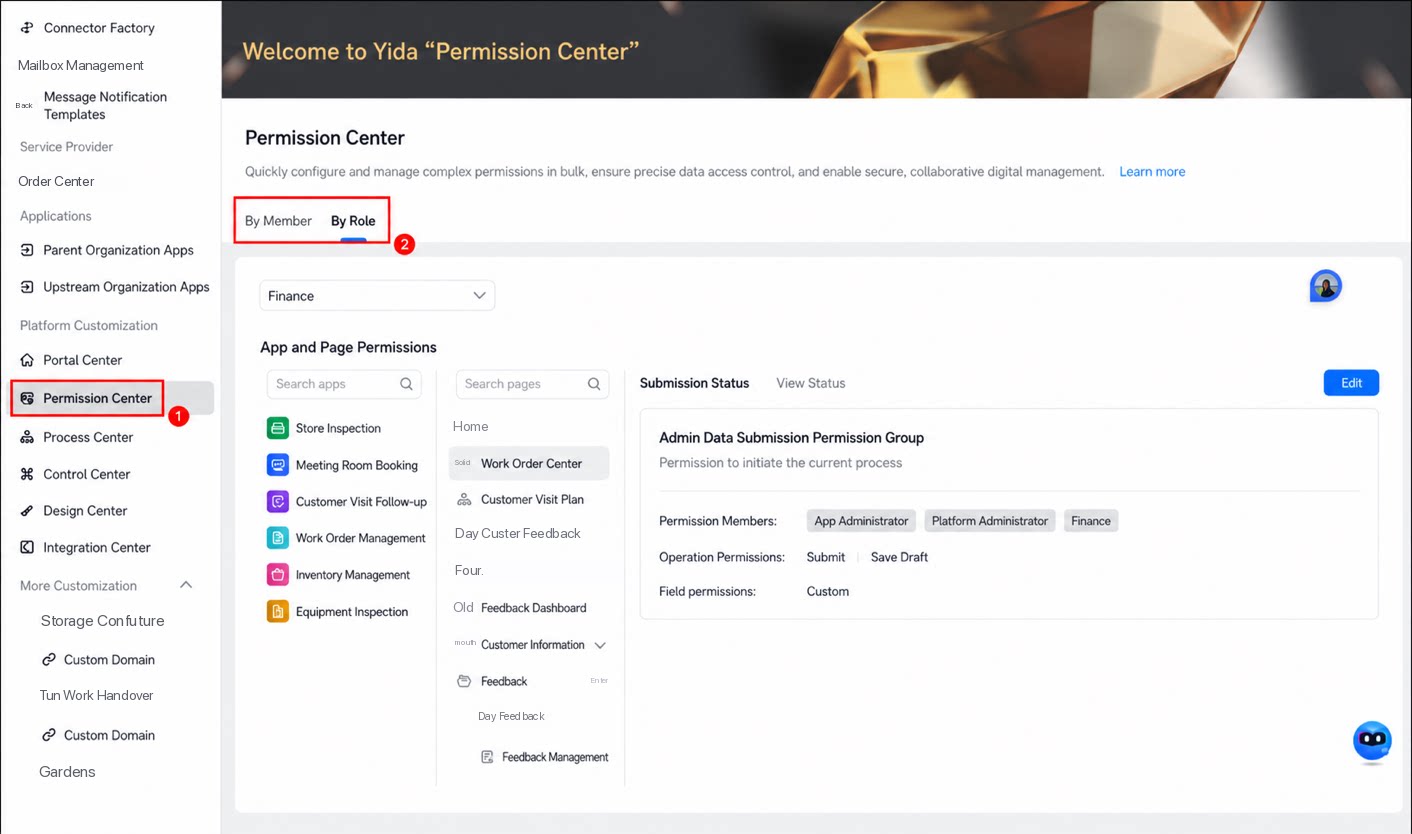
- In the Permission Center on the platform management page, query and modify permissions for specific users and roles.
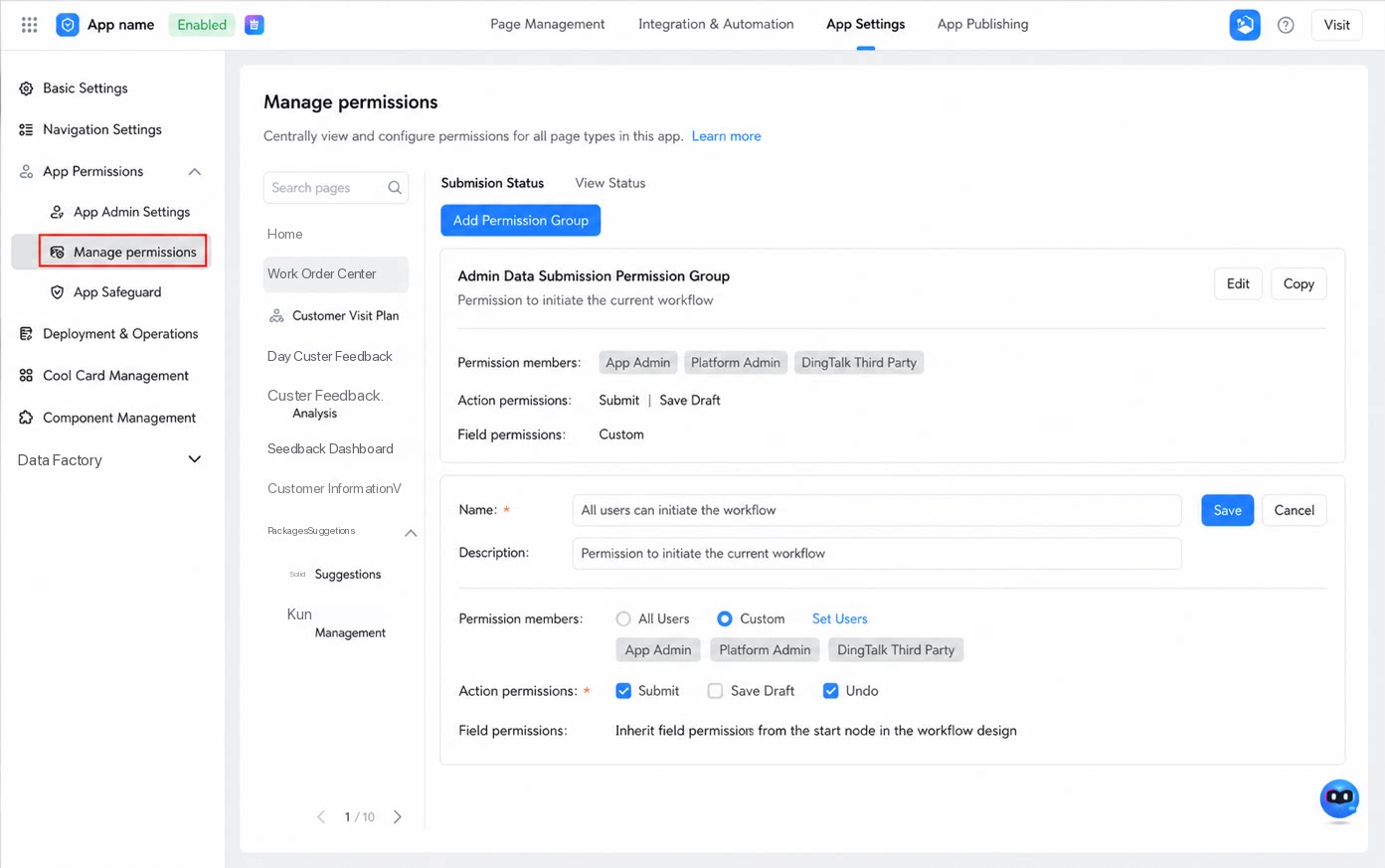
- On the Manage permissions page in App Settings, modify permission groups for all forms within an app.
Platform Permission Center
Steps:- Sign in to the YiDA workbench and open the platform management page.
- In the left-hand menu, select Platform Dedicated Customization > Permission Center.
- Select a user or role to query and modify the associated permissions.
App Permission Center
Manage Admin permission configuration, Manage permissions, App Protection Box, and other permission-related items within an app in one place. Steps:- Sign in to the YiDA workbench, locate the target app, and open the App Settings page.
- In the left-hand menu on the App Settings page, select App permissions > Manage permissions.
- Locate the page whose permissions you want to manage, then edit them on the right.