

 Chats
Chats Calendar
 Meetings
 Contacts
 Mail
Mail Docs
Docs Drive
Drive AI Table
 AI Minutes
 Attendance
 Approval
 YiDA
YiDA Admin Console
- Introduction to aggregate tables
- Creating an aggregate table
- Association relationships
- Aggregate validation
Feature Overview
A YiDA aggregate table is a calculated table built by aggregating data from multiple forms. It supports real-time calculation and real-time validation, and can be used across other functional modules of the app, such as forms, reports, and portal Data Cards.
Use Cases
Aggregate tables suit business scenarios such as inventory management, reservation grabbing, CRM wallet management, project cost and commission calculation, and leave-day calculation. Whenever business logic involves inflow (such as stock-in, top-up, or leave-day accrual), outflow (such as stock-out, consumption, or taking leave), or balance (such as remaining inventory, wallet balance, or remaining leave days), an aggregate table is a strong fit.- Inventory management scenarios
- CRM wallet management
- Reservation-grabbing scenarios
Usage Limits
- aggregate table dimension
- app dimension
Considerations
- Filters and validation on an aggregate table: If a filter is configured on the aggregate table, submission validation only applies to data that matches the filter. Adding, deleting, or changing data that does not match the filter will not trigger submission validation.
- Publishing an aggregate table: After an aggregate table is published, its column titles and metrics may be used in a form, report, or other context. If you later modify and republish the aggregate table (for example, by modifying or deleting association relationships or metrics), the places where the aggregate table is used in forms or reports may error out. Be sure to update the build configuration that quotes the aggregate table accordingly.
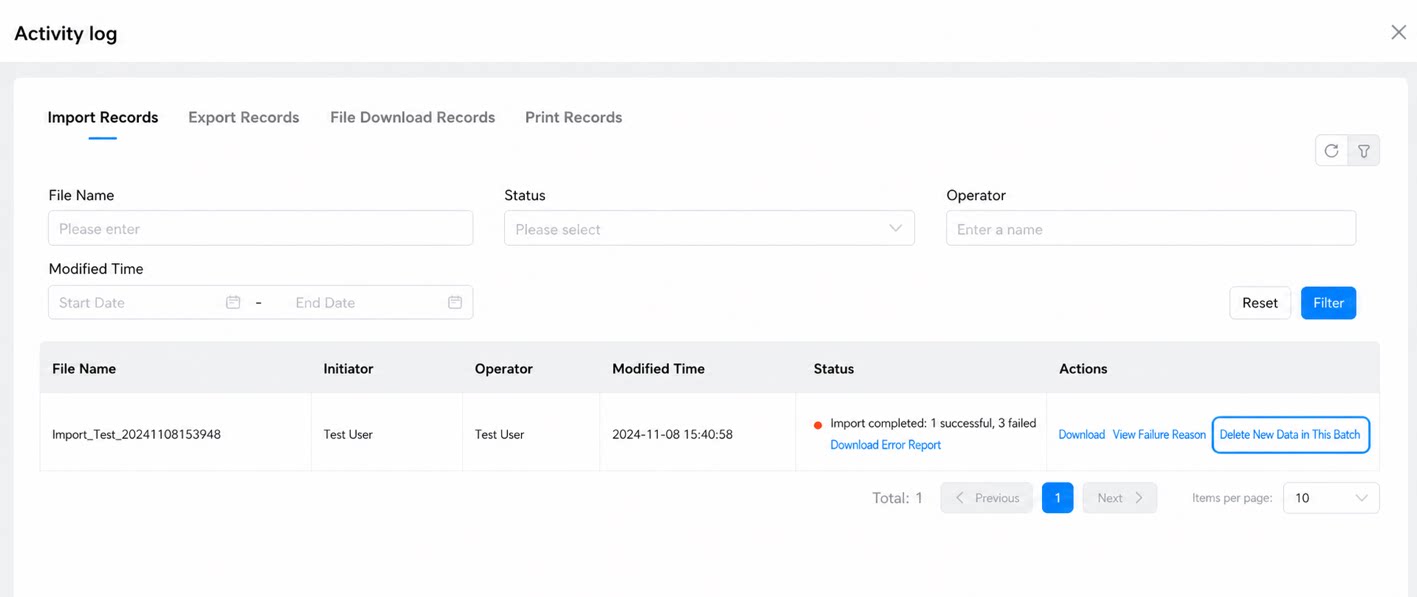
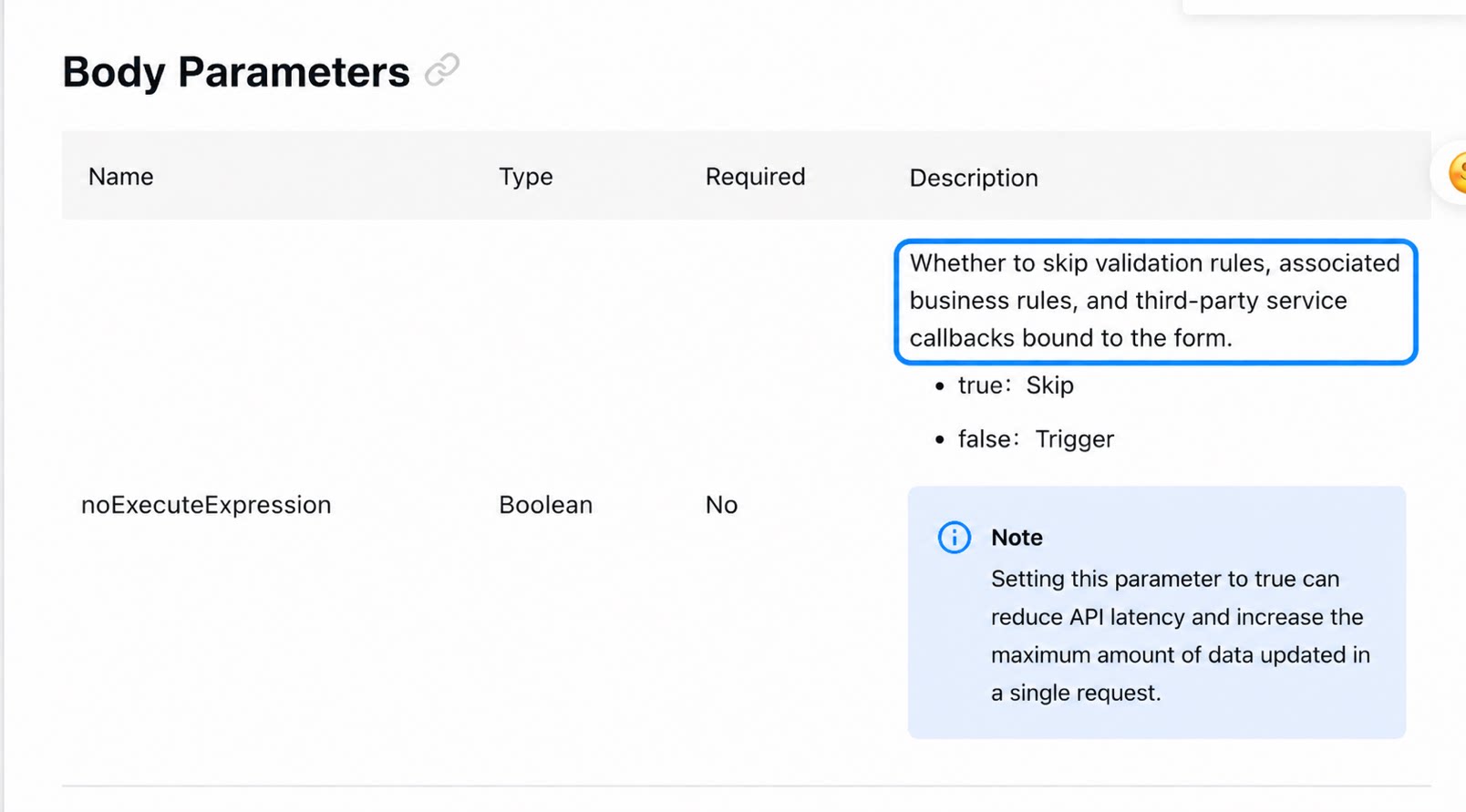
- Ways of operating on Data Source Forms: When you use batch import, batch update, batch delete, Automation flows, business rules, Open APIs, or similar mechanisms to add, delete, or modify data in the Data Source Form, all of these actions trigger an update of the aggregate table’s calculated results.
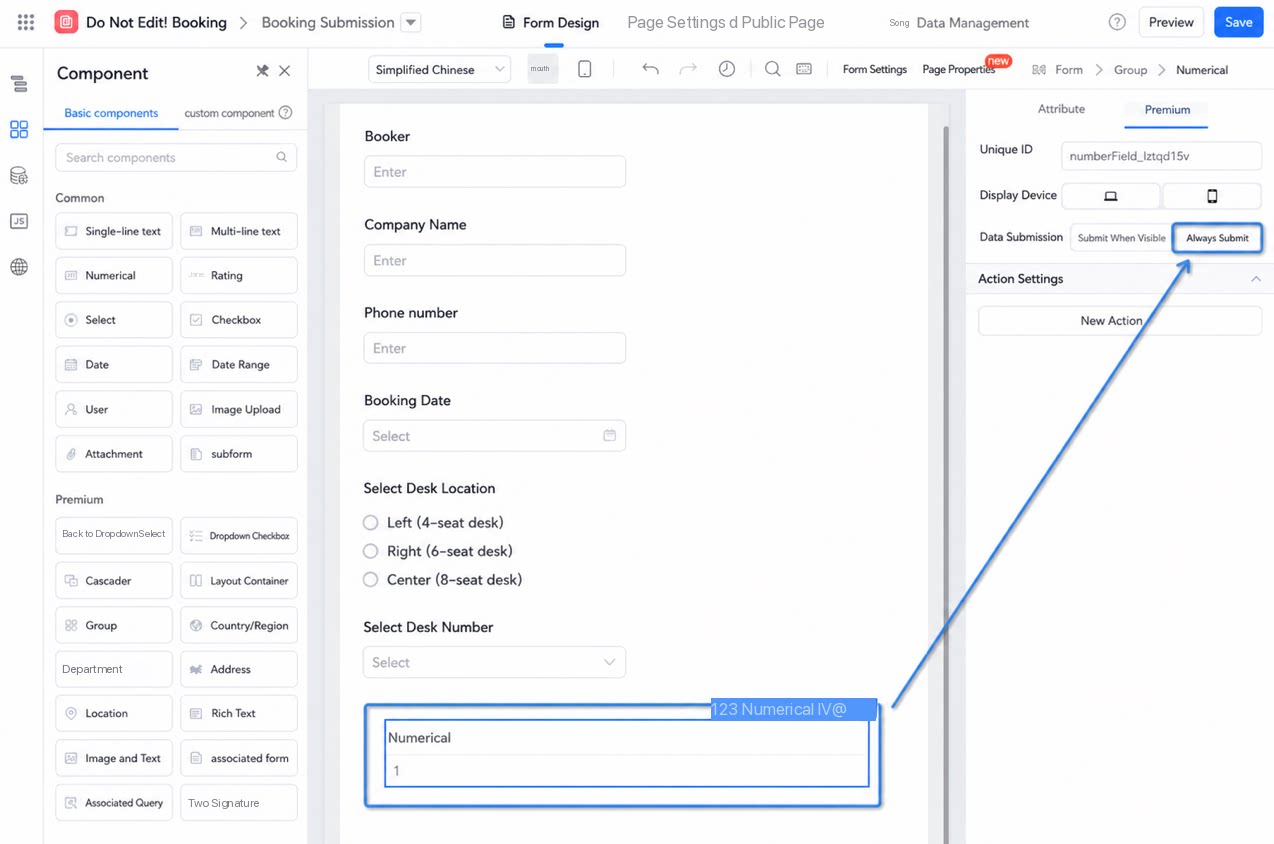
- Using hidden fields in a metric: If a hidden numerical component is used in a metric calculation, that component must have “Always submit” turned on.
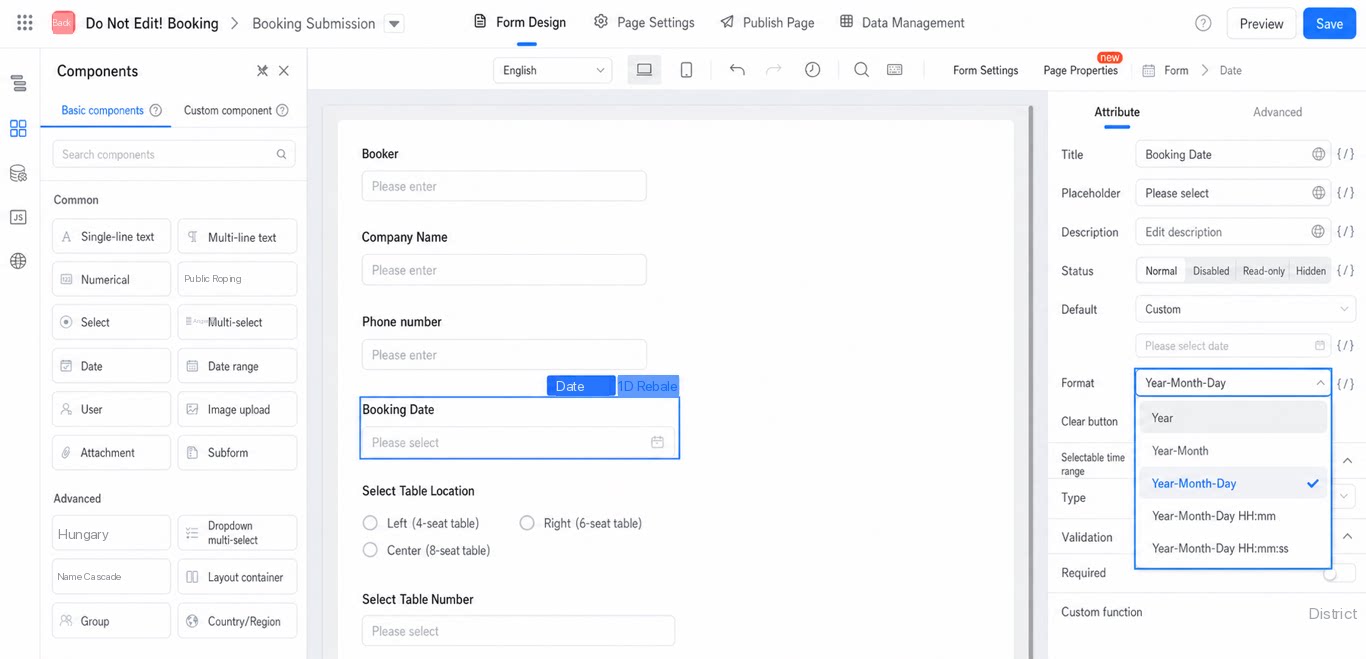
- Precision of date components: When a date component is used as a match condition, pay attention to the date precision used when the form is submitted. The system treats dates of different precisions as different field values. For example, September 9, 2024 and September 9, 2024 00:00:00 are treated as unequal values.
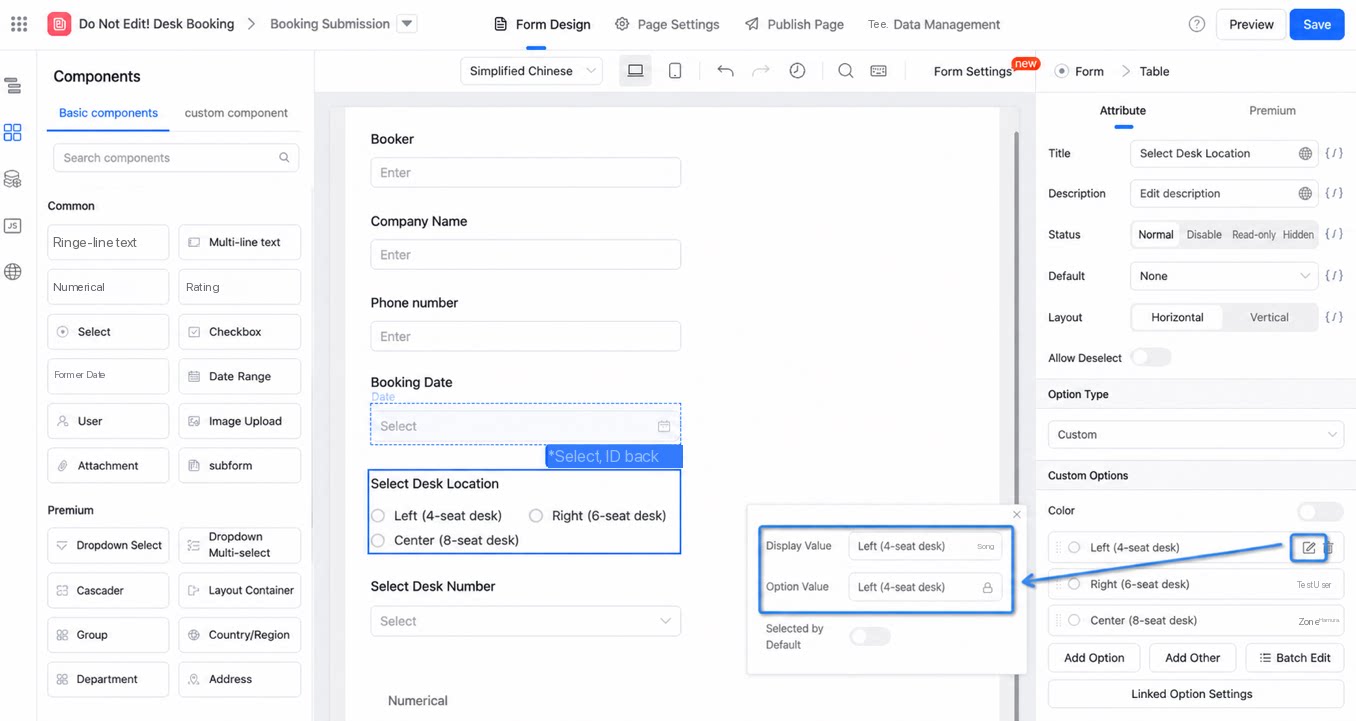
- Option-type components: If a linked field uses an option field, the linked field matches and displays based on the option value, not the display value.
- Not recommended: When a form already serves as a Data Source for an aggregate table, we do not recommend also configuring Integration & Automation flows on it that update data. Doing so easily causes circular update failures, for example, updating the current instance after the form is modified or newly created.