Feature Overview

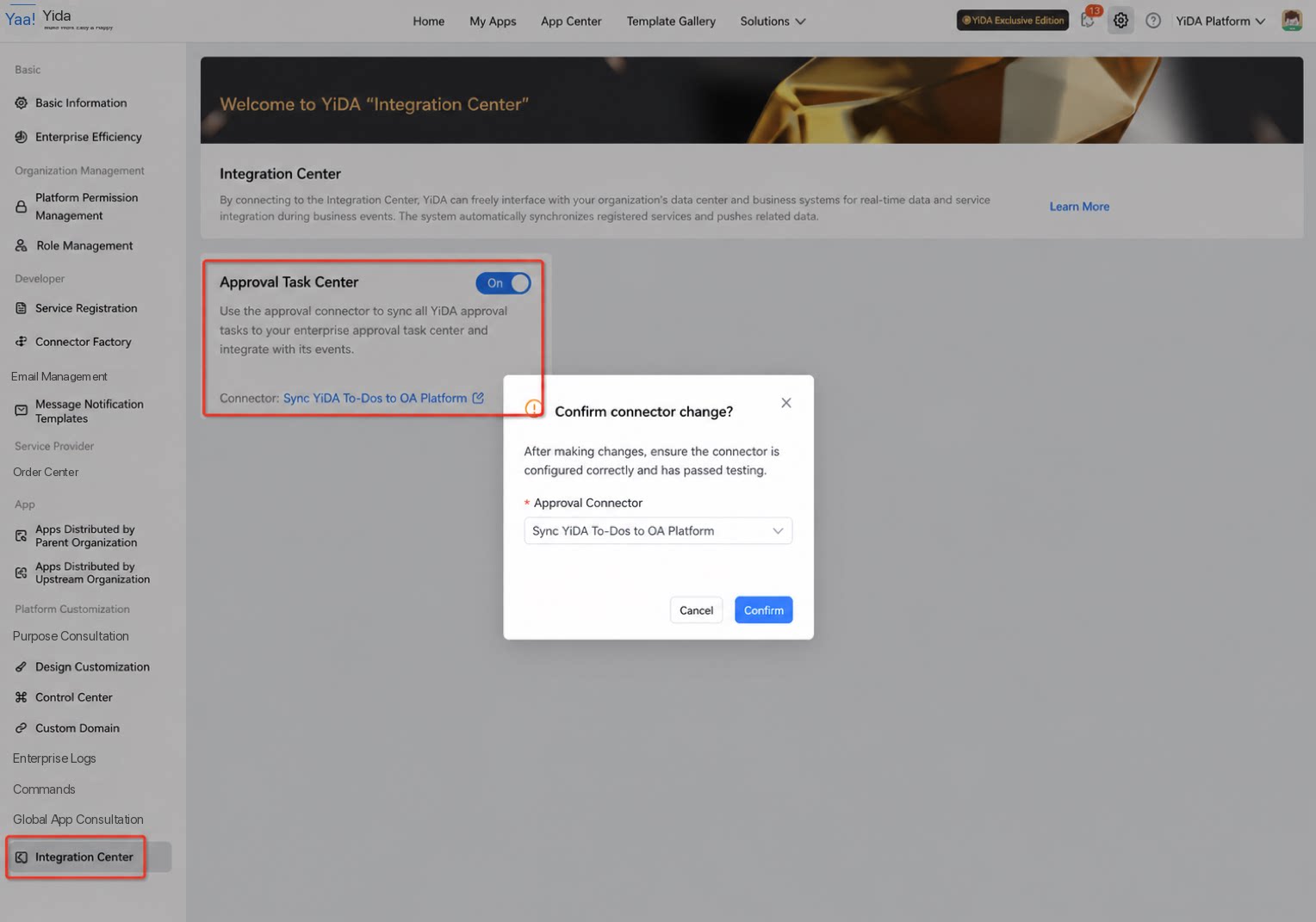
After data is submitted through a YiDA process page, task data is generated in both the app-level and organization-level task centers. Tasks are categorized by status as “Created by me,” “To be processed by me,” “Processed by me,” and “CC to me.” As the process flows, this data is stored, updated, and queried by YiDA’s own services. Organizations on YiDA Dedicated edition can use the enterprise approval task message integration feature in the Integration Center to connect YiDA services to their own task center or to-do system. When an app process creates or updates a task, YiDA calls the organization’s service to push the data. Once the connector is configured, every approval task from every YiDA app within the organization is automatically pushed to the registered service address shown below. In the corresponding service callback, the organization can selectively process and consume YiDA approval-related events as needed.

How to Use

Prerequisites

  1. The organization is on YiDA Dedicated edition.
  2. The organization has its own service system that can expose HTTP-based services for YiDA to call.
  3. The service meets YiDA’s callback format requirements.
  4. The service is network-accessible.

Integration Process

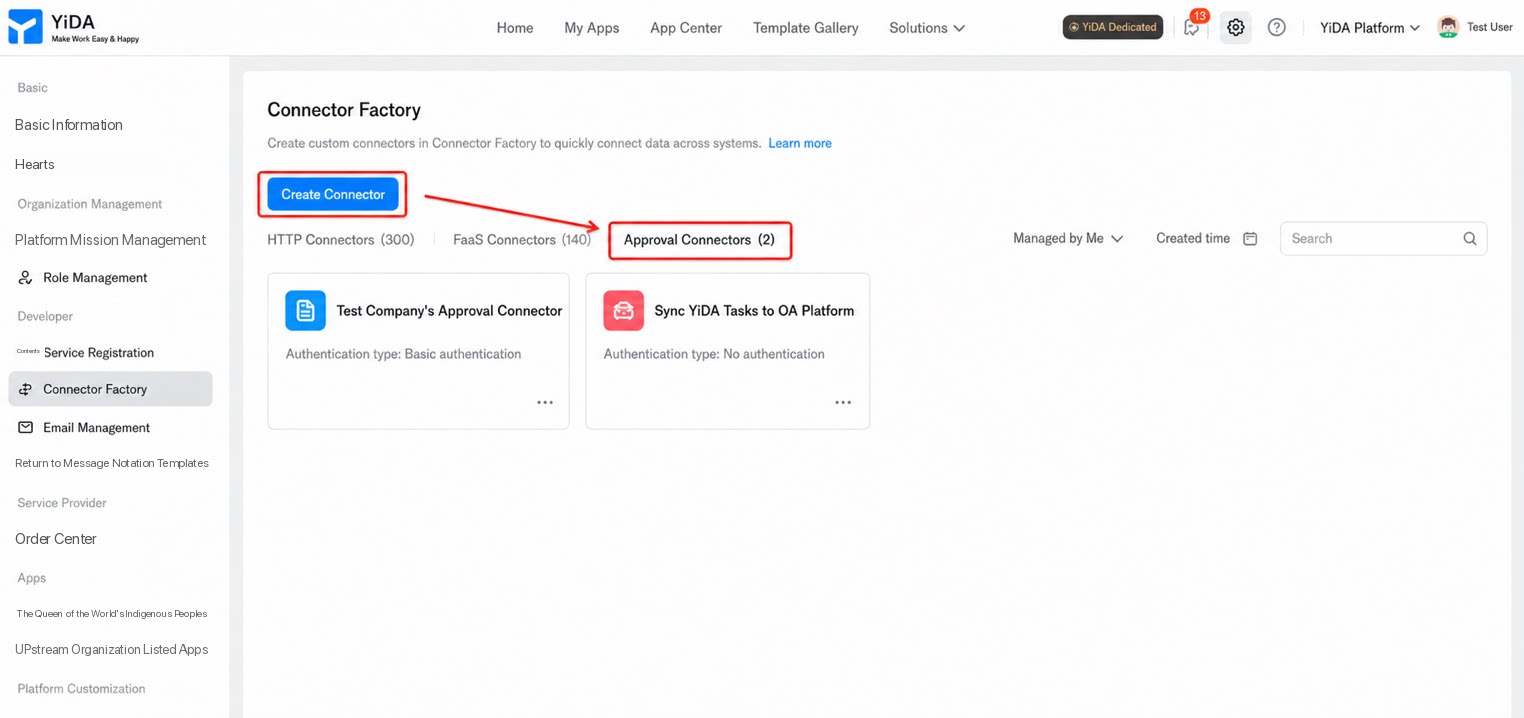
Create an HTTP Connector

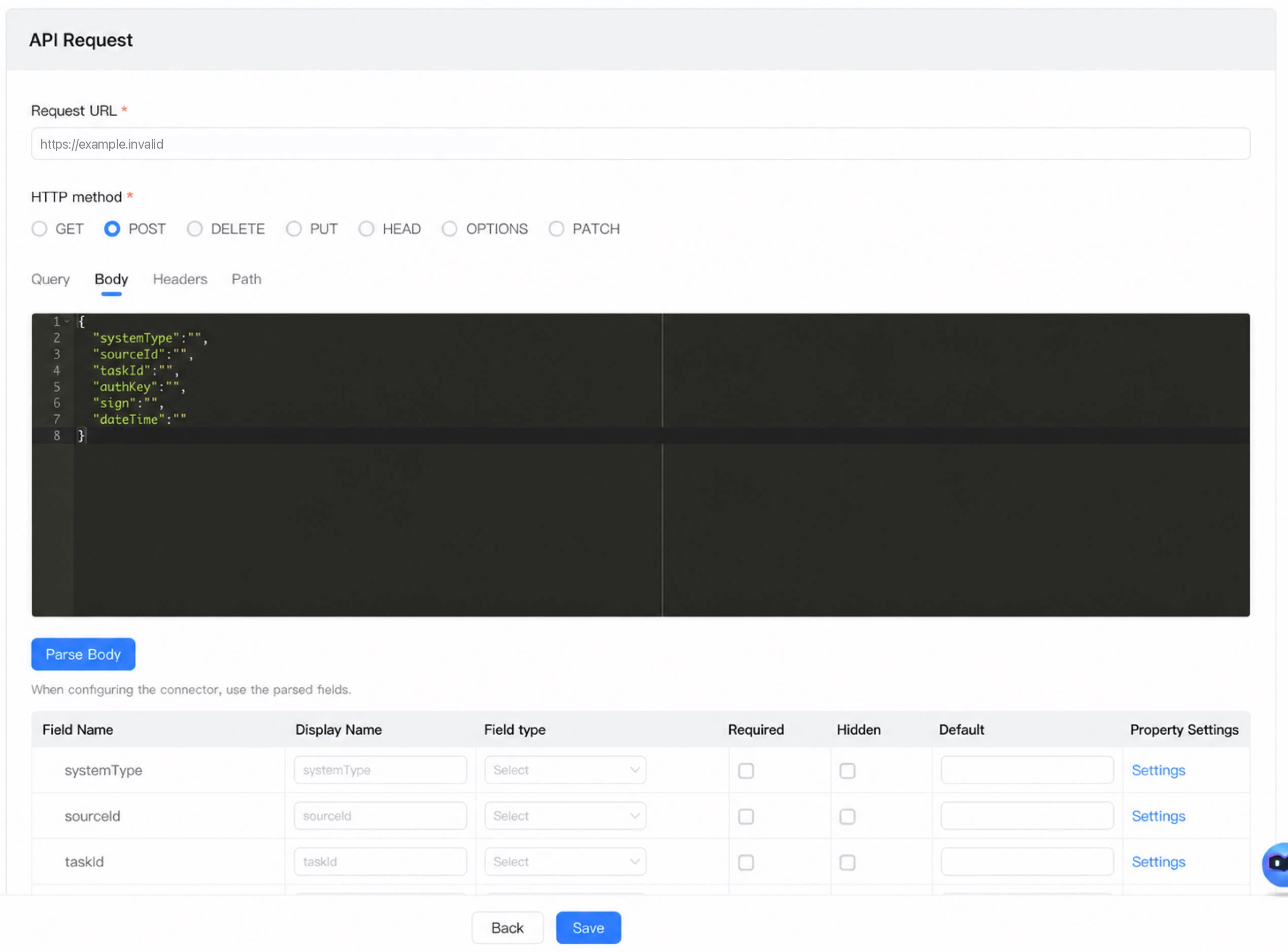
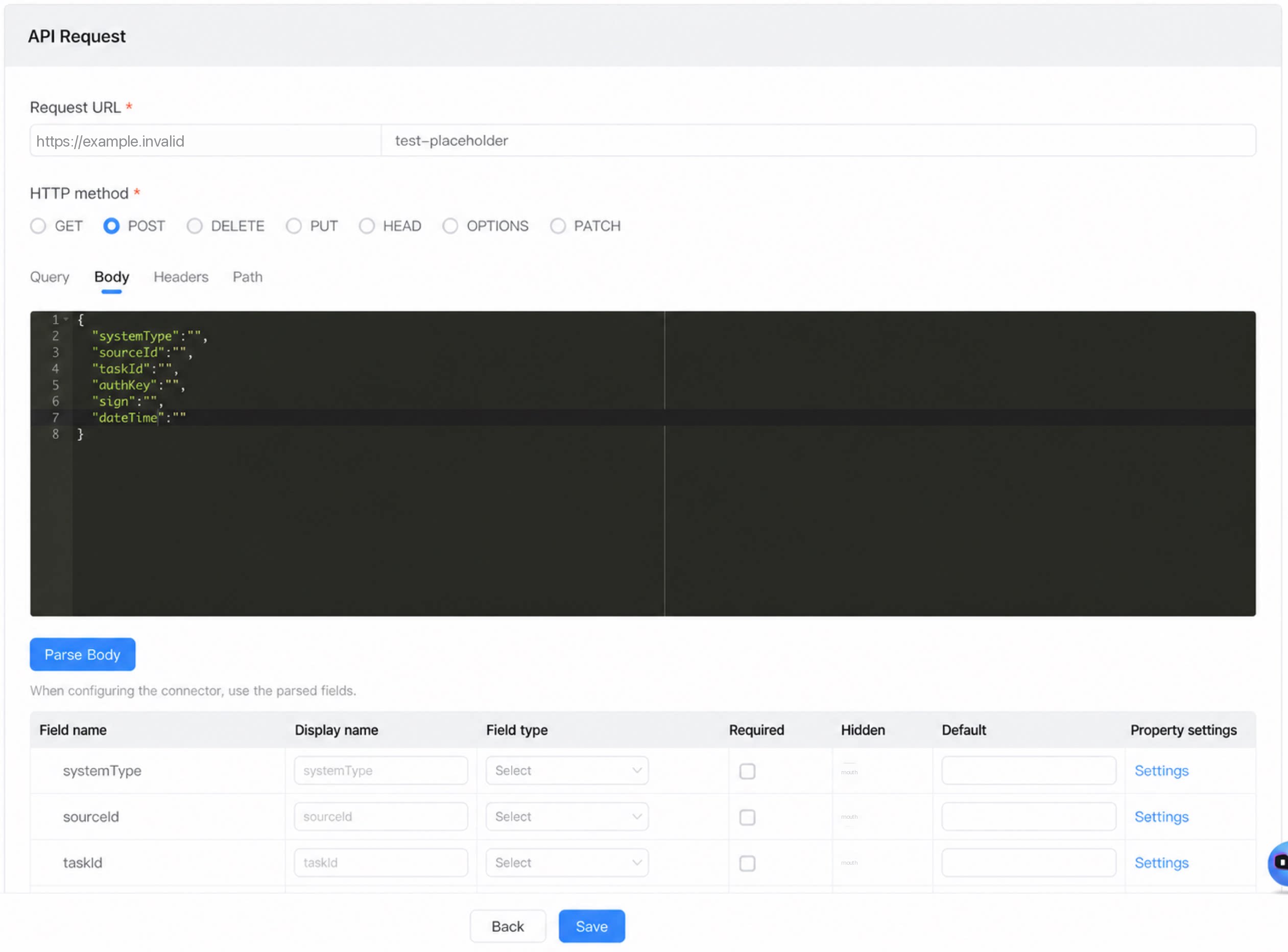
Create an HTTP connector within the target organization and configure the service to connect to, as shown below: You can create a separate connector for each interface service with one action per connector, or create multiple actions within a single connector to represent different interface services.
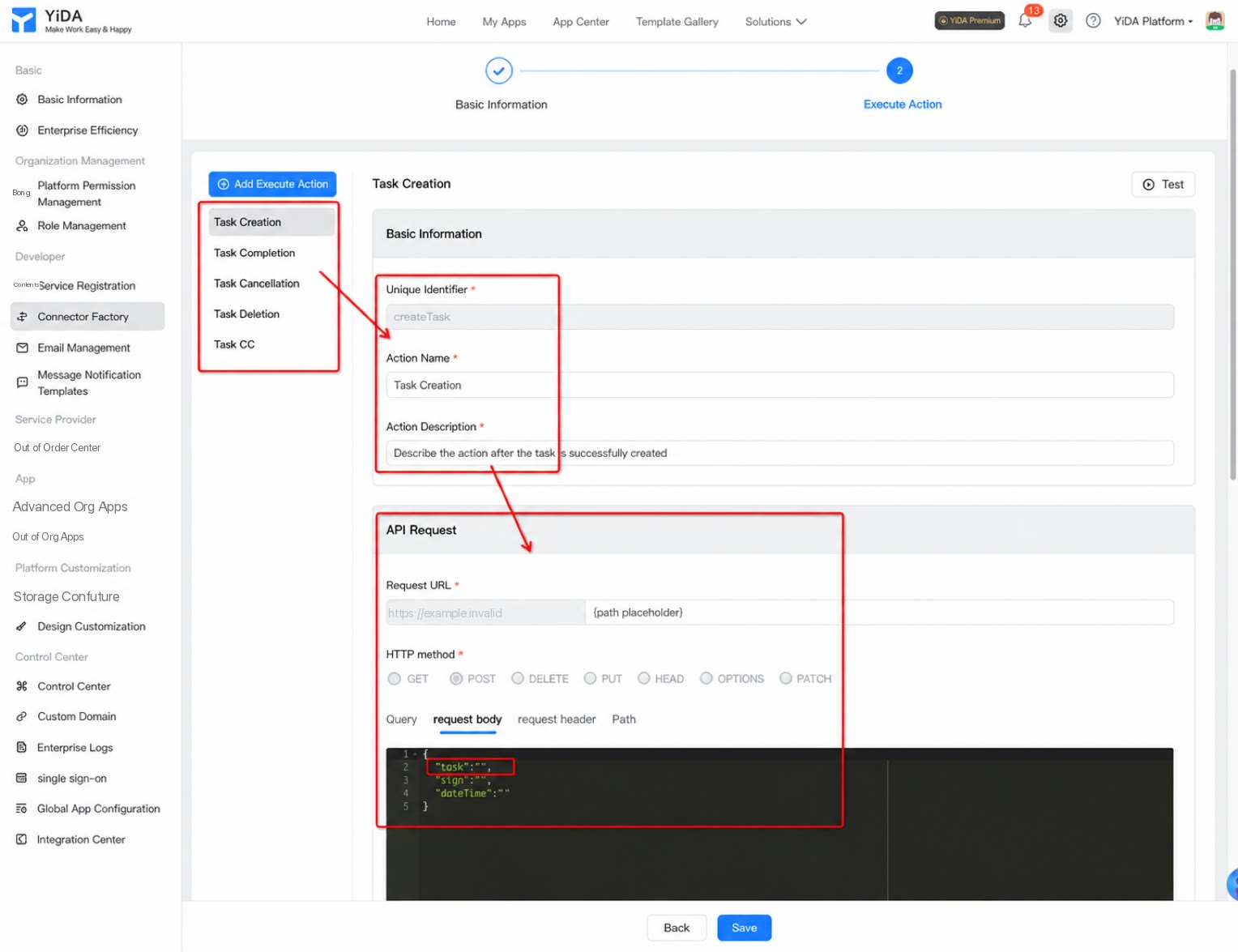
  • Configure five connector actions corresponding to approval task creation, completion, cancellation, deletion, and CC. Similar to a webhook, when these events are triggered, the YiDA system automatically calls back the registered address www.yourCorpService.com/xx-interface.

Add Connector Actions

For instructions on creating connector actions, see: https://docs.aliwork.com/docs/yida_support/wtwabe/zevvr1/_1/zbq17y Note: When calling the dedicated task center callback service, the interface already includes a signature verification mechanism. You can select “No authentication” when creating the connector action. If you still require connector authentication, follow the connector documentation. The following sections describe the information required by the dedicated task center.
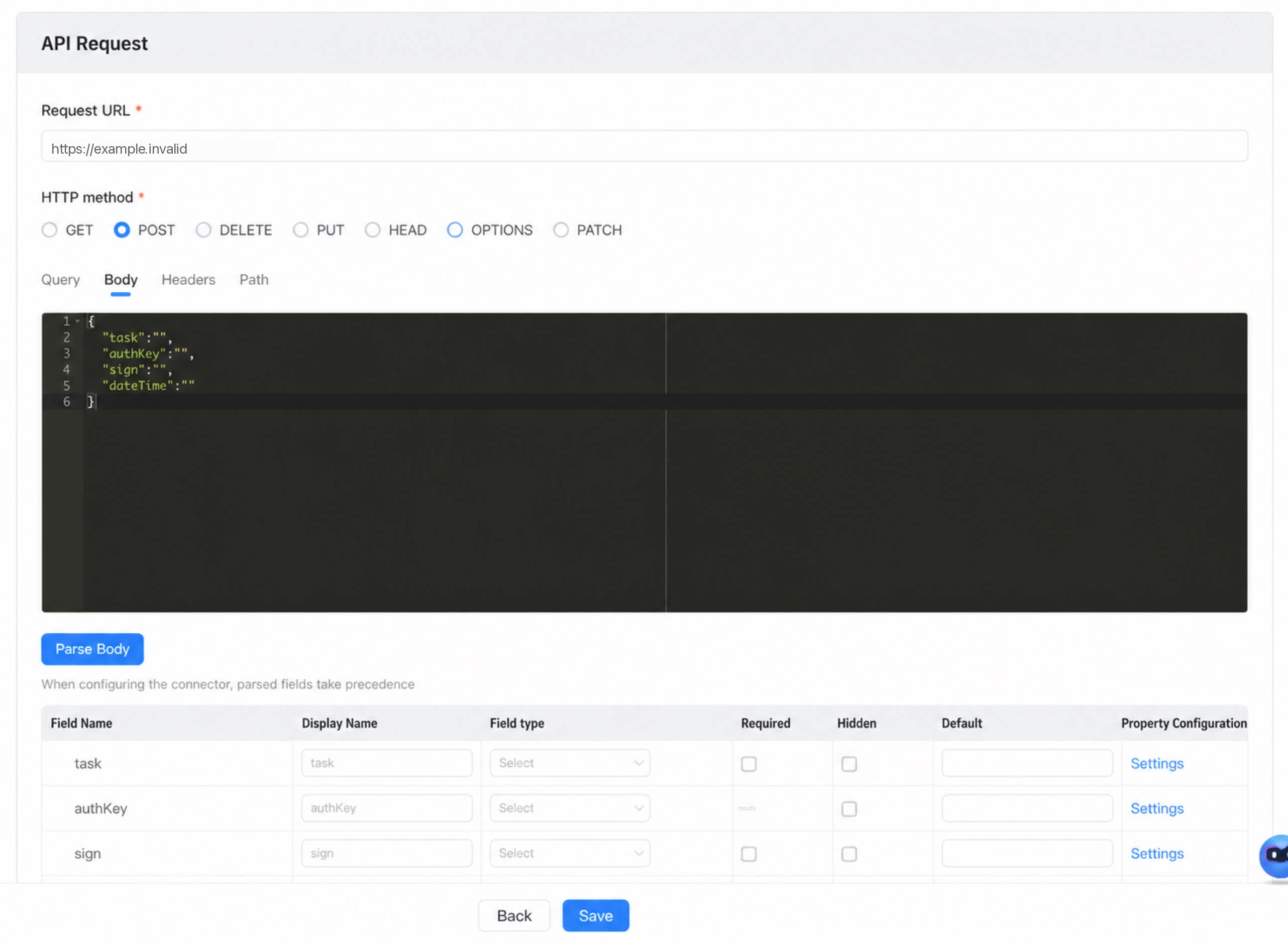
Connector action: Create task
  • HTTP method: POST
  • Request parameters:
  • Response: No specific requirements.
Connector action: Complete task
  • HTTP method: POST
  • Request parameters:
  • Response: No specific requirements.
Connector action: Cancel task
  • HTTP method: POST
  • Request parameters:
  • Response: No specific requirements.
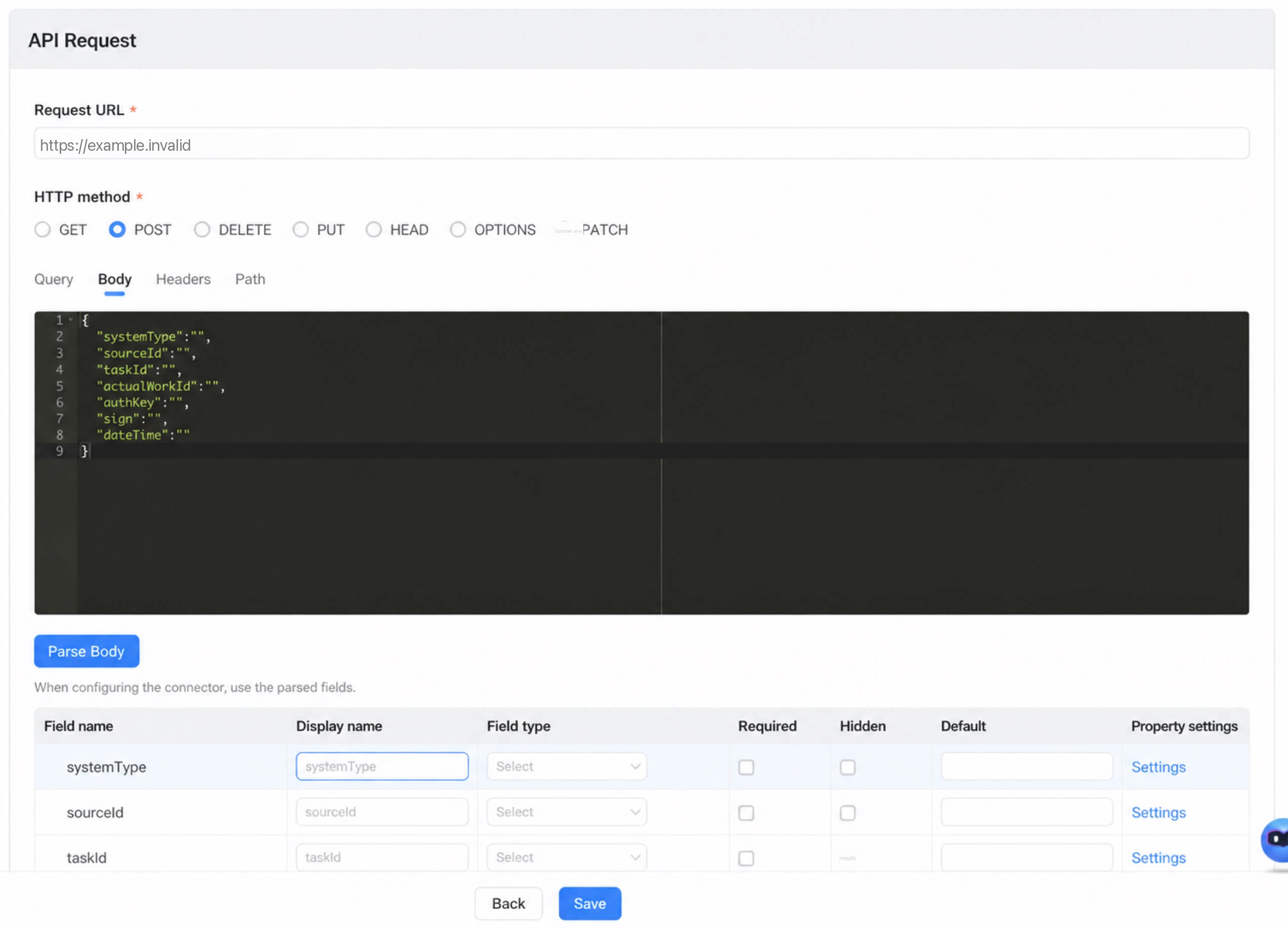
Connector action: Delete task
Note: Task deletion currently occurs only when an instance is deleted. As a result, the instance ID is passed as a parameter when the service is called back.
  • HTTP method: POST
  • Request parameters:
  • Response: No specific requirements.

Signing Process

The service callback interface signature encrypts the request parameters using MD5. The encrypted result is passed to the service provider through the sign parameter. The YiDA app’s systemToken is required as the signing key.
  1. Sort all request parameter keys using String.CASE_INSENSITIVE_ORDER.
  2. Concatenate the corresponding parameter values in key order to form the string to encrypt.
  3. Append the systemToken to the string produced in step 2.
  4. Encrypt the string from step 3 using the MD5 algorithm with the UTF-8 character set.
⚠️ Note: The systemToken is the App Secret. Find it at App Settings > Deployment and Operations > App Secret.

Configure the Sync Policy

  • In the Integration Center, configure an existing approval connector.

Results

For example, the diagram below shows how an industry customer used the integration and development capabilities of YiDA Dedicated to consolidate approval tasks into a self-built approval task center, unifying BPM processes across various YiDA system apps and the organization’s own business, production, and administrative systems on multiple platforms.

FAQ

Q: After the Integration Center is configured, does it apply to historical data? A: No. It applies only to new data. Q: If a service pushed by the Integration Center returns an error because of a failure in the customer’s system, does YiDA provide a way to query the related logs? Is there a fallback retry mechanism when a push fails? A: The YiDA Integration Center is event-driven. No fallback mechanism is currently provided, and the system does not include retry logic at this time.