Chats
Chats Calendar
 Meetings
 Contacts
 Mail
Mail Docs
Docs Drive
Drive AI Table
 AI Minutes
 Attendance
 Approval
 YiDA
YiDA Admin Console
1. Understand DingTalk Upstream and Downstream Organizations
Use cases
| Scenario | Customer pain points |
|---|---|
Cross-organization business alignment and internal-external collaboration | To work with an external organization, you first need to find the right contact person. Only after rounds of asking around, exchanging contact details, adding contacts, and creating group chats can the actual work begin. • After two weeks of silence, the contact person neither replies to messages nor answers calls. When finally reached, they say, “I’ve left the company…” • Finding out who took over their work requires yet another round of asking around. • Is the contact person actually an employee of Company A? An unexpected side deal may follow. • What is the contact person’s level? Are they the decision maker for the project? Can they actually solve the problem? • What type and level is the partner, and which cooperation policies and talking points apply? You have to look up partner information every time. • Every time a new supplier is onboarded, you have to send the “supplier management system” link and set permissions all over again. • Where does the internal-external collaboration process stand? You have to sign in to a system to find out. Many processes have no system support at all, so the workflow is opaque and tracking progress relies on repeated follow-ups. • Delayed and broken communication and collaboration cause slow payments, long troubleshooting cycles, and repeatedly delayed business launches. |
- Customer analysis: Organizations with stable business relationships—especially in enterprise-centered upstream and downstream supply chain scenarios—need a trusted, authentic channel for communication and collaboration.
- Solution: The organization creates an upstream-downstream organization and invites partners to join, enabling trusted, authentic communication and collaboration within it.
High-frequency business collaboration between organizations
- Commonly used for upstream and downstream partnerships, such as suppliers, distributors, service providers, and external ecosystem employees.
- A communication and collaboration system for “enterprise–supply chain partner” relationships, built around the primary organization.
- Long-term cooperation with guaranteed work continuity.
Core capabilities
● Upstream and downstream Contacts ● Upstream and downstream workbenchKey benefits
- Trusted user identity—avoid working with external contacts who have already left their company.
- Uninterrupted collaboration—know immediately when a contact person leaves, and hand over work right away.
- Isolated permissions—suppliers see supplier-related systems, and distributors see distributor-related systems.
Access the app (available to authenticated organizations only)
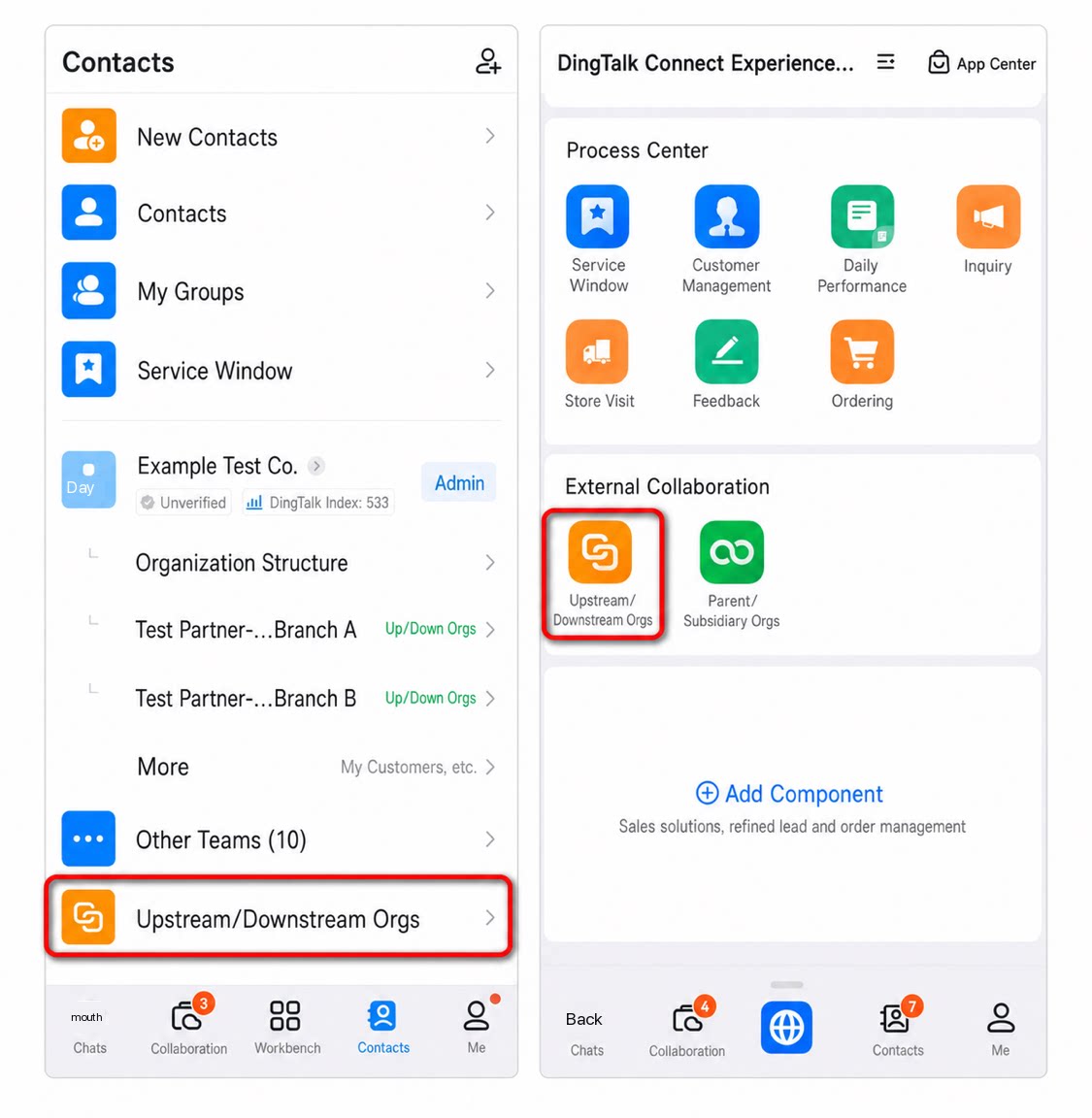
Admins: In the DingTalk mobile app, go to Contacts → find the organization to manage → tap Manage → Connect Platform → Upstream and Downstream, or open the Upstream and Downstream app directly from the workbench. (How to get Admin permissions)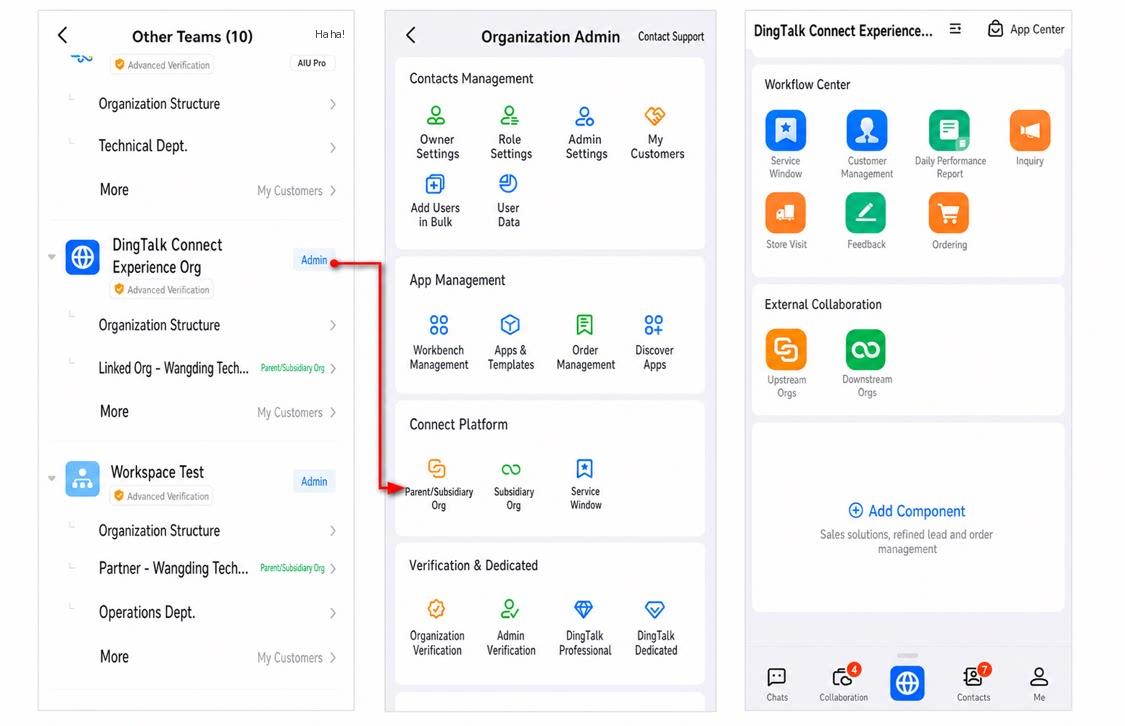
2. Publish YiDA Apps to DingTalk Upstream and Downstream Organizations
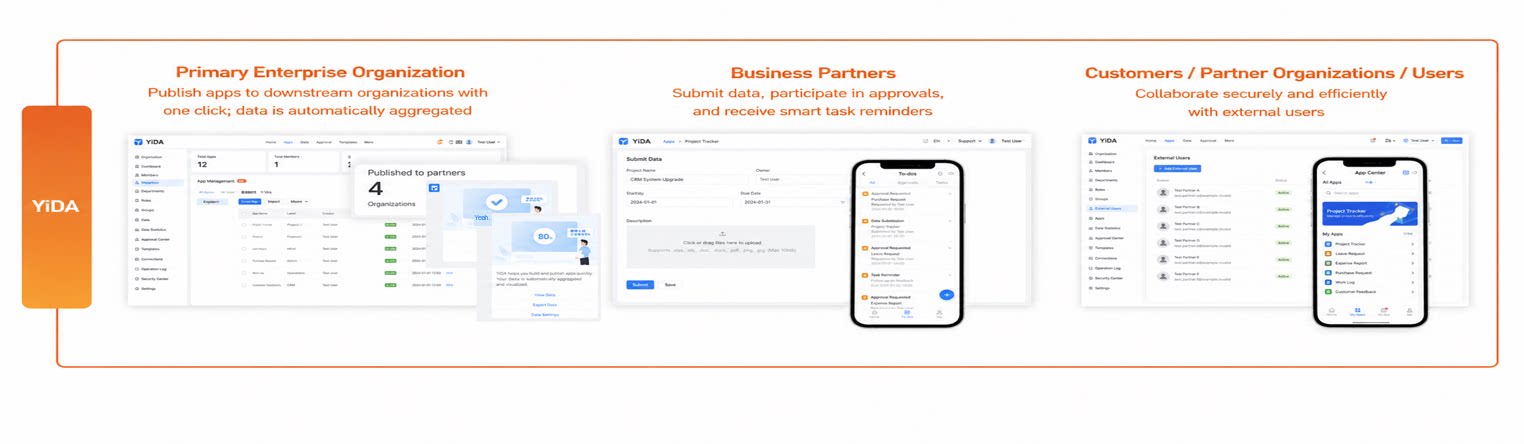
Publish Apps to Downstream Workbenches with One Click
Apps built by the upstream organization can be published to downstream organization workbenches with one click.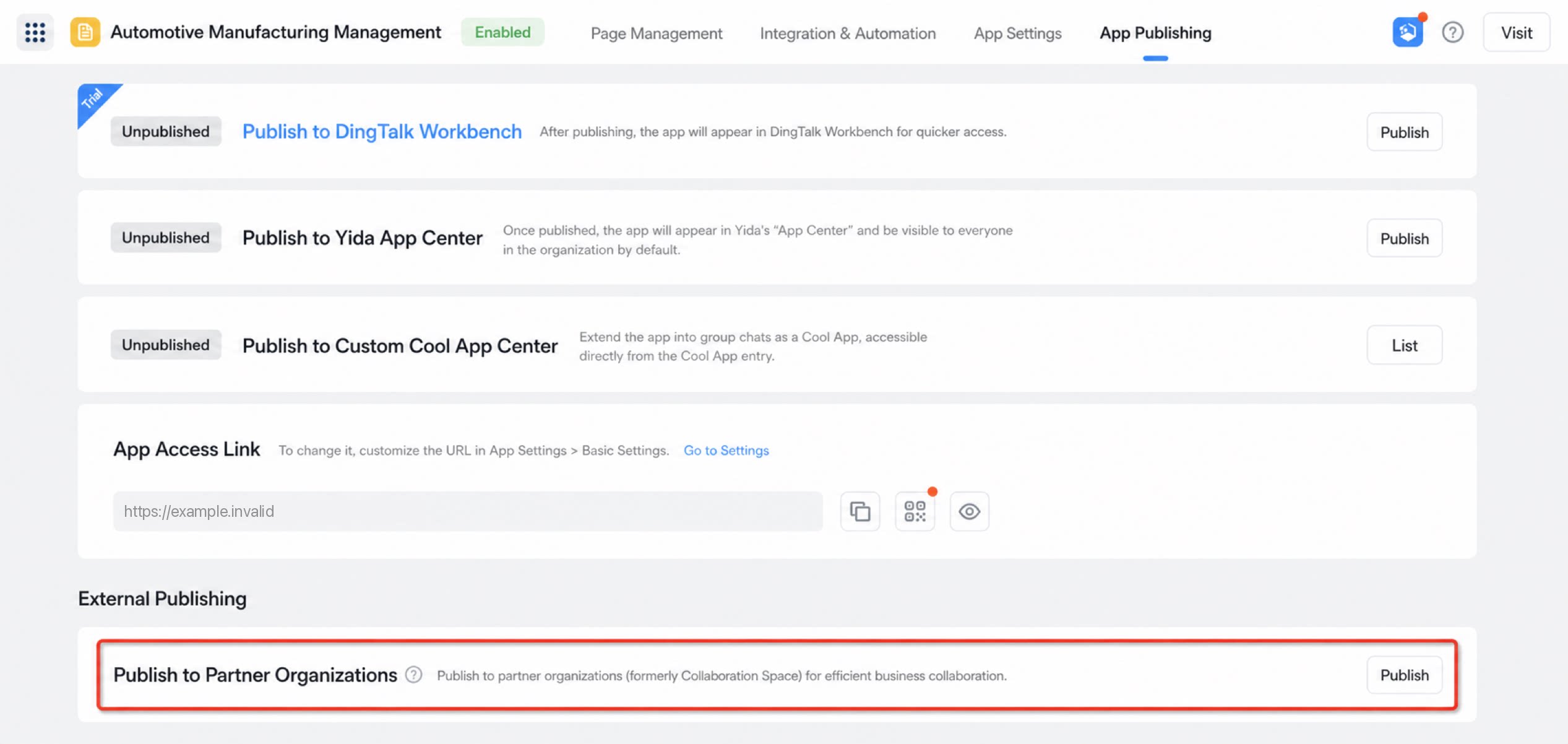
Unified Upstream Management for Secure and Reliable Business
Business permissions, approval rules, authorization lists, and other functions are managed centrally by the upstream organization. This addresses the Primary Enterprise’s management challenges and eliminates information leakage risks.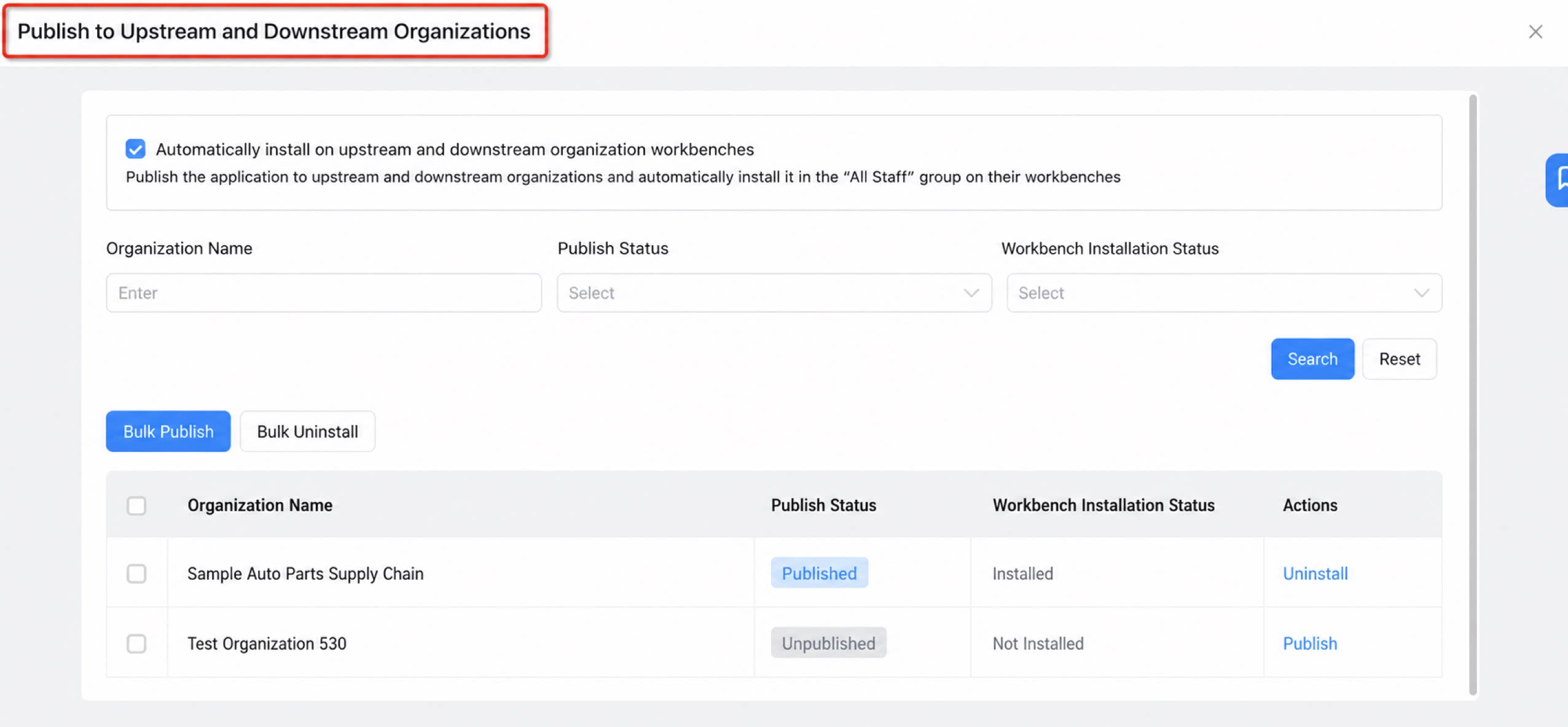
1. Unified license management
Licenses are purchased and allocated by the primary organization.| Automatic totaling of account counts See at a glance the licenses of authorized users across the primary organization and downstream organizations (up to 3 supported). 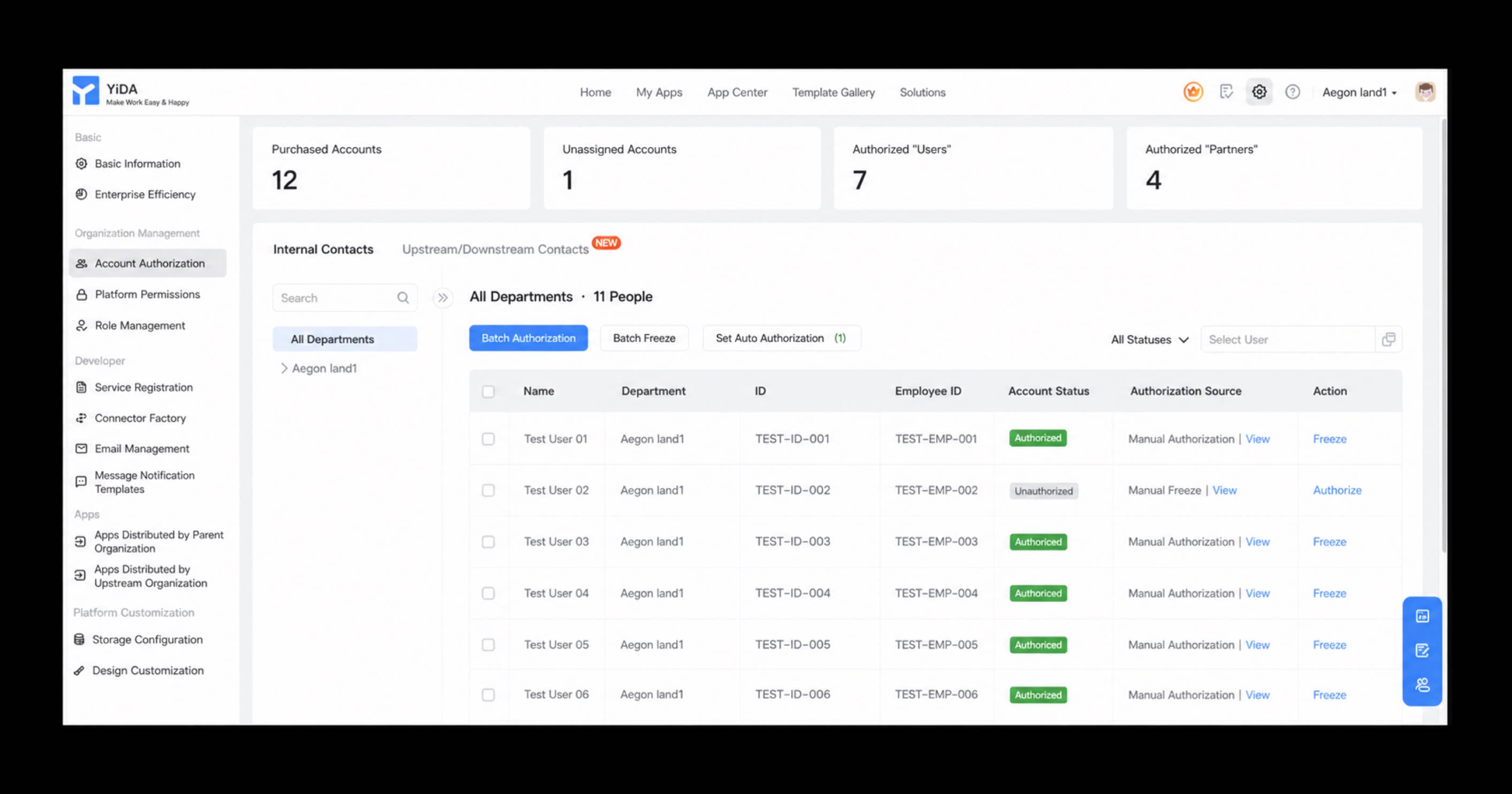 | • Smart partner onboarding: Select specific departments in downstream organizations for automatic authorization at onboarding, freeing Admins from manual maintenance. • Smart partner offboarding: Licenses are revoked automatically when downstream users leave. 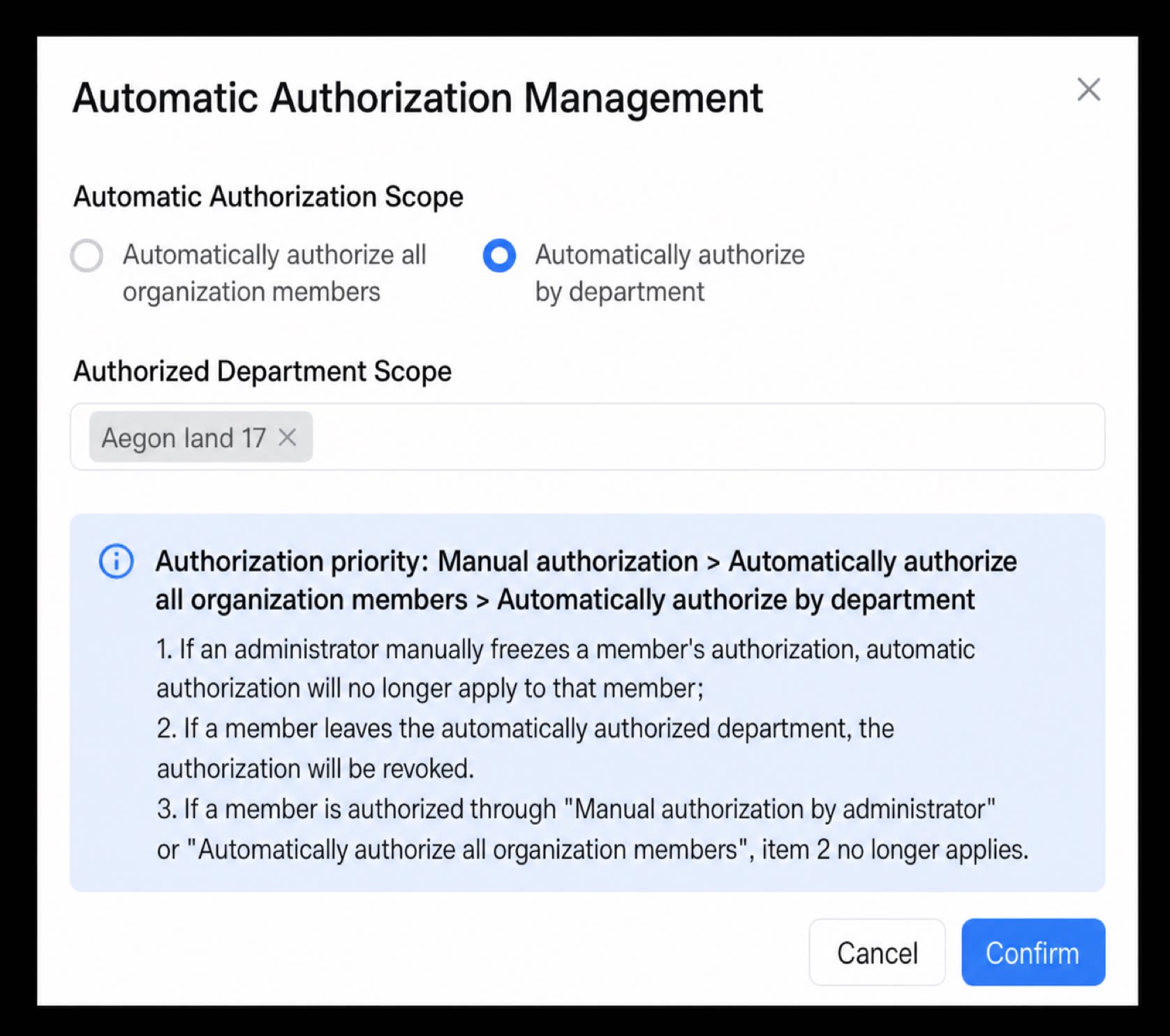 |
|---|
2. Share business apps and stay on top of business trends
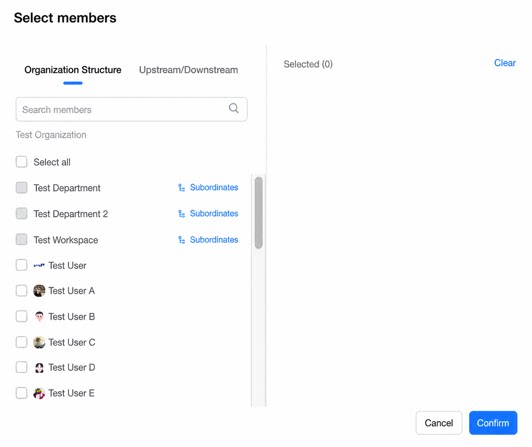
Data changes appear in real time on the primary organization’s reports and dashboards.| Upstream organization: • Use apps just like regular apps. User selection across upstream and downstream organizations is supported. • When filtering by Submitter, the user’s organization information is displayed automatically. • View data from a holistic perspective, including data management, ETL, reports, and dashboards. 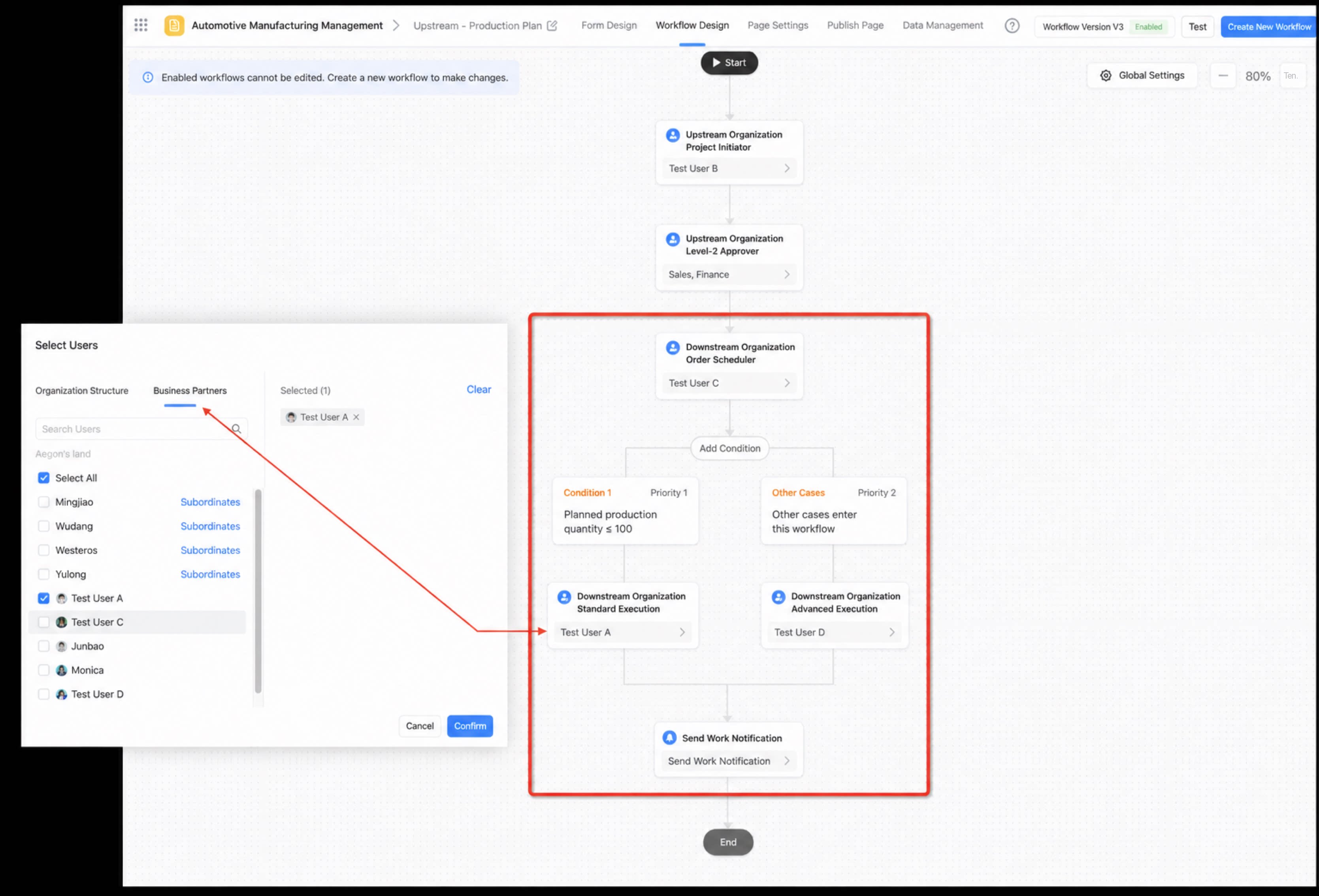 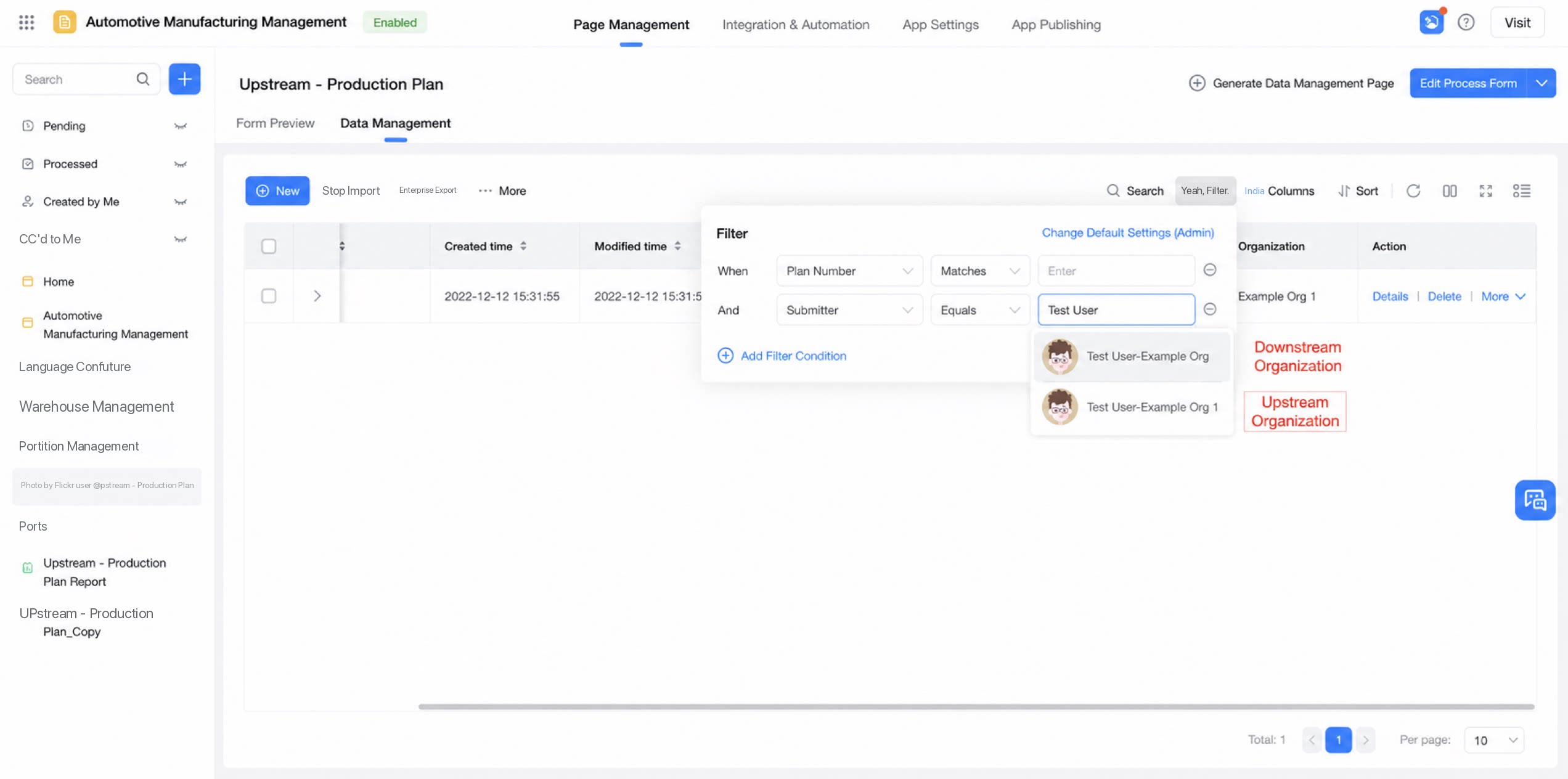 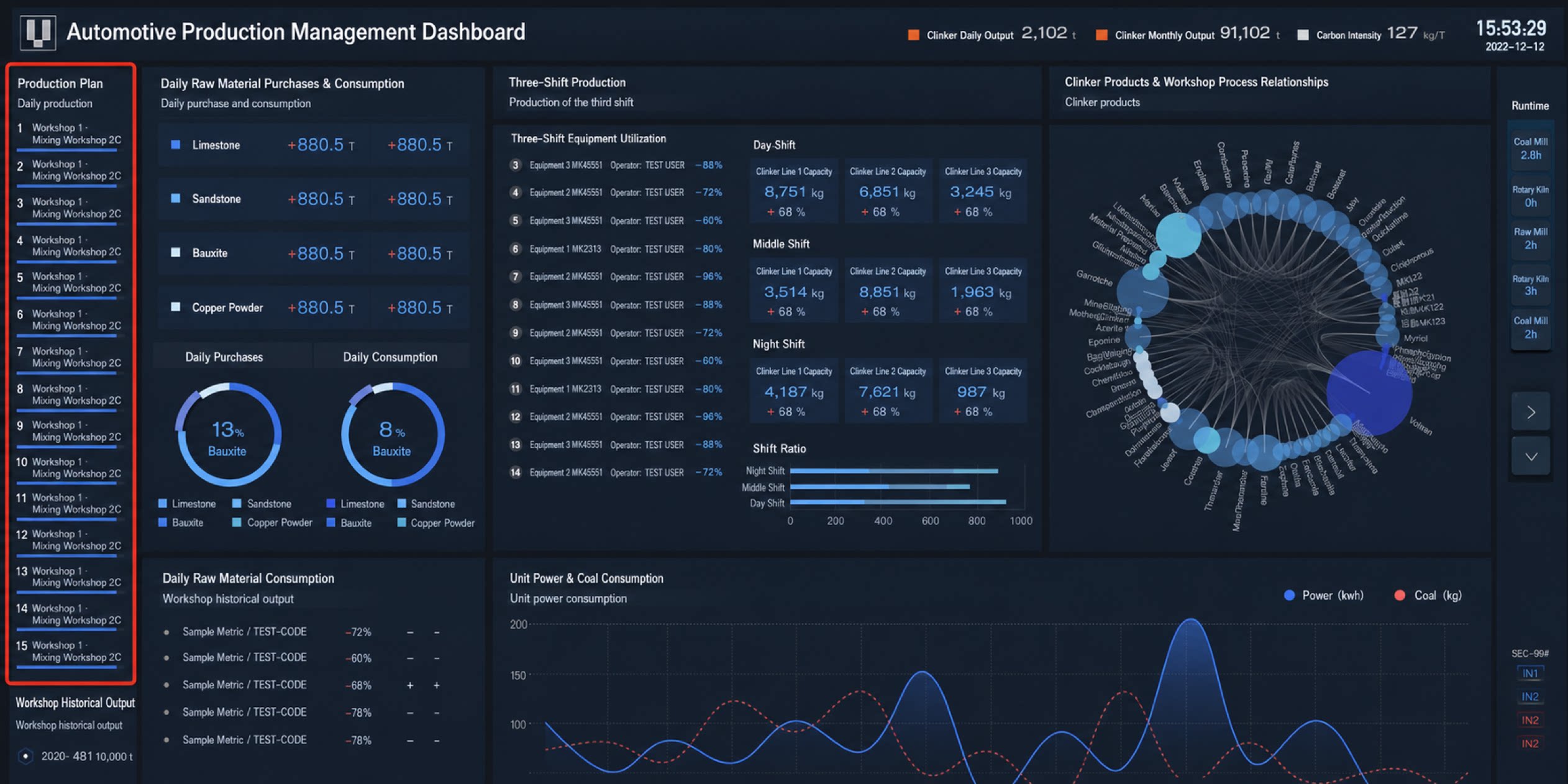 | Downstream organization: The data management page (runtime) is supported. With proper authorization, users can view basic details within their permission scope (viewing report analysis is not supported in this release). Primary organization Contacts: join the collaborative organization If user A in the primary organization needs to collaborate on business with users in the upstream-downstream organization, A must be added to that upstream-downstream organization. In downstream organizations, when selecting users for business, all users in the current upstream-downstream organization are selectable. 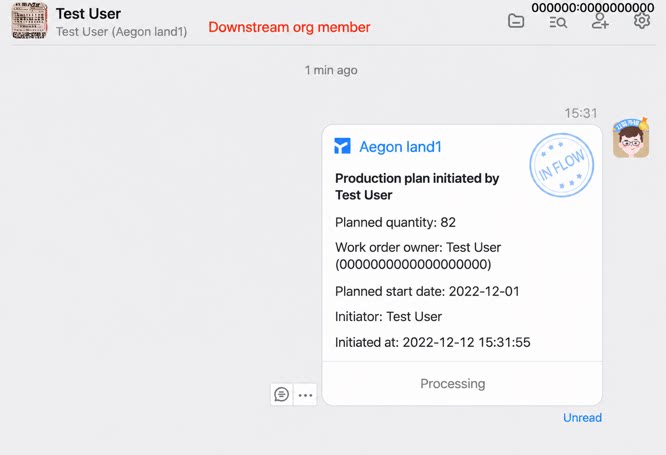 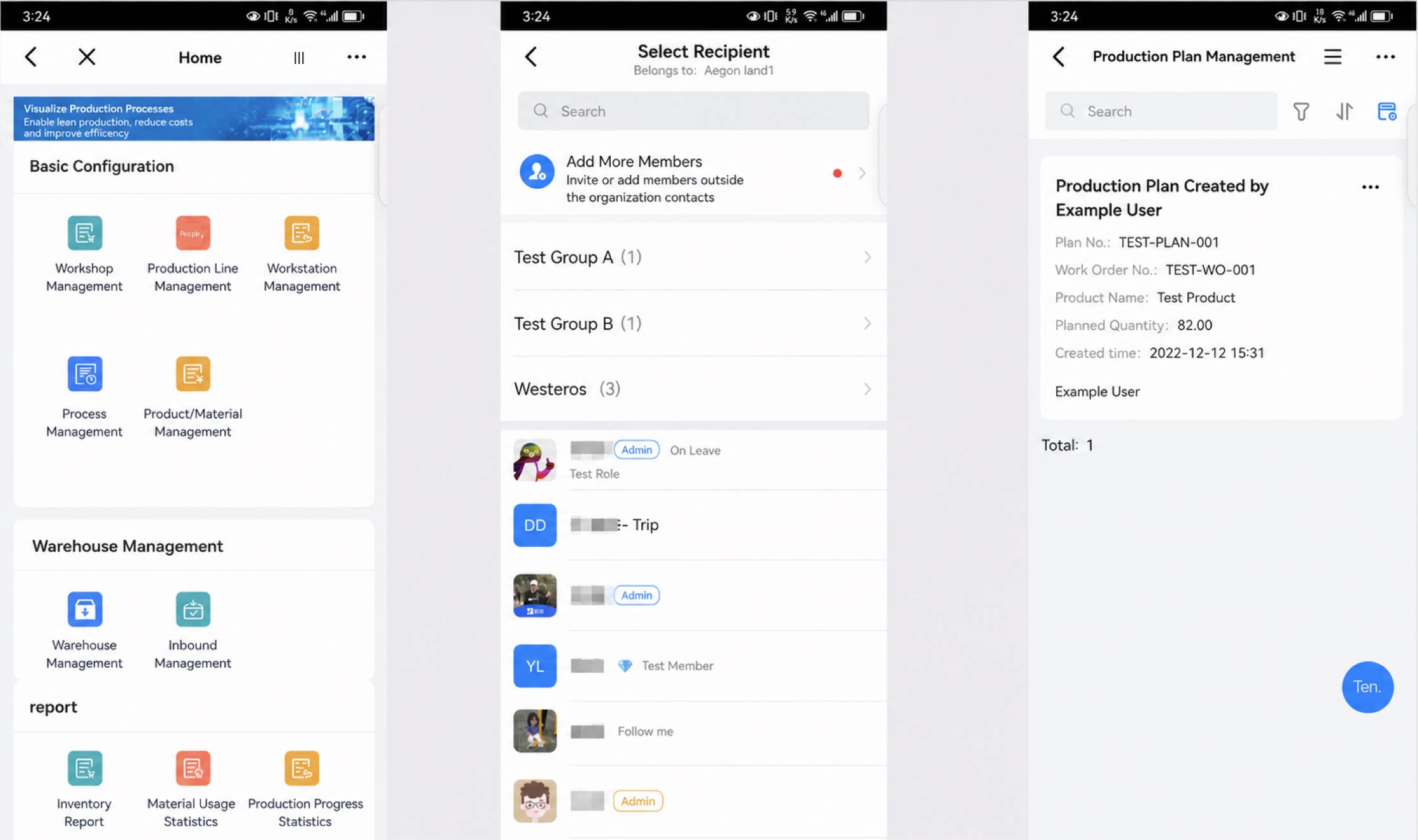 |
|---|
3. Timely alerts for key information
| App publishing: Admins receive a notification when an app is published to downstream organizations. 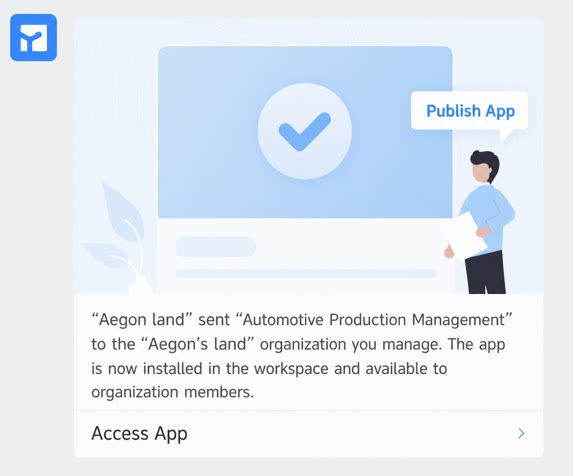 | Account quota alerts: • Downstream organizations consume YiDA licenses purchased by the upstream organization. • When 80% of licenses are consumed, the Super Admin receives a smart alert to prevent disruption to the primary organization. 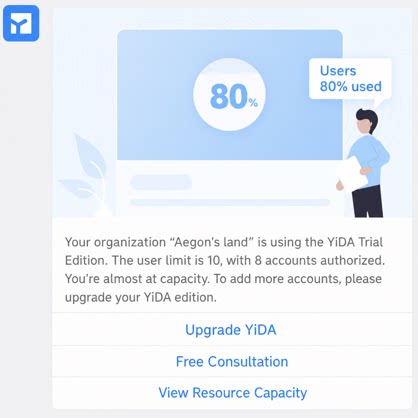 |
|---|
Downstream Organizations Use Apps, Submit Data, and Join Approvals
Downstream organization workbench and YiDA app workbench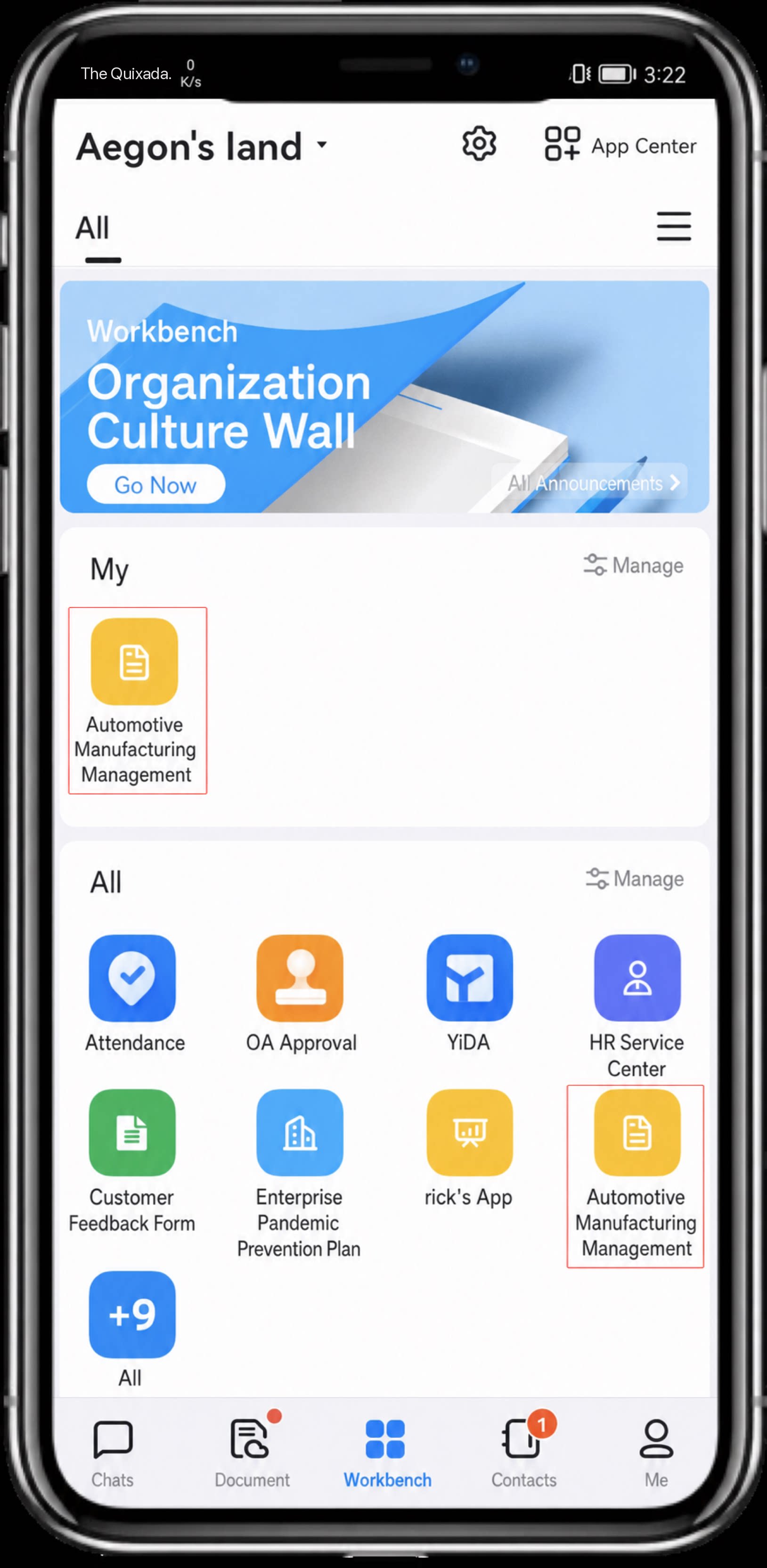 | • In the downstream organization’s app center, users can see apps published by the upstream organization. • Downstream organizations can quickly submit data and join approval collaboration. 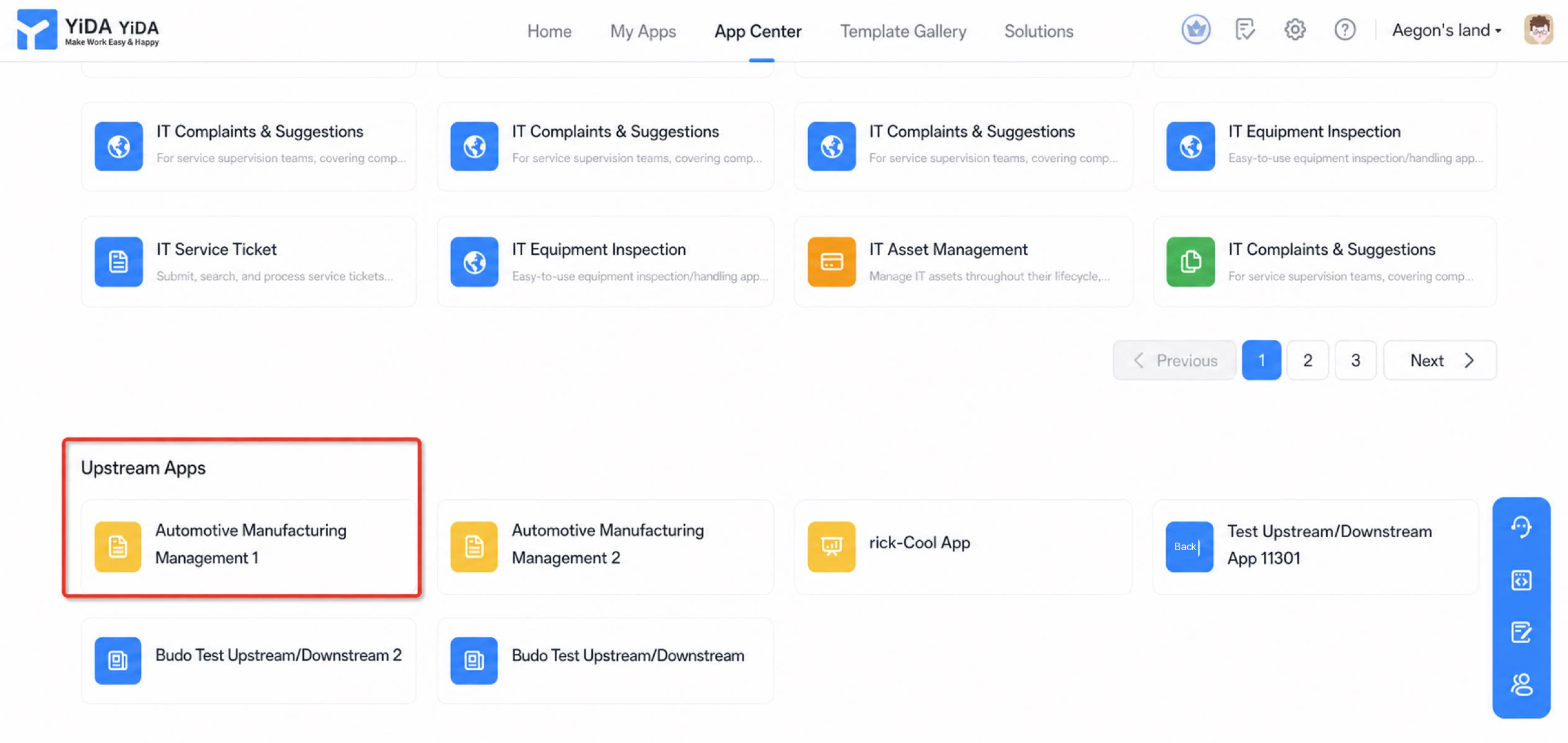 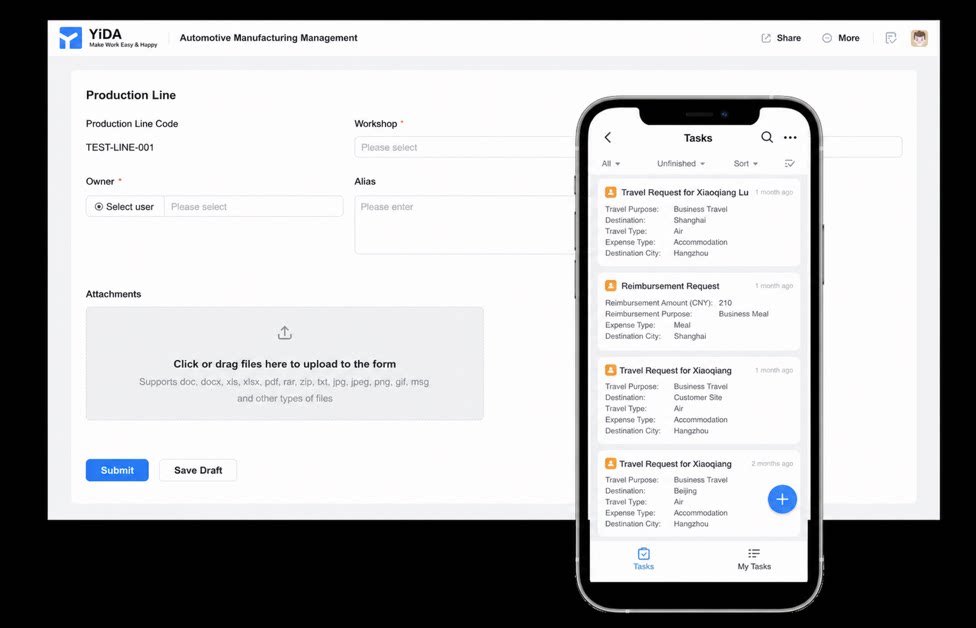 |
|---|
FAQ
Q: How are license counts calculated between the primary organization and downstream organizations? Can you give an example?
A: Here is an example of license allocation in the primary organization: a total of 2,000 + 200 = 2,200 seats are consumed, leaving 800 seats. If a downstream organization purchases YiDA independently, it simply uses YiDA as a standard organization.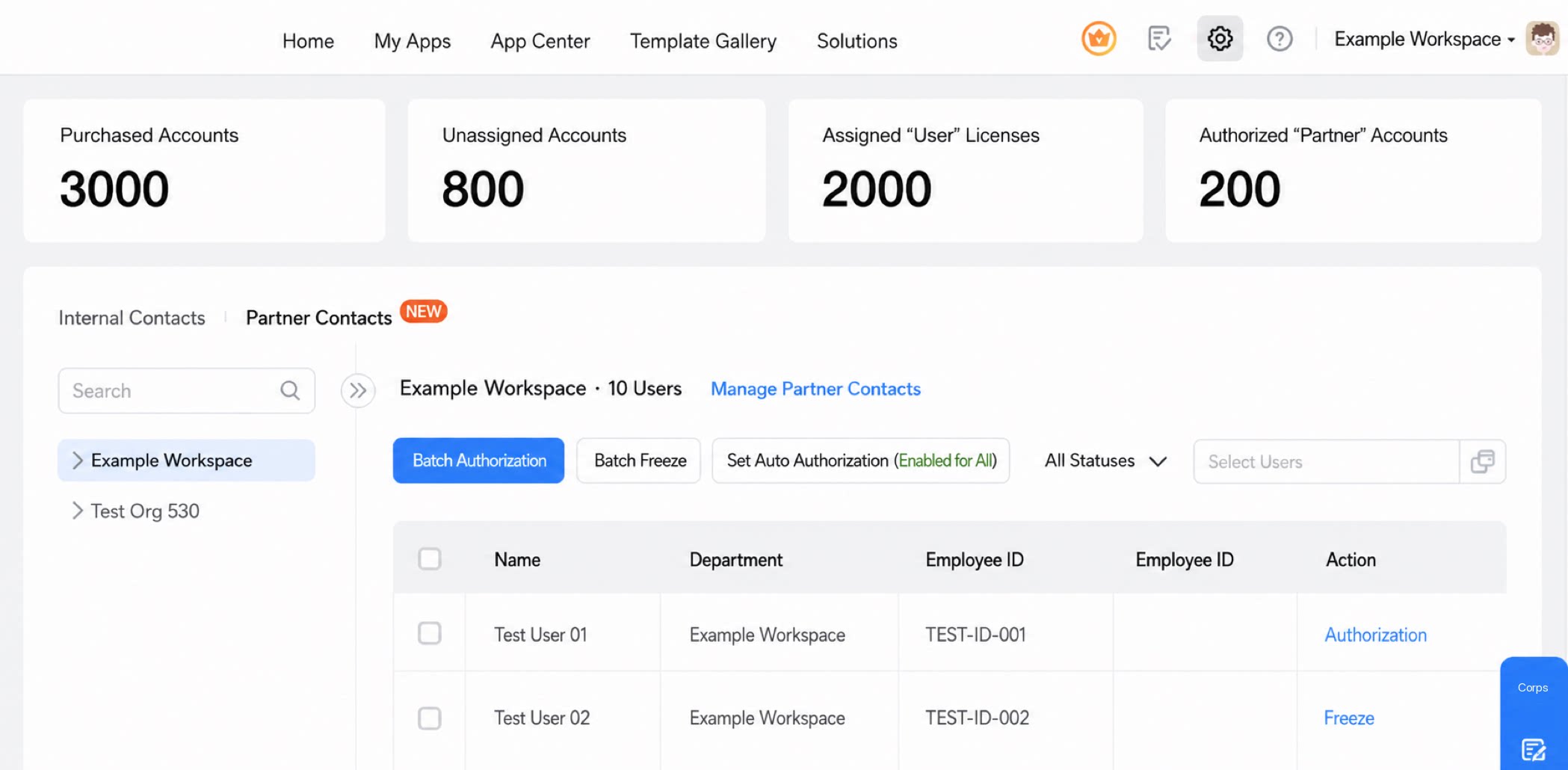
Q: In the primary organization’s app design mode, can formulas retrieve identity and organization information of downstream organizations?
A: Currently, user selection and department selection components within the downstream organization itself are supported. Retrieving downstream organization user information through formulas (such as DirectBuilder and DeptBuilder) is not supported yet.Q: Are cross-app form scenarios supported?
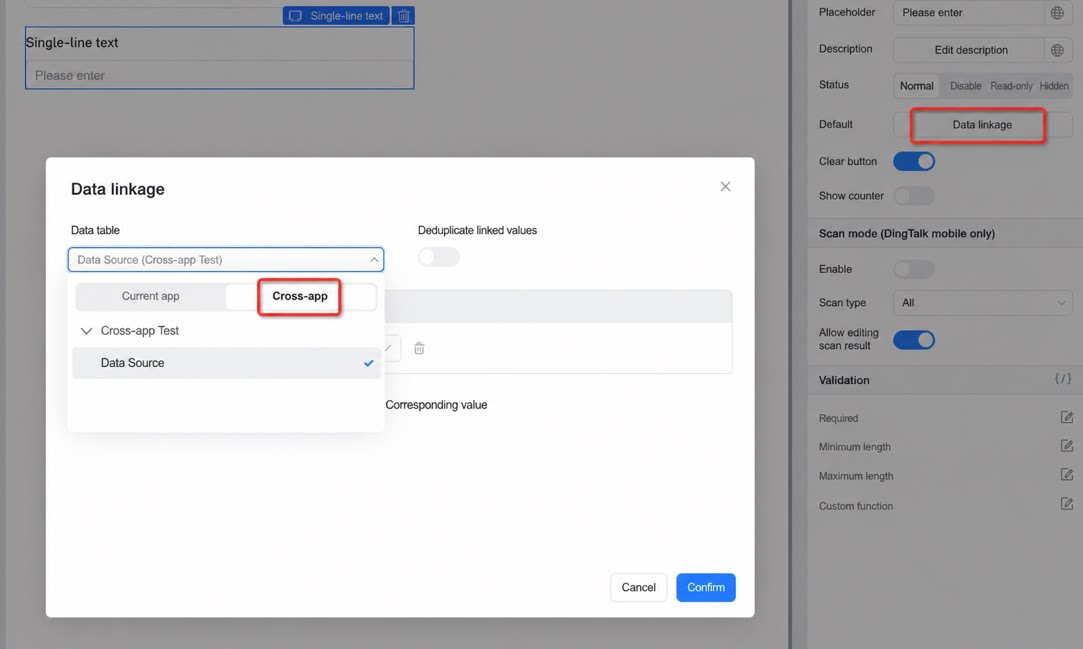
A: Currently, only business collaboration within the current app is supported. Cross-app scenarios such as data linkage and associated forms are not yet supported in upstream and downstream organizations.