Chats
Chats Calendar
 Meetings
 Contacts
 Mail
Mail Docs
Docs Drive
Drive AI Table
 AI Minutes
 Attendance
 Approval
 YiDA
YiDA Admin Console
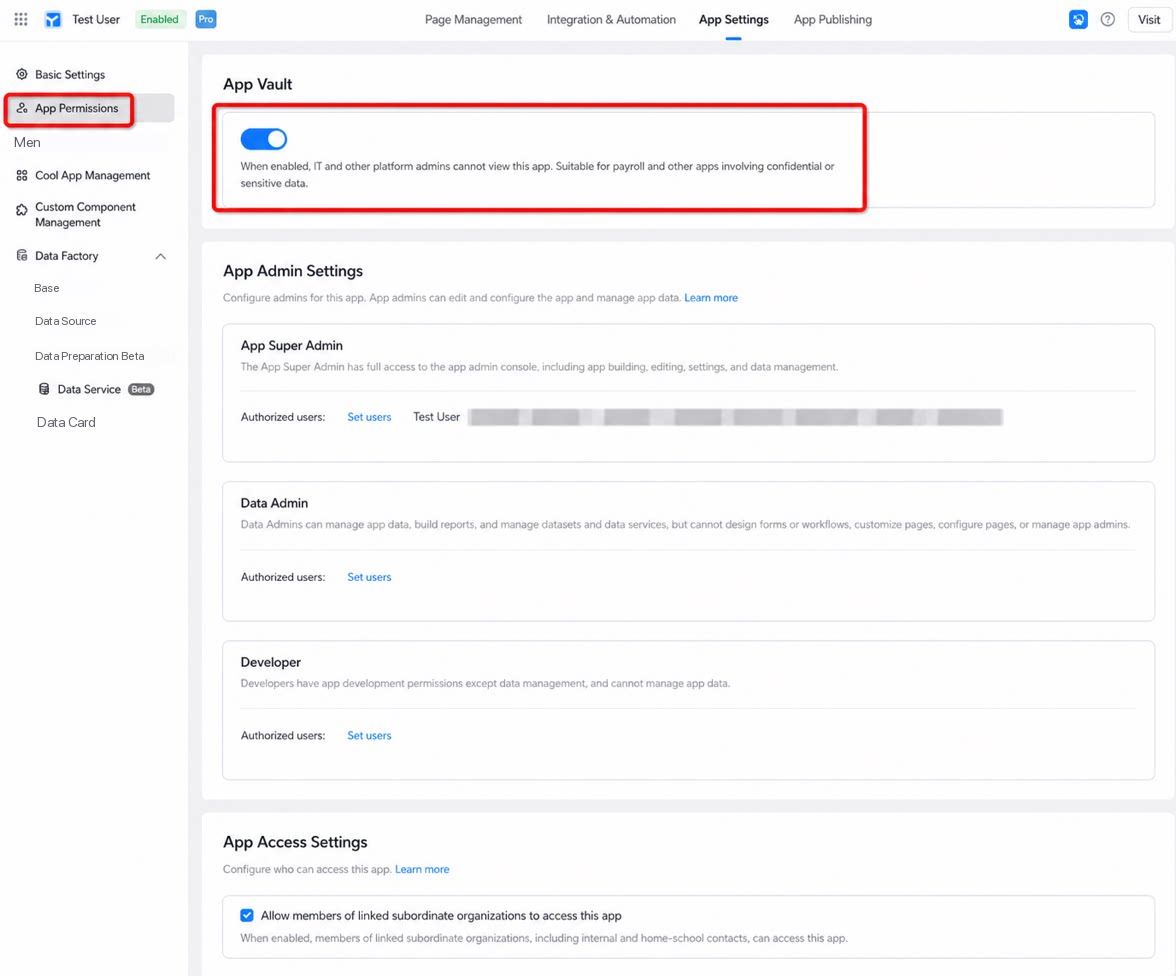
1. App Vault
- App Vault toggle: Once enabled for a specific app, the app achieves full business data protection. Platform admins can no longer directly access the app backend or view sensitive app data.
- After activation, IT and other platform admins cannot view the app. This is suitable for apps involving trade secrets or sensitive data, such as compensation and payroll.
2. Zero-Trust Firewall
When YiDA on the cloud needs to connect to your organization’s intranet integration & automation (HTTPS) or external data source JDBC (TCP/IP) services, the organization must expose these services on the public internet by default. YiDA works with DingTalk’s zero-trust enterprise gateway technology to prevent related services from being directly exposed to the public internet. Using zero-trust network penetration technology, it protects the organization’s core services while still meeting the requirements of business interconnection.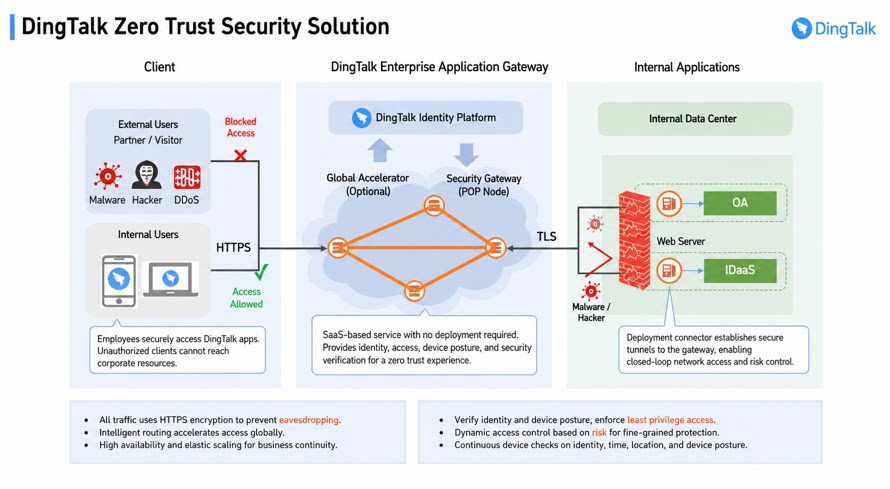
3. IP Network Fence
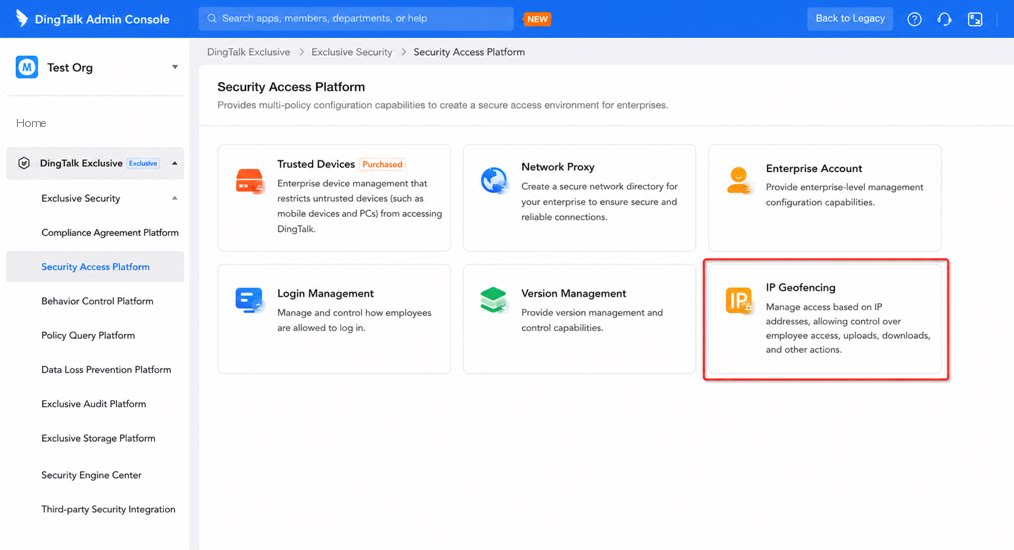
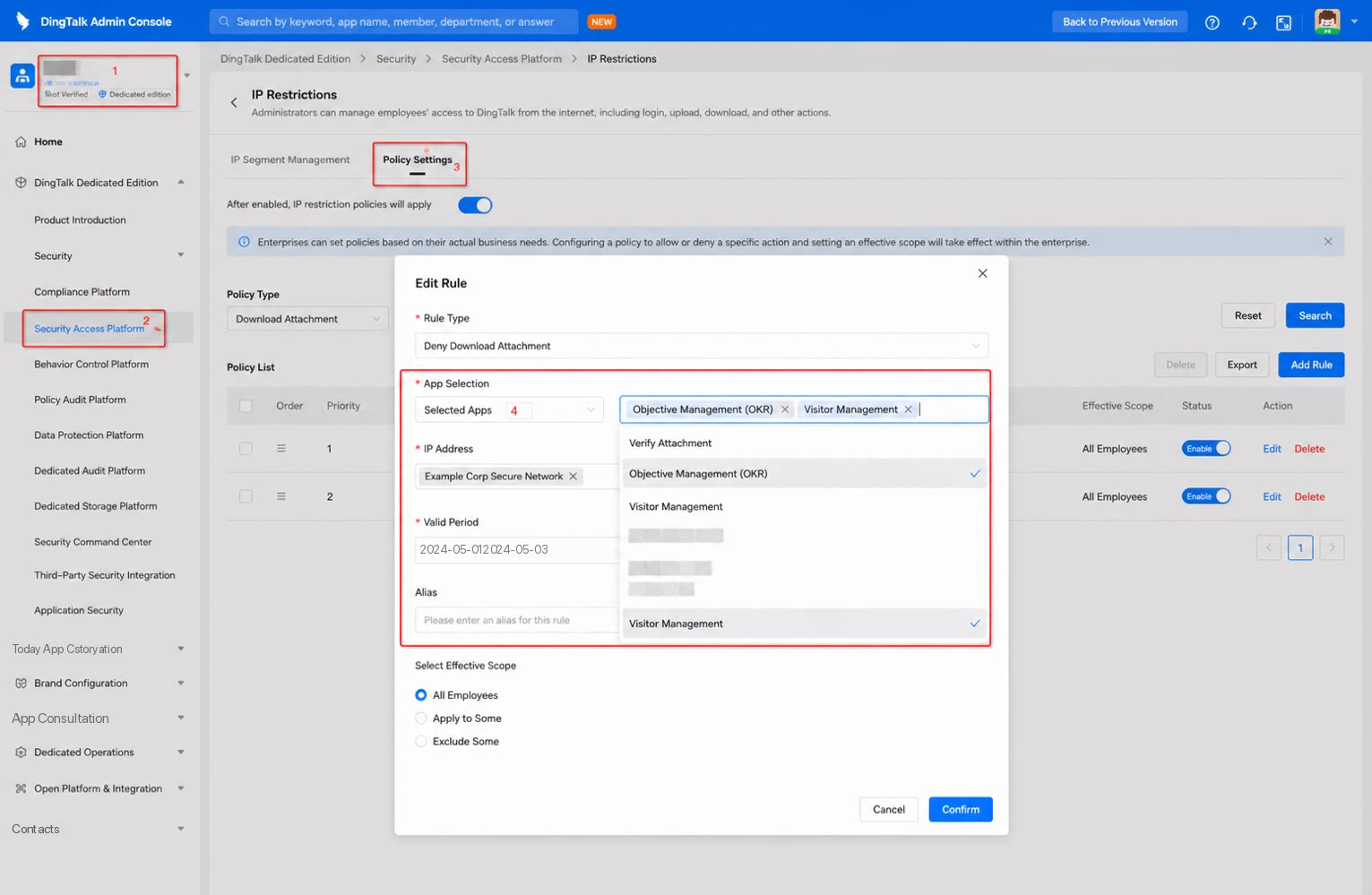
Admins can control employee behaviors such as signing in to DingTalk, uploading, and downloading files based on network address segments or apps. Go to OA admin backend > Dedicated DingTalk > Dedicated Security > Security access > IP fence to flexibly control secure attachment downloads for different YiDA apps.The IP segments configured in the IP fence must be public IPs, not private IPs.
| Before | After |
|---|---|
YiDA attachment downloads could only be disabled or enabled as a whole, with no control by app.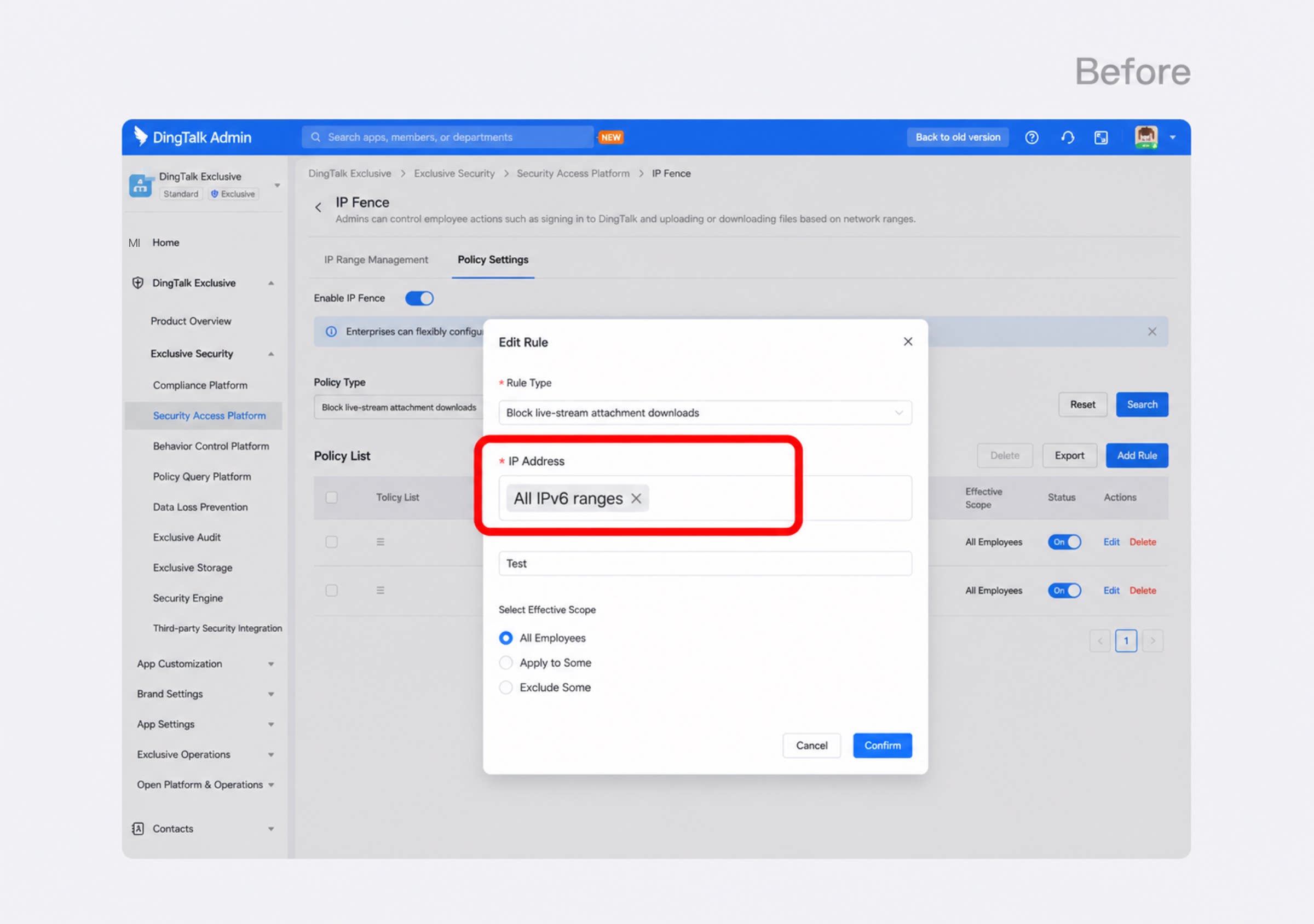 | Configure attachment controls flexibly by combining conditions such as specific network IP segments, specific organization groups, and specific YiDA Apps.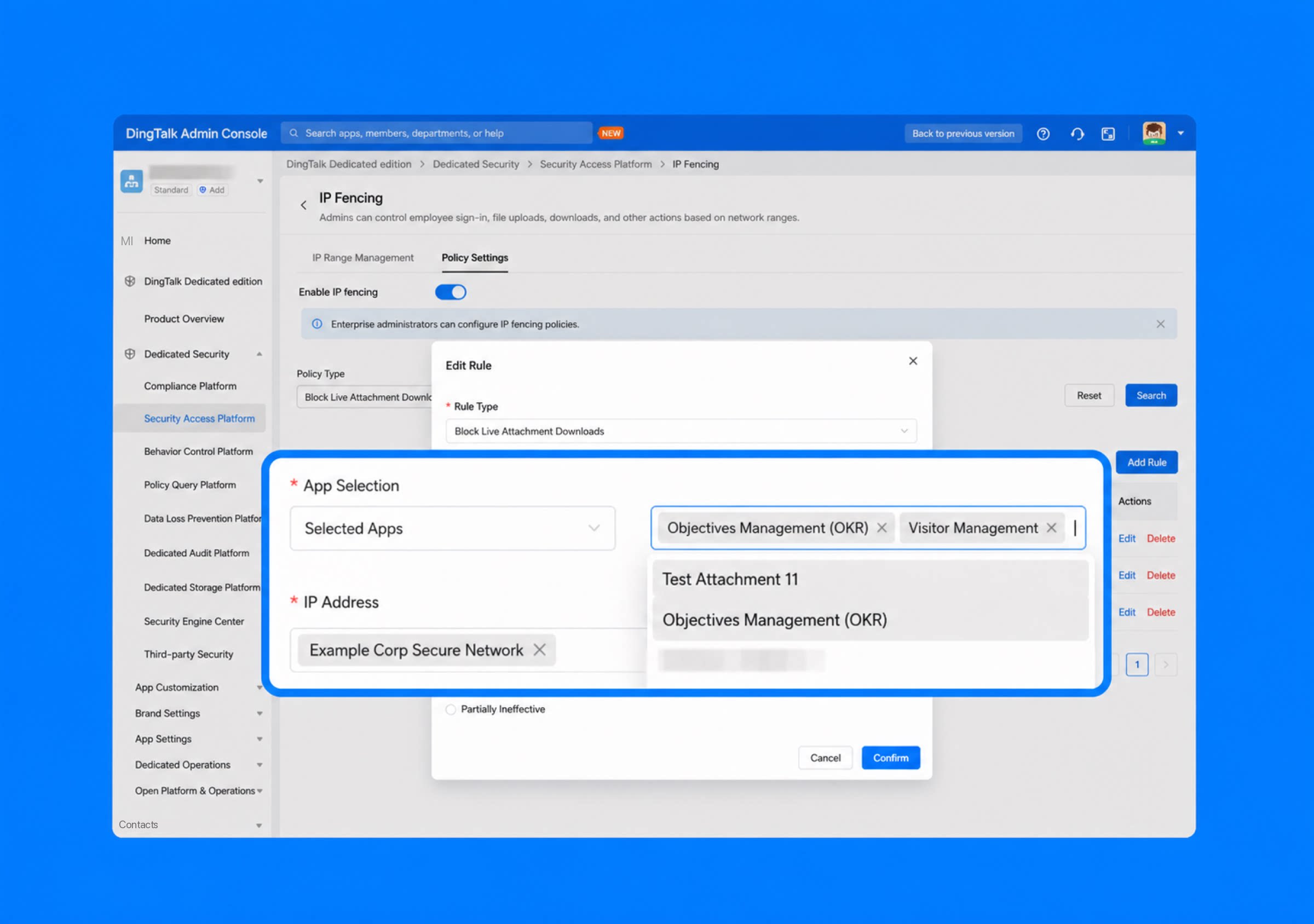 |
4. Dedicated Network Line Mode
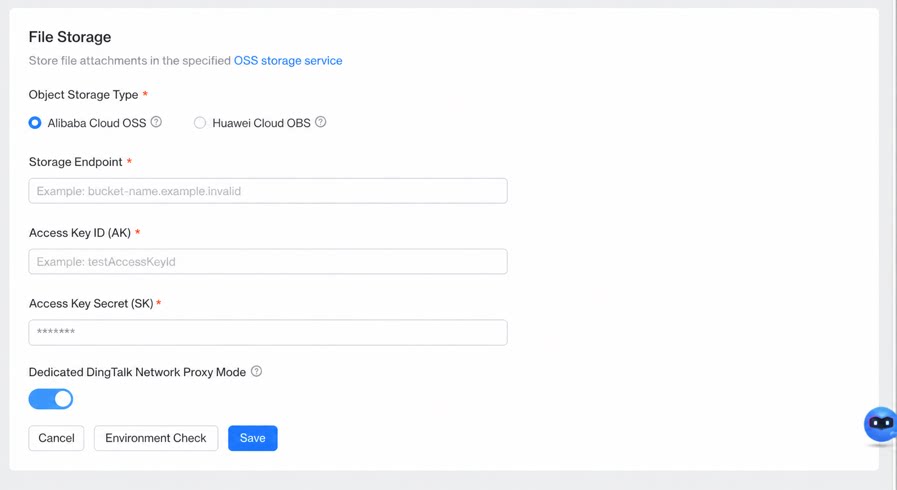
- Dedicated DingTalk provides professional network proxy capabilities for dedicated network lines, enabling communication between dedicated lines and the public internet under trusted identity. YiDA Dedicated supports the “dedicated network line proxy mode” capability of Dedicated DingTalk.