Chats
Chats Calendar
 Meetings
 Contacts
 Mail
Mail Docs
Docs Drive
Drive AI Table
 AI Minutes
 Attendance
 Approval
 YiDA
YiDA Admin Console
When Do You Need a Custom Domain?
- In general scenarios, YiDA provides each organization with a dedicated subdomain under aliwork.com. Organizations can customize the ** segment in **.aliwork.com to achieve a certain level of URL personalization.
- However, medium and large organizations with stronger branding requirements — such as those building internal portals or enterprise information systems aligned with corporate identity — need a fully custom domain configuration.
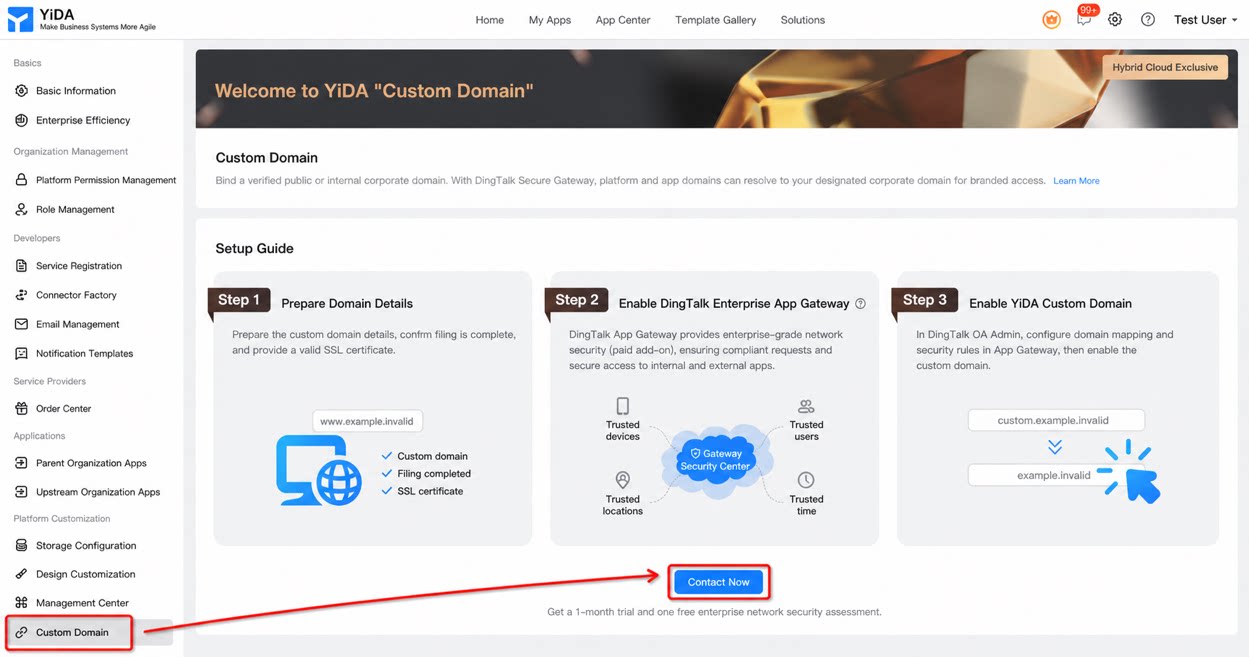
Solution Overview
- YiDA custom domain
How to Enable a Custom Domain
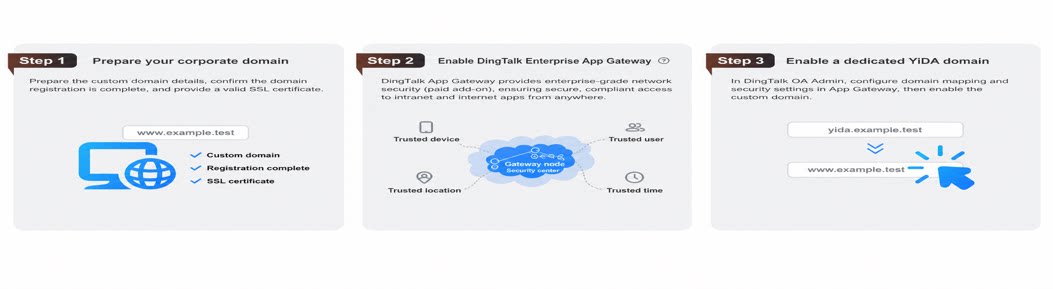
1. Prepare Your Organization’s Domain Materials
Prepare the custom domain you want to configure, confirm that ICP filing has been completed for it, and provide a valid SSL certificate.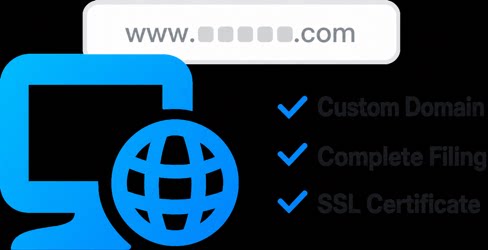
2. Activate DingTalk Enterprise App Gateway
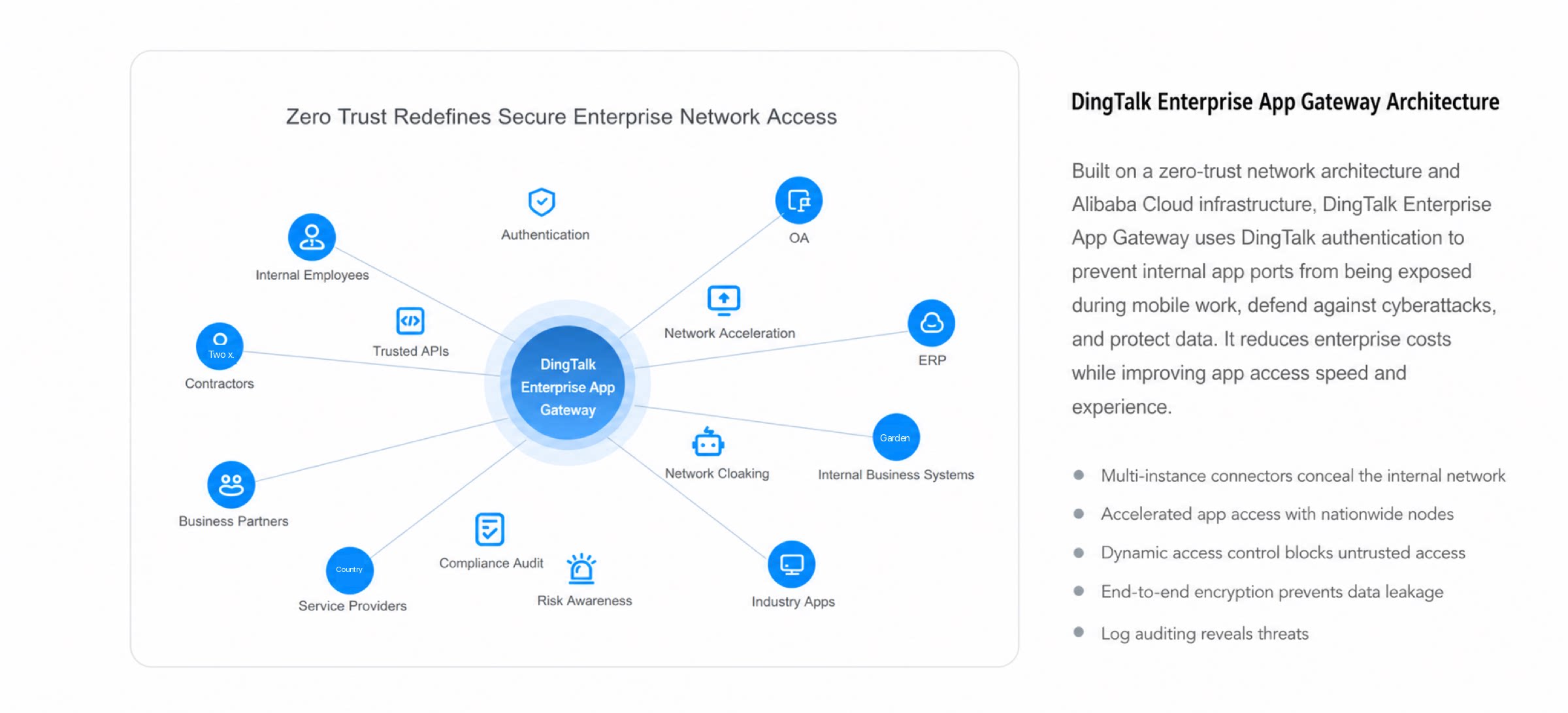
DingTalk App Gateway delivers an enterprise-grade network security solution (paid activation required). It keeps every network request secure and compliant, and enables safe access to both intranet and extranet apps anytime, anywhere.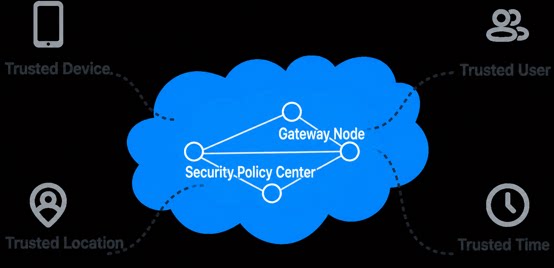
3. Enable the YiDA Custom Domain
In the DingTalk OA admin console, use the App Gateway product settings to configure domain mapping rules and security policies, then formally enable your custom domain.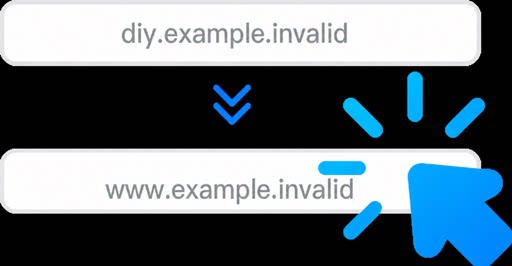
Exclusive Benefits
- Every organization on the YiDA Dedicated edition receives a one-month trial of the “Custom domain” benefit and one free “Network security assessment” benefit.
- YiDA Dedicated customers who successfully enable a custom domain also receive one additional internal app security scan to further strengthen protection for their domain and network.