Chats
Chats Calendar
 Meetings
 Contacts
 Mail
Mail Docs
Docs Drive
Drive AI Table
 AI Minutes
 Attendance
 Approval
 YiDA
YiDA Admin Console
Each organization can create up to 10 groups, and each group can contain up to 100 apps.
Manage App Groups
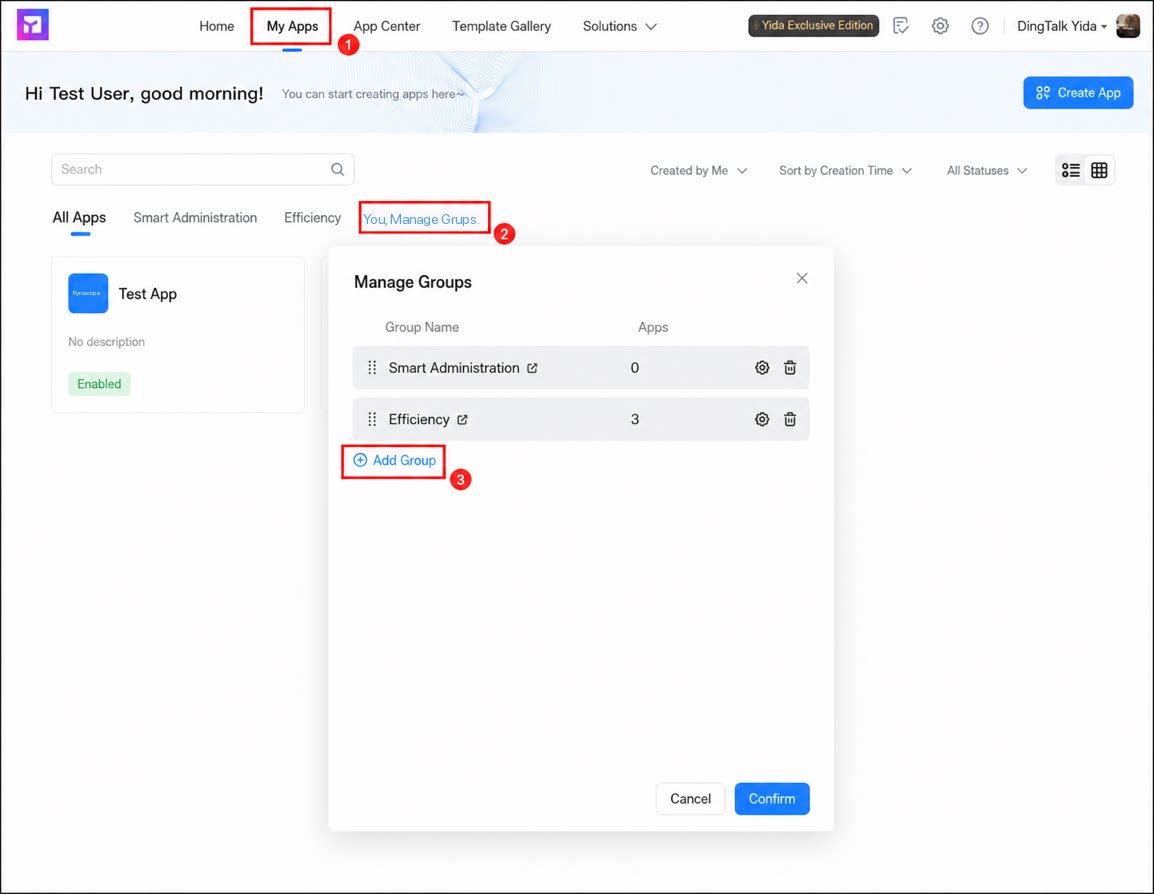
Follow these steps to manage App groups.- Sign in to the YiDA workbench and go to the My Apps page.
- Click Manage groups. In the dialog box, click Add group and enter a group title.
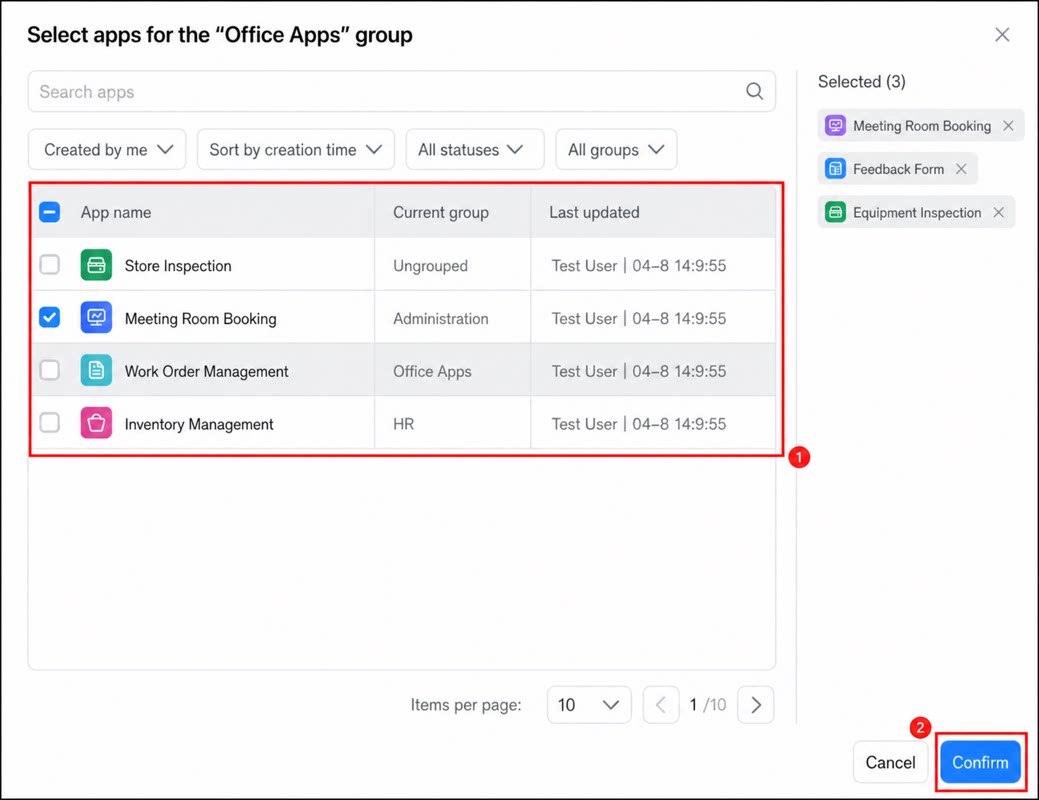
- Click + on the right to add apps to the group, then click Confirm to complete creation.
YiDA To-Do Groups
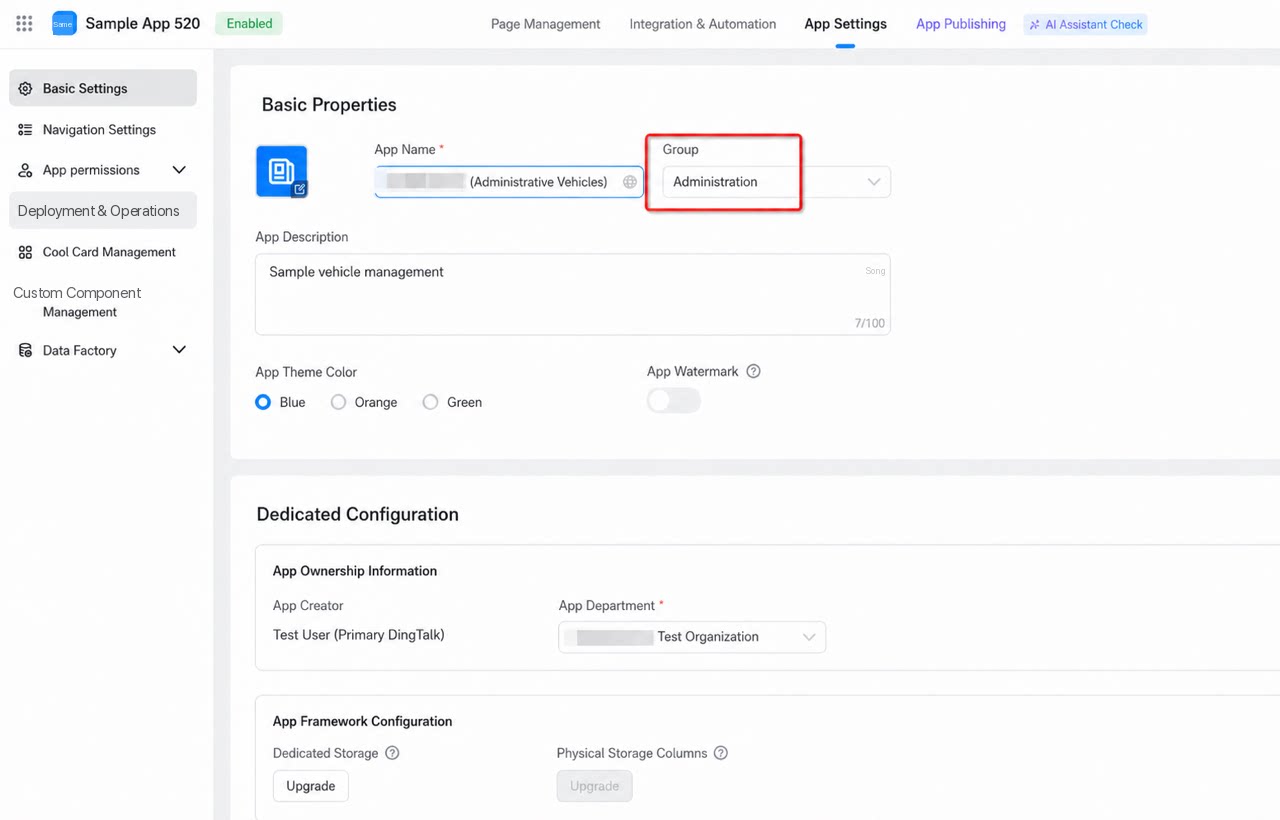
DingTalk To-Do tasks sync YiDA App groups to the Task list, and the YiDA To-Do task list appears in OA Approval based on this group information. When you create an app or open App Settings, you can flexibly adjust and configure the business category and group information of an app. Group relationships are maintained by the platform management admin, while regular app developers can adjust the group an app belongs to.