Chats
Chats Calendar
 Meetings
 Contacts
 Mail
Mail Docs
Docs Drive
Drive AI Table
 AI Minutes
 Attendance
 Approval
 YiDA
YiDA Admin Console
Overview
In YiDA Dedicated, we retain the original YiDA permission framework and further refine the division of platform Admin permissions.Precise Permission Tiering
The YiDA permission framework consists of platform-level and app-level permissions. Platform-level permissions govern organization authorization, system behavior, global roles, and global configurations. Each app maps to a real business scenario. At the app level, you can control app building, app data viewing and management, and app data entry management. With YiDA’s multi-tier permission framework and platform Sub Admins, you can better manage permissions for complex group structures and multi-tier organizational hierarchies.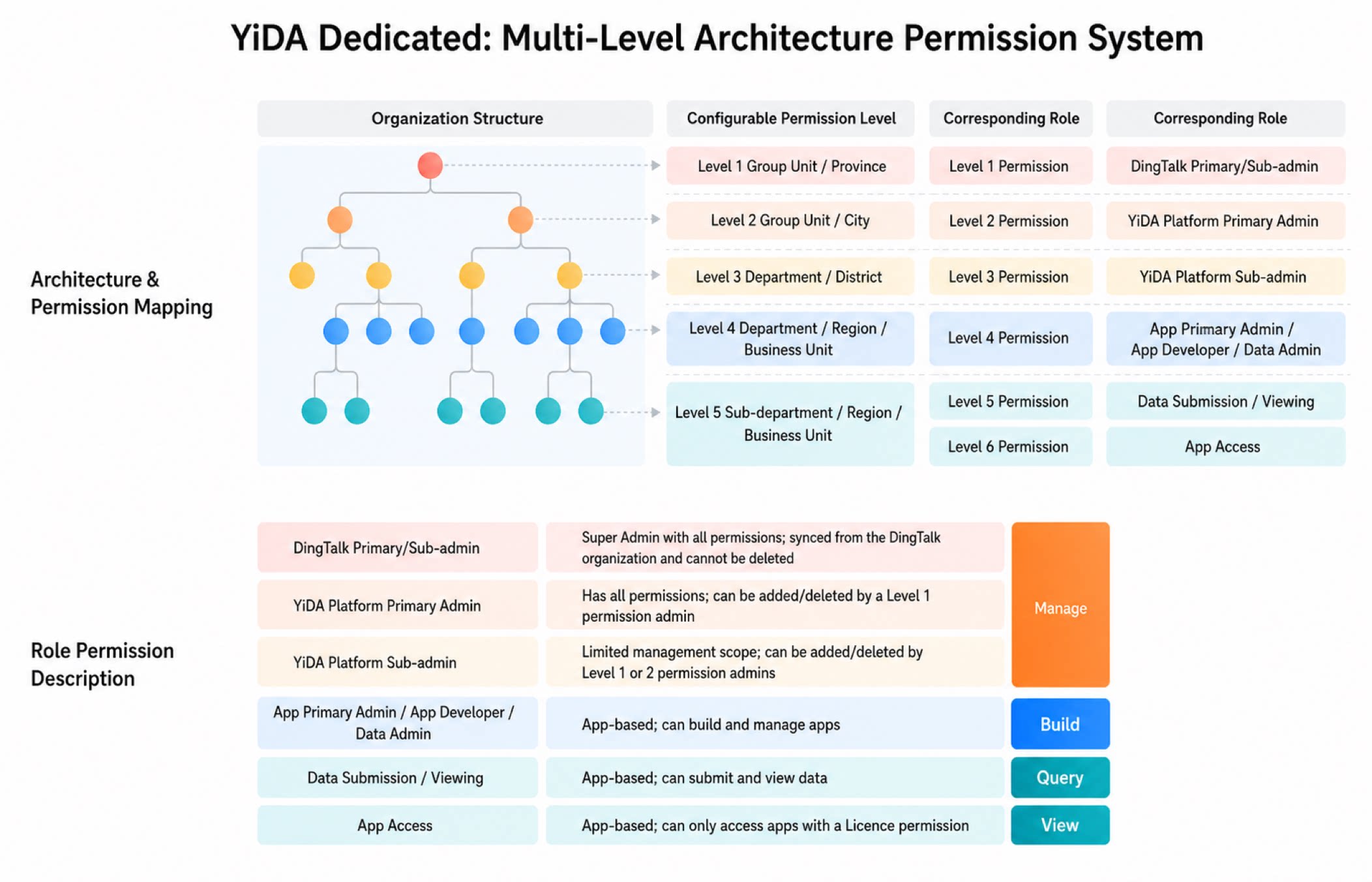
Platform Sub Admin
Platform Sub Admins can configure permissions on their own based on actual needs, adapting to changes in organizational structure. This means you can apply more targeted permission control, safeguard data security, and grant authorization on demand, improving operational efficiency across the entire organization. With this feature, platform users can manage and maintain organization resources efficiently while keeping them secure, resolving the previous issues of complex permission settings and limited flexibility.- A platform Sub Admin’s management permissions are granted by the platform Admin. Sub Admins can only manage the specific scope or management scenarios designated by the Super Admin.
- A platform Sub Admin cannot manage any apps or services that are not explicitly assigned to them.
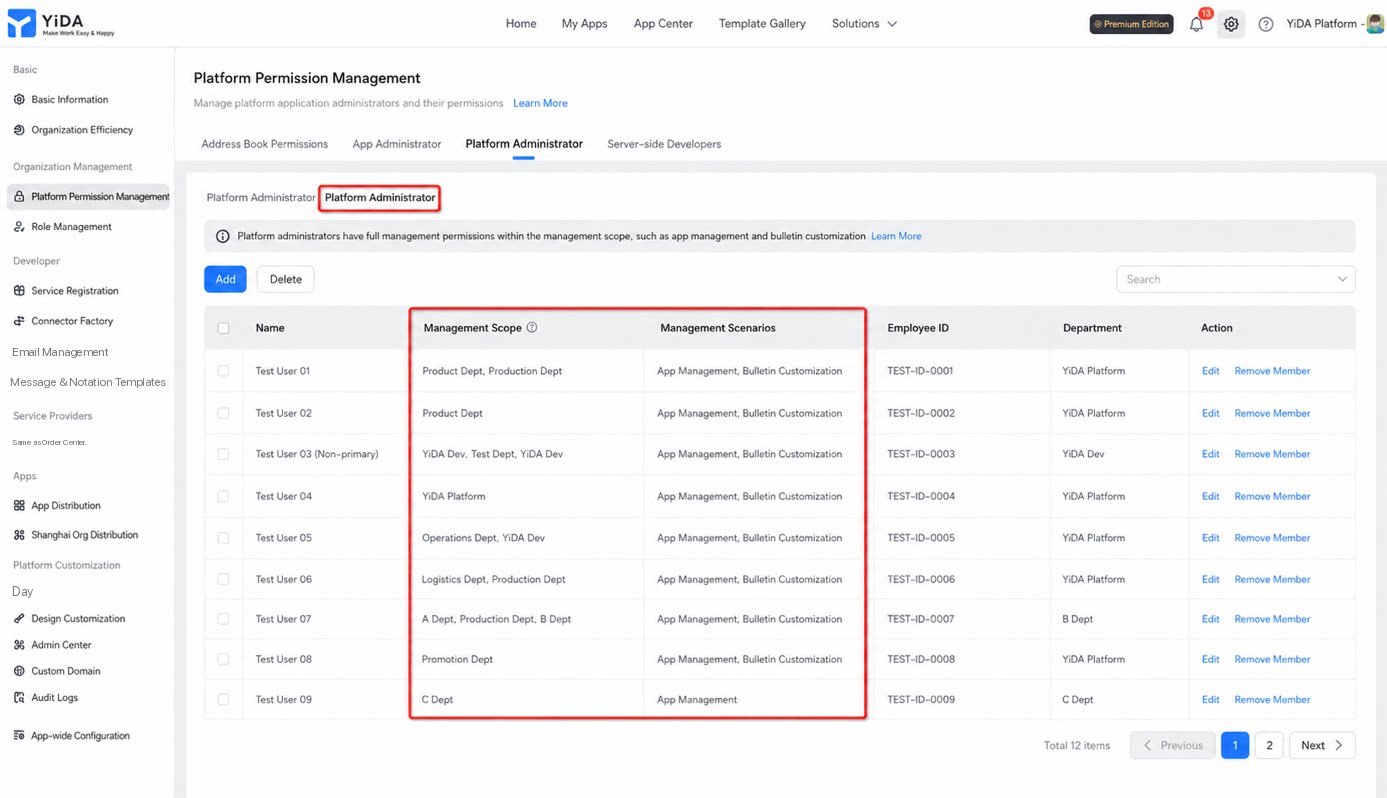
Scenario 1: App Management
In the App Management console, under All apps (which includes every app with management permissions), the list is automatically filtered for platform Sub Admins to show only the apps they are authorized to manage.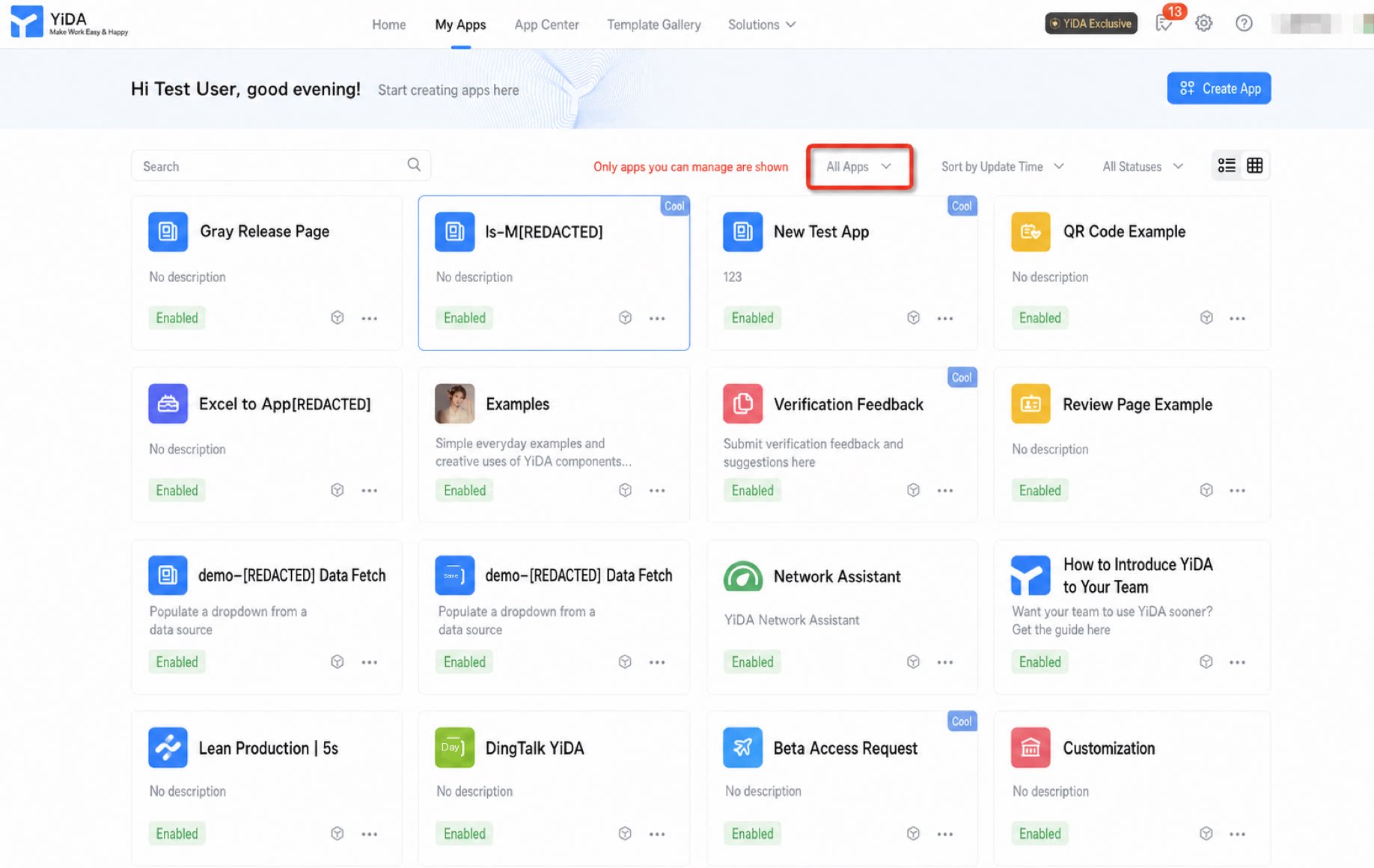
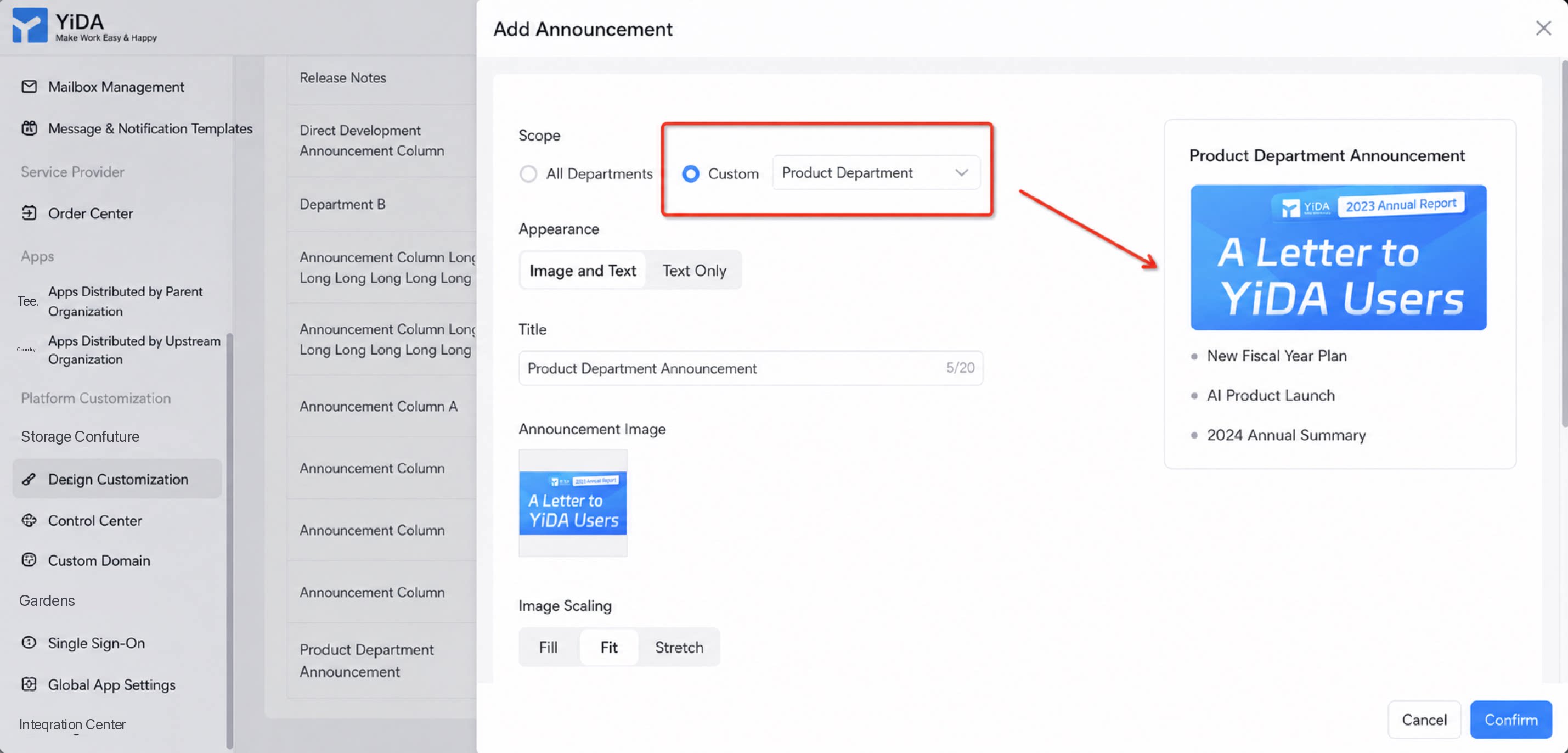
Scenario 2: Bulletin Board Management
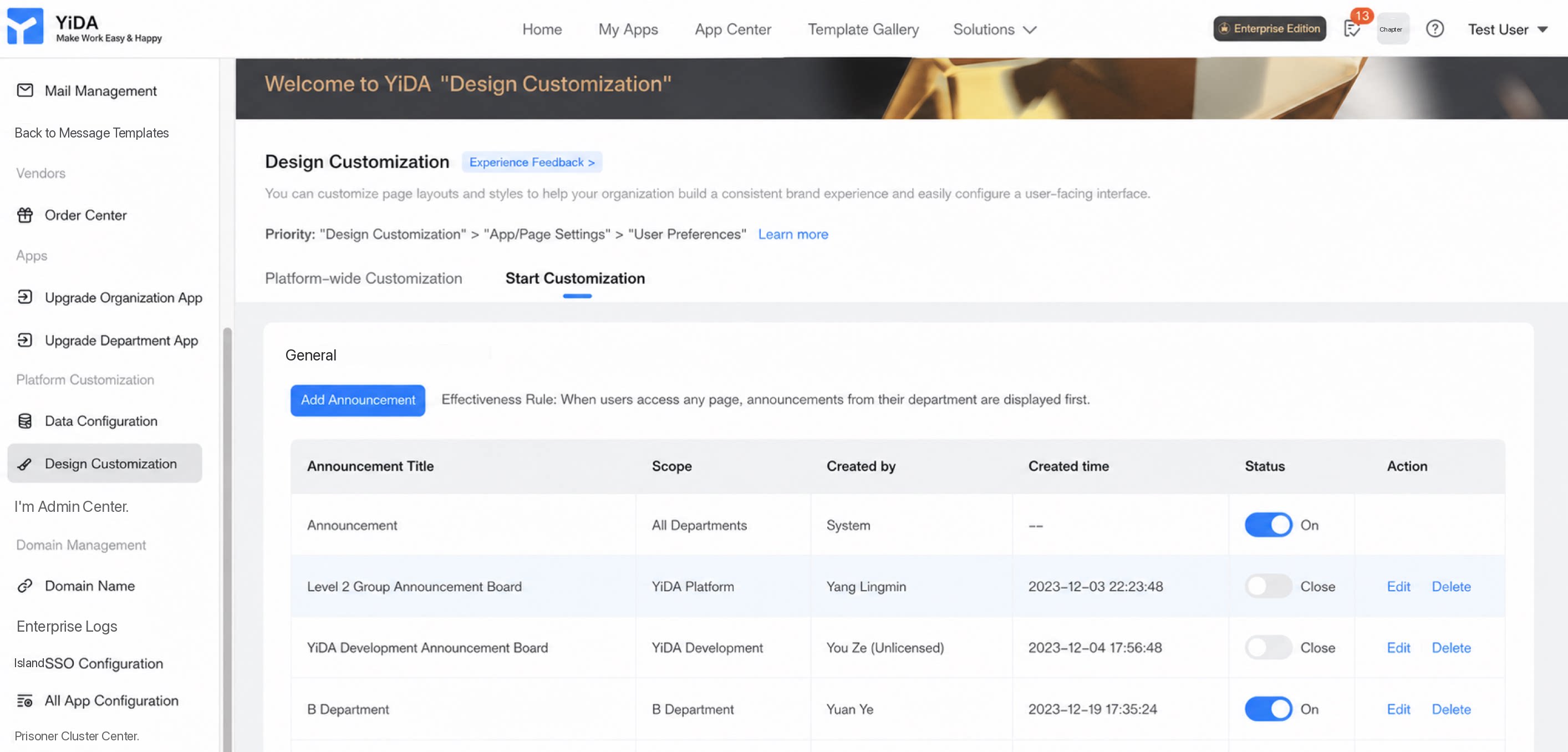
Configure multiple sets of organization bulletin content based on management scope.