

 Chats
Chats Calendar
 Meetings
 Contacts
 Mail
Mail Docs
Docs Drive
Drive AI Table
 AI Minutes
 Attendance
 Approval
 YiDA
YiDA Admin Console
To better convey organizational brand identity and help organizations customize design styles to match business needs, YiDA Dedicated edition opens up a range of design customization capabilities.
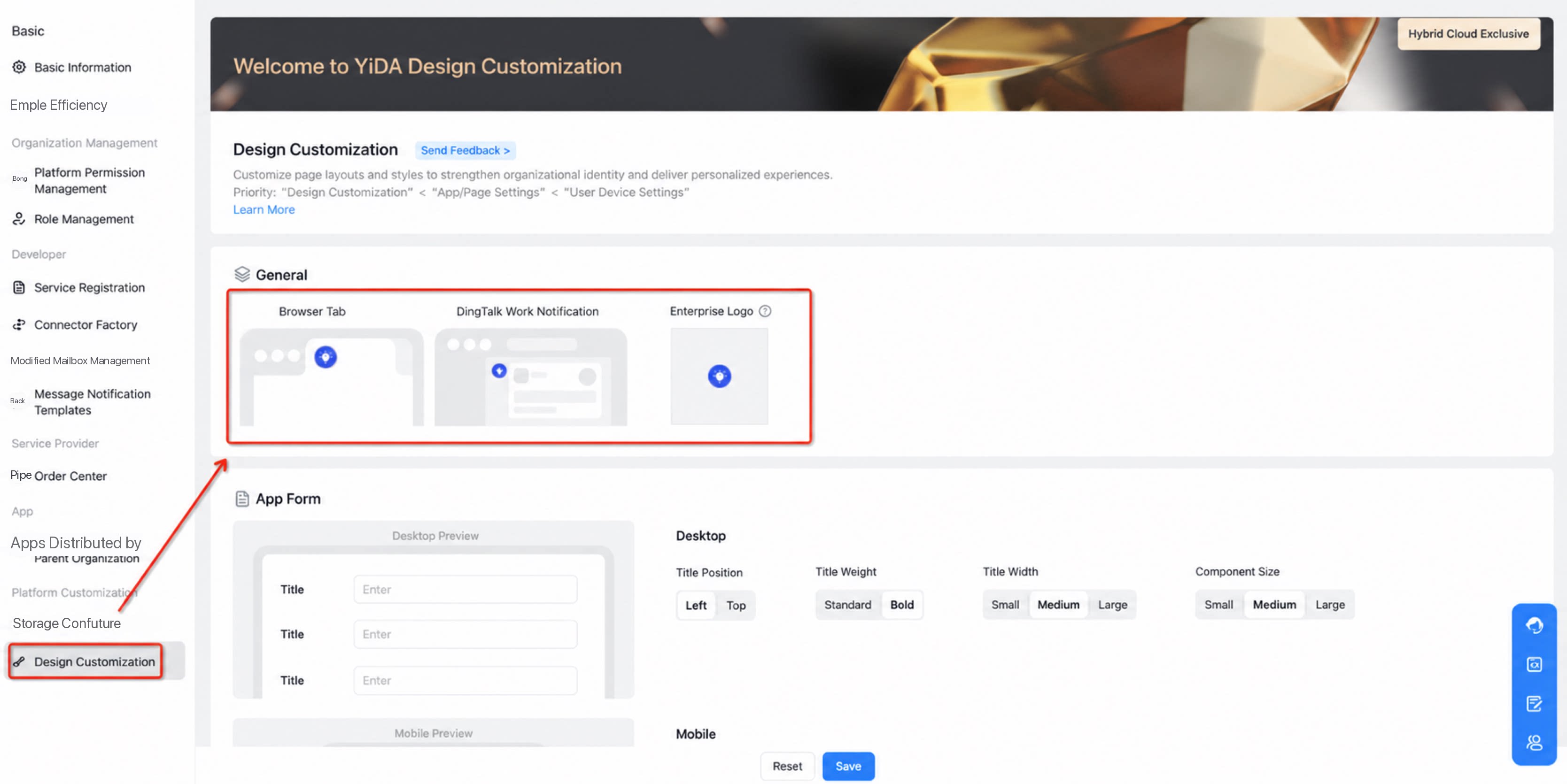
Design Customization Features
1. Custom Organization Logo
A platform-level design customization applied to Message notifications, the navigation bar, and app icons. Set an organization-exclusive logo (JPG, JPEG, GIF, PNG, or SVG files under 1 MB are supported). The replaced logo appears on the icon in the browser’s top tab and the message Card Profile Photo of DingTalk App Work Notifications.| Icon in the browser’s top tab | Message Card Profile Photo for DingTalk App Work Notifications |
|---|---|
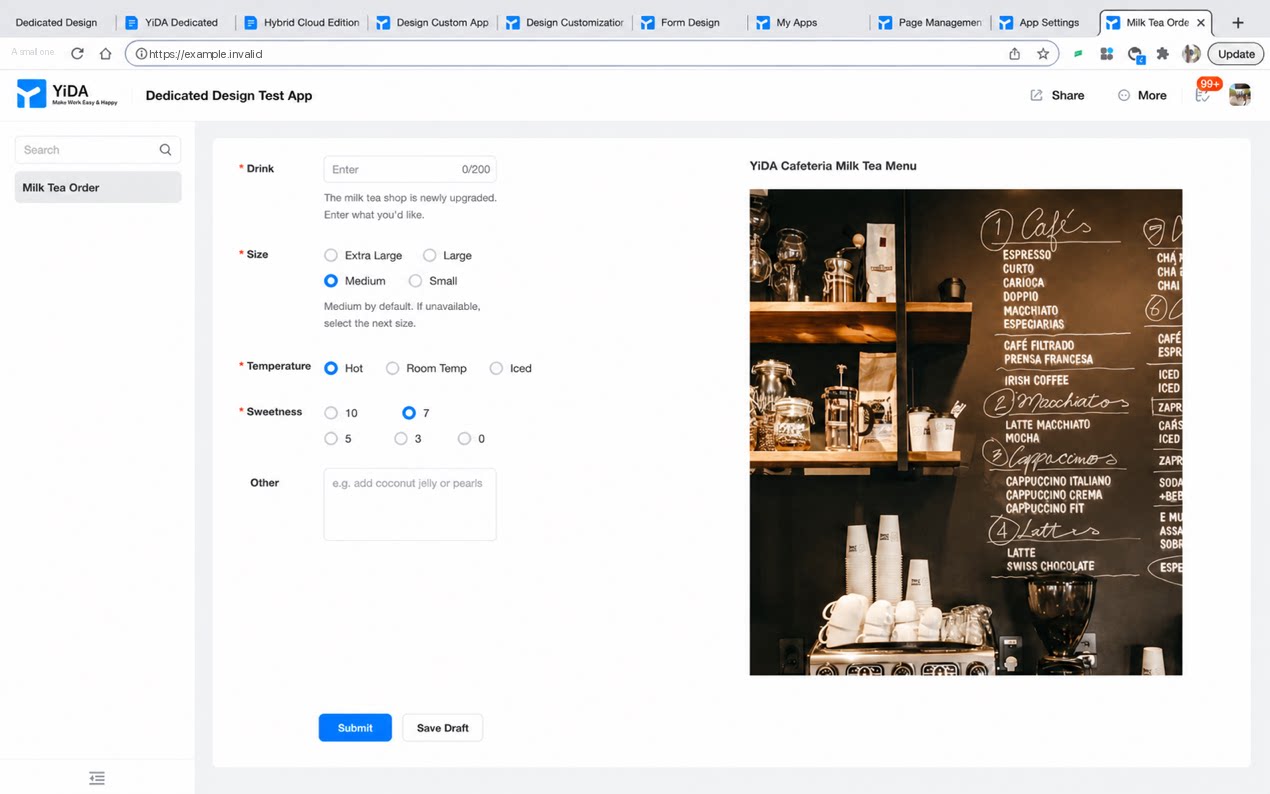 | Only adapted for Approval quick Chats to replace the organization logo. Page quick Chats, integration & automation message nodes, and process reminder Cards are not yet supported. 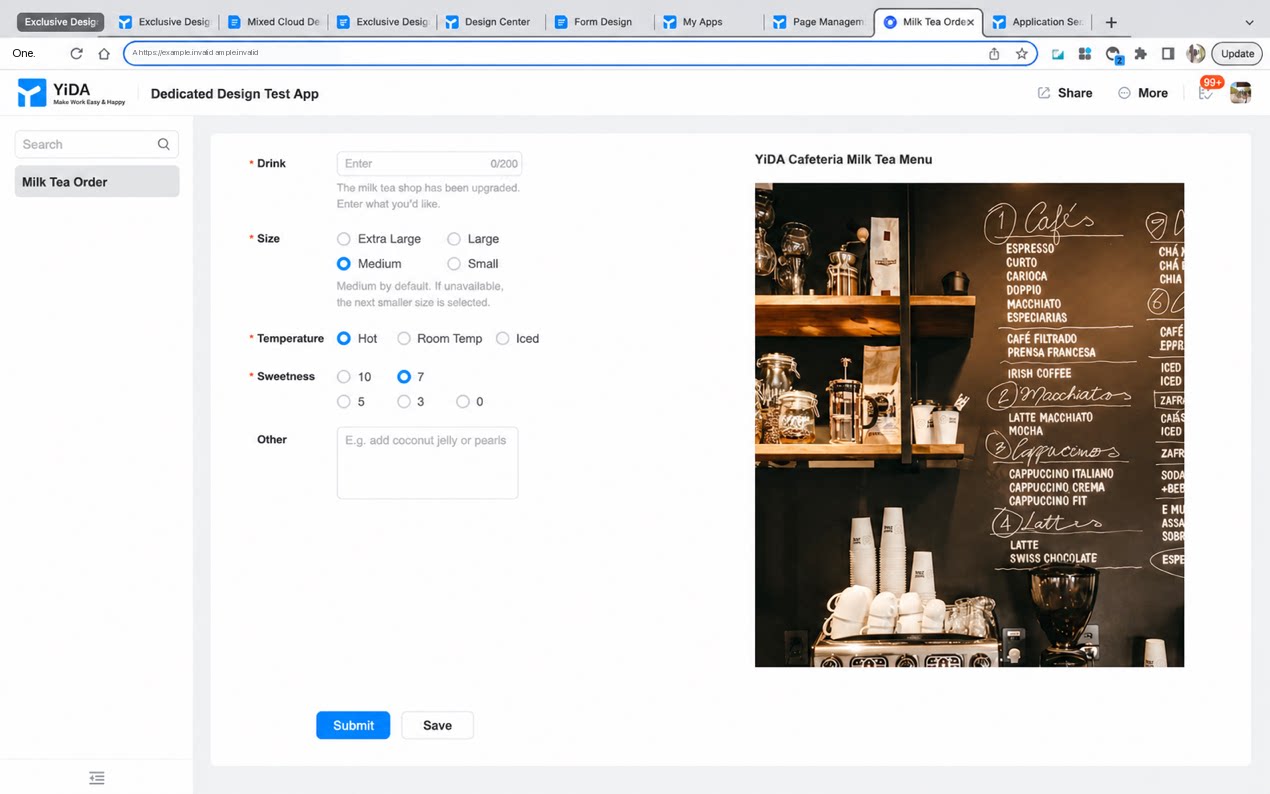 |
2. Custom Form Styles
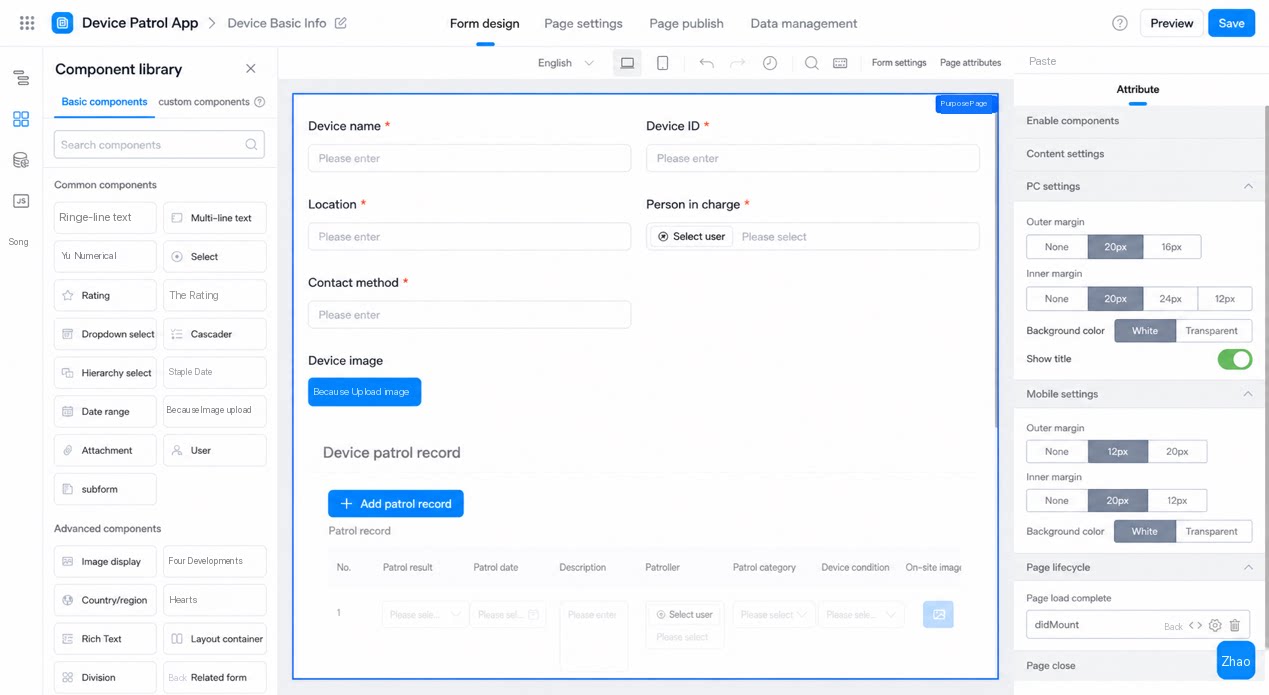
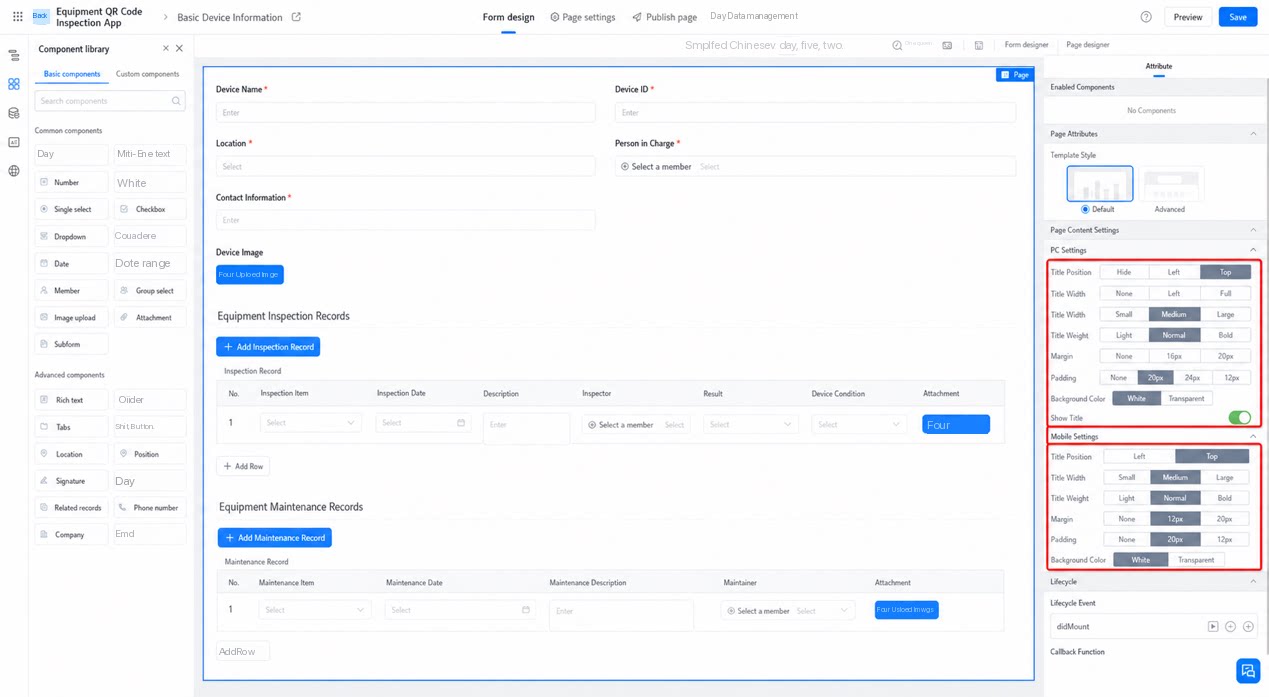
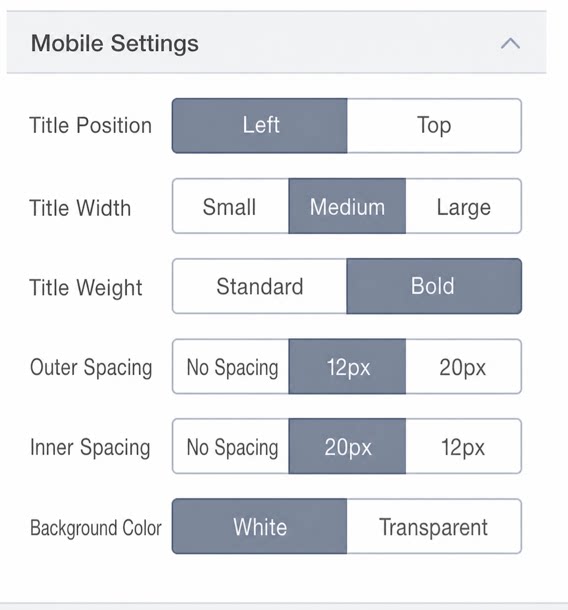
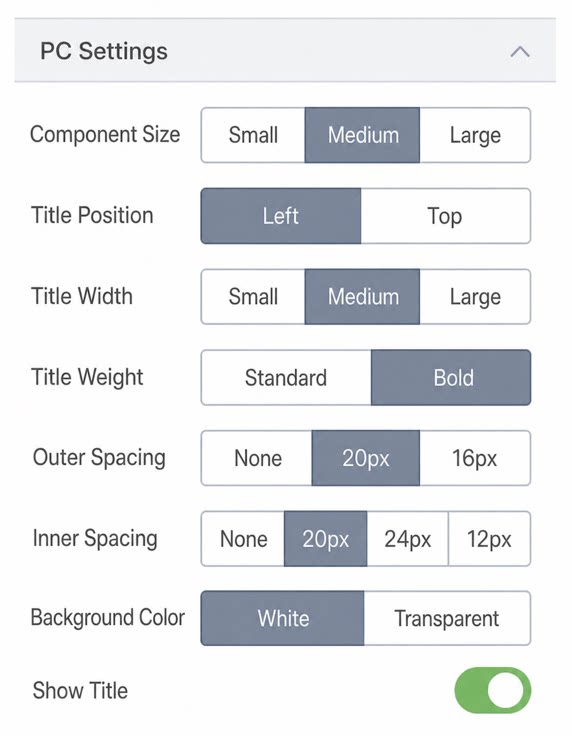
Configure text styles such as Font Size on both sides of the Form, along with the Layout arrangement mode. App Forms support Layout and style adjustments on both PC and mobile, and also support Preview of the applied effects.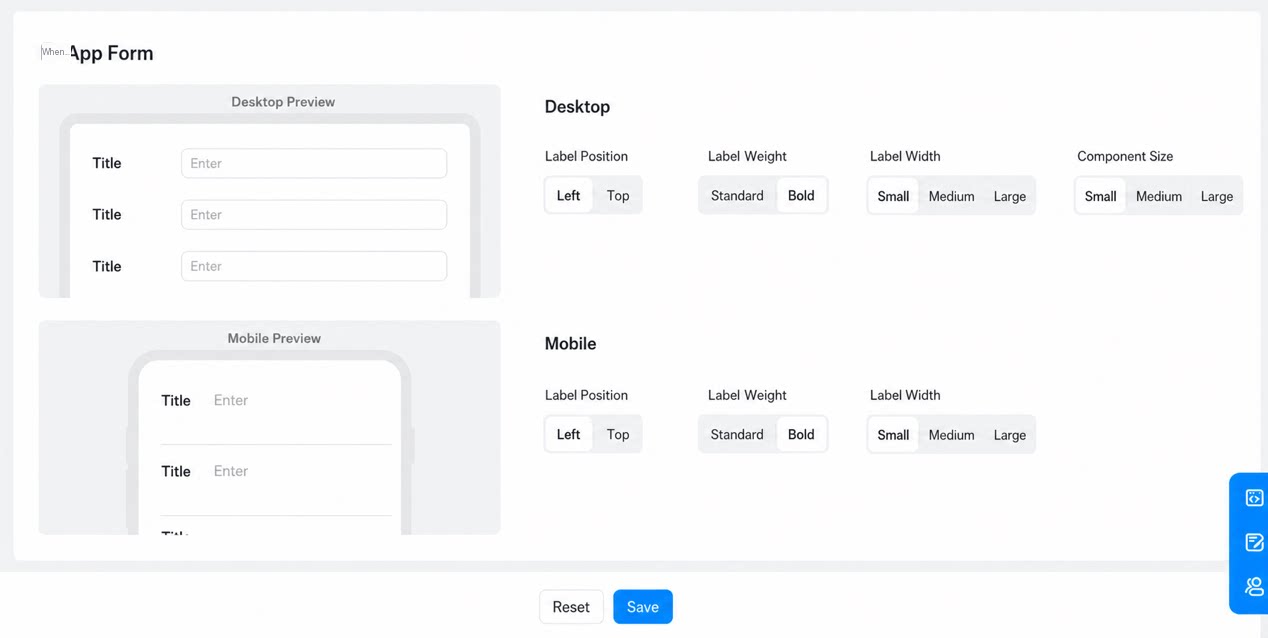
| Mobile configuration | PC configuration |
|---|---|
 |  |
| Mobile configuration | PC configuration |
|---|---|
 |  |
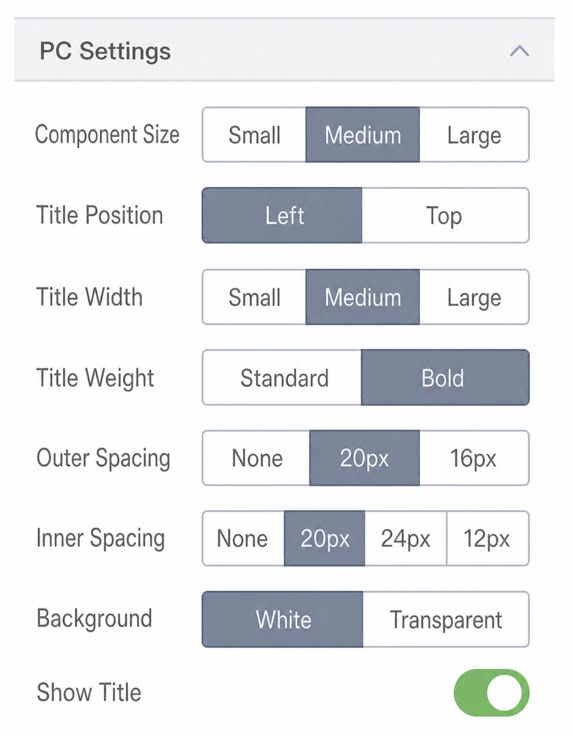 | 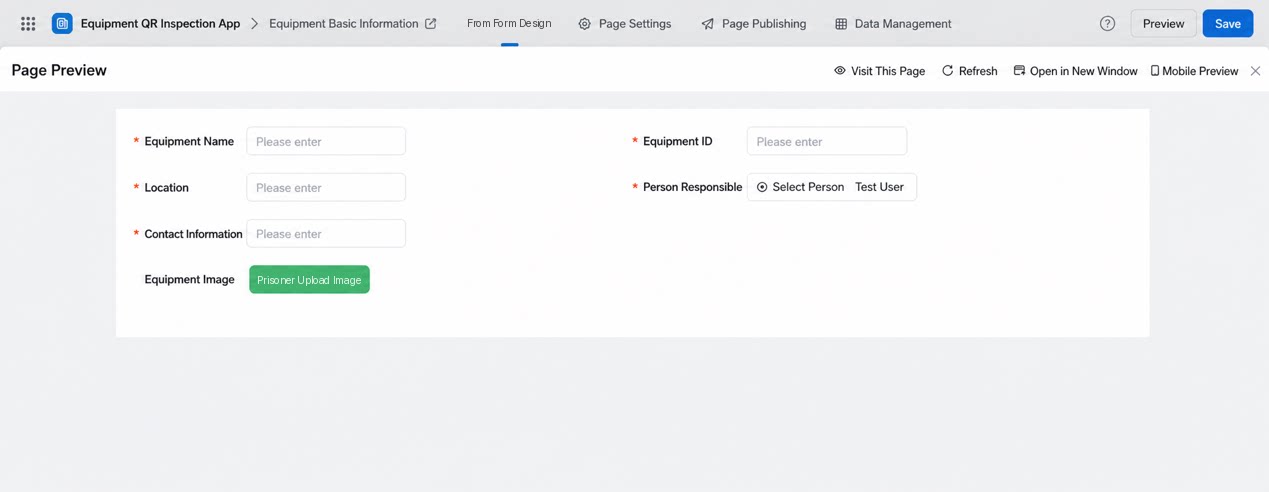 |
| Mobile configuration | PC effect |
|---|---|
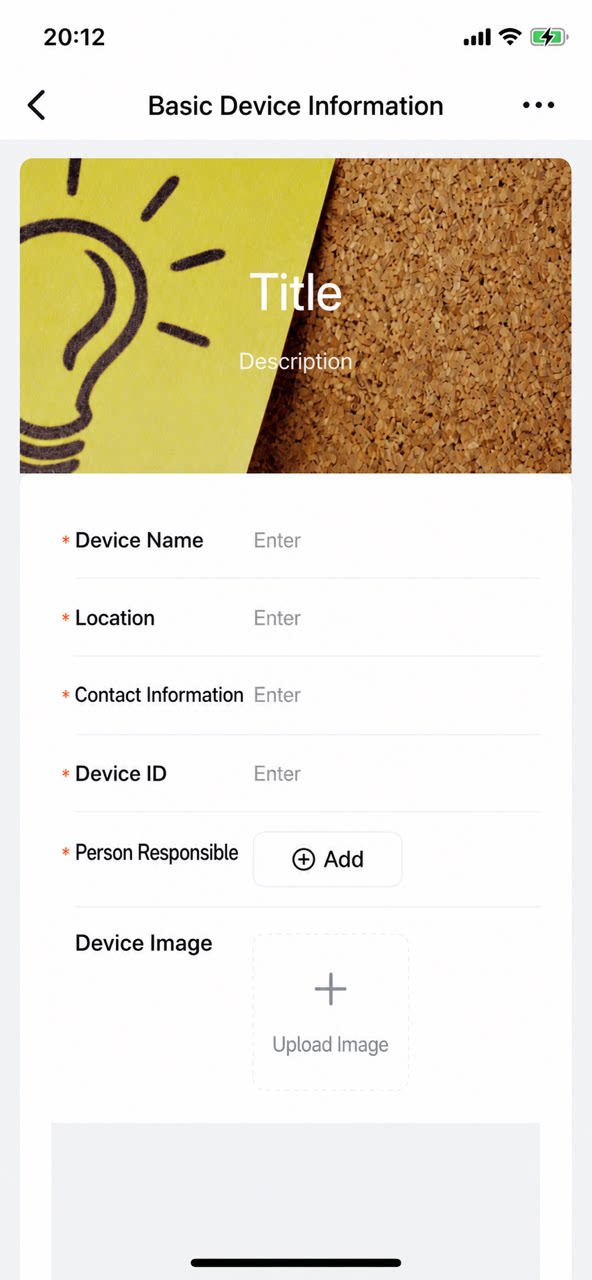 | 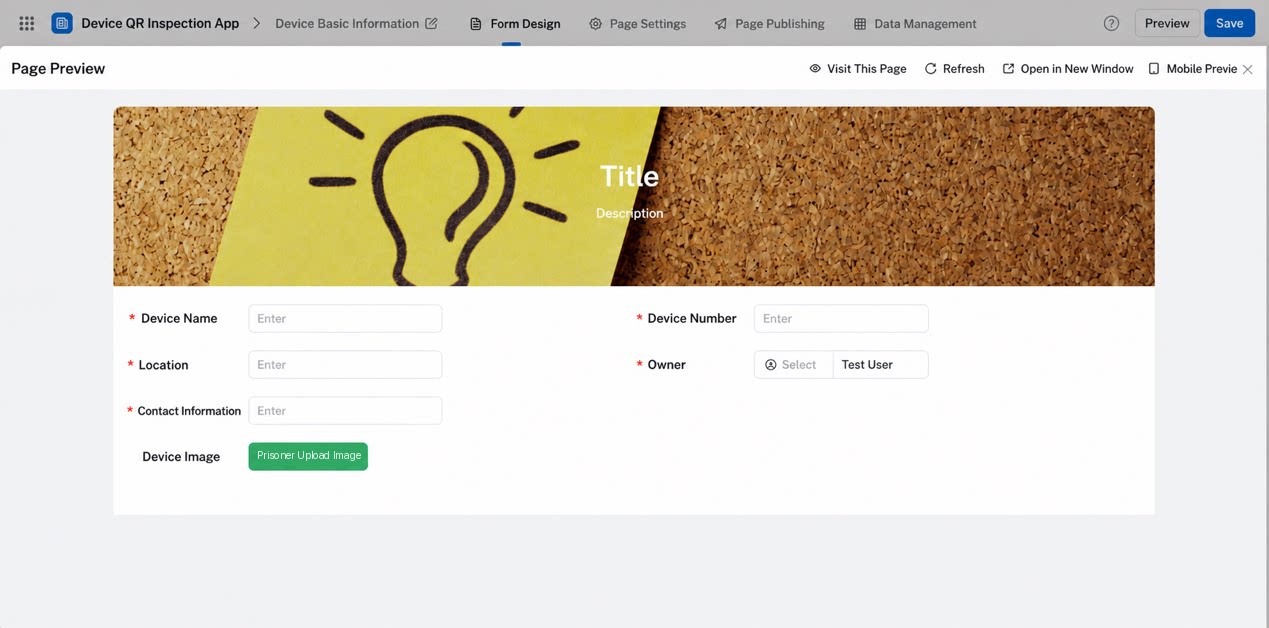 |
3. Custom Font Size Styles
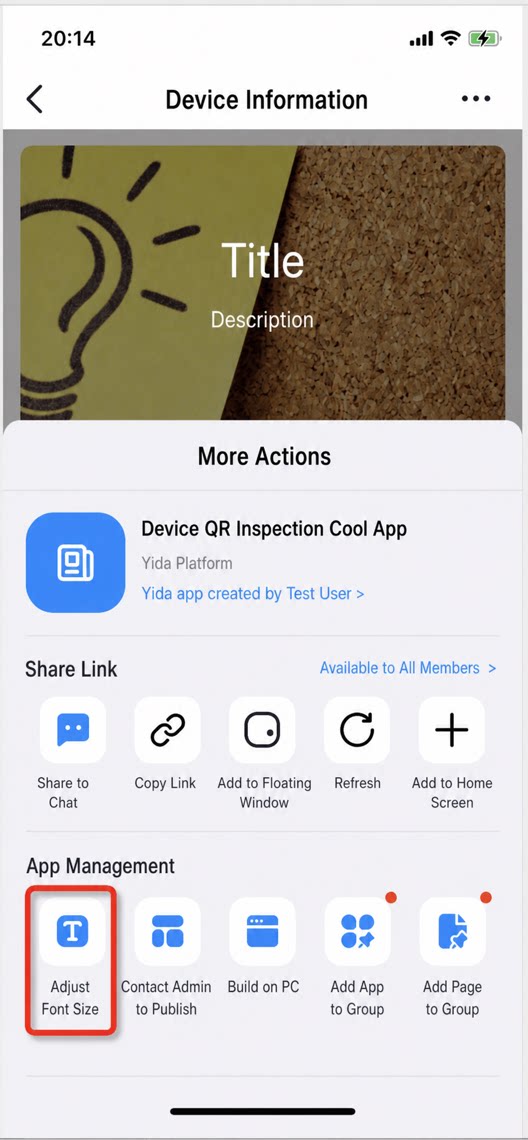
The mobile side supports adjusting the Font Size of the current Page. Tap More, then turn On the “Adjust Font Size” Settings Button, which is linked to DingTalk’s 6-level Font Size toggle. Drag the slider to Select an appropriate Font Size. The “bottom Action Buttons, subforms, user, and other Components within the Form” then take effect in real time.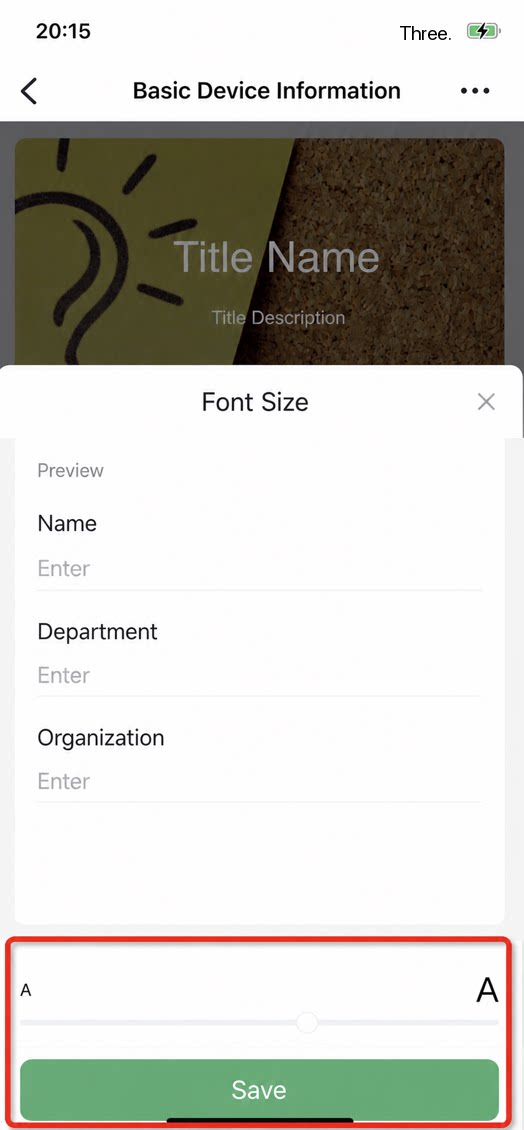
4. Custom Detail Page Styles
Layout style: To fit different business scenarios, in addition to the existing top-bottom Layout of the detail page, dedicated design adds a left-right Layout. Approval Progress is displayed more intuitively, improving the display efficiency of the Approval flow.| Configuration effect | Runtime effect |
|---|---|
| 1. Uniformly set the default style of Form detail pages across all apps on the platform side. 2. Flexibly adjust it a second time in app Settings. 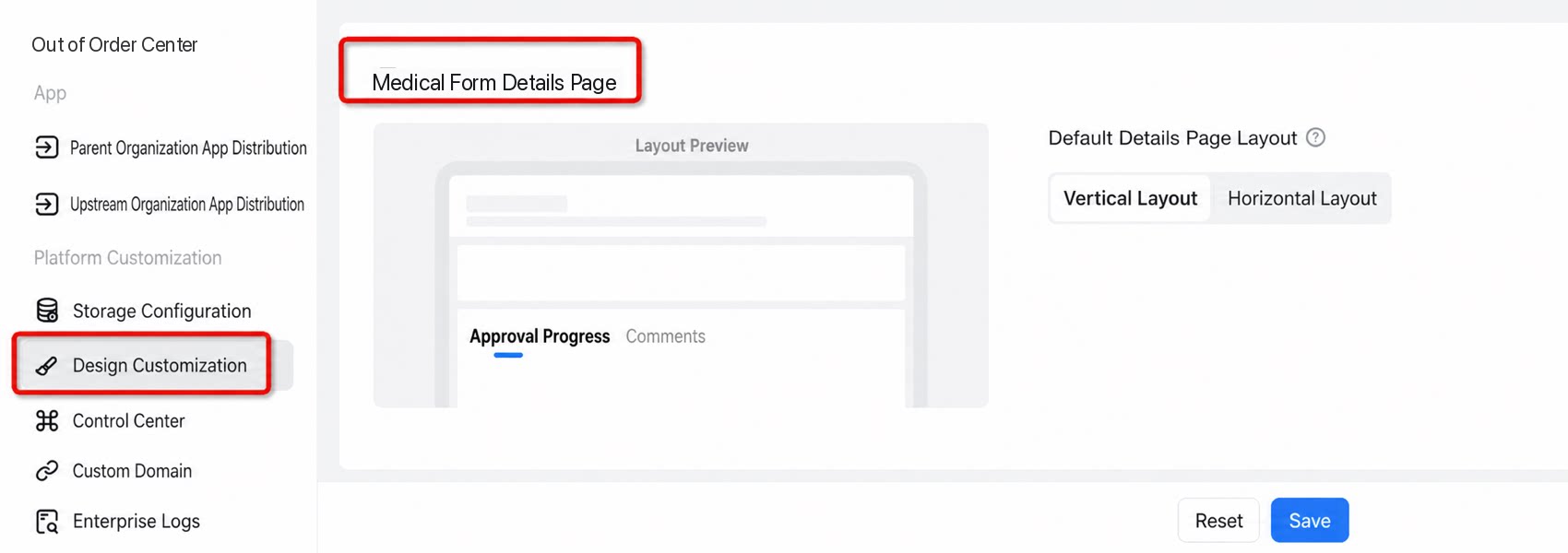 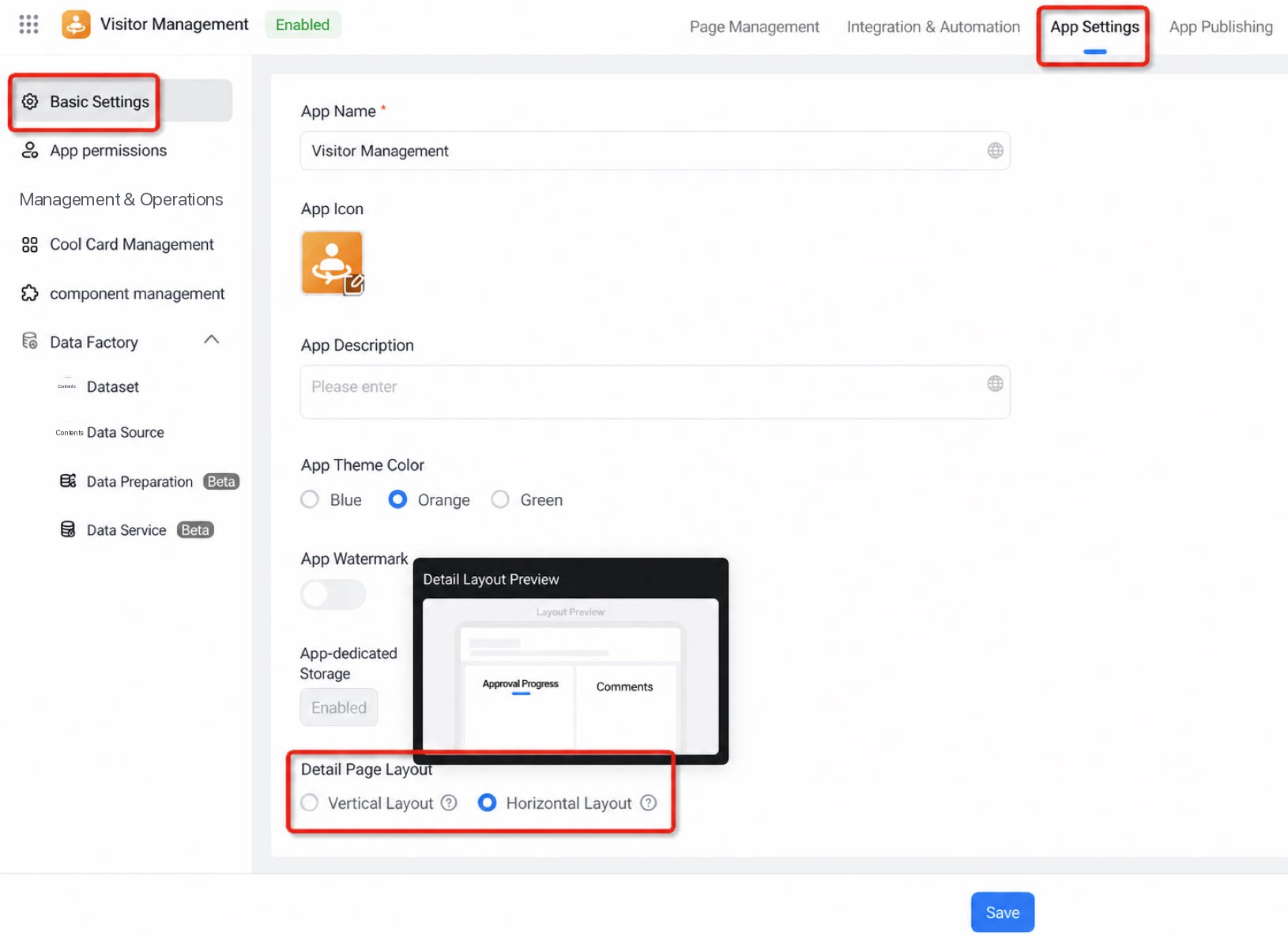 | 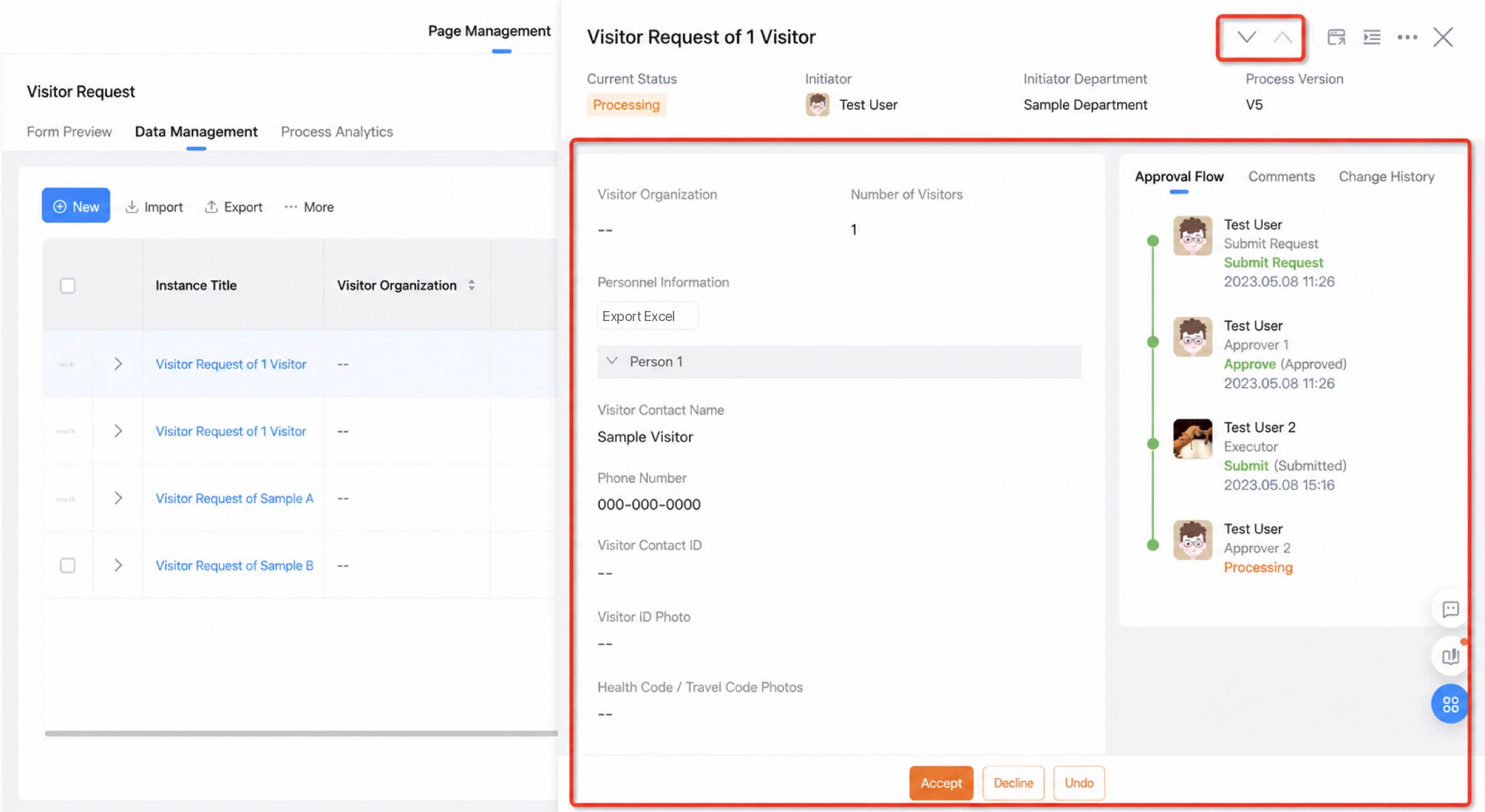 |