

 Chats
Chats Calendar
 Meetings
 Contacts
 Mail
Mail Docs
Docs Drive
Drive AI Table
 AI Minutes
 Attendance
 Approval
 YiDA
YiDA Admin Console
Brand-New Portal Building
In the past, building a polished portal Page required writing code. Users needed coding Skills and experience, which posed a challenge for those without a technical background. Now, YiDA introduces the brand-new “portal” Page concept. Users can quickly generate a polished App Home Page from a portal Template, delivering a personalized, dedicated App or Organization portal Home Page and providing one-stop workbench navigation.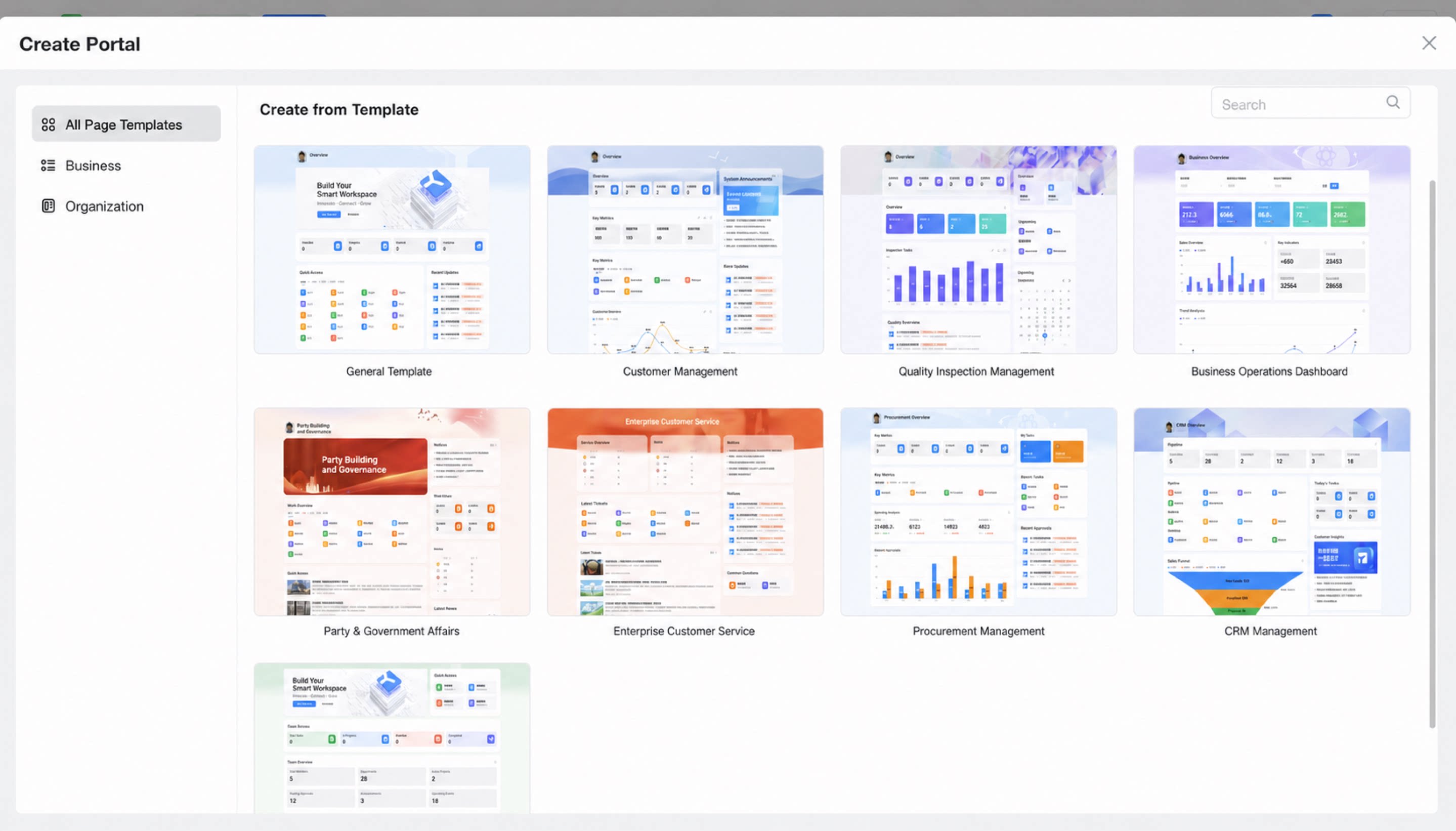
Broadcastable Data Card
The YiDA Data Card is a lightweight Data visualization element. Unlike the full analysis scenarios of reports, Data Cards can quickly combine fragmented, scenario-based Charts, and are currently supported in YiDA portals. In addition, YiDA Data Cards come with built-in broadcasting capability. Data Cards can be scheduled to broadcast in DingTalk group scenarios as Data snapshots, automatically sharing Important Data in the group Daily.- The broadcastable Data Card used in the portal appears as follows:
- The broadcastable Data Card in the group appears as follows: