Chats
Chats Calendar
 Meetings
 Contacts
 Mail
Mail Docs
Docs Drive
Drive AI Table
 AI Minutes
 Attendance
 Approval
 YiDA
YiDA Admin Console
1. Overview
This topic walks you through configuring the theme and layout settings for a broadcastable portal page.2. Path
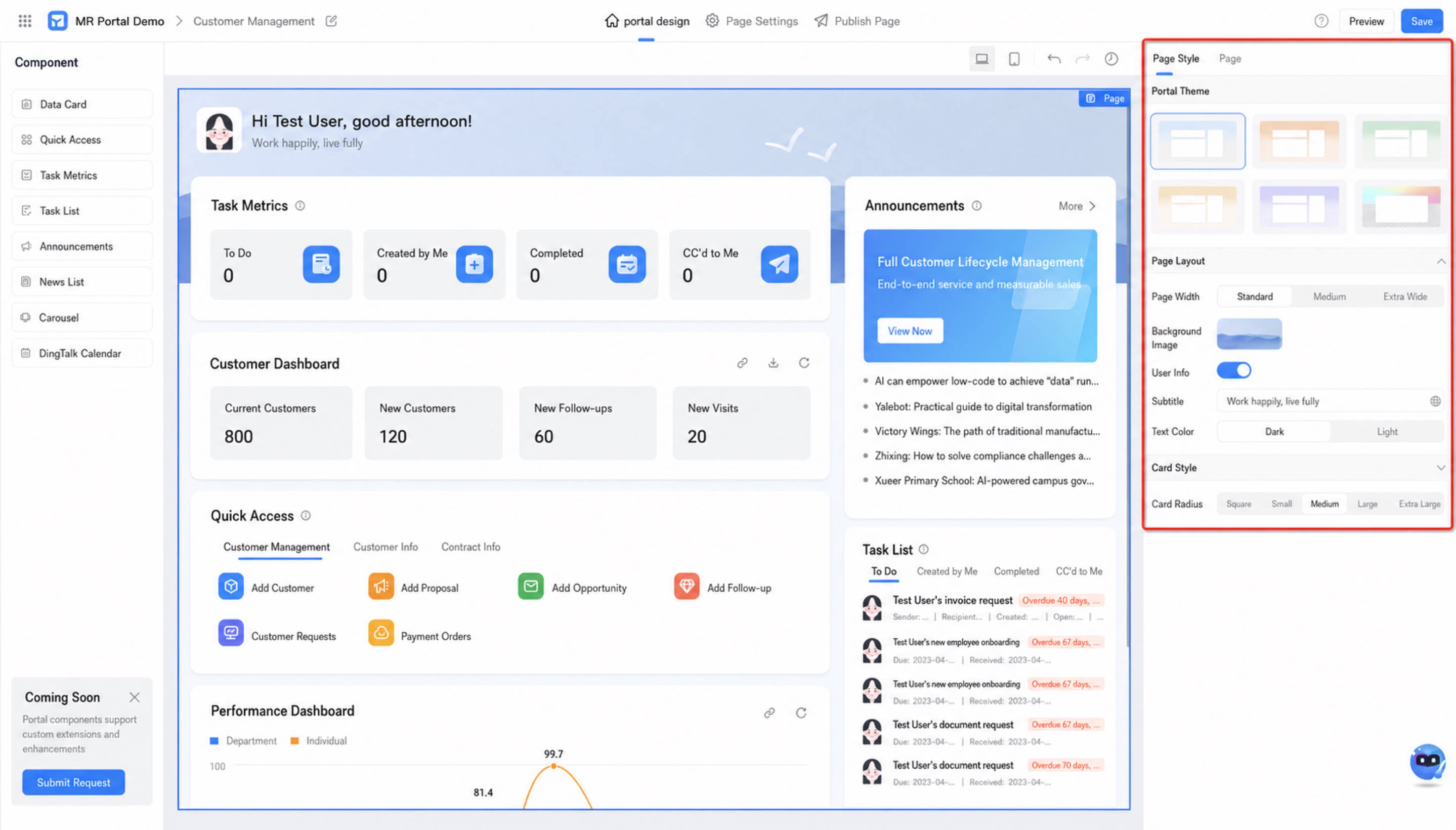
[Select any App] — [Edit broadcastable portal] — Click “portal design > Page style”3. Instructions
Click “Page style” to configure the style attributes of the current portal, including:1
Switch portal theme: choose between default themes and custom themes
2
Set the page layout style