Chats
Chats Calendar
 Meetings
 Contacts
 Mail
Mail Docs
Docs Drive
Drive AI Table
 AI Minutes
 Attendance
 Approval
 YiDA
YiDA Admin Console
1. Steps
1.1 Method 1
After entering YiDA, click My Apps and open an app. In the middle of the page management area, you will find quick entries for creating five types of pages. Select Create report.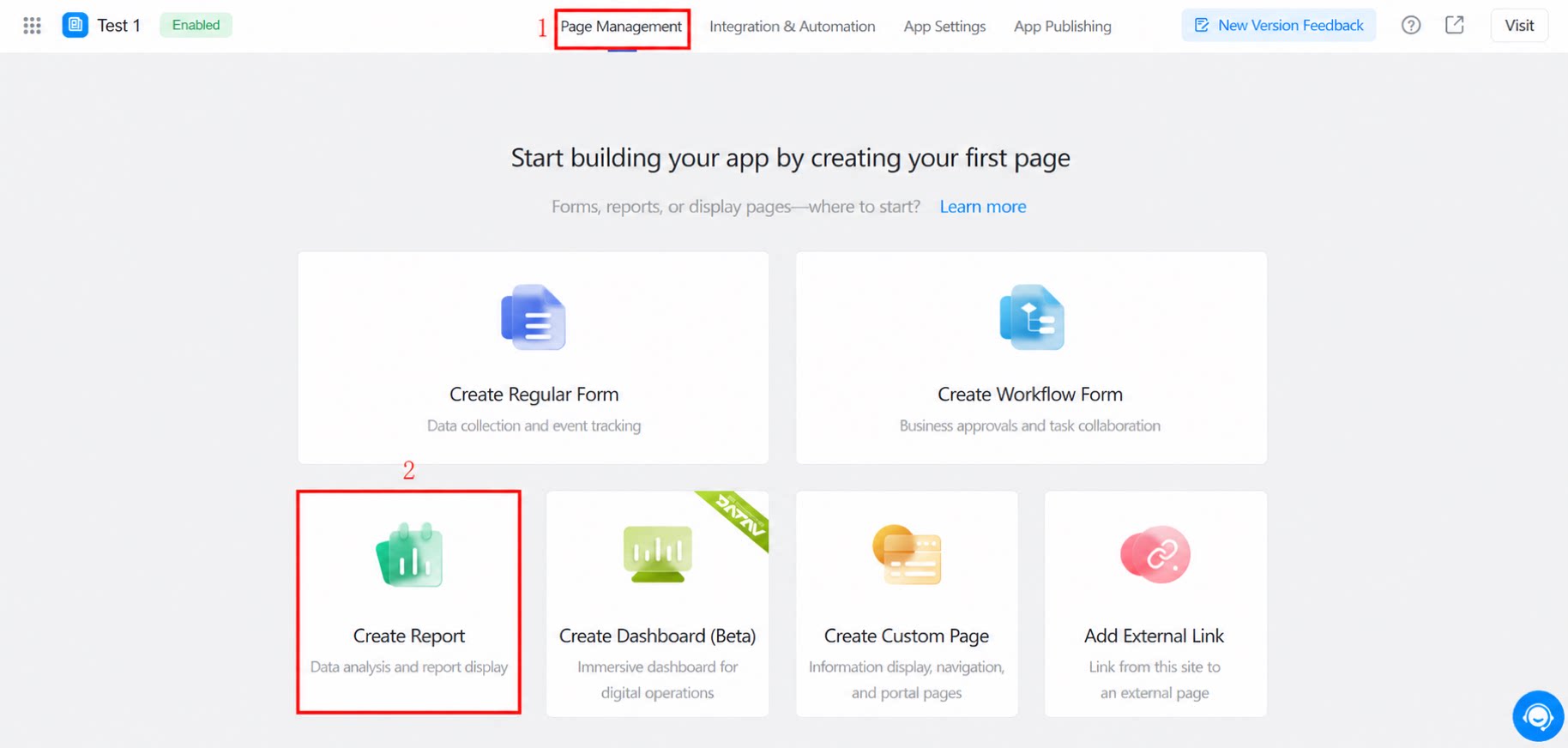
1.2 Method 2
On the app home page, click the blue + icon in the upper-left corner, then select Create report.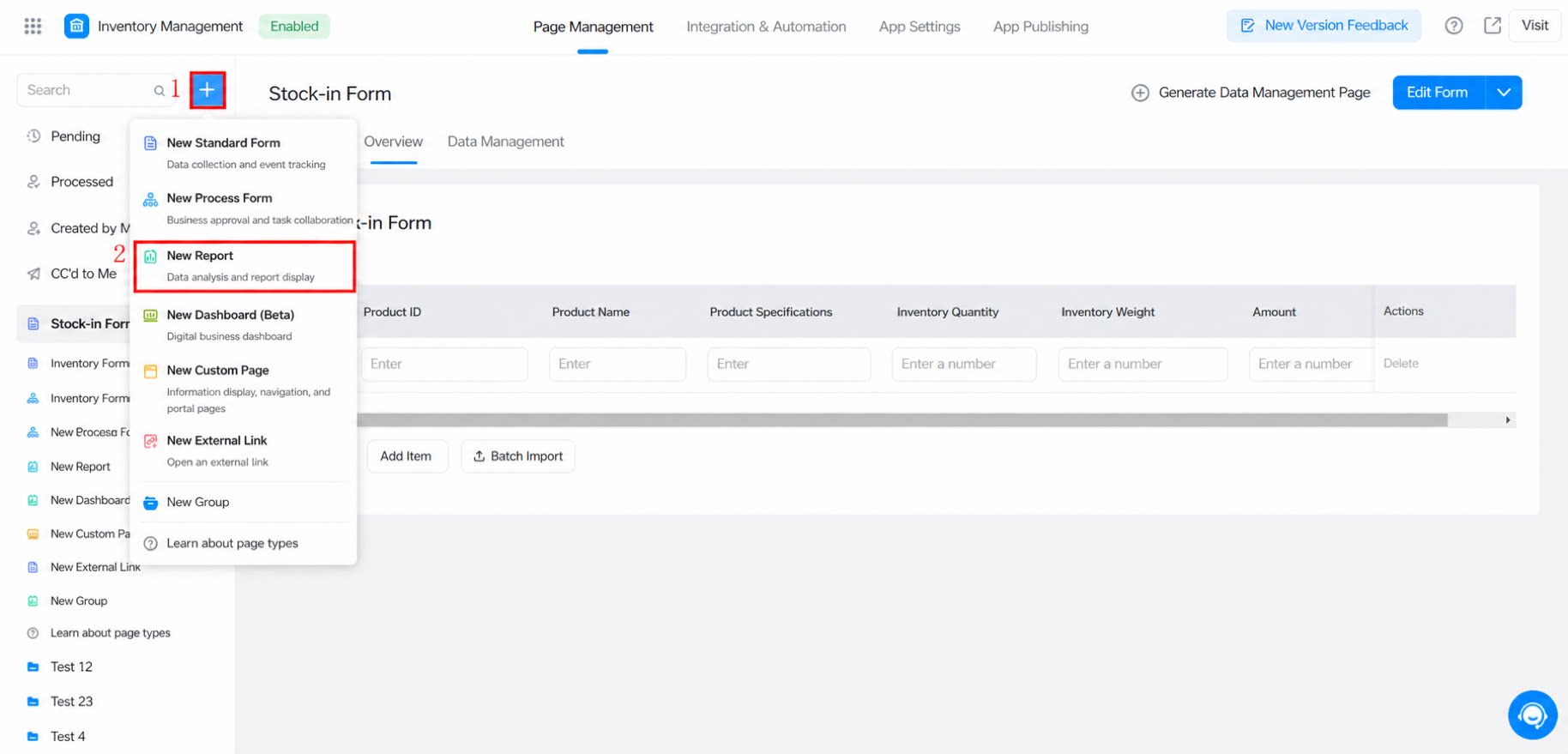
2. FAQ
Q: When can my DingTalk organization try the new 3.0 report? The 3.0 report is fully available. It applies to reports newly created in newly built apps. Q: Do existing apps support the new report version? No. YiDA currently supports “cross-app data retrieval” for reports. You do not need to modify old apps—their forms remain usable—but you can retrieve data from an old app in a new app and build reports there. Q: When creating a DataV dashboard, can DingTalk accounts be linked with Alibaba Cloud accounts? Account linking is not supported in the current version. However, you can use the app secret to authorize access to YiDA form data. Q: What is a view table? A view table is a feature upgrade of the existing “multi-table association” capability in reports. It is more powerful, and the generated view table serves as an independent dataset that can be reused across different reports in the same app, improving efficiency. Q: How do I upgrade report 2.0 to 3.0? Direct upgrade is not supported. You must create a new YiDA app to use the 3.0 report features. Alternatively, refer to the cross-app data retrieval solution. Q: Why does the report fail to sync data when the form has values? This happens because a field was added but the version was not updated. Manually edit and save the data, or call the/v1/form/updateFormData.json API with useLatestVersion=y to force the data to update to the latest version. Note that data updated by business association rules does not currently update the form version.
Q: Why can’t I select a dataset?
Check whether the dataset form has more than 300 fields. Too many form fields will affect the API response time when the report references the dataset.
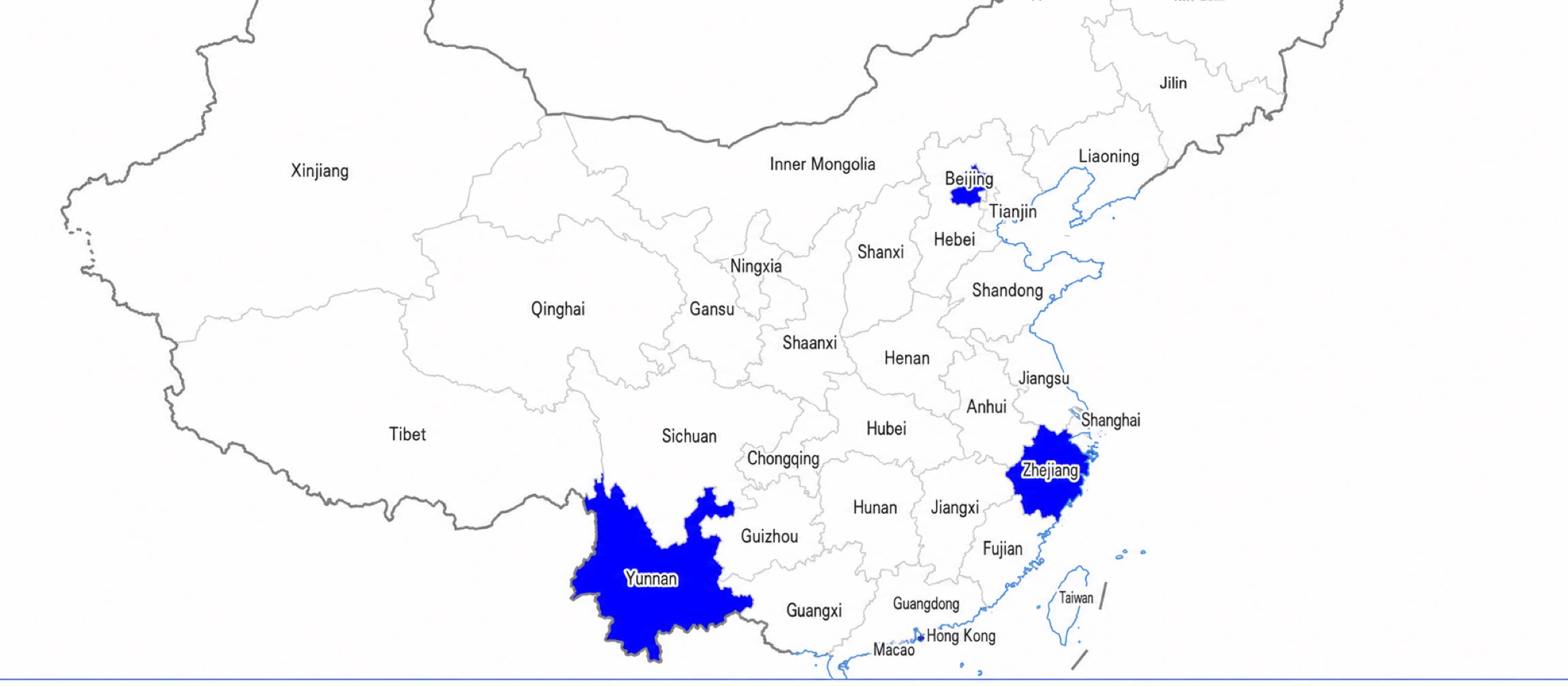
Q: The form location component locates a municipality, but it cannot be displayed on the report side. Why?
For data produced by the form’s location/address component, municipalities (at the same level as provinces) are stored without the “City” suffix—for example, “北京” instead of “北京市”.
However, the China map component in reports displays down to the province level and requires an exact match on the province name, which must include the “市” suffix. Because the values do not match the data produced by the form, they cannot be rendered.
As a workaround, use the report casewhen Formula, or process the data in Data Preparation to append “市” so that it can be rendered.