Chats
Chats Calendar
 Meetings
 Contacts
 Mail
Mail Docs
Docs Drive
Drive AI Table
 AI Minutes
 Attendance
 Approval
 YiDA
YiDA Admin Console
Steps
- Enter a keyword to run a fuzzy search on app names.
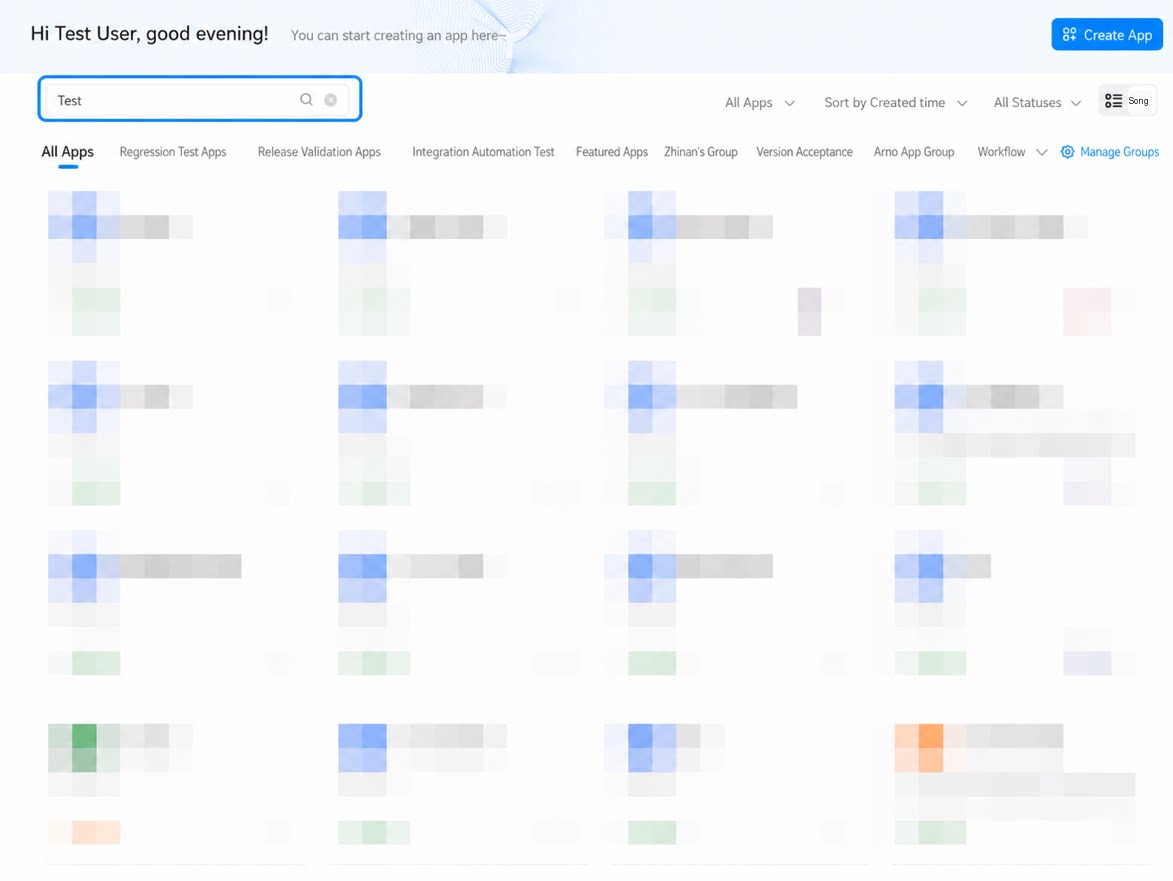
- Use App Management groups to quickly filter apps.
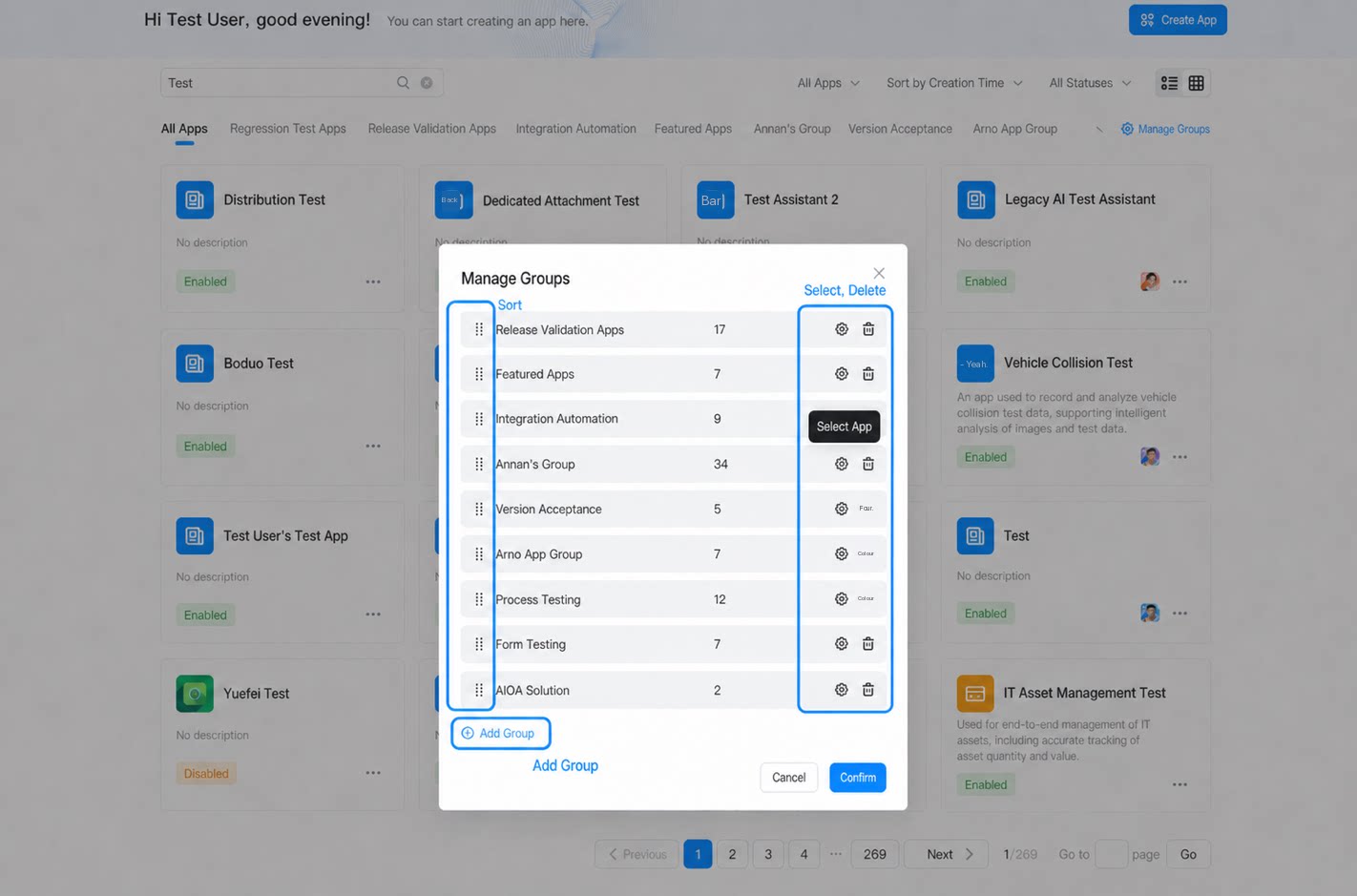
- Click Manage groups to sort the current apps, add a new group, delete a group, or configure the apps within a group.
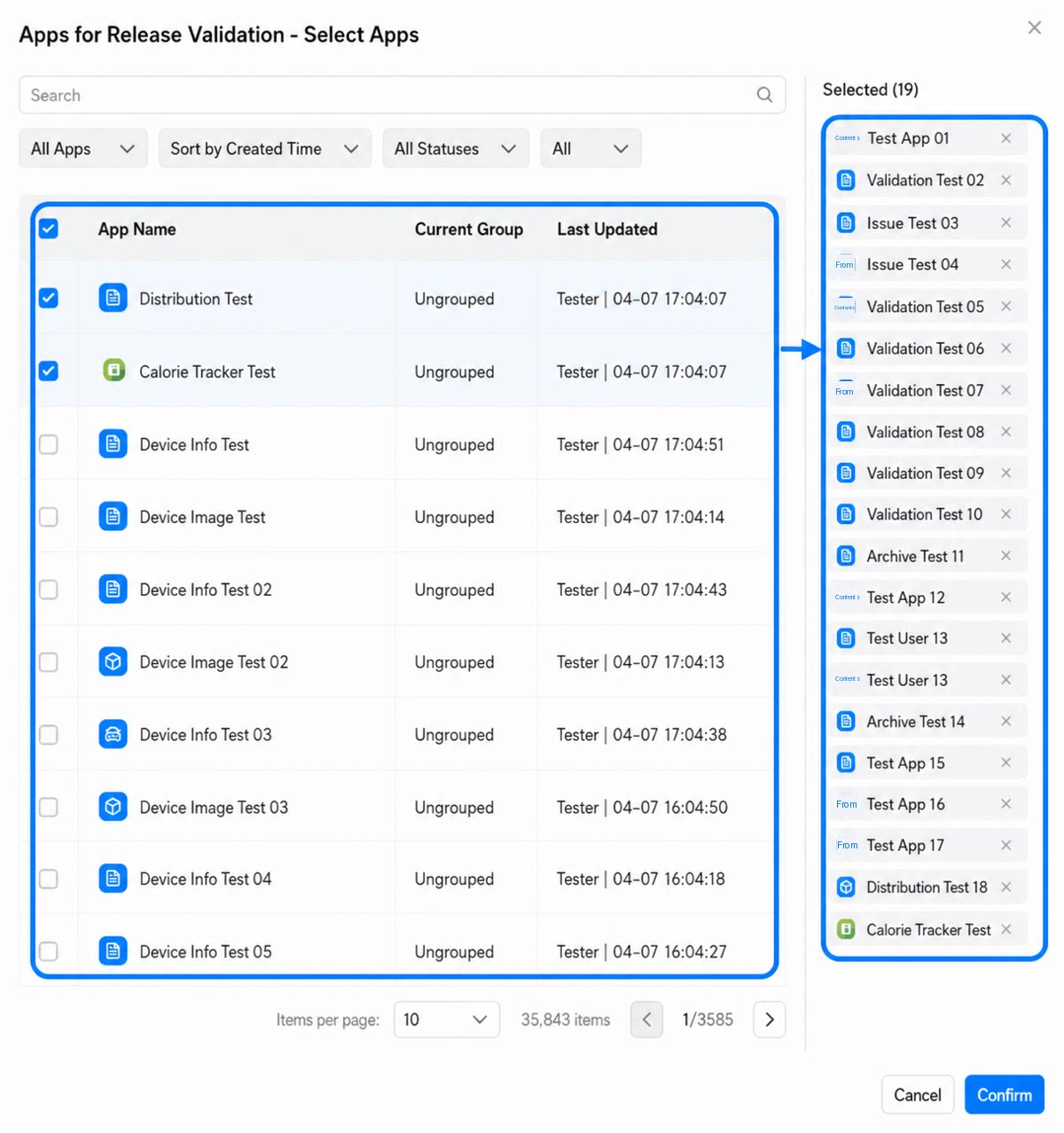
- Select an app on the left to add it to the selected app list on the right.