Chats
Chats Calendar
 Meetings
 Contacts
 Mail
Mail Docs
Docs Drive
Drive AI Table
 AI Minutes
 Attendance
 Approval
 YiDA
YiDA Admin Console
An external link page cannot be set as the first visible page.
Steps
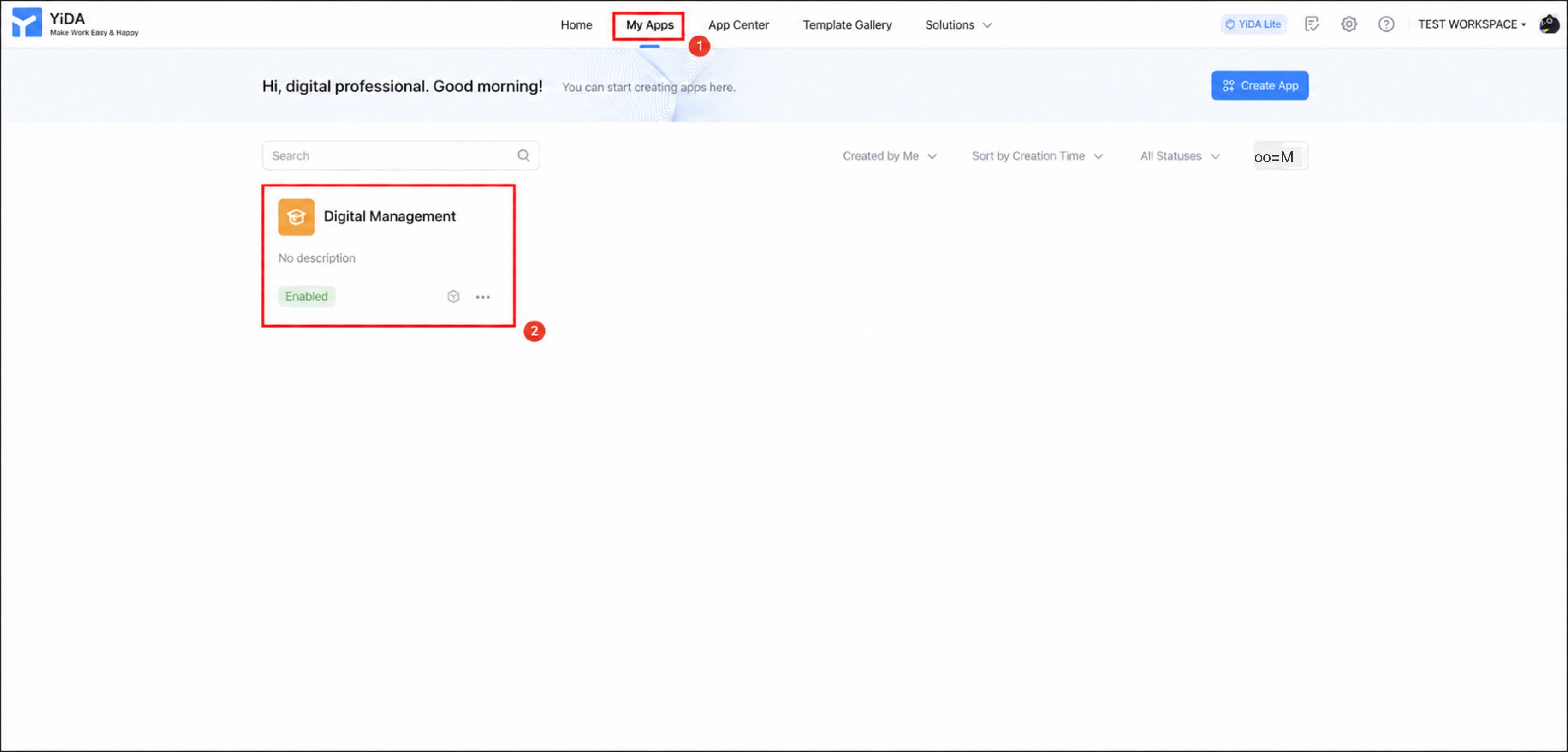
- Sign in to the YiDA workbench and open the My apps page.
- Select the app to which you want to add an external link, and open the app details page.
1
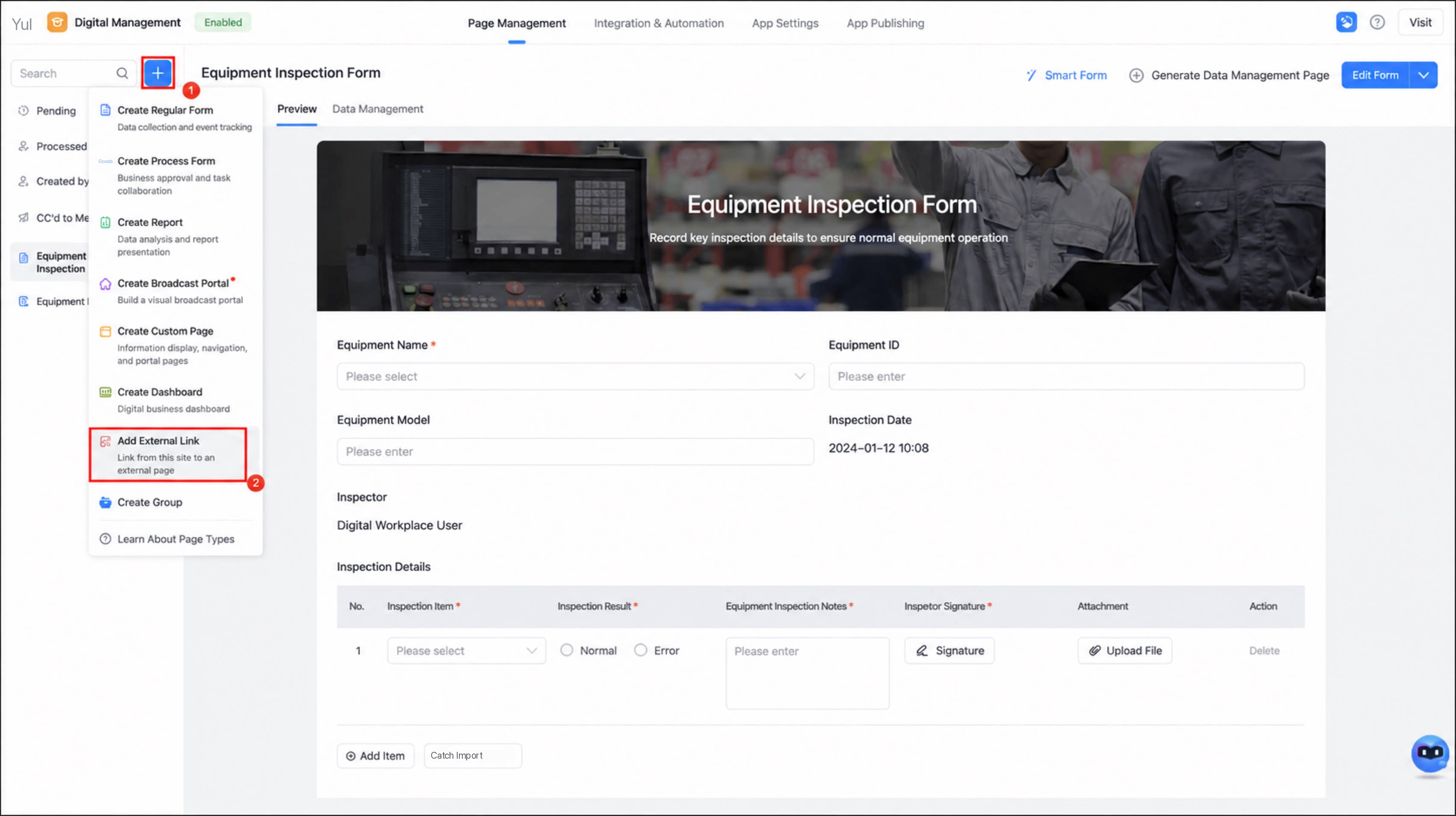
Click the ➕ icon in the upper-left corner, and then select Add external link.
2
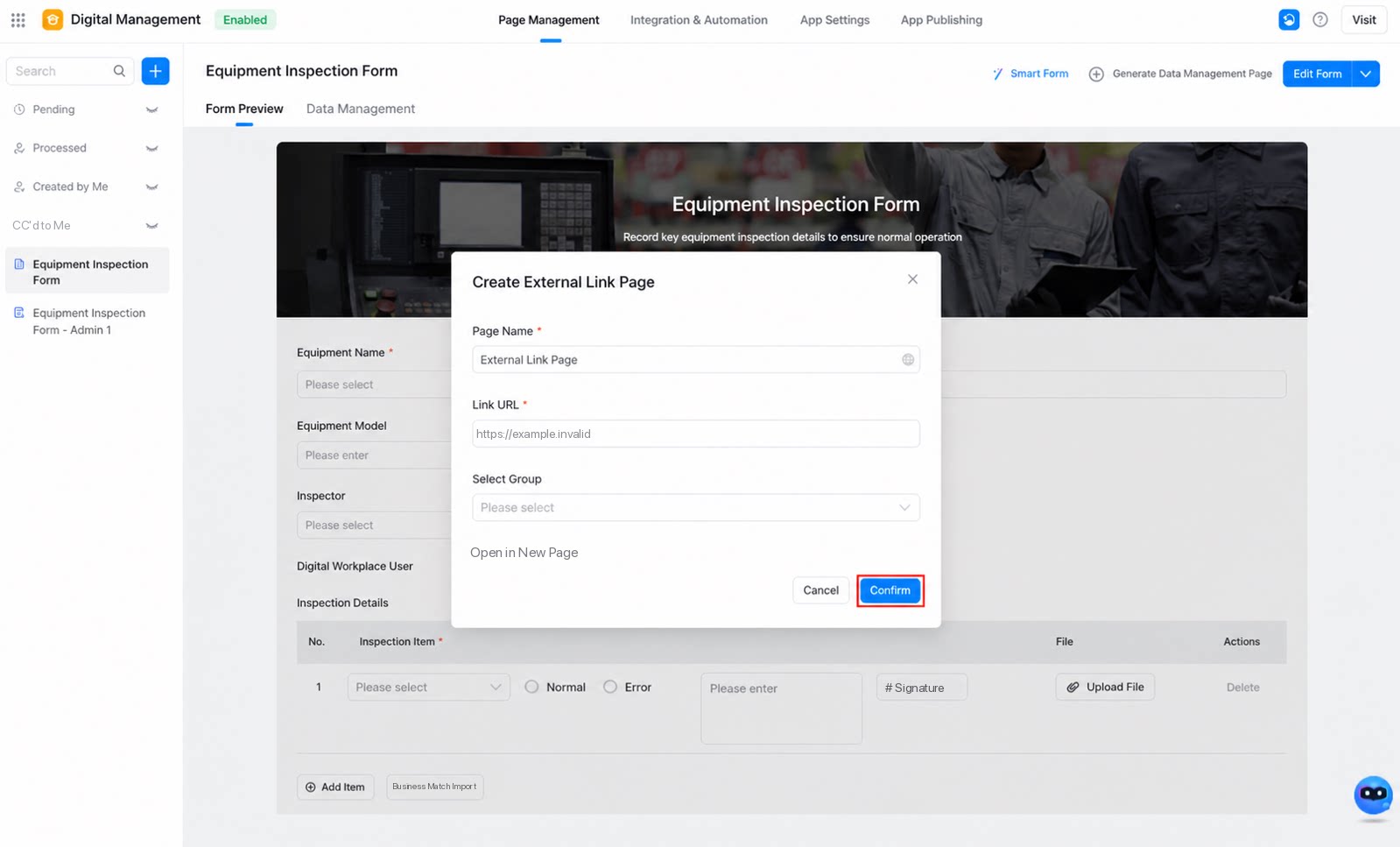
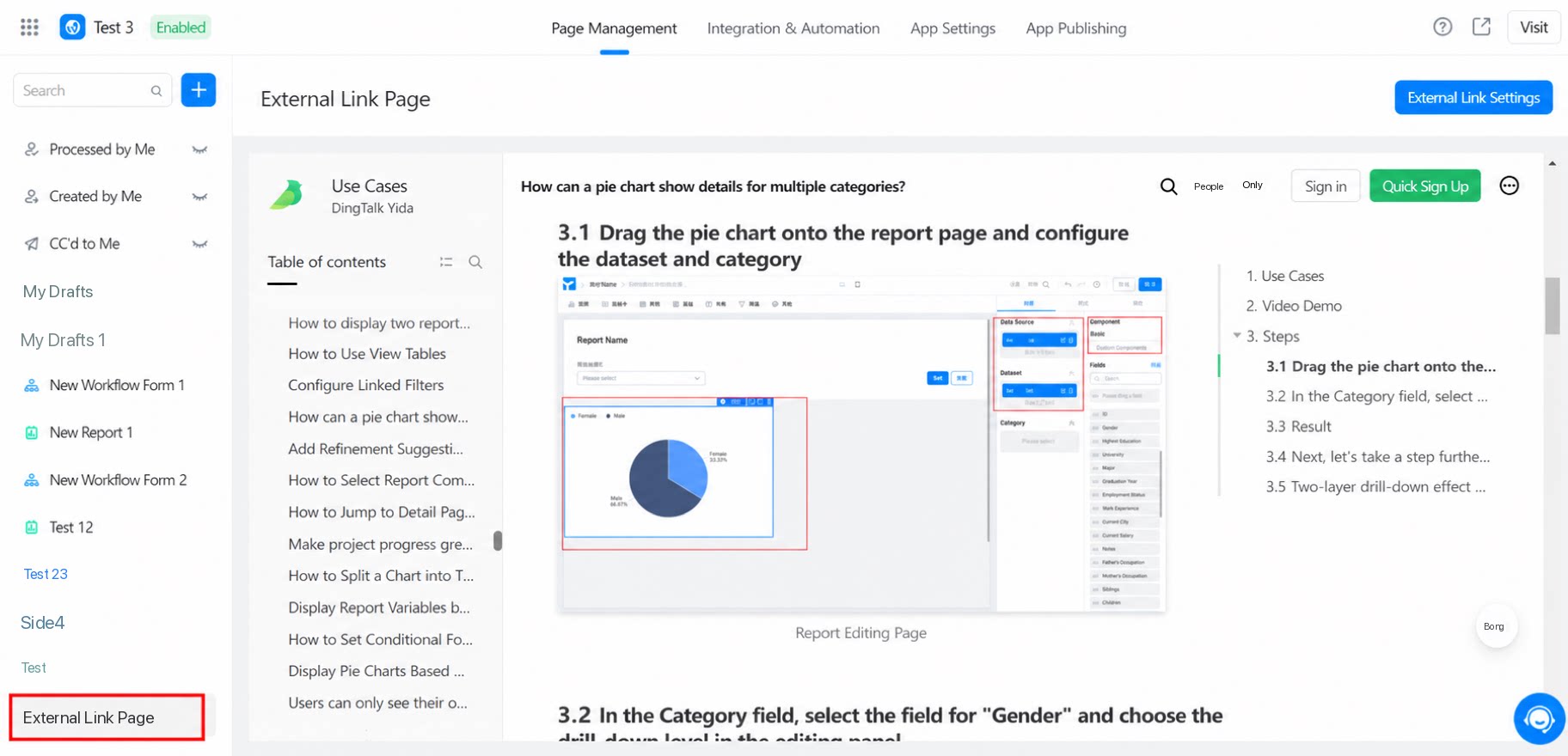
In the dialog box that appears, enter the page name, link URL, and other details, and then click Confirm to complete the setup.