

 Chats
Chats Calendar
 Meetings
 Contacts
 Mail
Mail Docs
Docs Drive
Drive AI Table
 AI Minutes
 Attendance
 Approval
 YiDA
YiDA Admin Console
Steps
- Sign in to the YiDA workbench.
- Click Create App in the upper-right corner.
- In the Create App dialog box that appears, click I want to consult on customization in the lower-left corner of the dialog box.
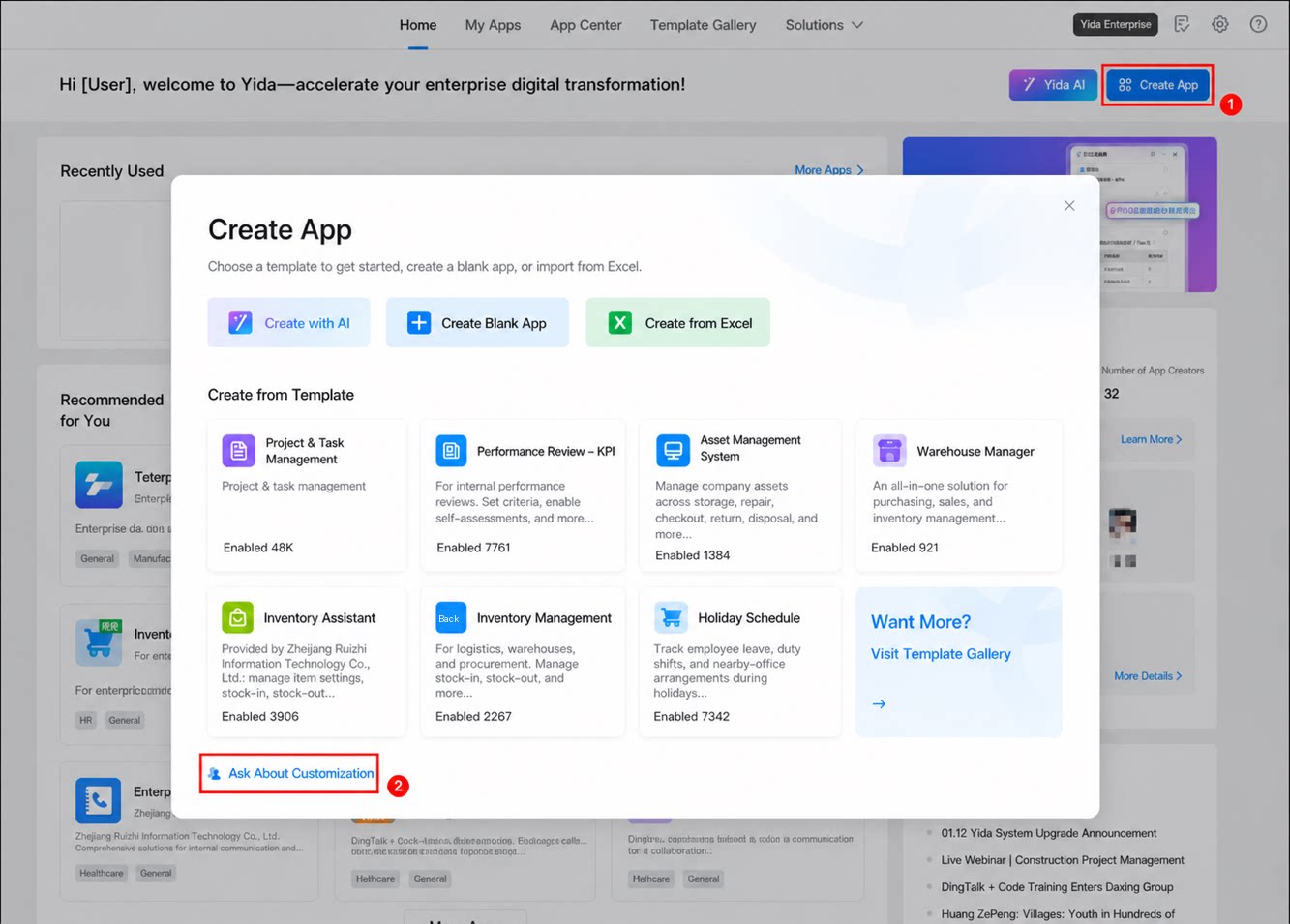
This page describes how to customize your own App by signing in to the YiDA workbench and selecting the Create App option, including clicking the ‘I want to consult on customization’ Button to get Help from professional service providers.