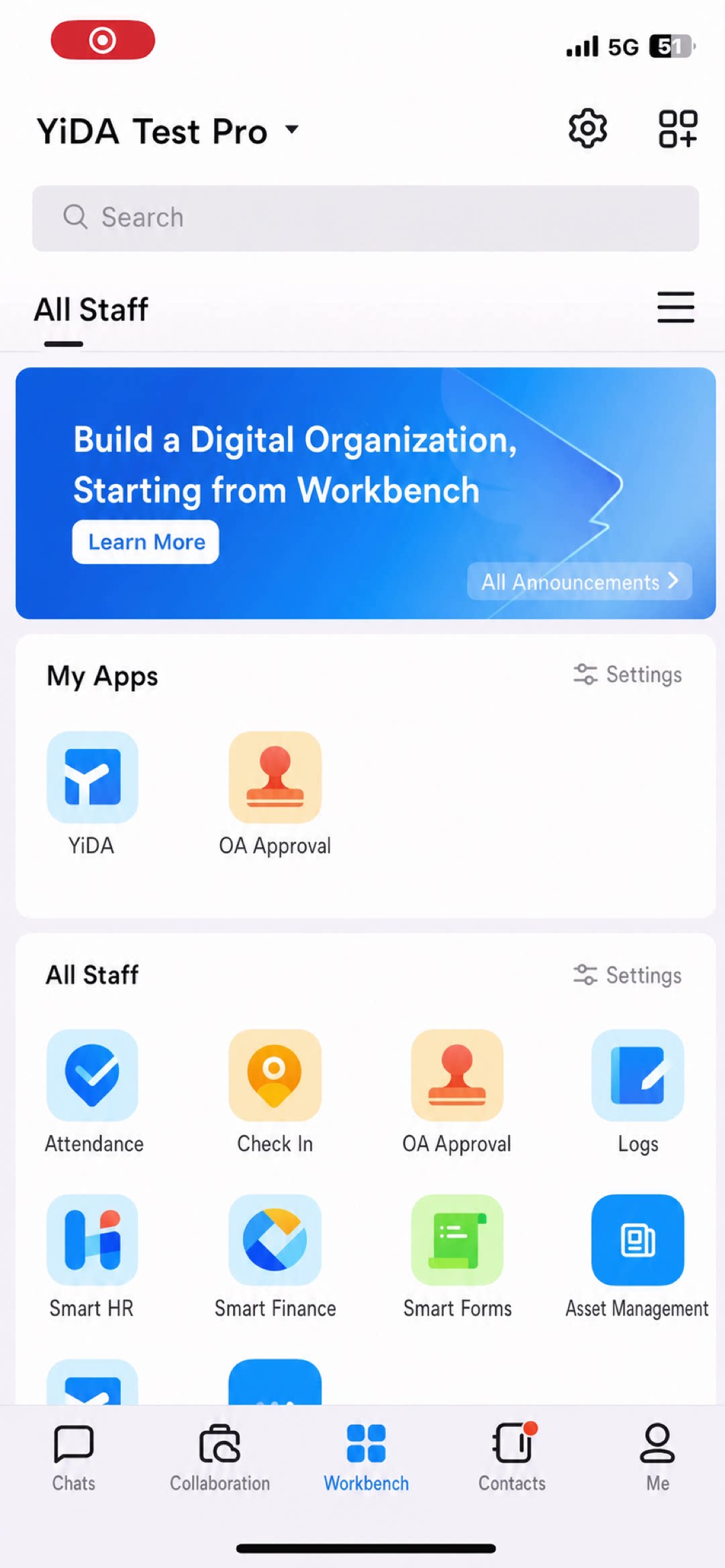
Chats
Chats Calendar
 Meetings
 Contacts
 Mail
Mail Docs
Docs Drive
Drive AI Table
 AI Minutes
 Attendance
 Approval
 YiDA
YiDA Admin Console
Steps
1
Step 1
Sign in to the YiDA Workbench.
2
Step 2
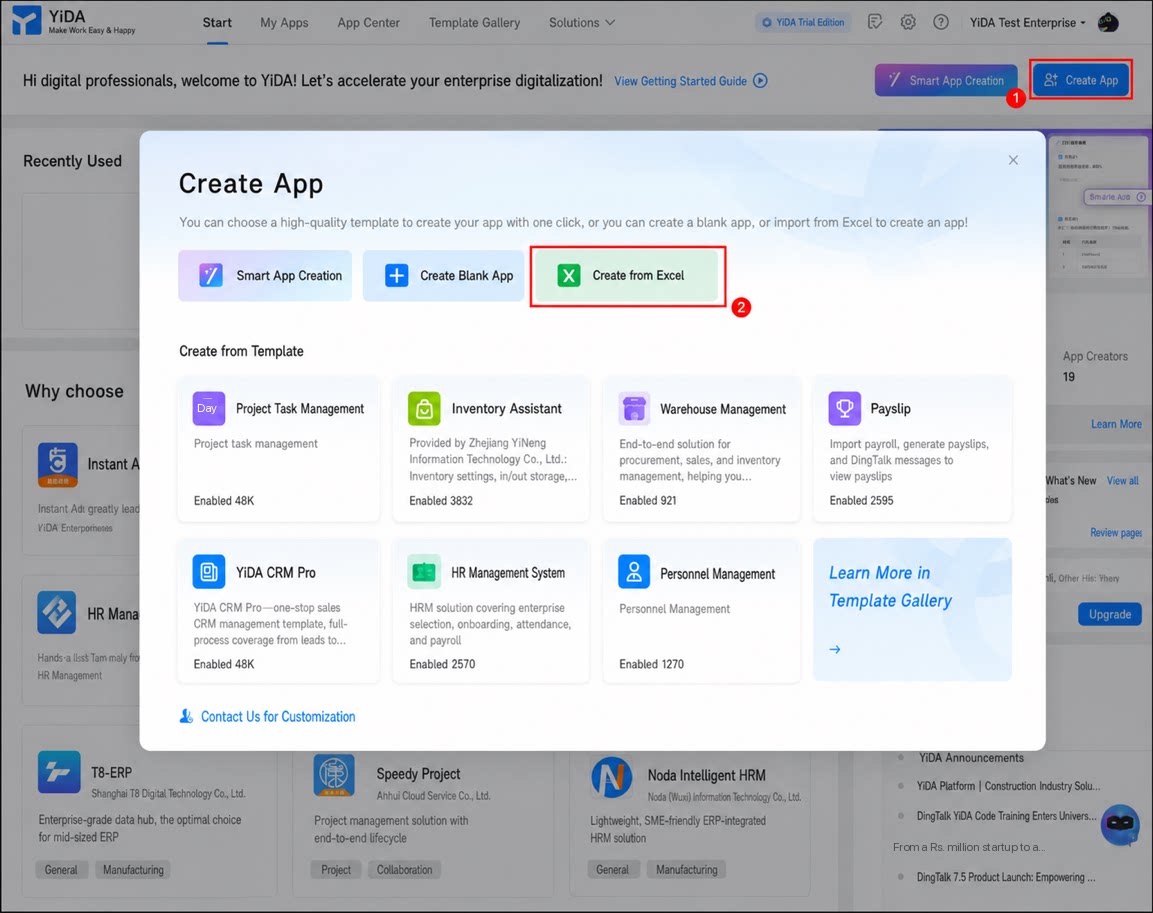
Click Create App in the upper-right corner, and then click Create App from Excel in the dialog box that appears.
3
Step 3
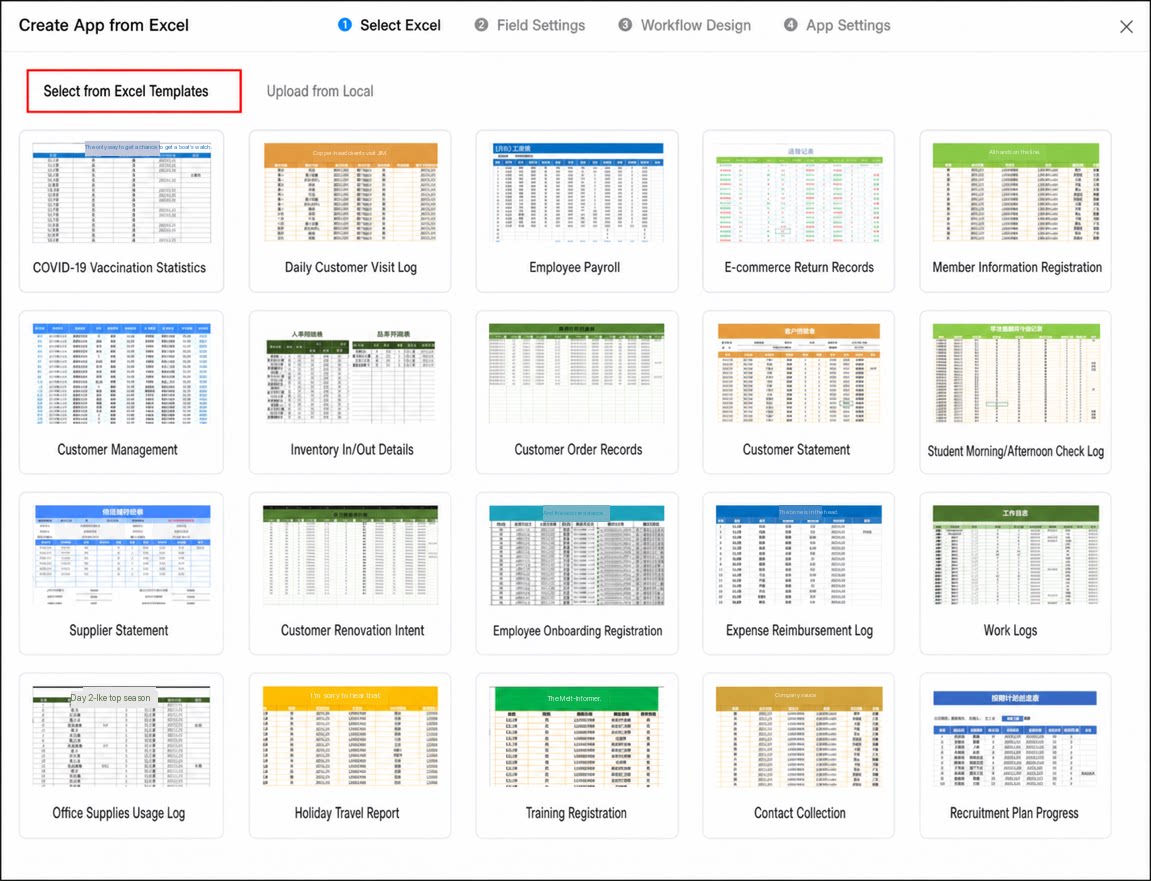
On the Create App from Excel page, select an Excel file.
You can either select from Excel templates or upload from local to add the Excel file.
4
Step 4
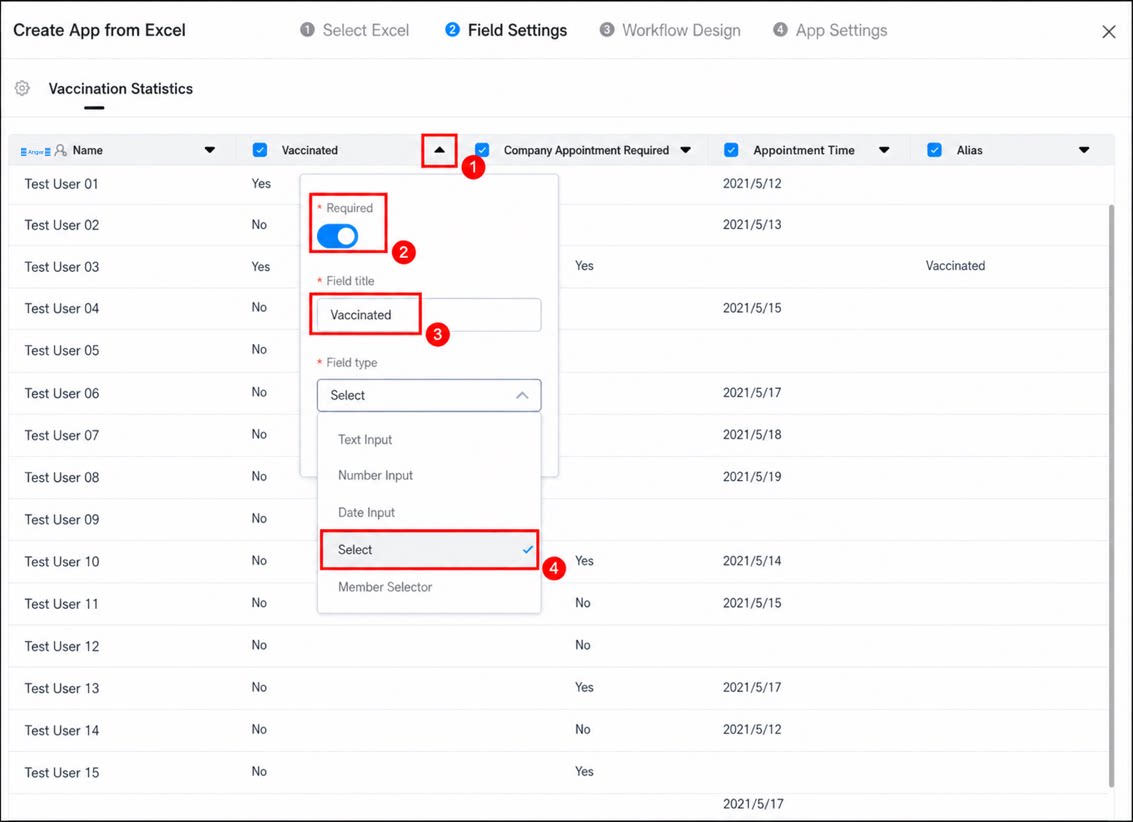
In the field settings step, configure the form fields based on the following information, and then click Next.
1
In the workflow design step, choose whether to turn on the approval process
- If new data requires approval, turn on the process and complete the flowchart design. For details about the workflow design step, see workflow design.
- For apps created from Excel, up to three approvers can be added in the workflow design.
2
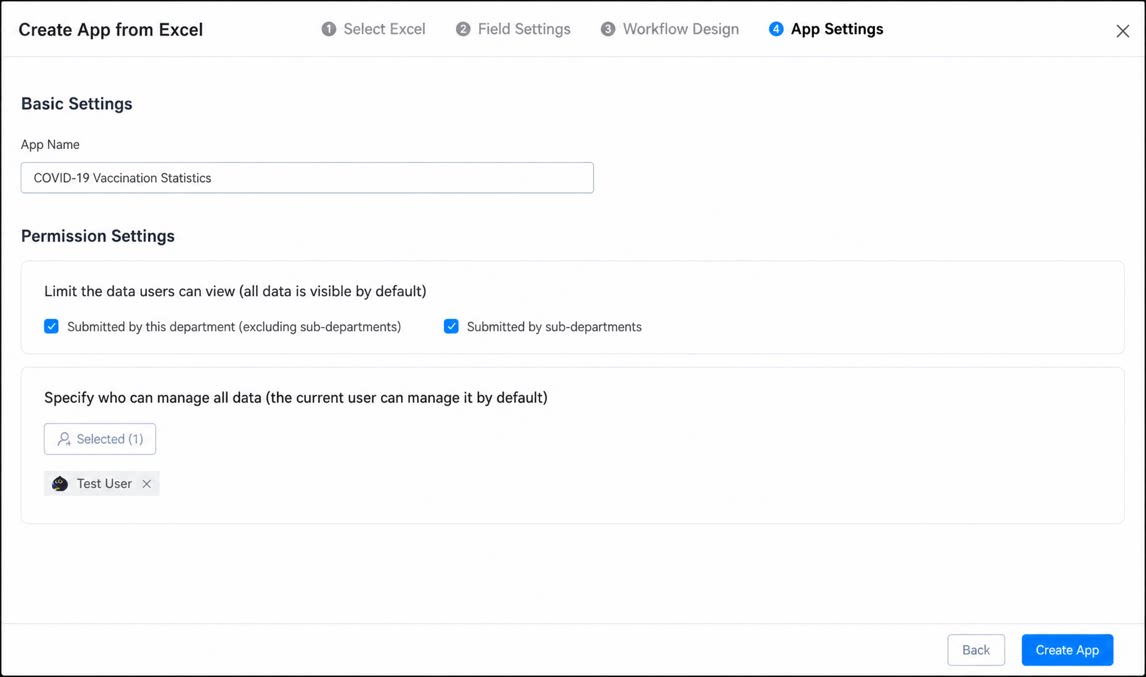
In the app settings step, configure the app name and permissions, and then click Create App to complete the creation
Create on Mobile
If you are using the mobile client, refer to the following video to create an app from Excel.