Chats
Chats Calendar
 Meetings
 Contacts
 Mail
Mail Docs
Docs Drive
Drive AI Table
 AI Minutes
 Attendance
 Approval
 YiDA
YiDA Admin Console
Procedure
- Sign in to the YiDA workbench.
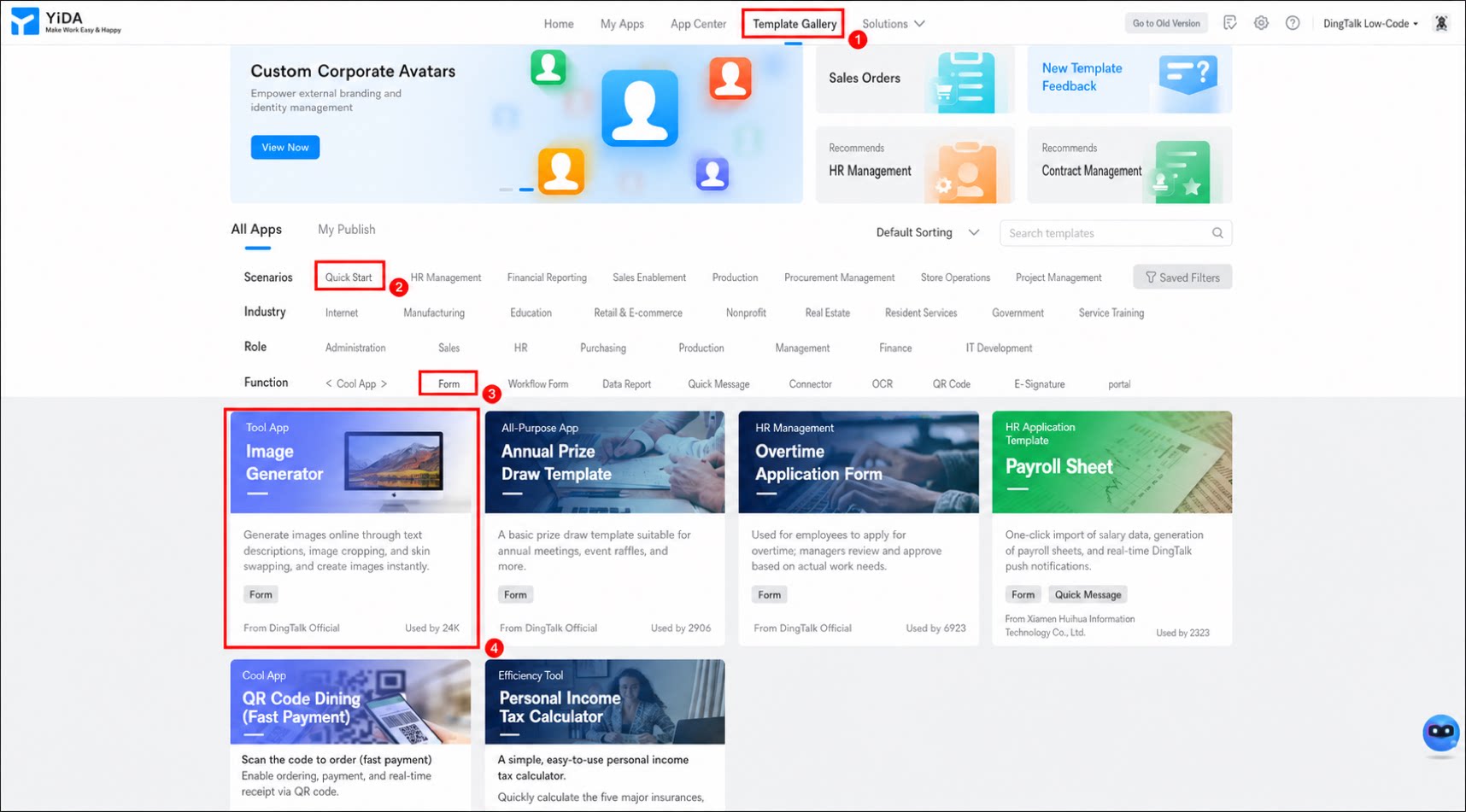
- Click Template Gallery in the top menu bar.
- In the filter bar in the middle of the page, select Quick Start and Form, then select the Online Image Generator template.
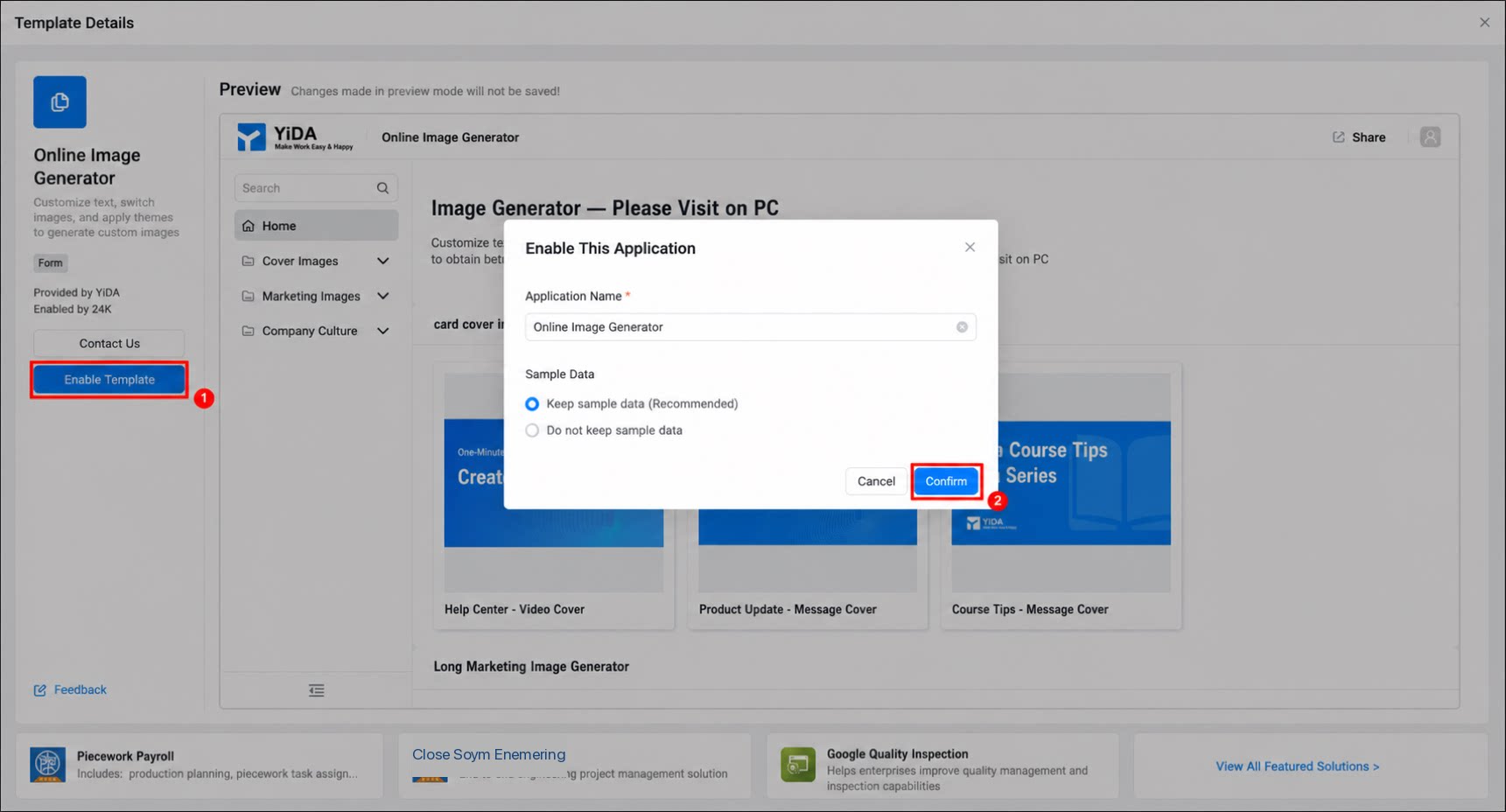
- Click Enable Template. In the dialog box that appears, enter the App name and click Confirm.