

 Chats
Chats Calendar
 Meetings
 Contacts
 Mail
Mail Docs
Docs Drive
Drive AI Table
 AI Minutes
 Attendance
 Approval
 YiDA
YiDA Admin Console
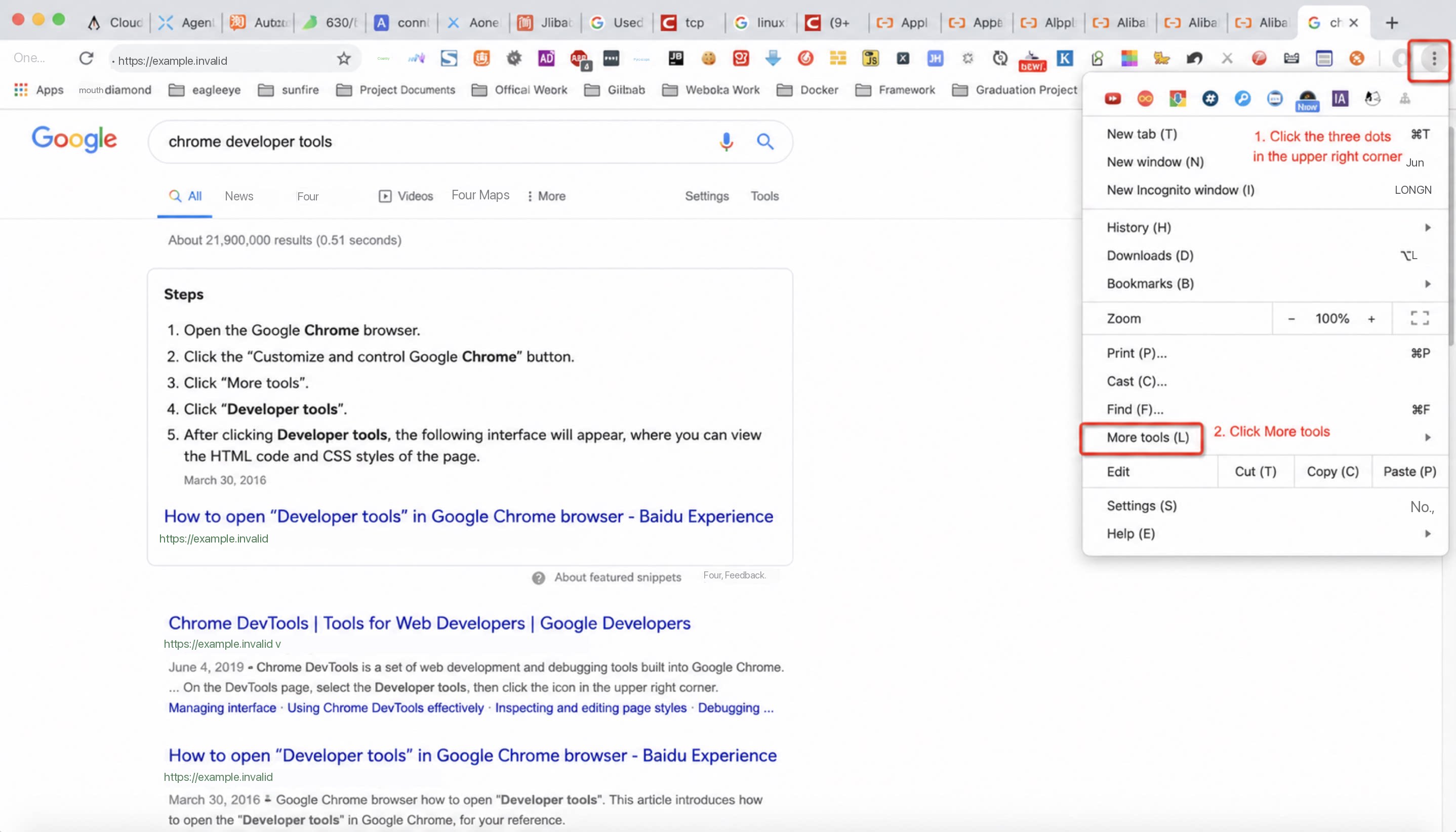
- Click the three dots in the top-right corner.
- Click More tools.
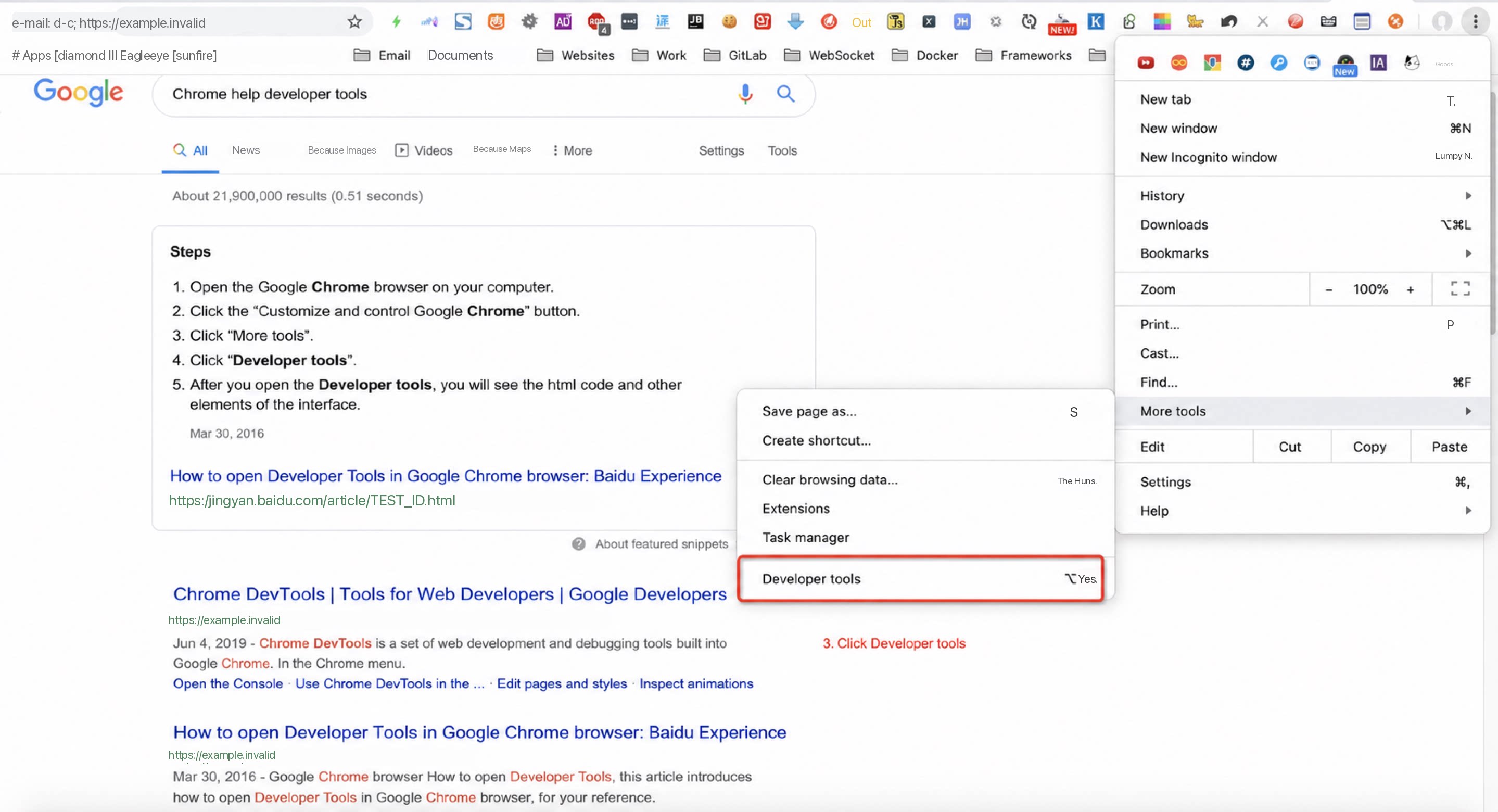
- Click Developer tools.
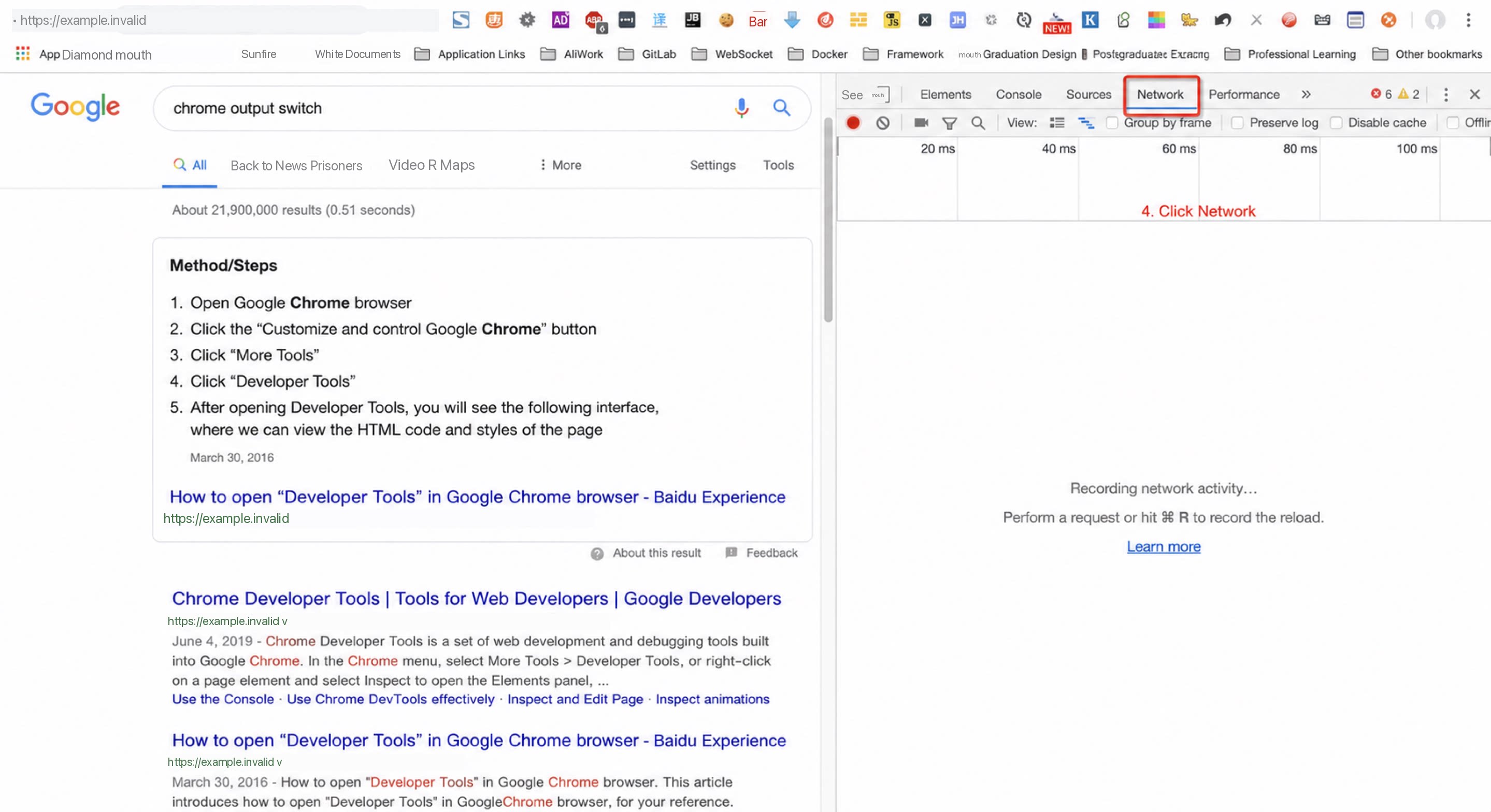
- Click Network.
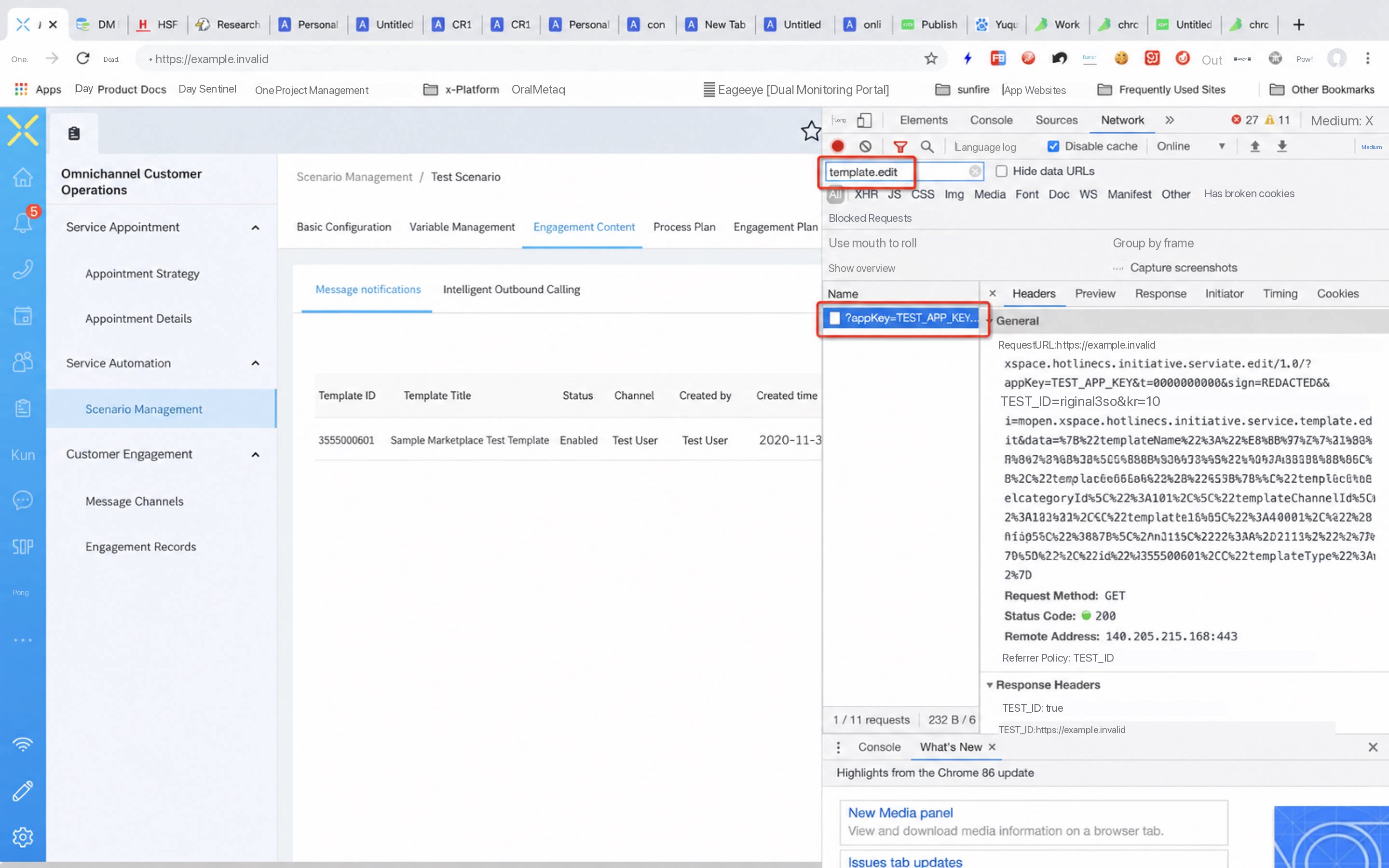
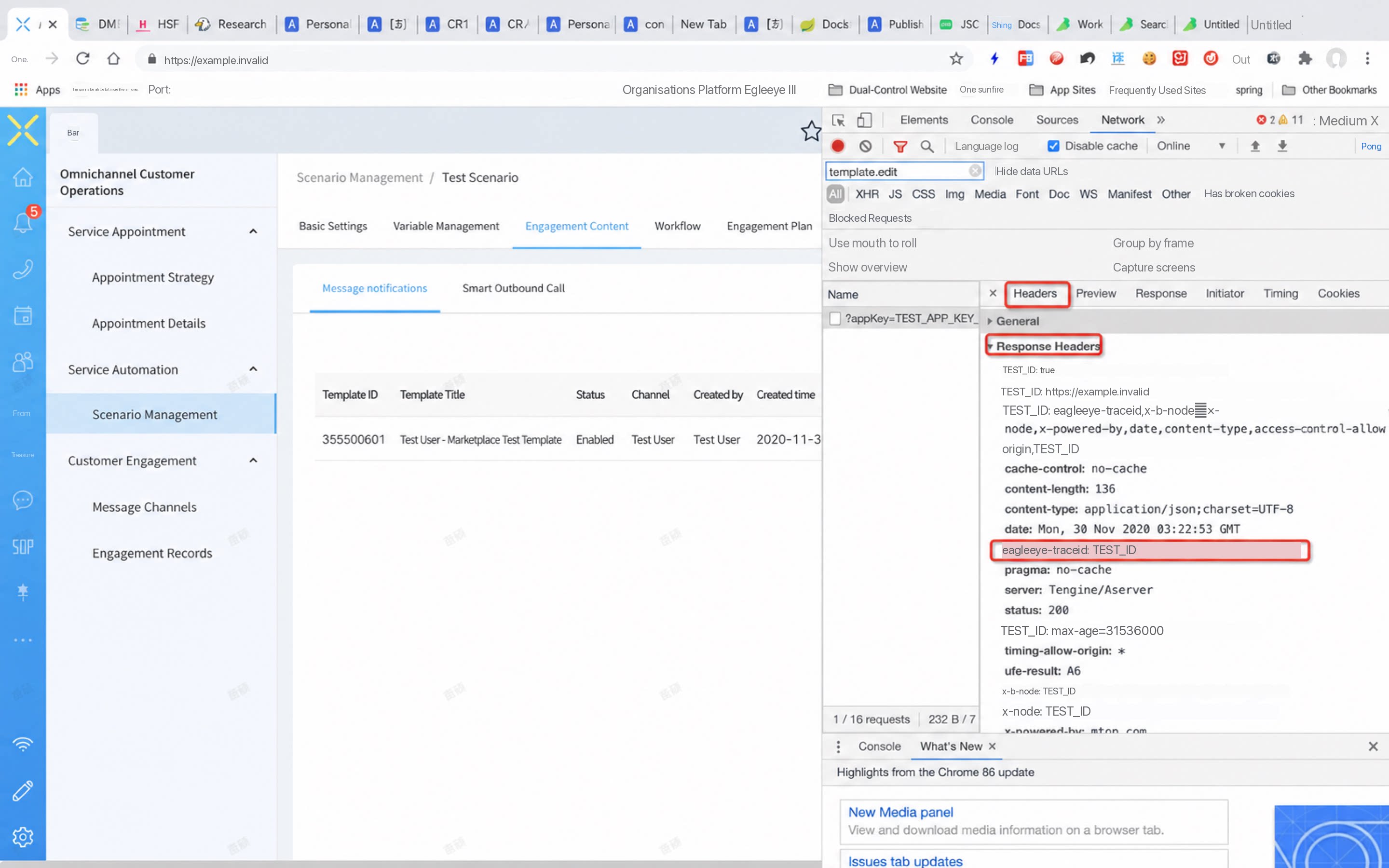
Learn how to locate the eagleeye-traceid using developer tools. This unique request identifier helps developers trace and troubleshoot issues. The steps include opening developer tools, searching for a specific request, and finding the traceId in the response headers.