Chats
Chats Calendar
 Meetings
 Contacts
 Mail
Mail Docs
Docs Drive
Drive AI Table
 AI Minutes
 Attendance
 Approval
 YiDA
YiDA Admin Console
Quick BI is Alibaba Cloud’s official data visualization and analysis tool, and the only BI product from China listed in the Gartner ABI Magic Quadrant. It seamlessly connects to a wide range of cloud-based and self-managed databases, significantly improving data analysis and report development efficiency, and enabling business users to perform big data analysis with ease.
Product Integration Overview
- YiDA Dedicated integrates with Alibaba Cloud Quick BI, allowing Quick BI to directly connect to and analyze YiDA data sources.
- In Quick BI’s Data Source module, add a YiDA Data Source and enter your organization and app information. You can then use professional BI reporting capabilities to deeply analyze data from your enterprise low-code apps.
- After the YiDA Data Source is created, use Quick BI’s enhanced SQL scripts to flexibly build more comprehensive YiDA datasets.
Integration Results
To enable this integration, contact your account manager (prepare your YiDA Dedicated environment and Quick BI product environment in advance).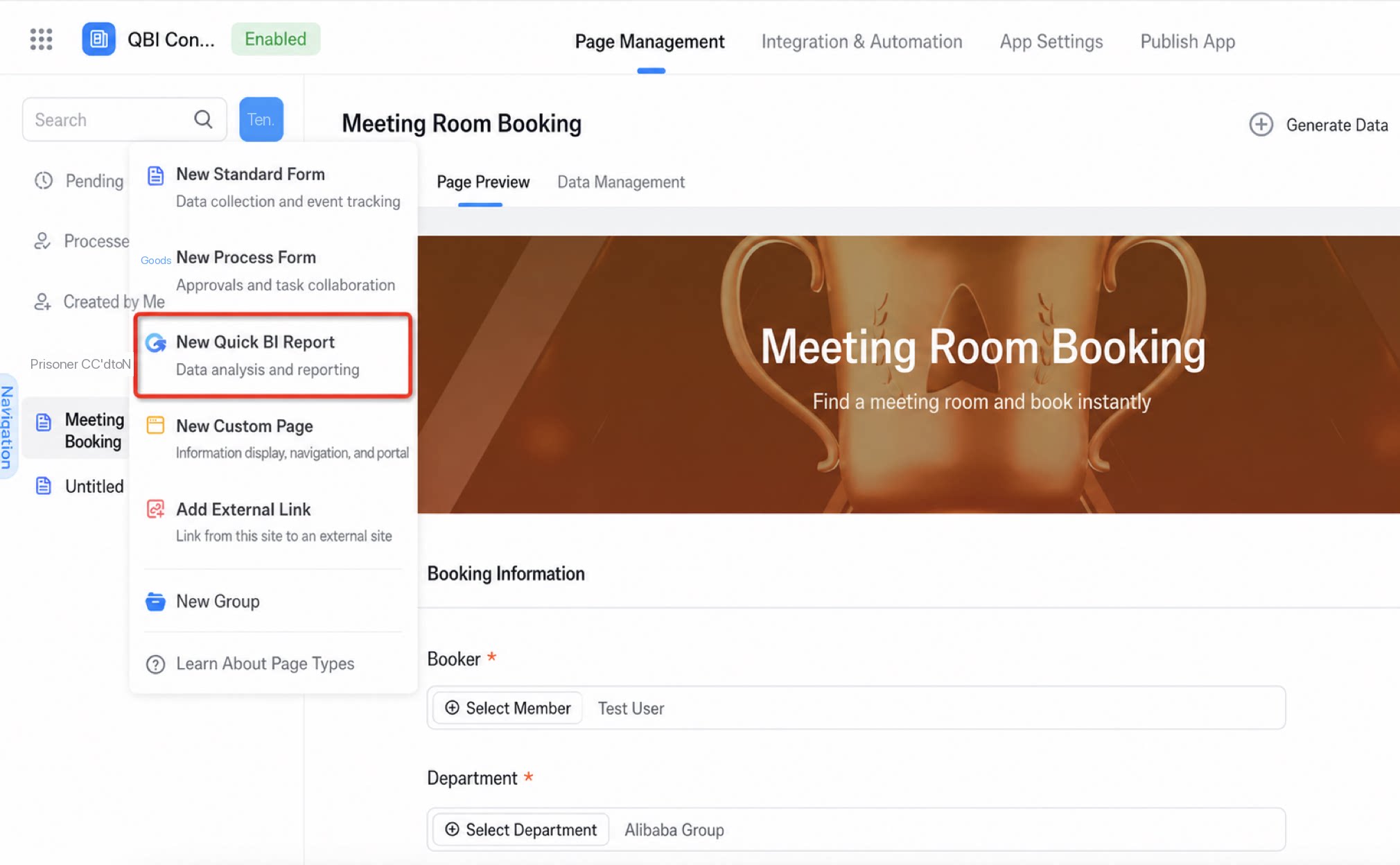
Configuration Steps
Configure the integration in Quick BI as follows:| Step | Description |
|---|---|
| 1. Create a data source | Create a new Data Source in Quick BI.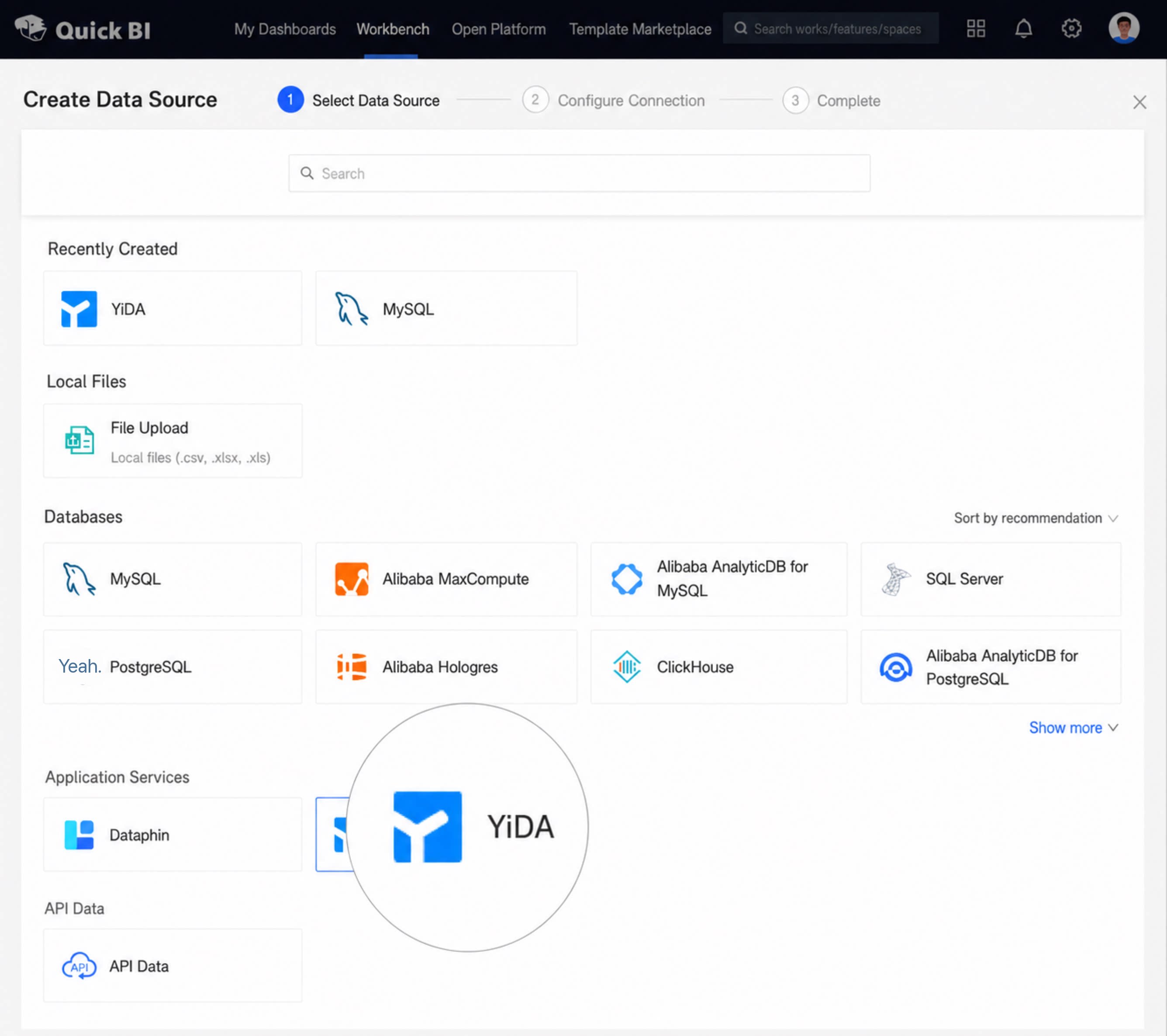 |
| 2. Configure data source information | Enter the required Data Source parameters.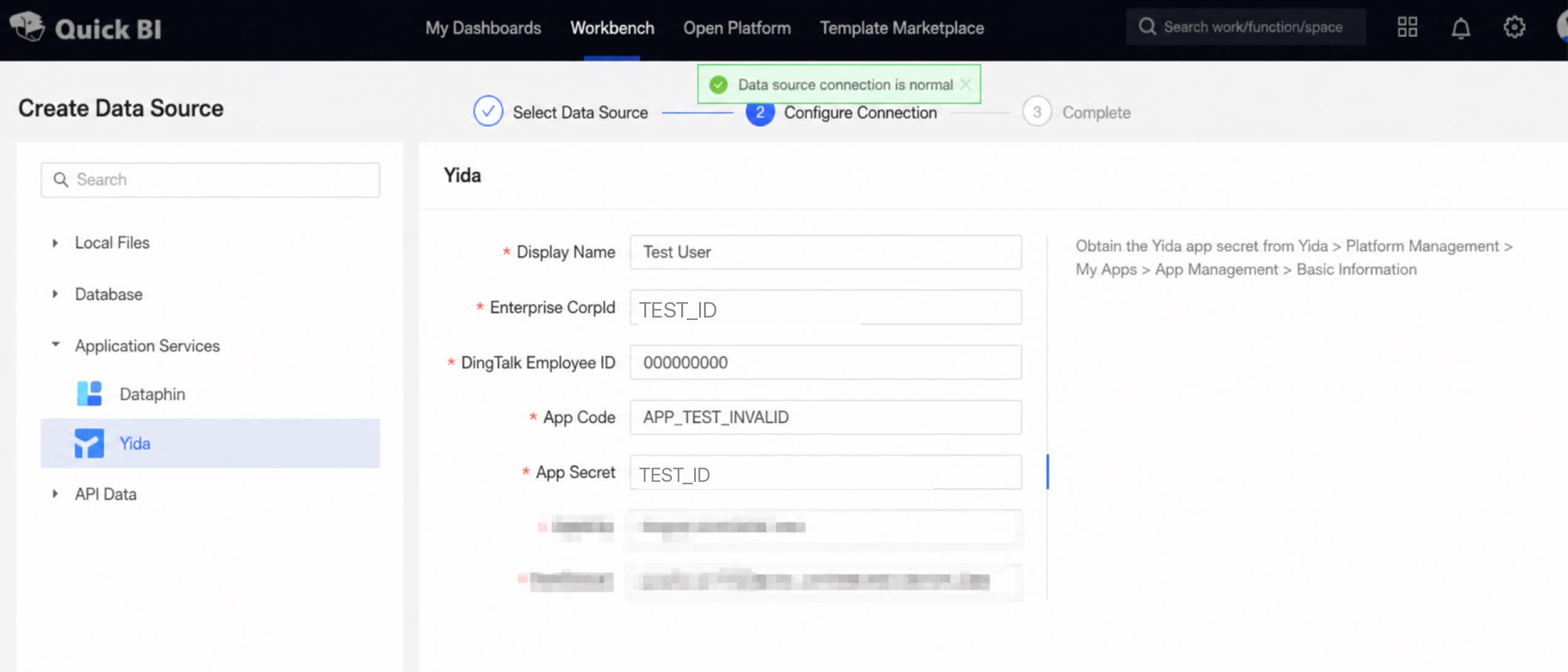 |
| 3. Data source created successfully | Confirm that the Data Source is created.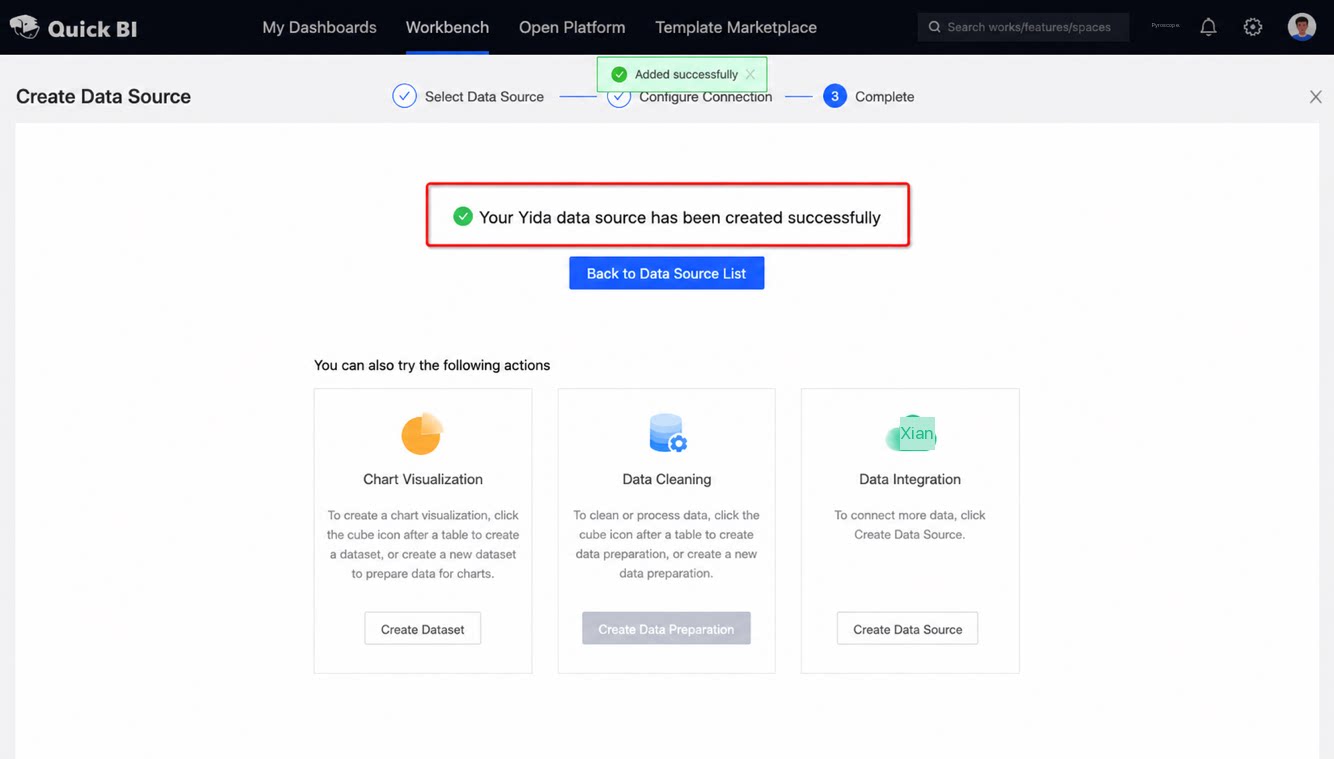 |
| 4. Build a Quick BI dataset from the data source | Create a dataset in Quick BI based on the YiDA Data Source.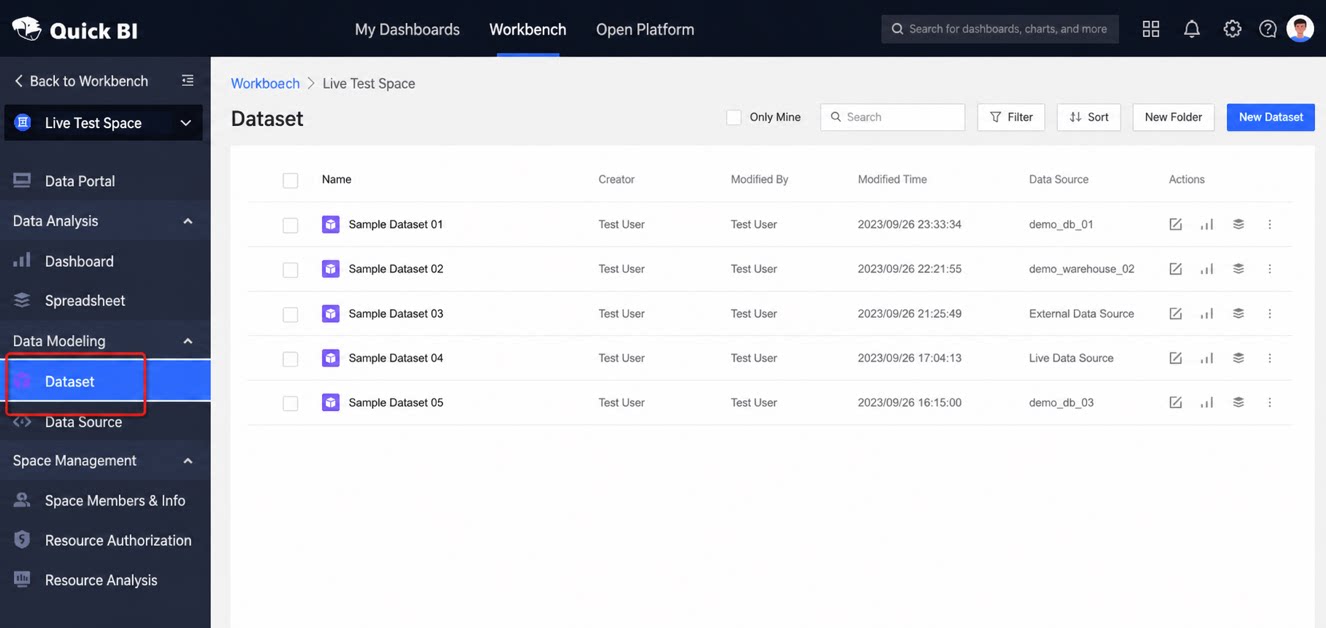 |
| 5. Build a Quick BI dashboard from the dataset | Use the dataset to design a Quick BI dashboard.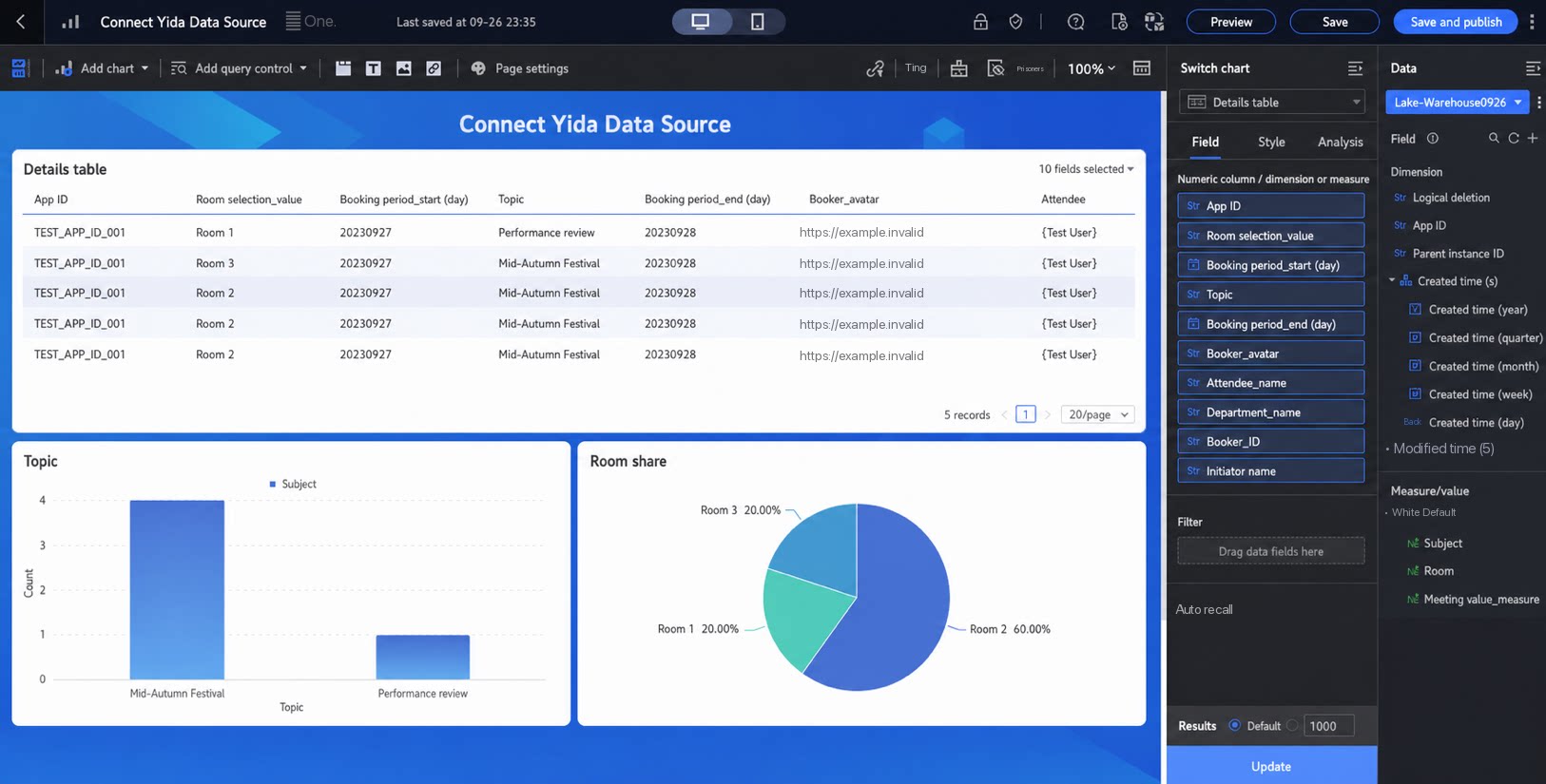 |
FAQ
Q: Are There Version Requirements for Quick BI and YiDA?
- The Data Source integration requires specific product versions. Quick BI must be the latest public cloud Professional edition or the latest on-premises version. YiDA Dedicated must have app-dedicated storage and physical column mode enabled.
- The on-premises scenario is already supported. Contact your Alibaba Cloud Quick BI account manager and upgrade to the latest version.
- The public cloud scenario is currently in gray release and is scheduled to launch in mid-November 2023. Check the Quick BI release notes for the latest updates.
Q: Can Existing Apps Switch to Physical Column Mode?
- No. The storage type is set when the app is created and cannot be changed.
Q: Which YiDA Table Types Can Be Viewed in Quick BI?
- Only form-type datasets from the database are supported.
Q: How Do I Obtain the Parameters Required When Creating a Data Source?
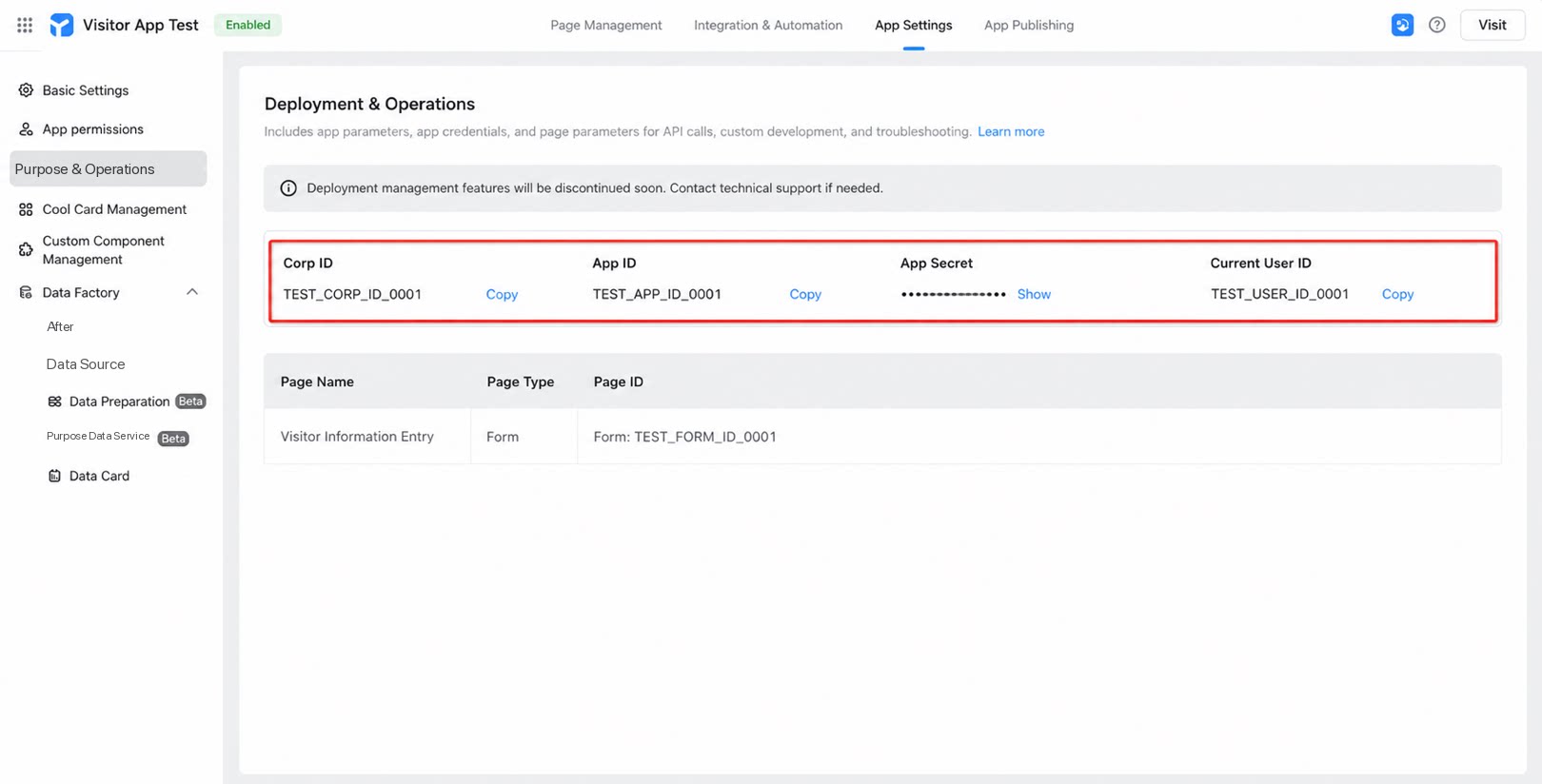
- Quick BI and YiDA account systems are not yet directly integrated. You must configure the relevant parameters and keys to authorize data access. Each YiDA Data Source corresponds to a specific YiDA App Data Source. Get the app information from YiDA > App Management > Deployment & Operations and enter it into the Quick BI Data Source parameters (see the red box below).