

 Chats
Chats Calendar
 Meetings
 Contacts
 Mail
Mail Docs
Docs Drive
Drive AI Table
 AI Minutes
 Attendance
 Approval
 YiDA
YiDA Admin Console
Procedure
1
Step 1
Sign in to the YiDA workbench as an Admin.
2
Step 2
Click Platform management in the upper-right corner to open the platform management page. 
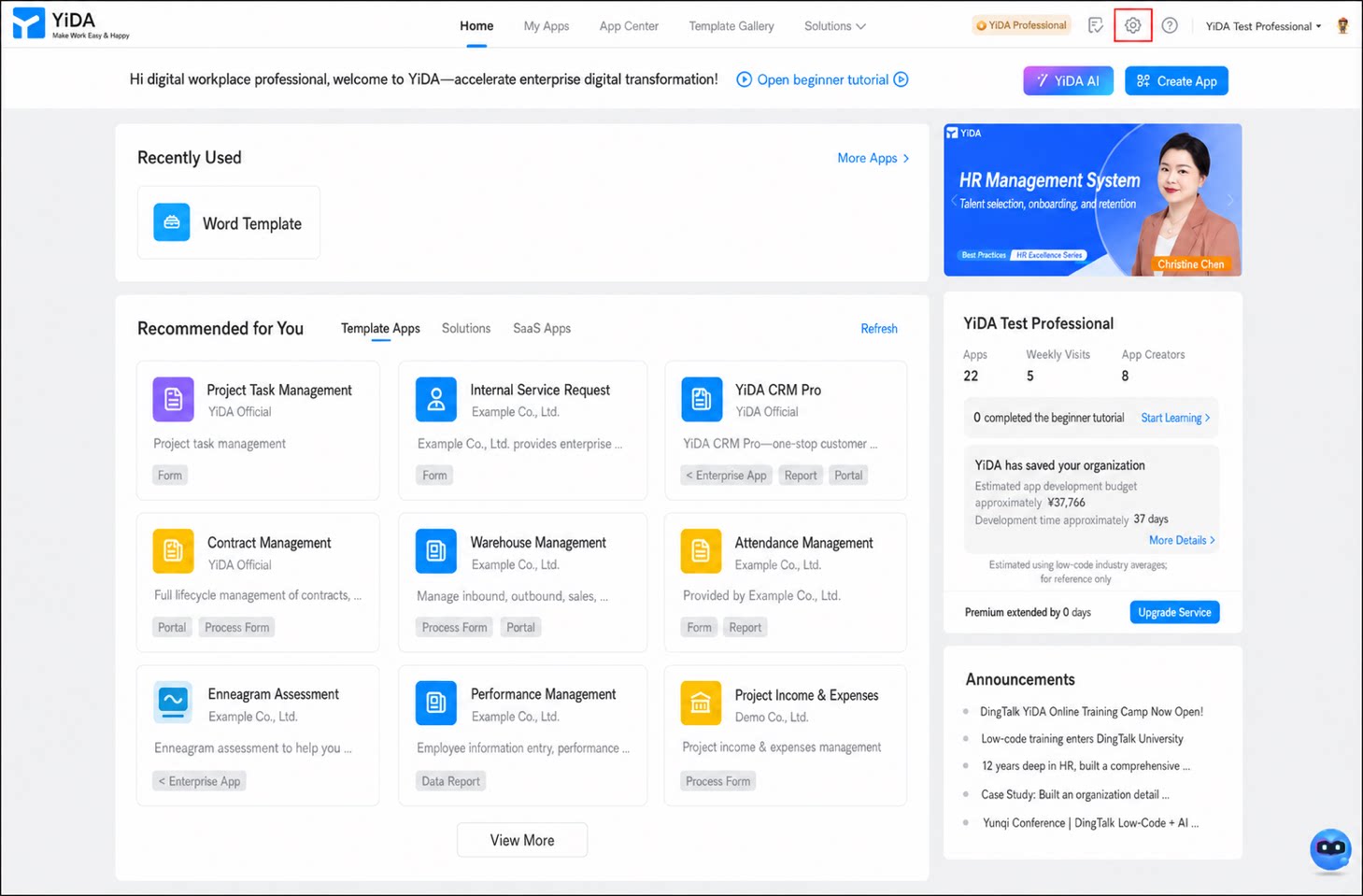
1
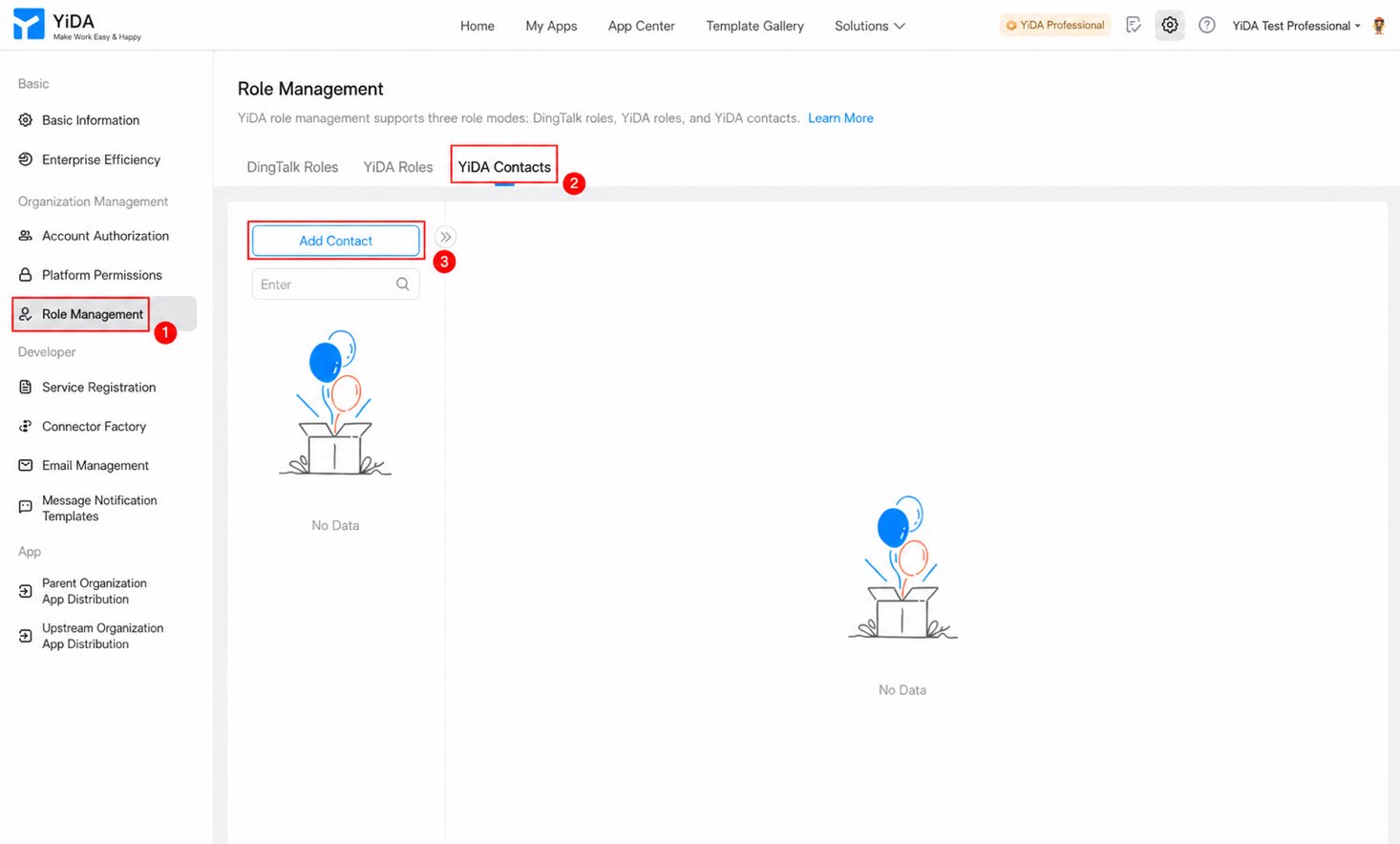
In the left-side navigation pane, click Role management, select YiDA liaison, and then click Add liaison.
2
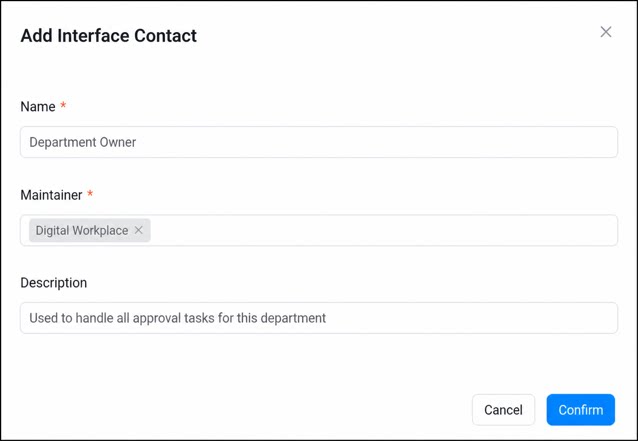
In the Add liaison dialog box, enter the name, maintainer, and description, and then click Confirm to create the liaison.
1
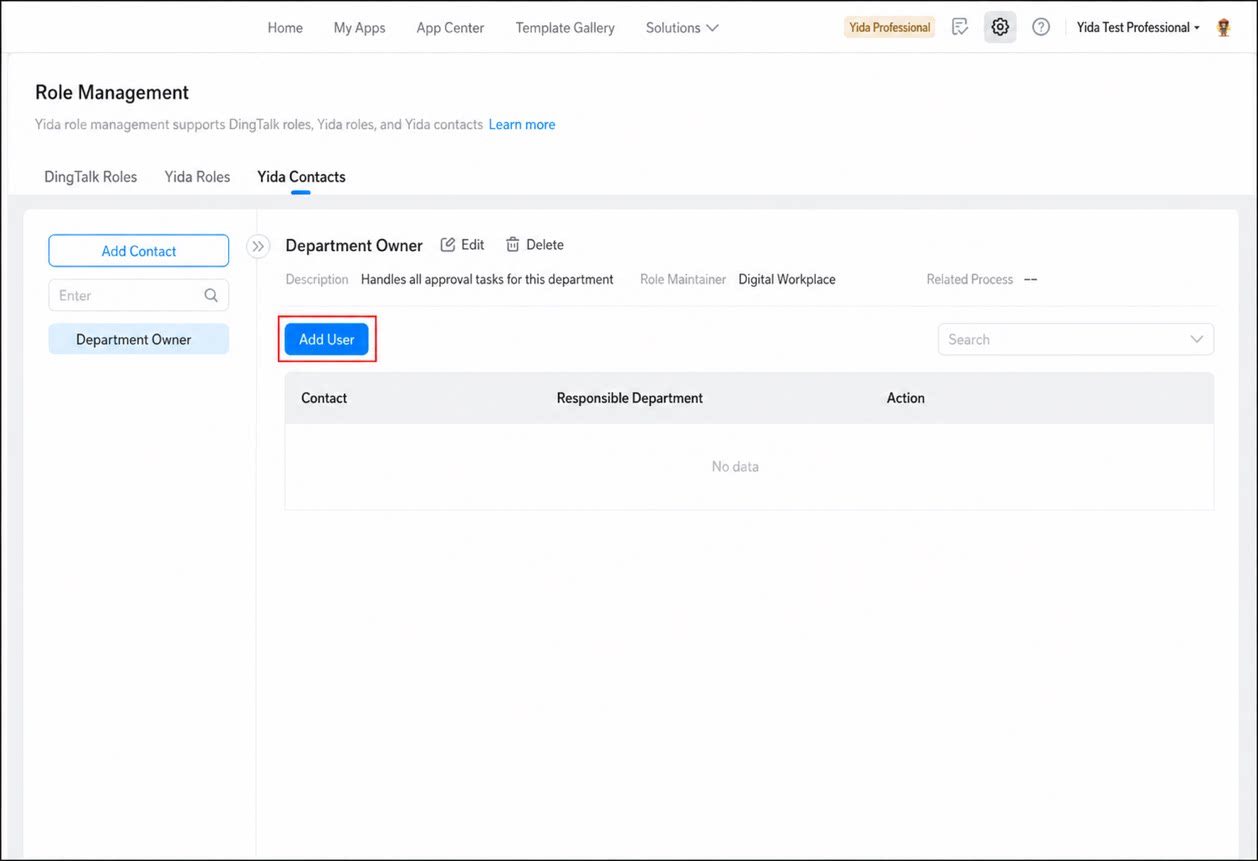
Select the liaison you just created and click Add user.
2
In the Add liaison dialog box, set the Liaison and Owning department, and then click Confirm to add the user.