Chats
Chats Calendar
 Meetings
 Contacts
 Mail
Mail Docs
Docs Drive
Drive AI Table
 AI Minutes
 Attendance
 Approval
 YiDA
YiDA Admin Console
Prerequisites
Before using the YiDA app distribution feature for sales, complete the following prerequisites:- Become a DingTalk partner.
- Apply for app distribution permissions.
- (Optional) Become a YiDA Premium partner.
Feature Overview
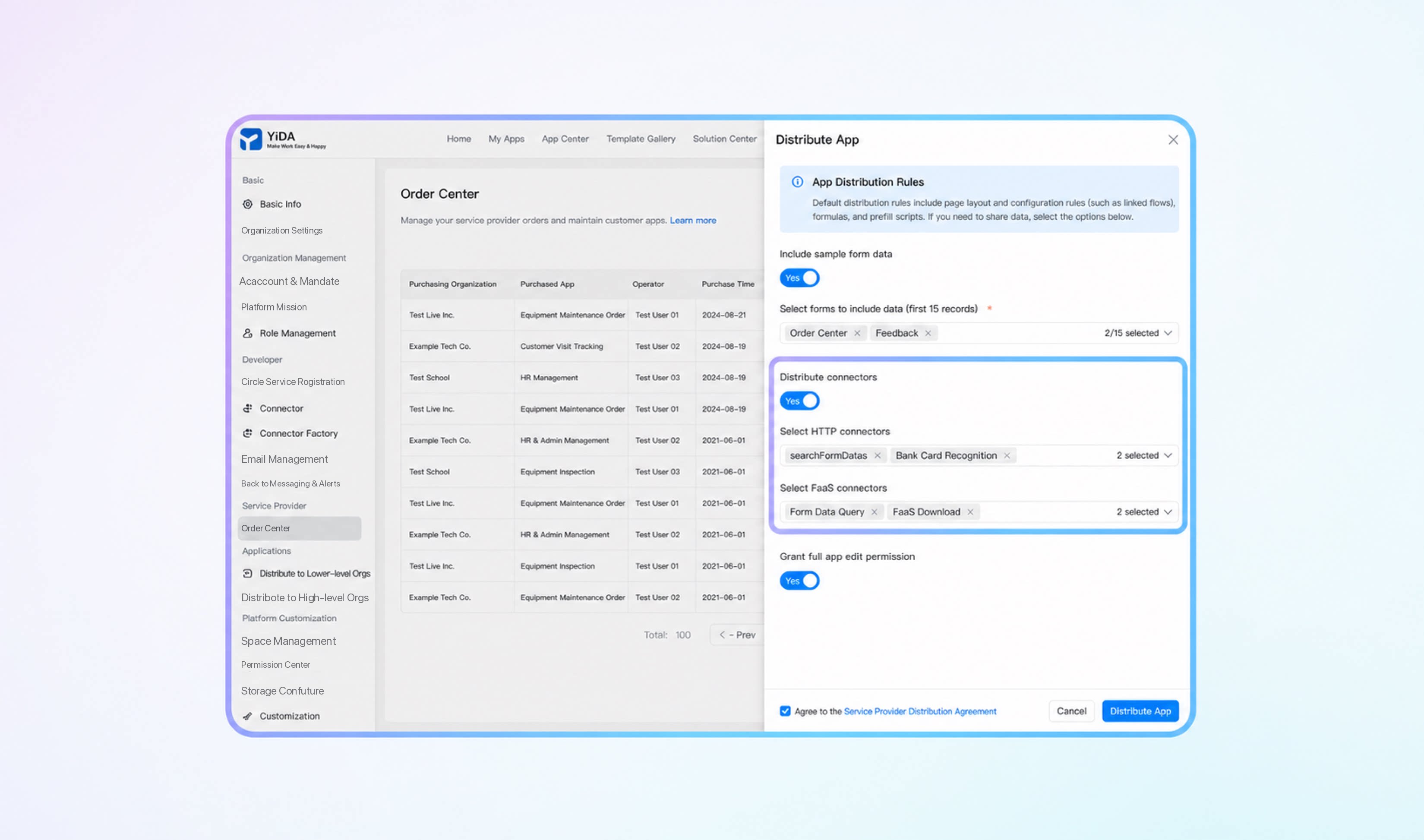
YiDA app distribution is an agile delivery method offered to service provider partners. Once a service provider reaches a sales agreement with a customer, the service provider can use YiDA app distribution to quickly deliver commercial apps to the customer organization. App distribution currently supports distributing all form pages, custom pages, portals, Tabler, data preparation, Cool Apps, custom components, YiDA roles and contacts, integration & automation, connectors, message notifications, and to-do notifications within an app. It also supports incremental and full distribution for upgrading customer apps.Initial Distribution
During the initial distribution, all pages except data dashboards are sent to the target app by default. Association rules configured on the pages (such as data linkage), formulas, front-end code, and other content are sent to the target app together with the pages. In addition, YiDA Tabler, data preparation, integration & automation, connectors, message notifications, and to-do notifications can be distributed.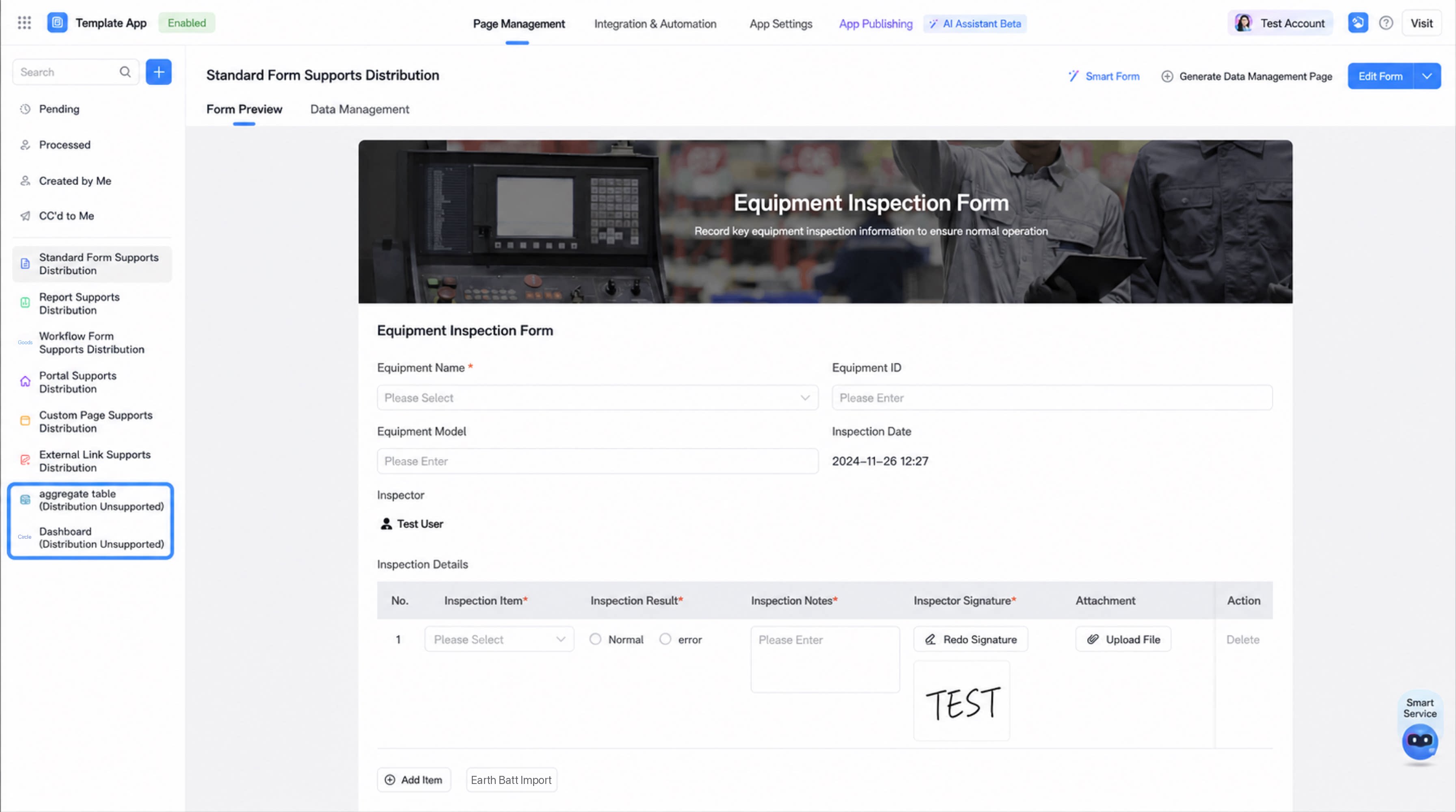
- Apps distributed to customer organizations can carry sample data, up to 15 records per page. After the app is distributed to the customer organization, sample data can be deleted with a single click.
- For apps distributed to customer organizations, when the Edit Permission is disabled, customers can customize App permissions and Page permissions. In other words, customers can freely decide which users within their organization can access the app.
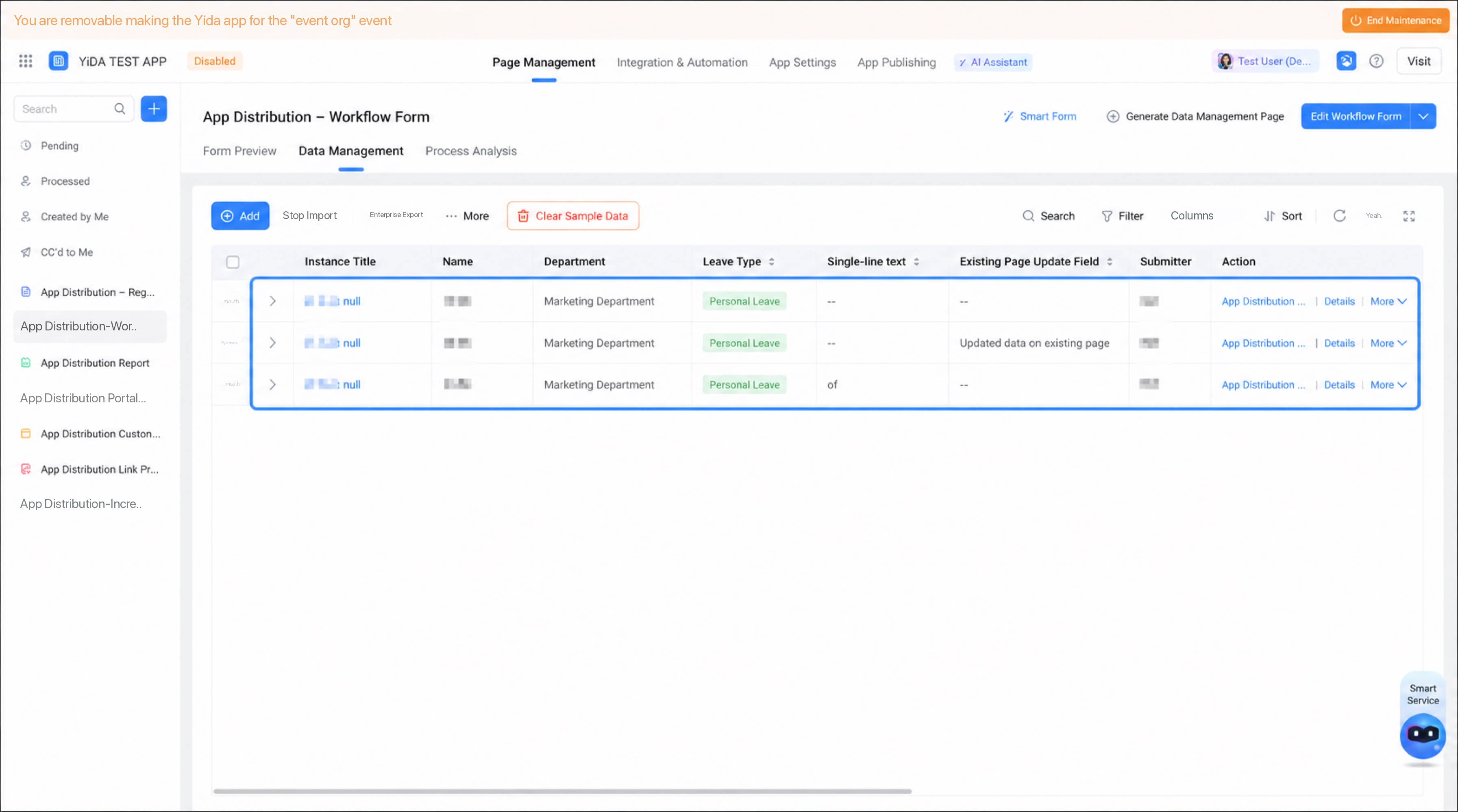
- Before distribution, the system checks whether the customer organization meets the app’s entitlements. If the customer organization’s entitlements do not meet a specific feature permission of the app (such as reaching the data volume limit), distribution fails and an error message is displayed.
Subsequent Distribution
- Incremental distribution
- Full distribution
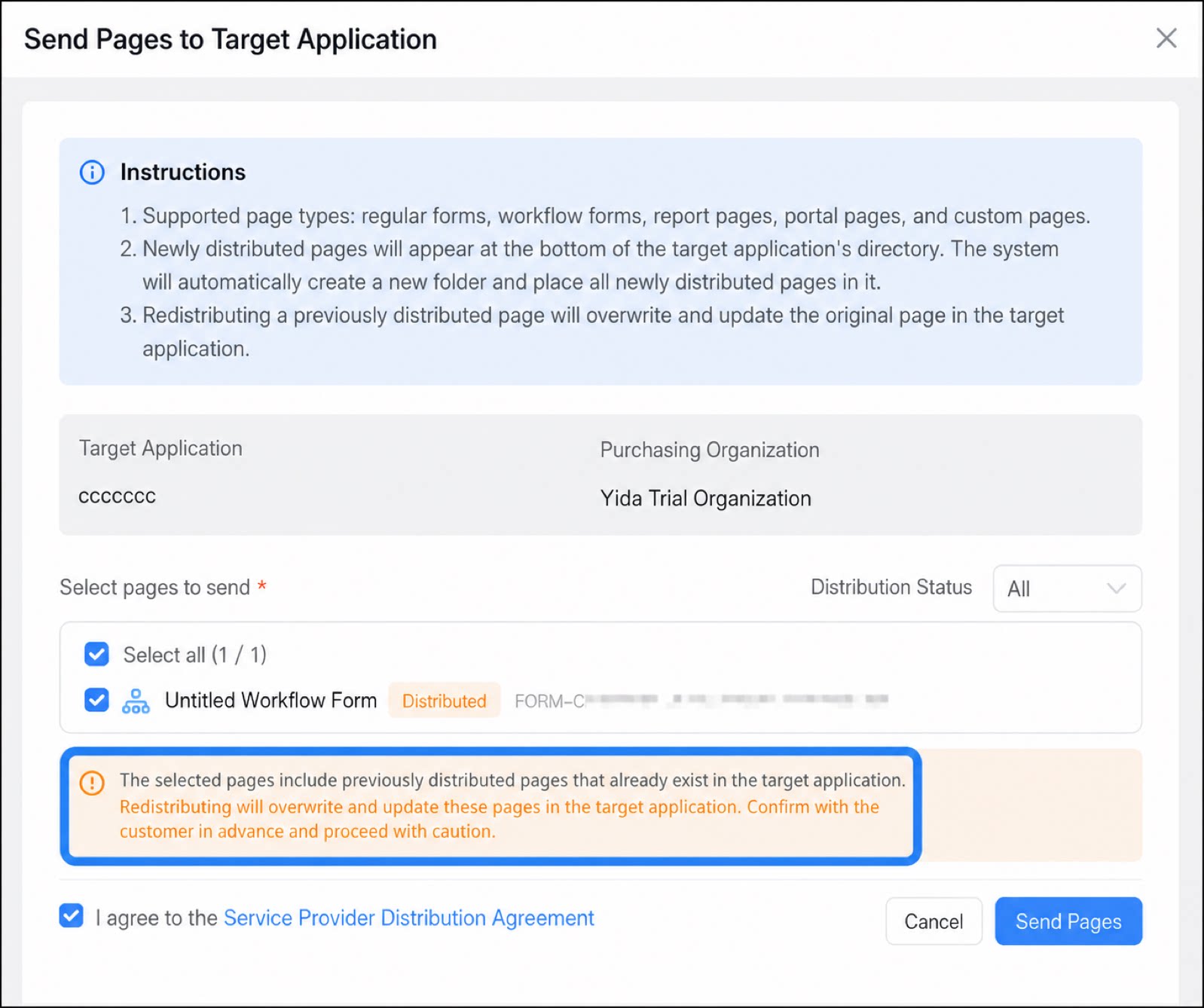
Full distribution overwrites previously distributed target pages in the customer organization. Confirm with the customer in advance and proceed with caution.
Distribution of Page-Related Capabilities
Because roles, contacts, Tabler, data preparation, custom connectors, and other features are organization-specific, after the app is distributed successfully, use remote maintenance to access the customer organization and configure and enable these features.YiDA Roles and Contacts
App distribution supports distributing the roles and contacts within an app. After the app is distributed successfully, reconfigure the role and contact list in the customer organization before using them.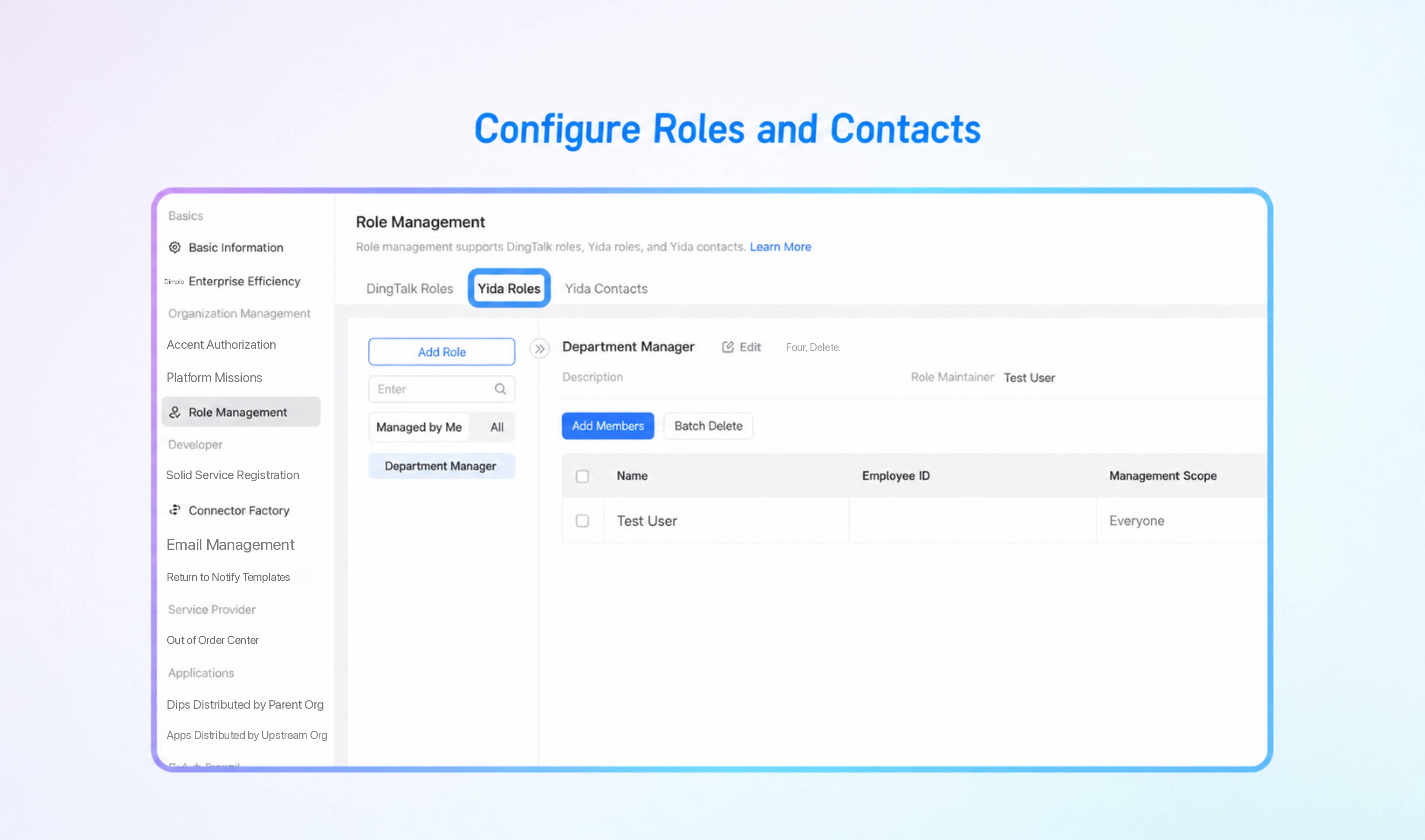
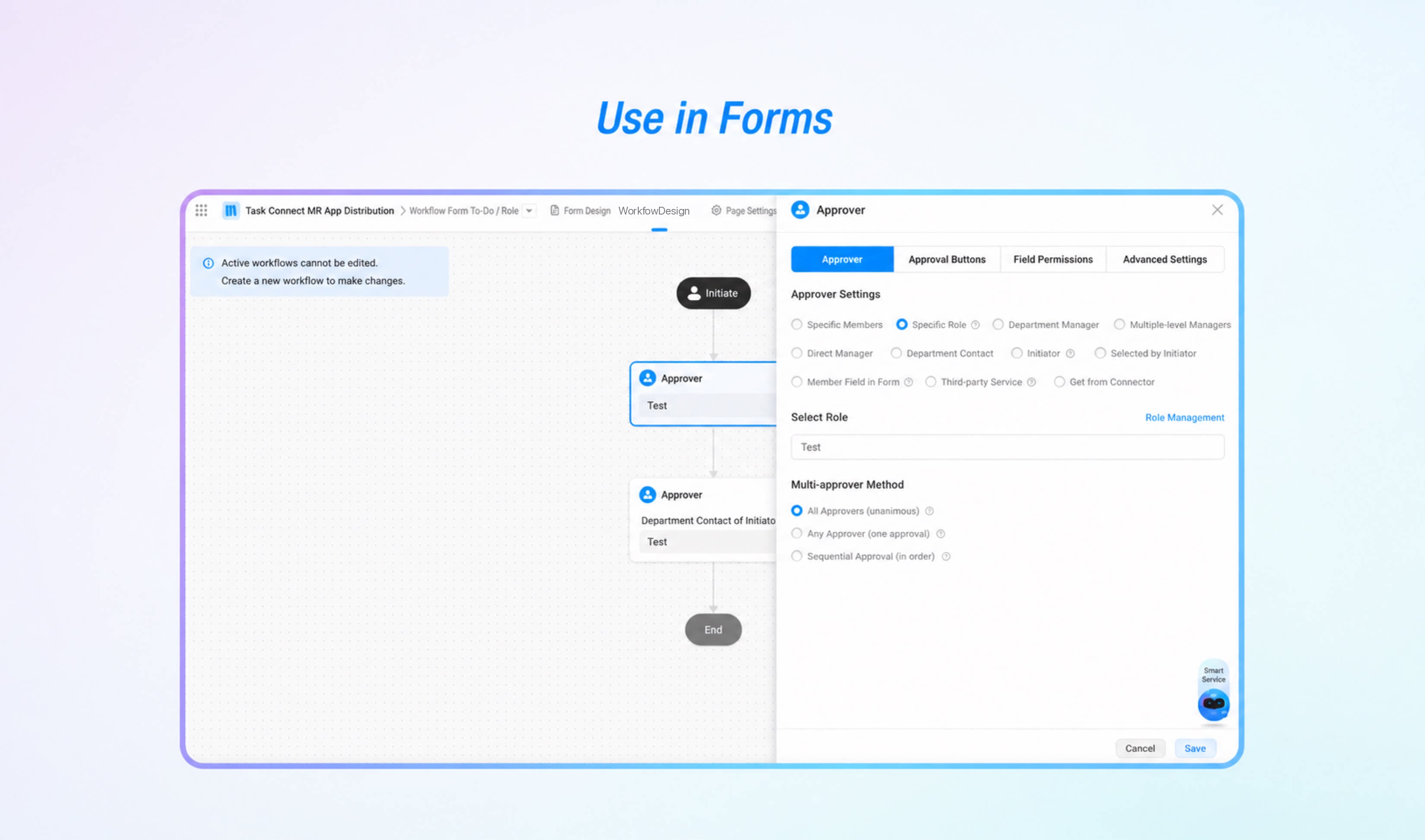
- Regular form: page message notifications and integration & automation (nodes such as message notifications).
- Workflow form: page message notifications, integration & automation (nodes such as message notifications), and the workflow designer.
Tabler
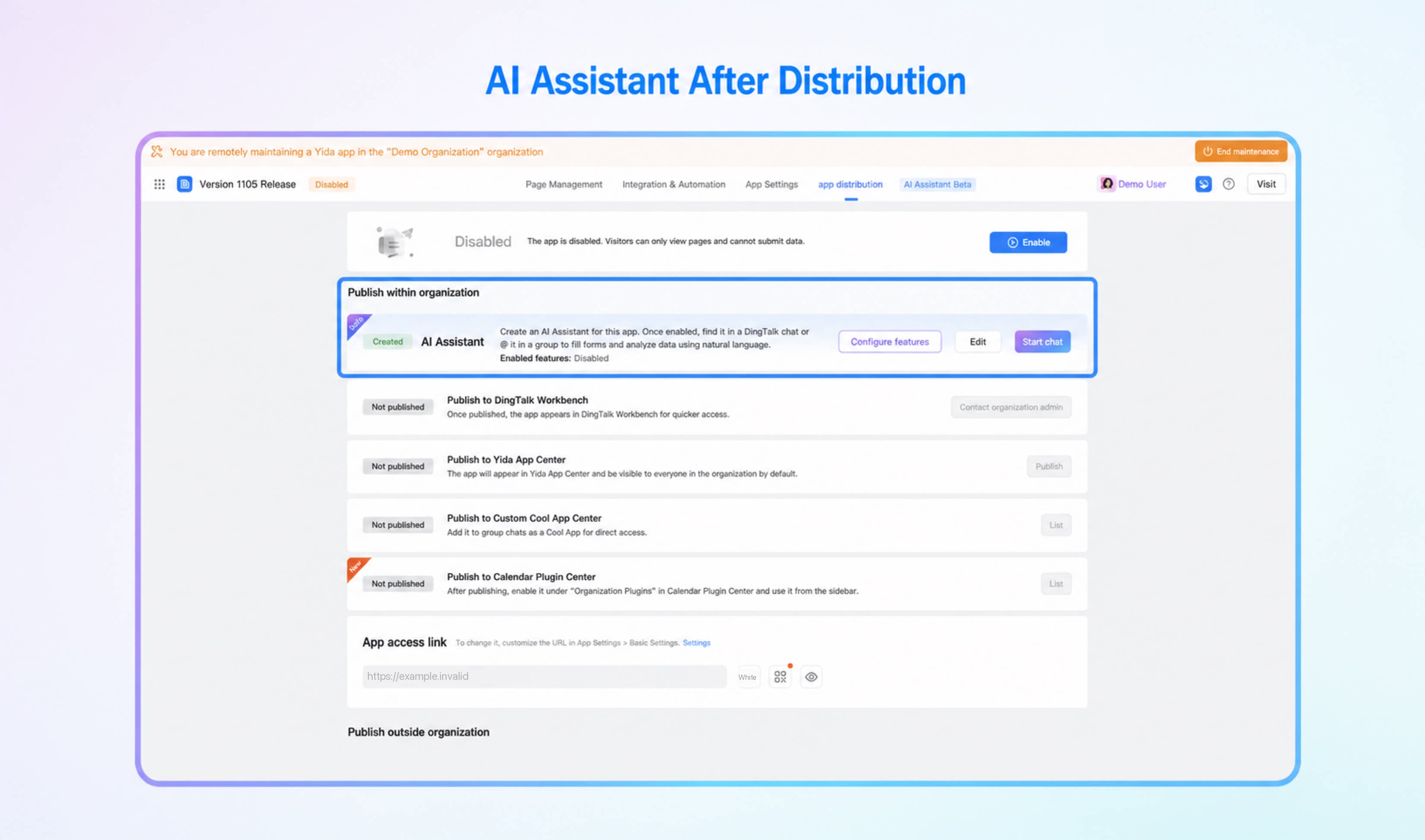
YiDA Tabler can be distributed together with the app. After distribution, the Tabler must be manually created and activated. Once created, it automatically syncs the source app’s capabilities such as intelligent analysis, intelligent data entry, and proactive announcements.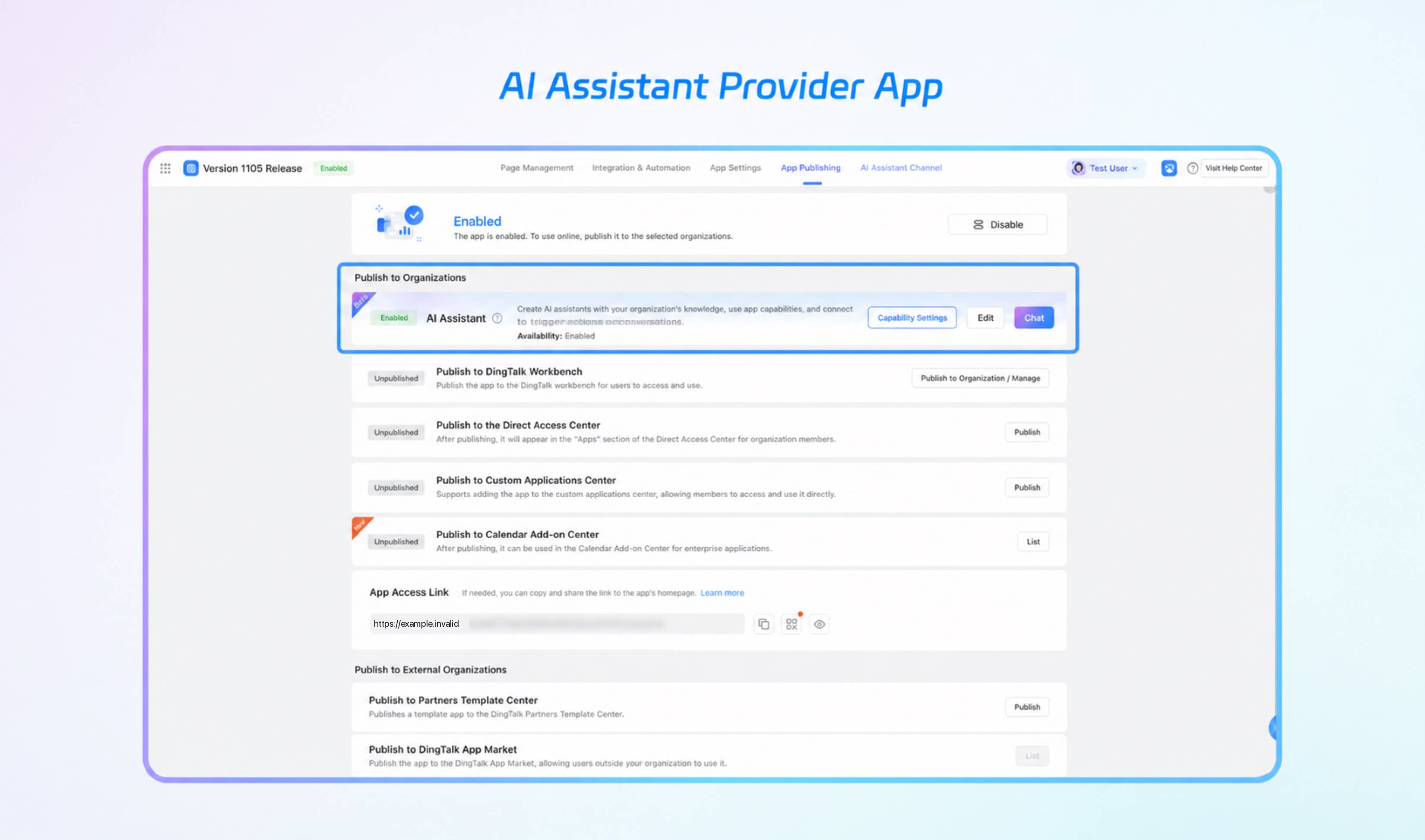
Data Preparation
After data preparation is distributed successfully, the data preparation in the customer organization is in an unexecuted state by default. Reports and other components related to the data preparation dataset do not display data. Locate the corresponding data preparation in the customer organization and manually trigger it.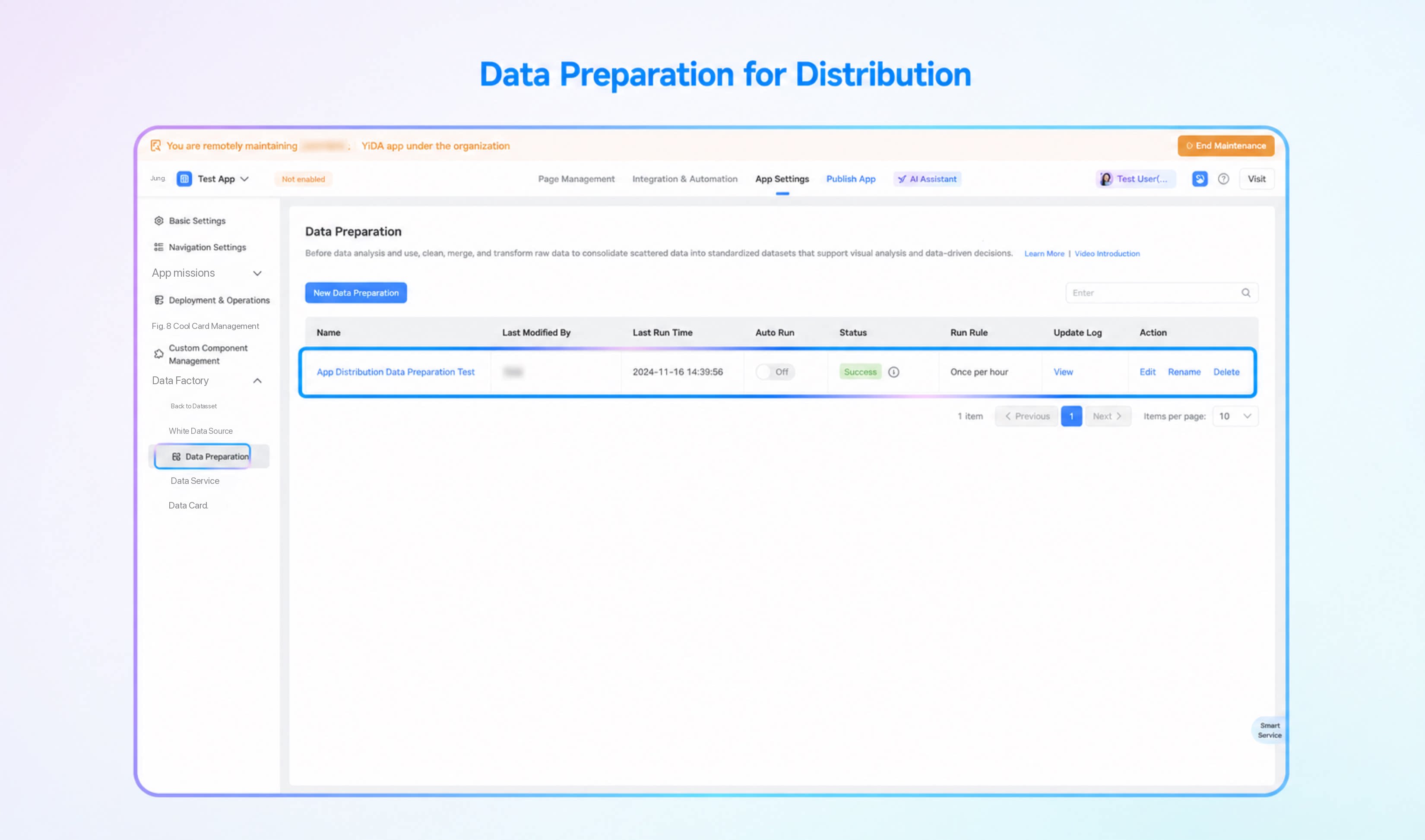
Custom Connectors
When distributing custom connectors, only the API definitions and configurations are distributed. Connector secrets are not distributed automatically. After the app is distributed successfully, access the customer organization and configure them manually before use. FaaS connector code is also not synchronized during distribution. After the app is distributed successfully, manually synchronize and deploy the code.